Flickerwall Documentation home page
Search...
⌘K
Installation Guide
Select Model
Screens
Screen Module Overview
Add or Manage
Media
Overview of Media Module
Upload or Manage
Apps
RSS Feed and Live Streaming
Kiosk
Canva
Weather
Google
QR and URL App
Clock , Date and Scroller
FaceBook
News
YouTube
Loops
Create New or Manage
What is Loop? How to Create a Loop?
Schedules
Create New Schedule or Manage
Reports
Manage and Download Report
Settings
Tags
Org Profile
How to add a Default look for all newly add Screens?
How to Add / Change Billing Details?
How to Add or Change details in the Org Profile?
How to toggle the Settings of Org Profile?
What is an Org Profile in Flickerwall?
What is 'Require Loop Appoval'?
Regions
User
What is User and their Roles and Permissions?
Users
Roles and Permissions
Plan and Invoices
Manage Plan and Invoices
User Profile
Overview of User Profile
User Profile Manual
Support
Dashboard
Flickerwall Documentation home page
Search...
⌘K
Support
Dashboard
Dashboard
Search...
Navigation
Org Profile
How to toggle the Settings of Org Profile?
Cloud
Cloud
Org Profile
How to toggle the Settings of Org Profile?
Copy page
Learn how to toggle your Org Profile Settings for more control and better Management
Copy page
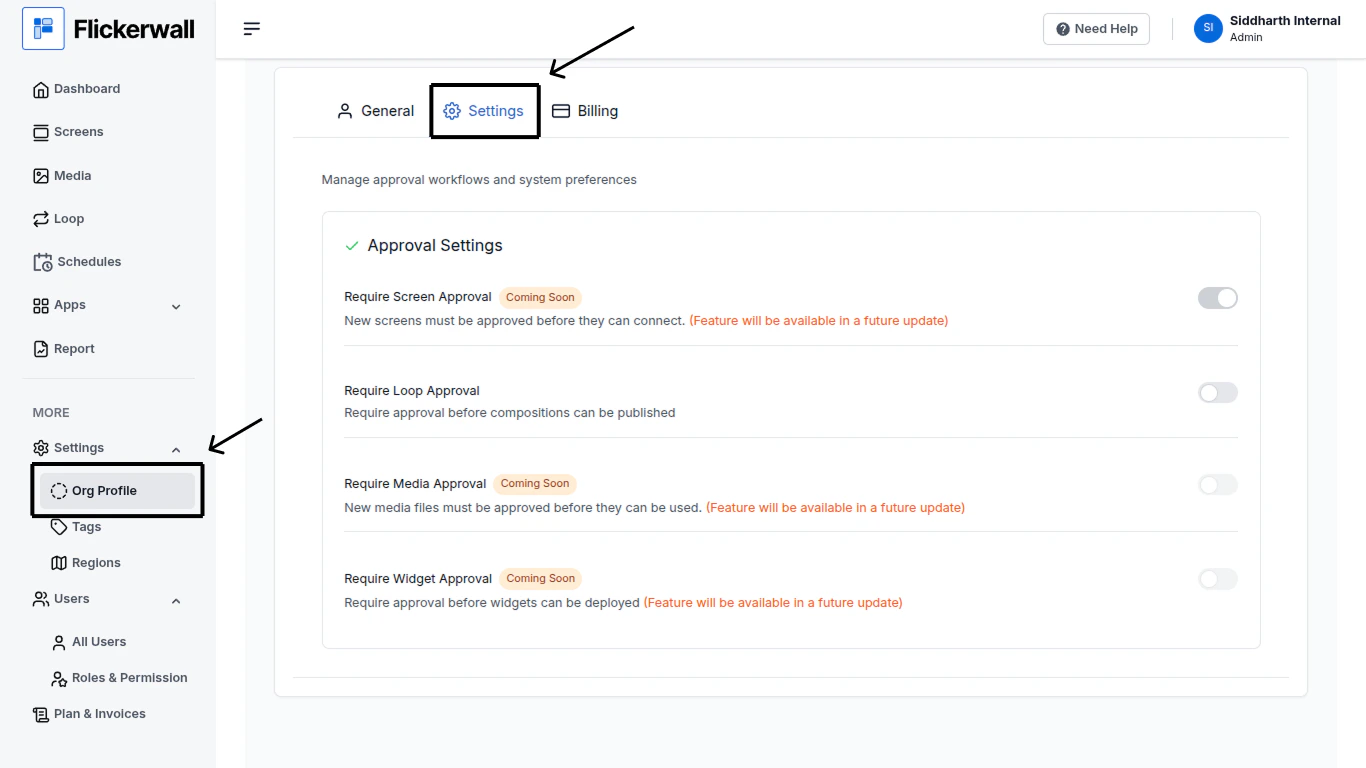
Step 1
Go to the Org Profile Module and go to Settings
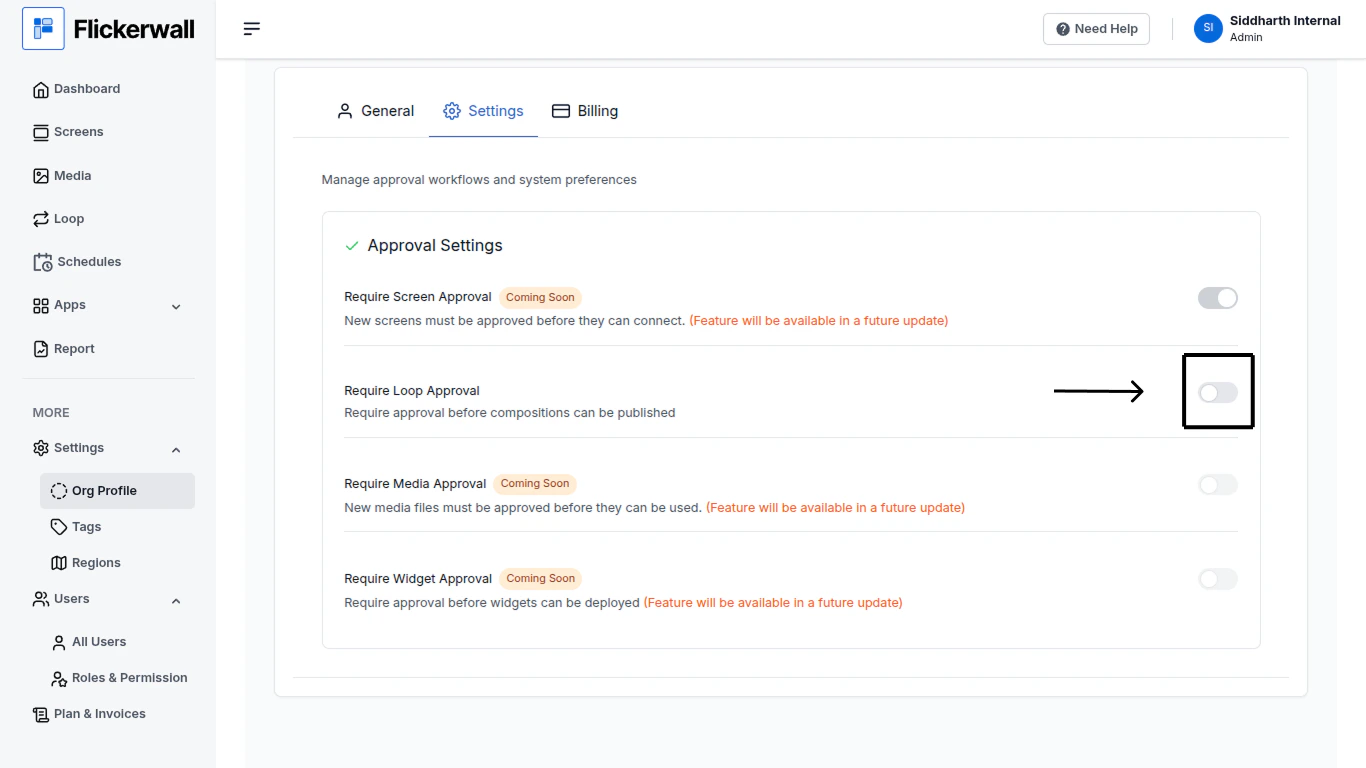
Step 2
Locate the setting you wish to turn ON / OFF
Previous
What is an Org Profile in Flickerwall?
Learn what is an Org Profile in simple terms
Next