Learn how to Add or Change your Organization’s Billing details for better Management
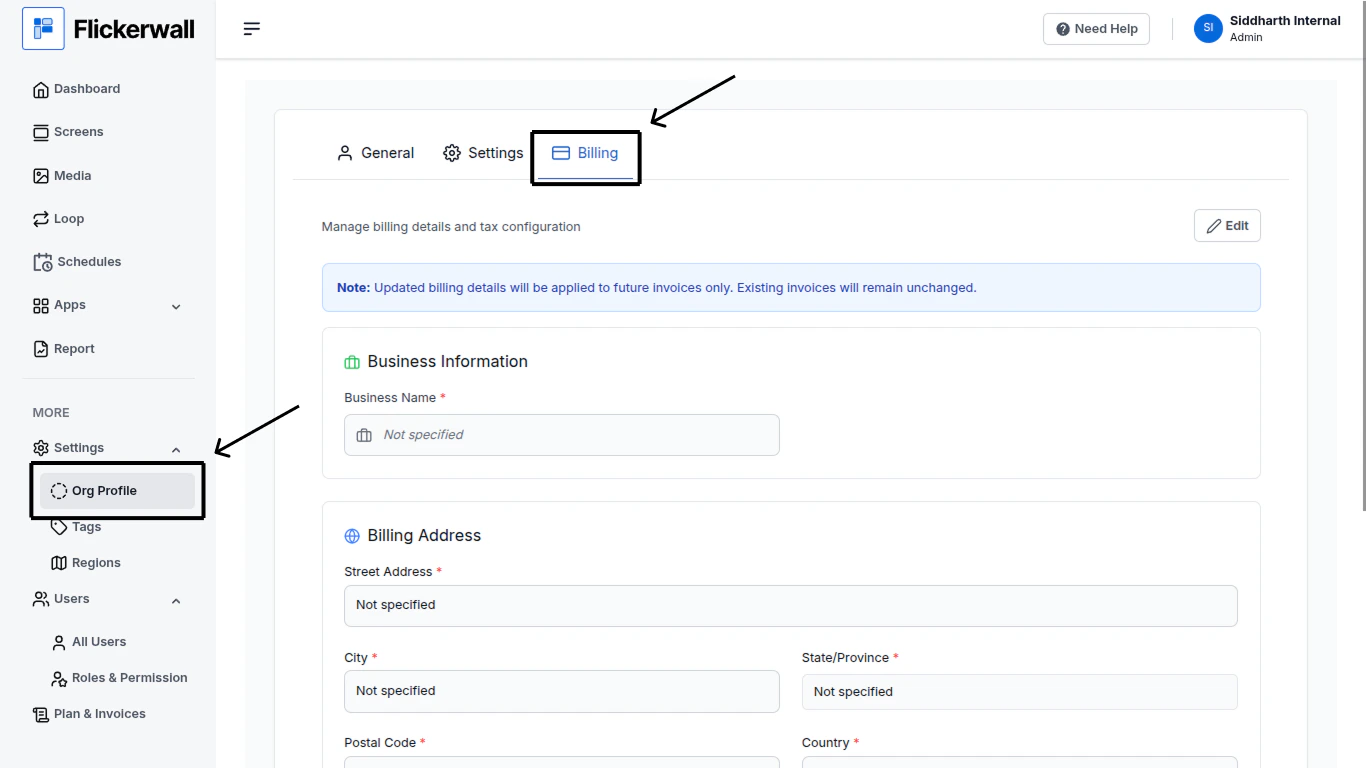
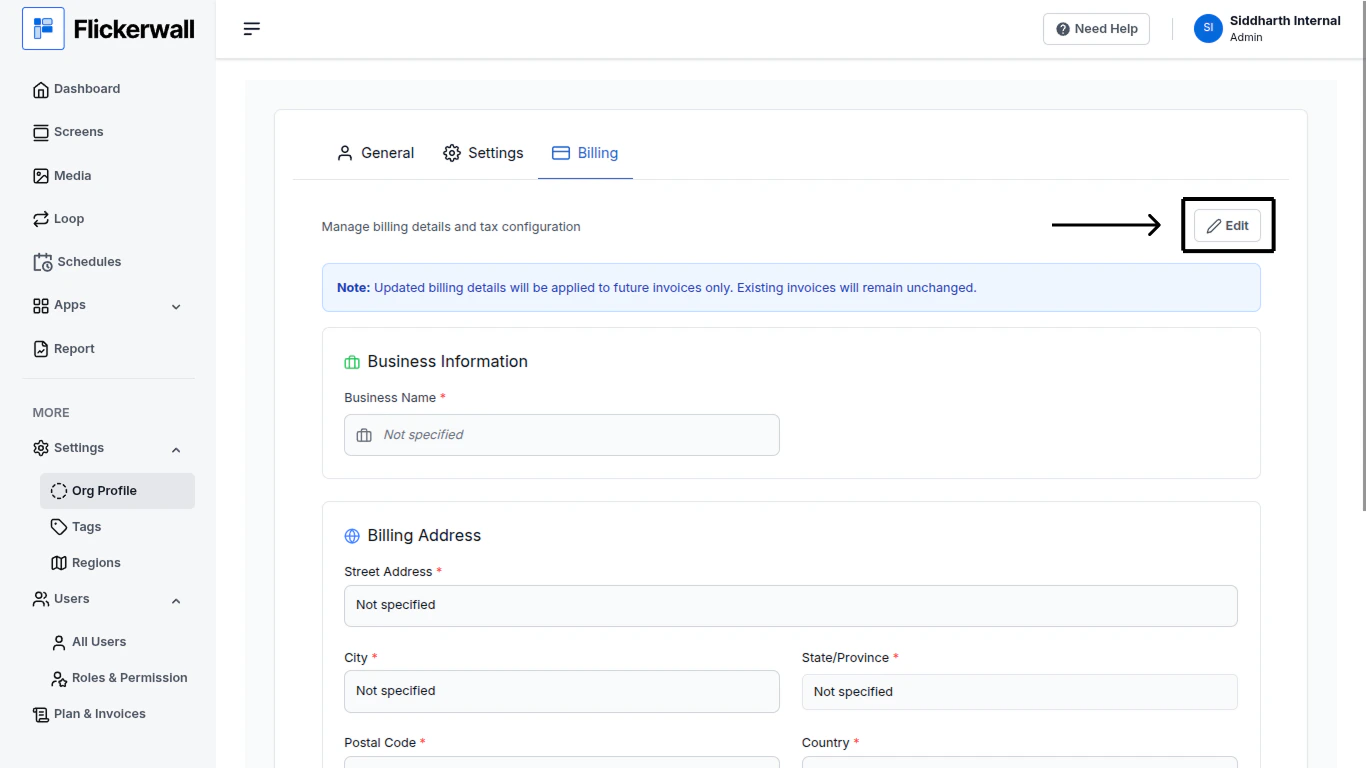
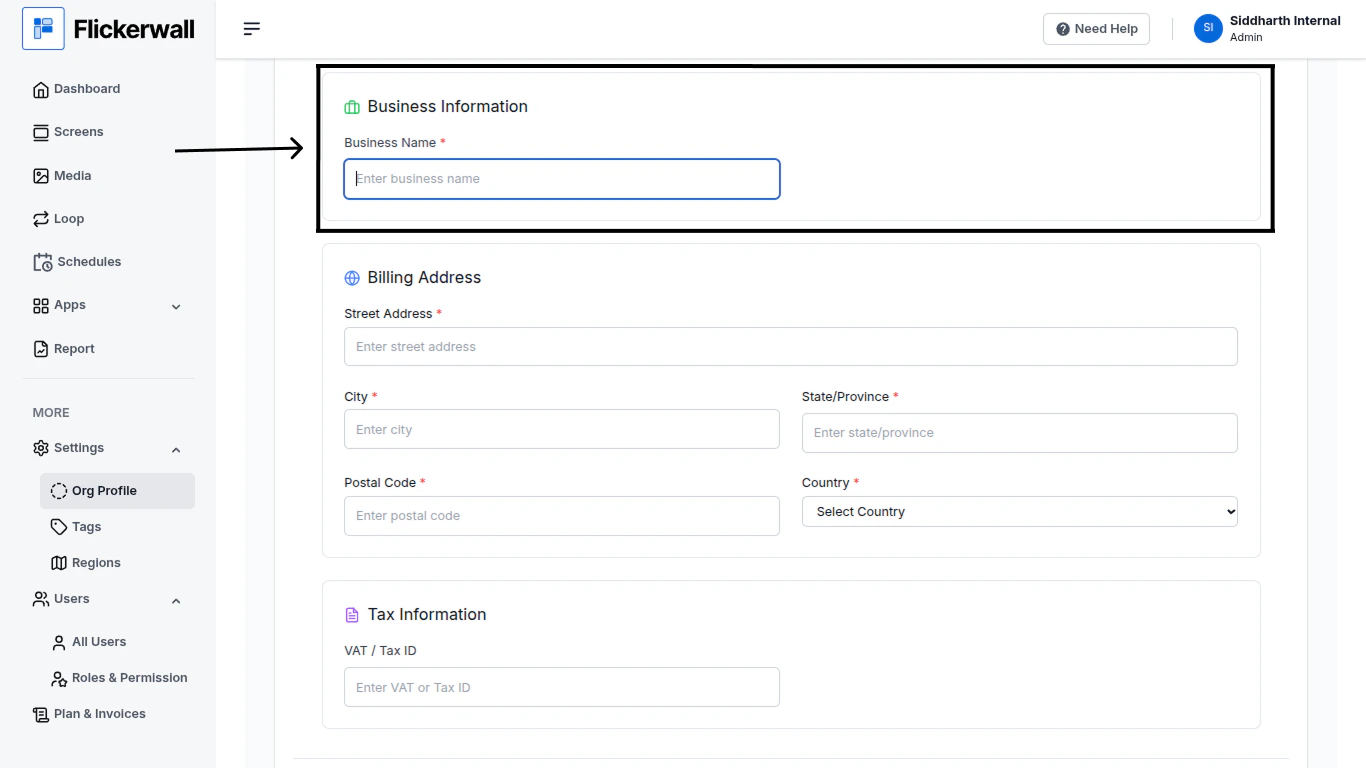
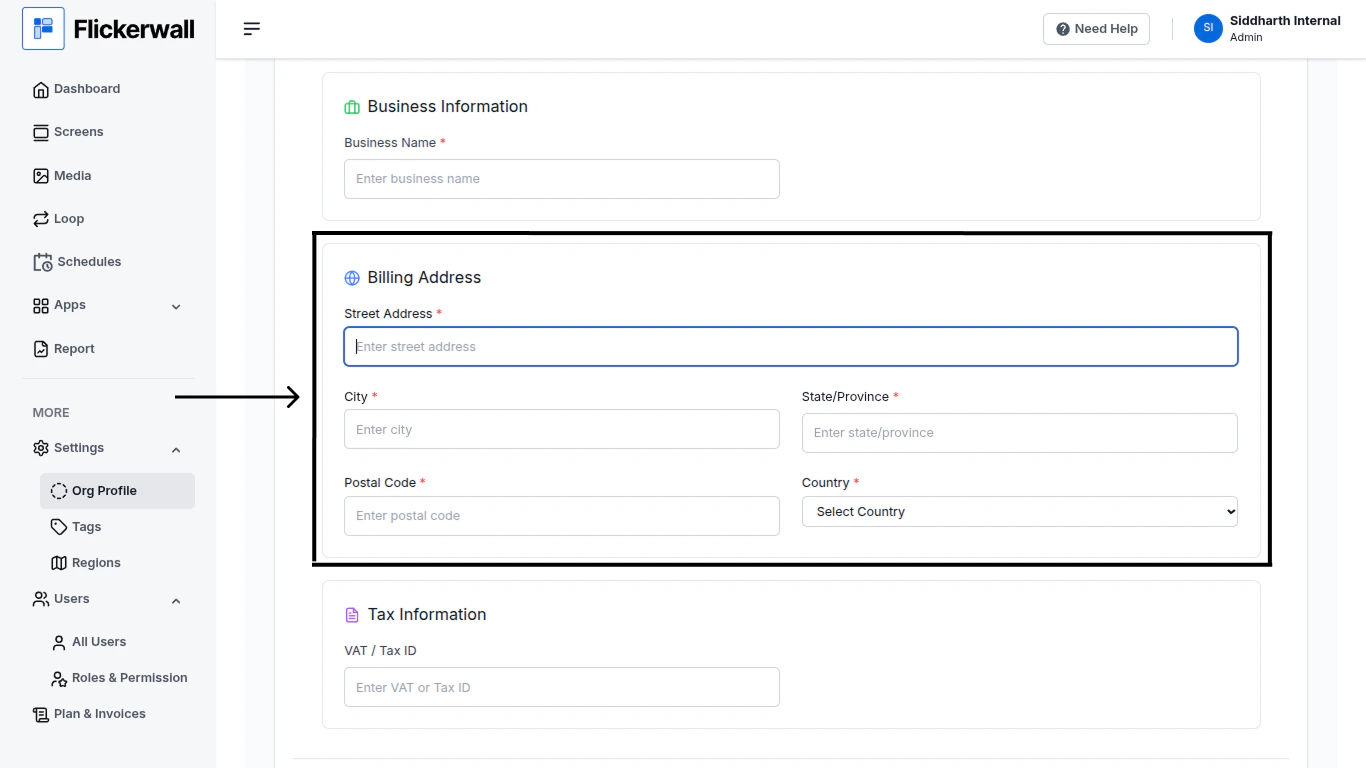
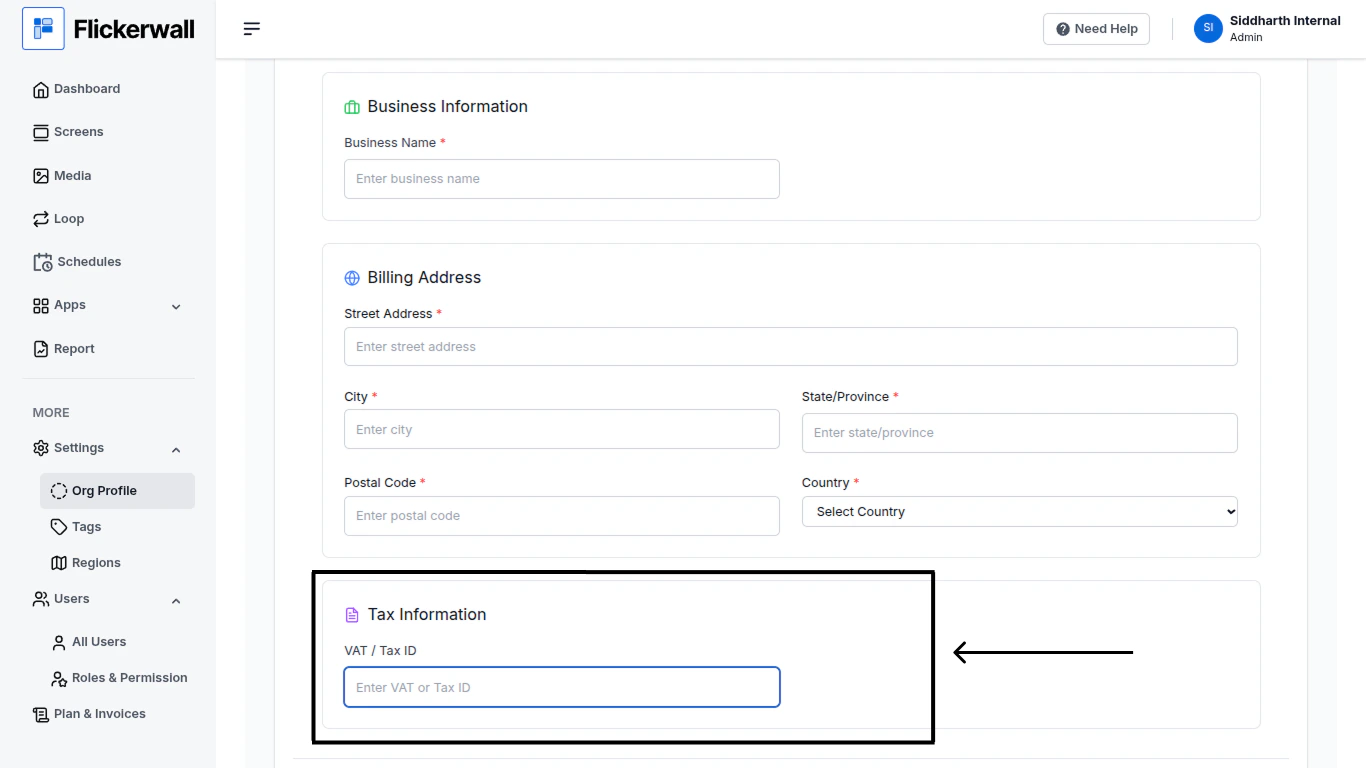
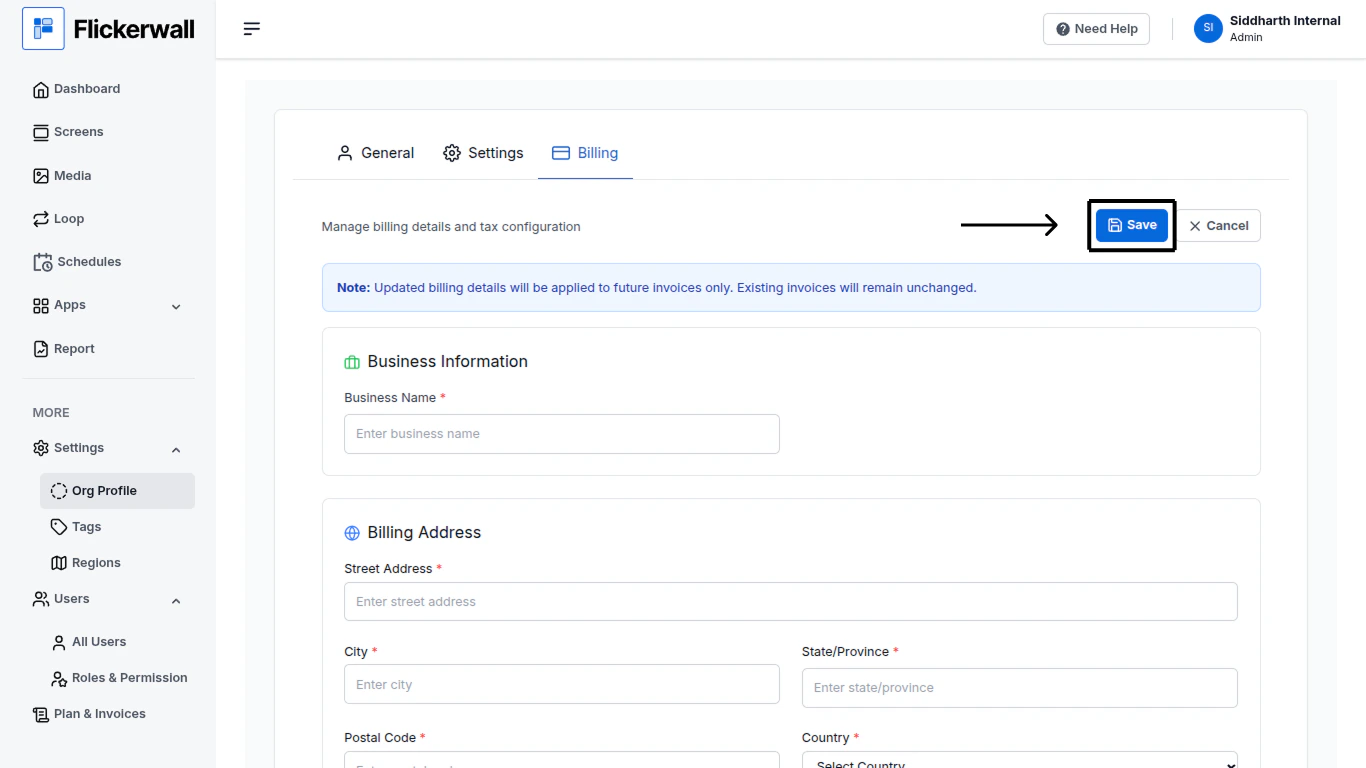
Step 1Go to the Org Profile ModuleStep 2Click on “Edit” to start Adding or to Change the DetailsStep 3Start by adding your Organization’s NameStep 4Enter your Billing Address
Street Address
City
State / Province
Postal Code
Country
Step 5Lastly enter your Tax InformationVAT / Tax IDStep 7Once you are done with the process , Scroll back up on the page and click on “Save” to save the added details