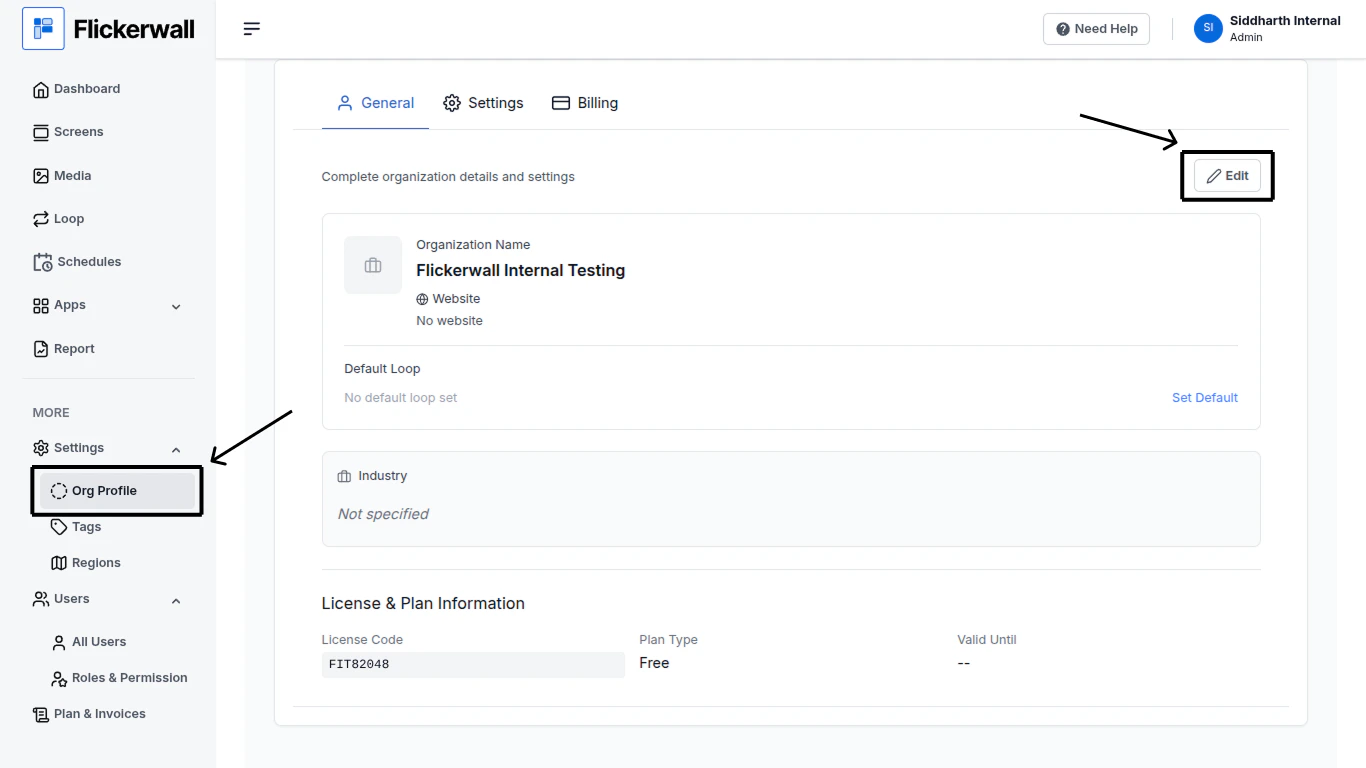
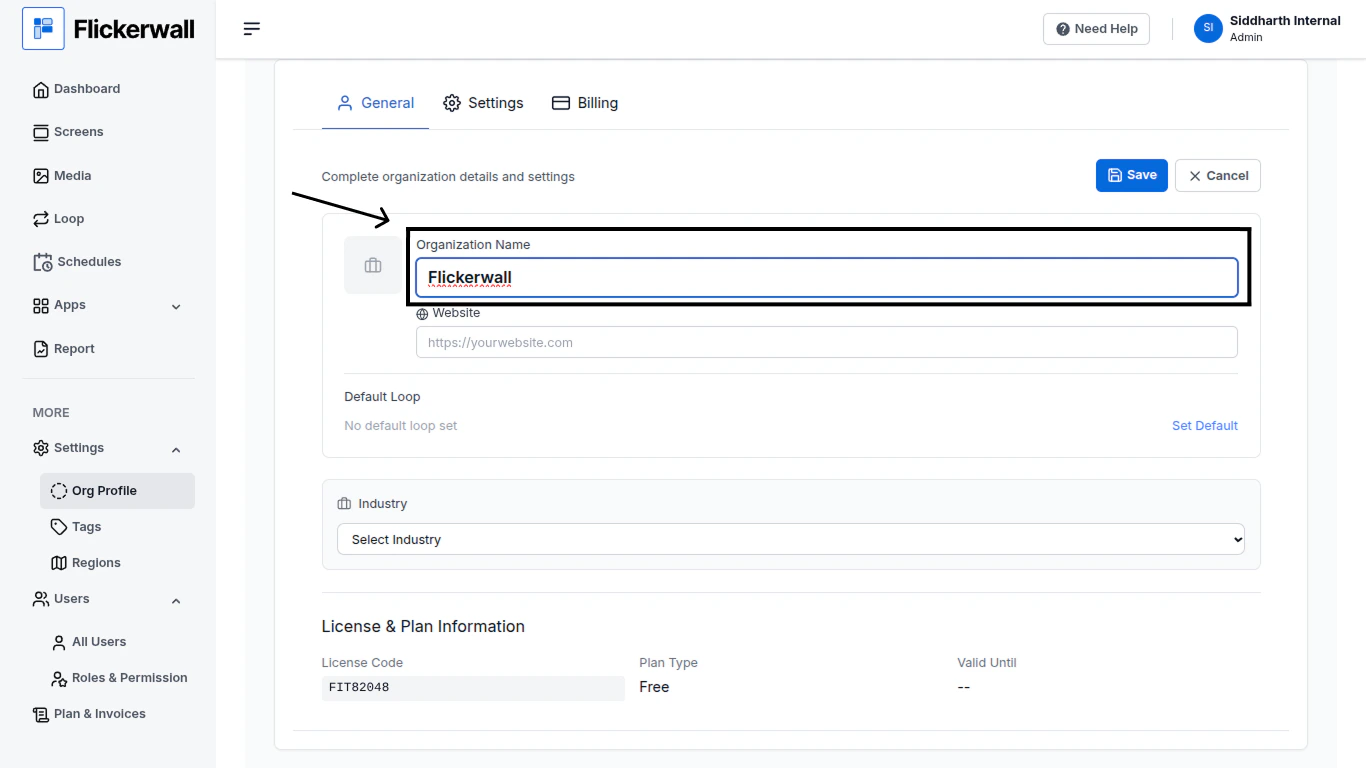
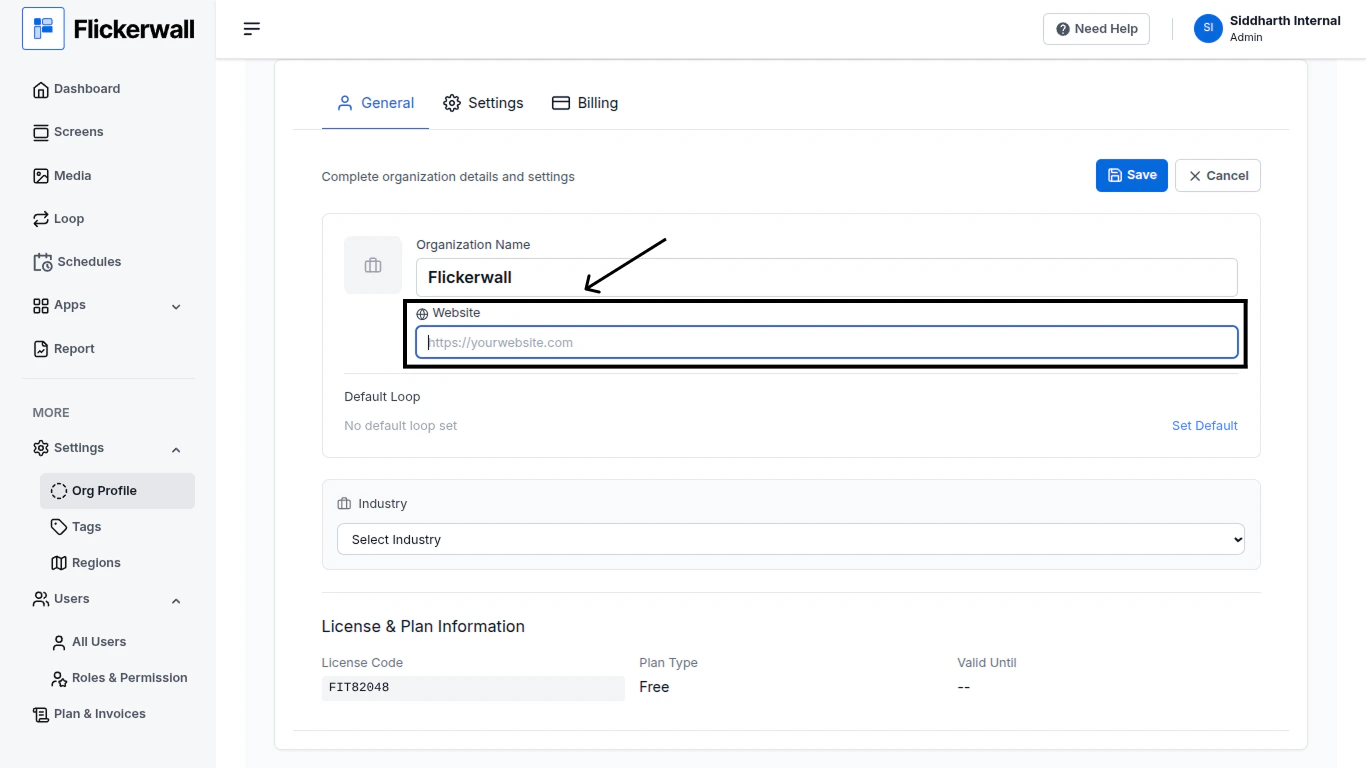
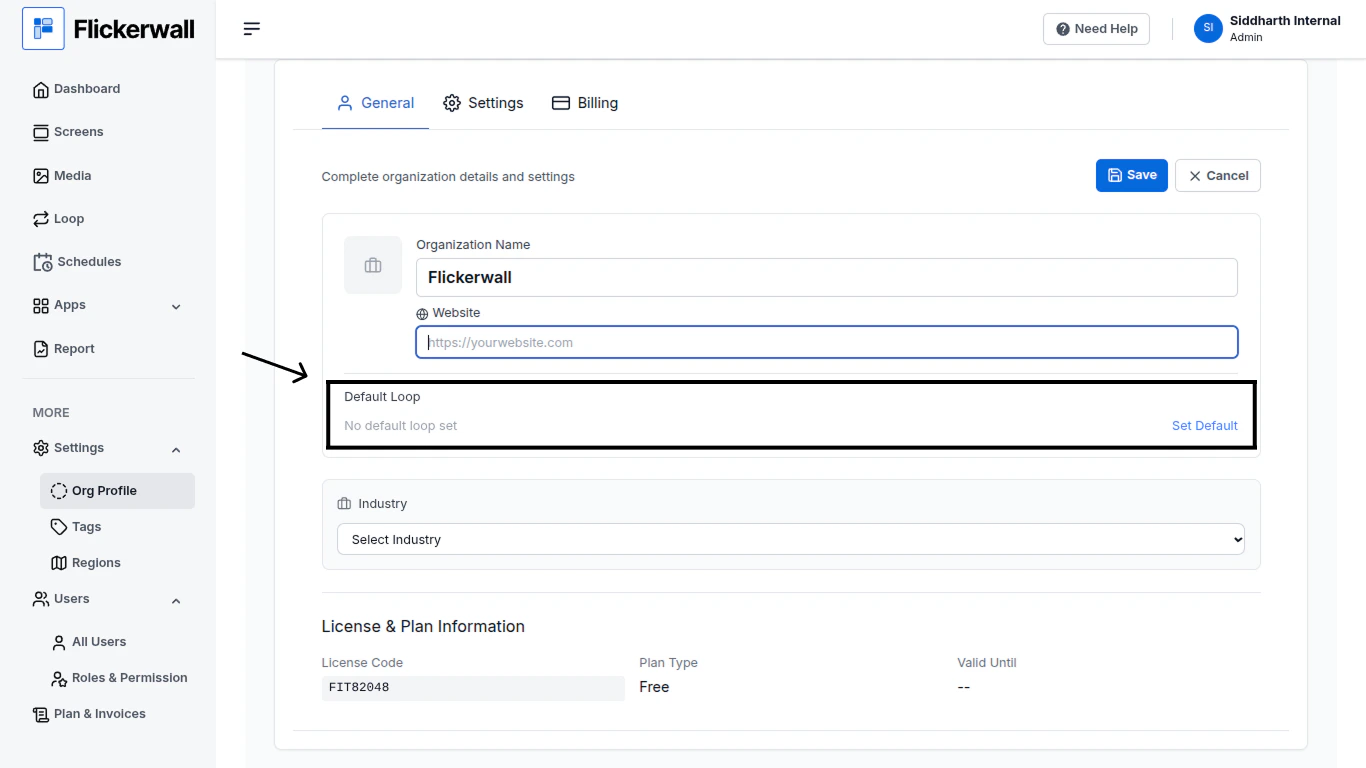
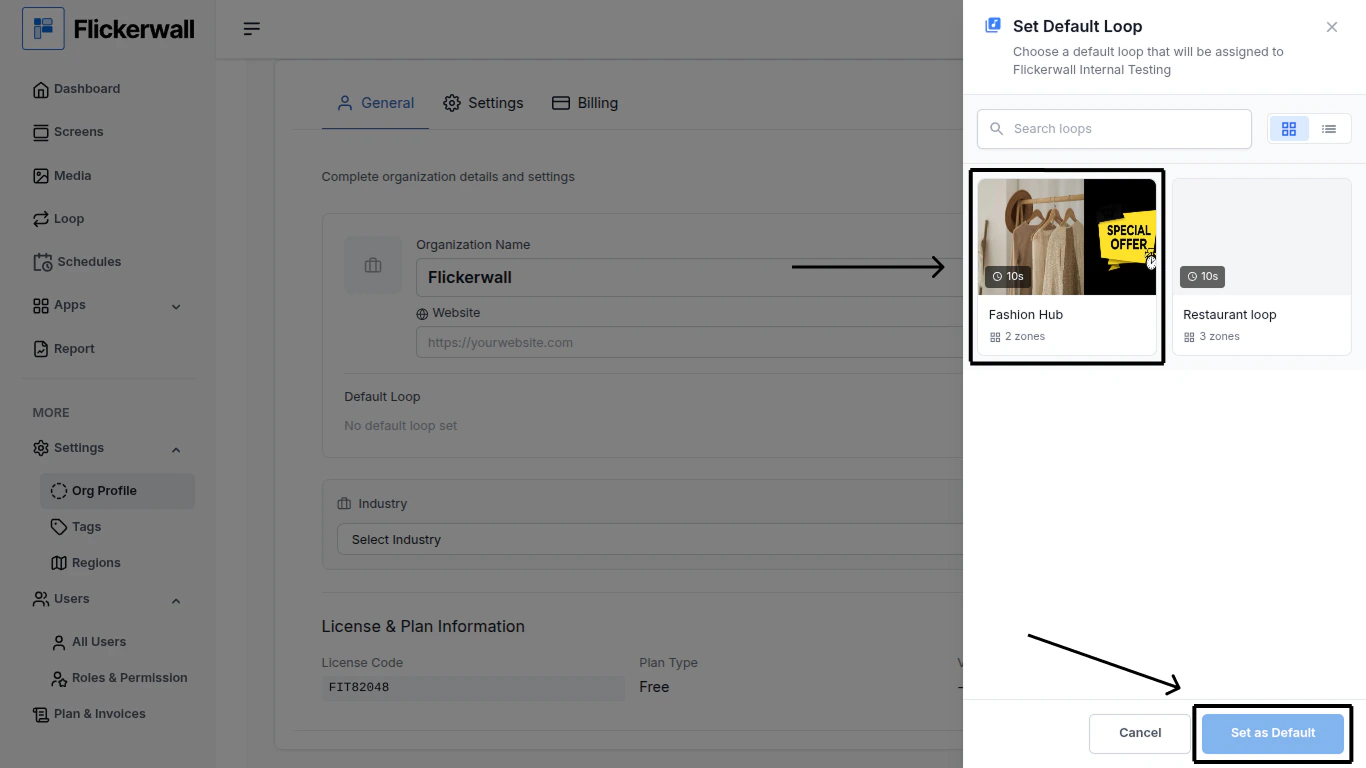
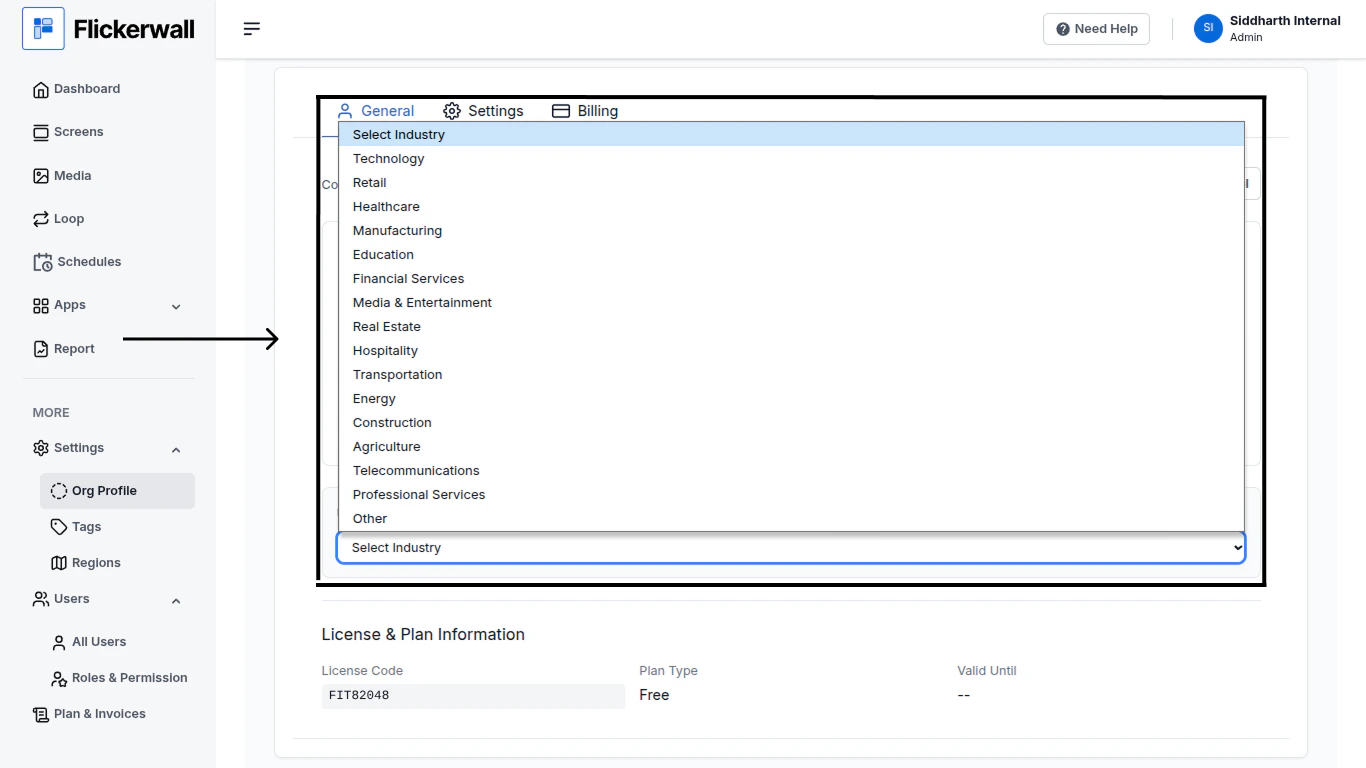
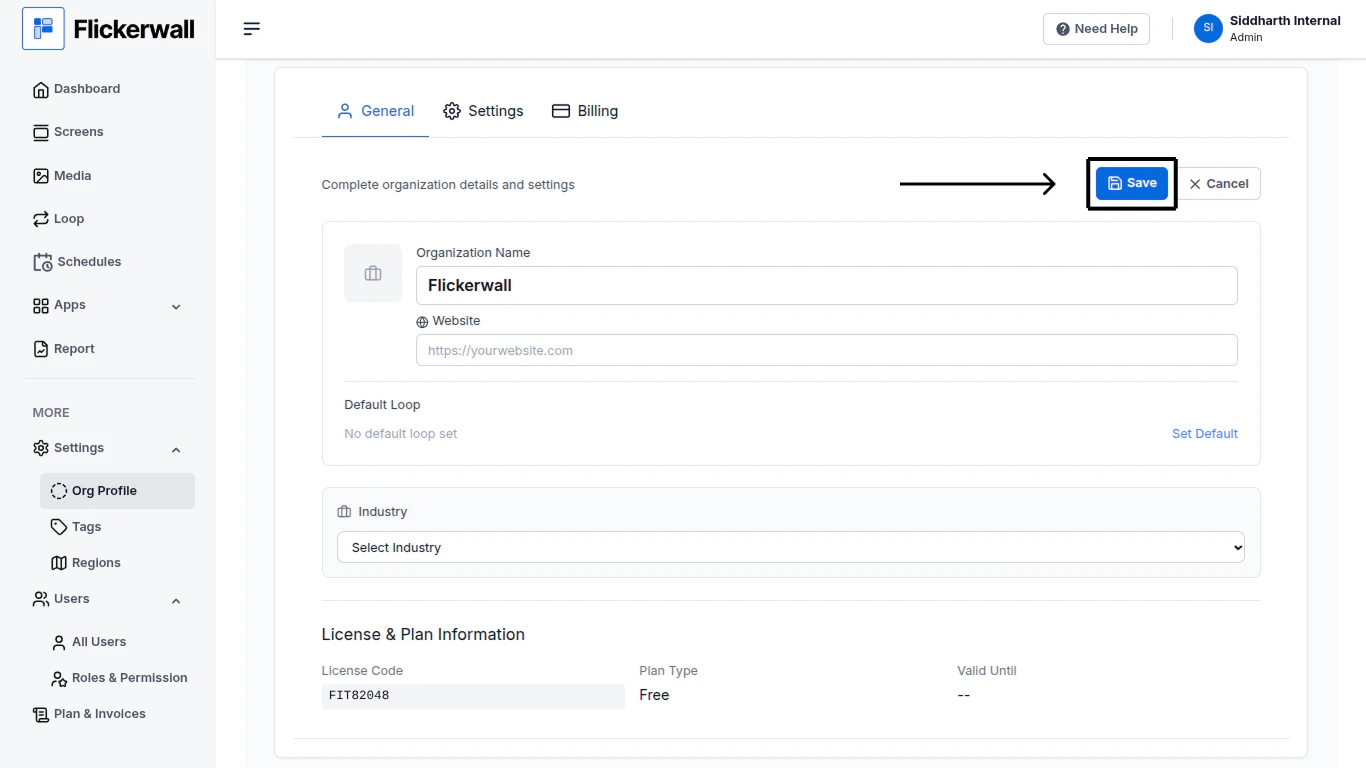
Learn how to Edit your Organization Profile.Step 1Go to the Org Profile Module and click on “Edit”Step 2Now you can EditEdit the Organization NameStep 3Edit or Add Your Business WebsiteStep 4Set an Default Loop(Note: Default Loop setting under the Org Profile Module has a different use than the one in the “Screen Module”)Step 5Select a Default Loop and click “Set as Default”Step 6Now Select Your Business IndustryStep 7Lastly Click on “Save” to save all the Added or Changed Inf