How to add a Default look for all newly add Screens?
Learn how to set a Default loop for your organization ,so you can have your logo or a certain loop played automatically as soon as a screen is registered .
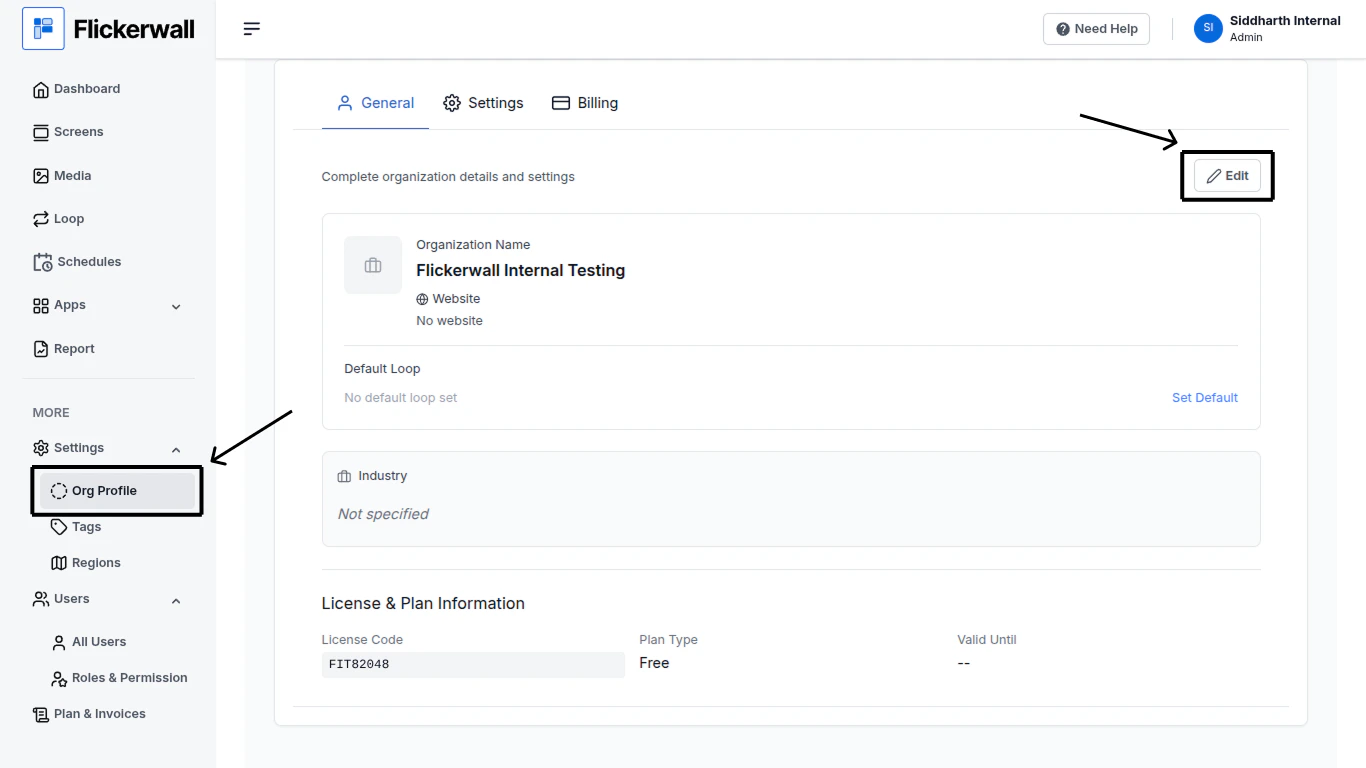
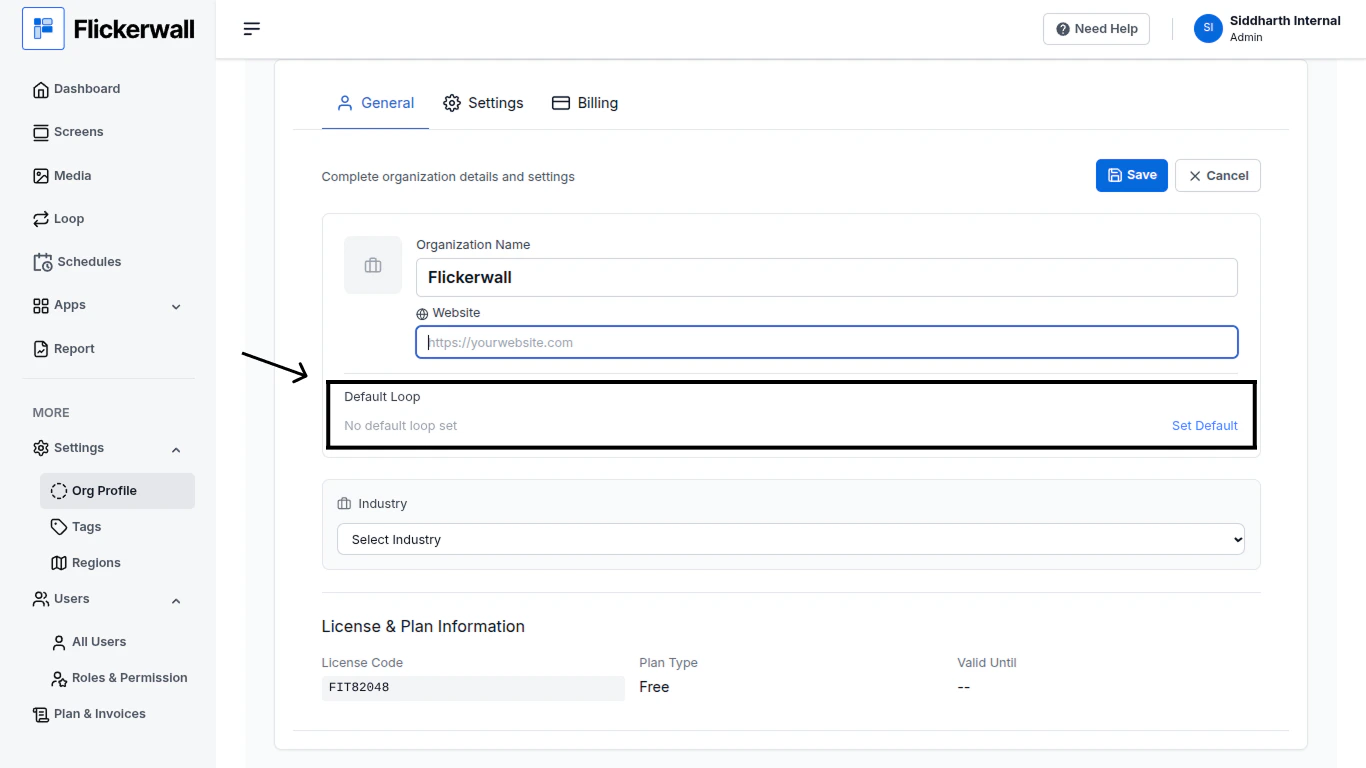
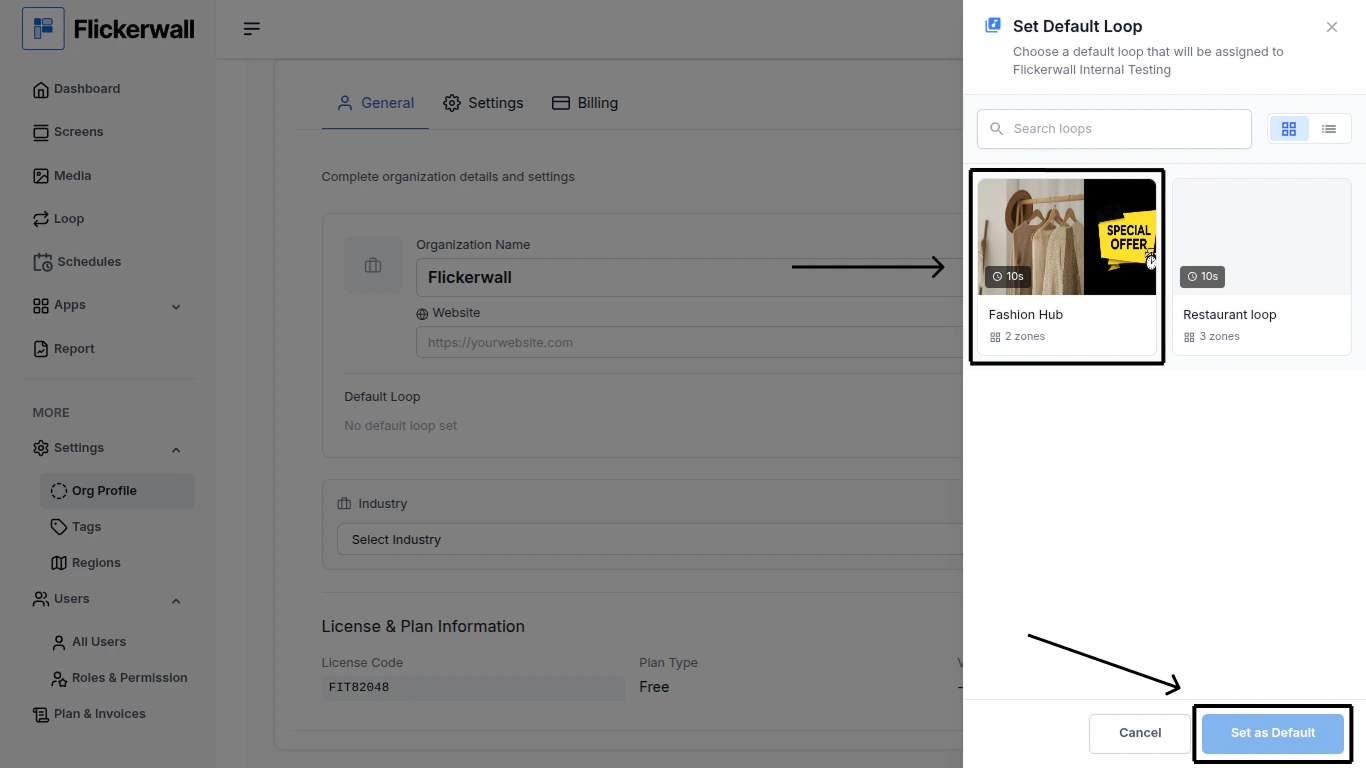
Step 1Go to “Org Profile” and click on “Edit” iconStep 2Set an Default Loop(Note: Default Loop setting under the Org Profile Module has a different use than the one in the “Screen Module”)StepSelect a Default Loop and click “Set as Default”