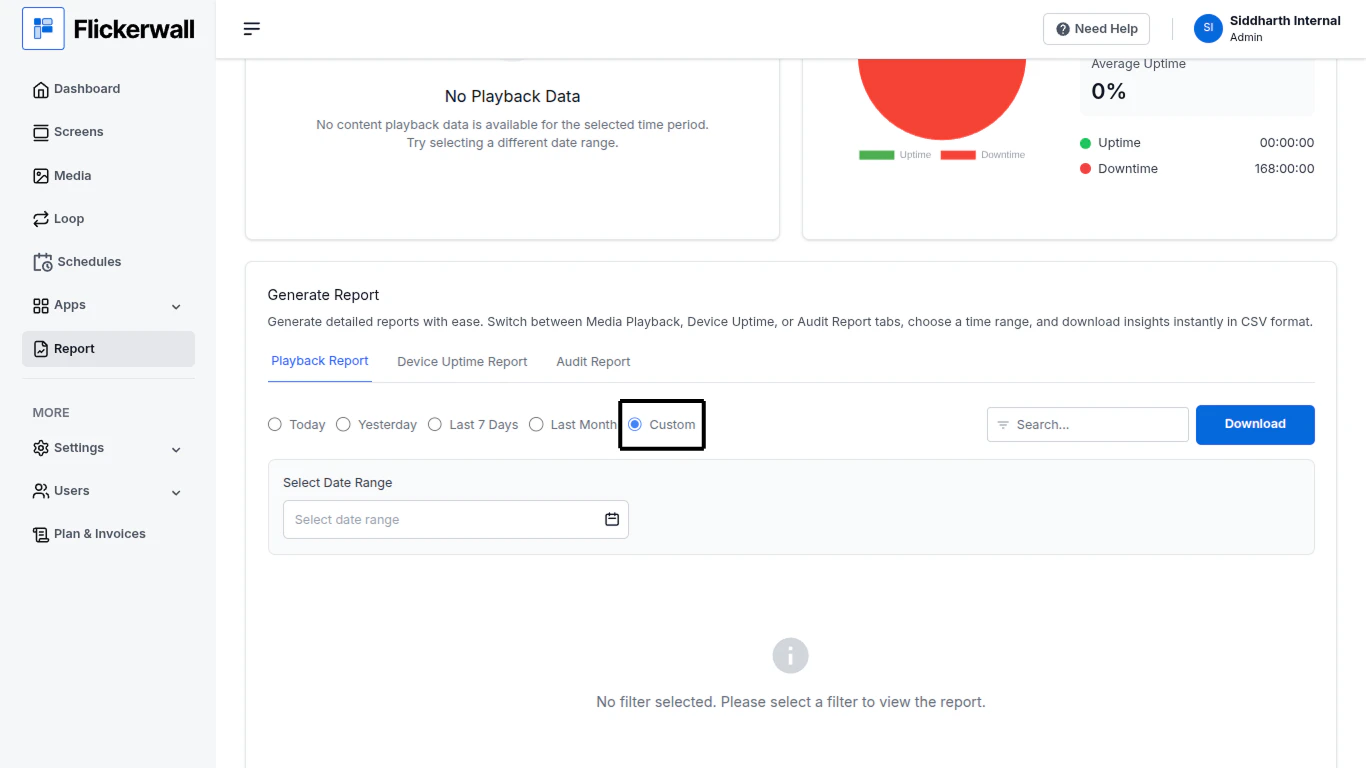
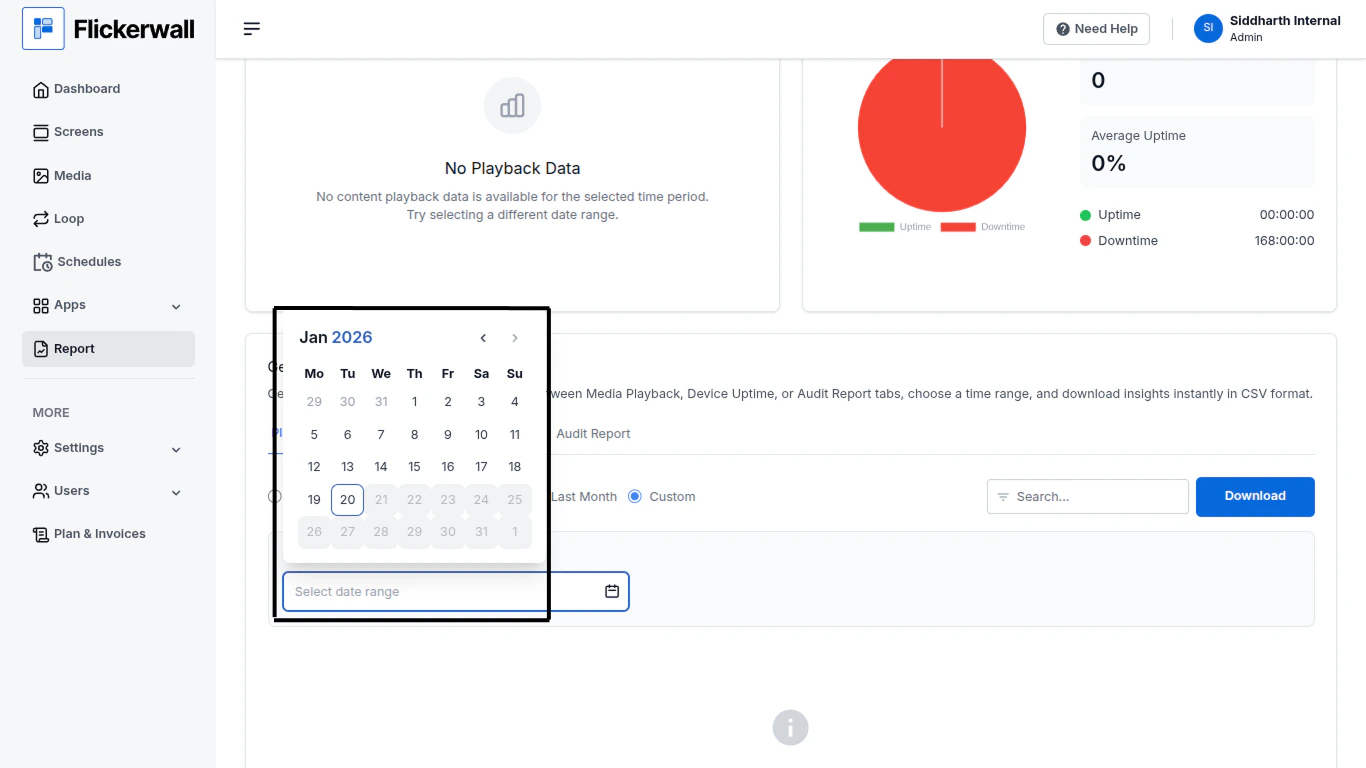
How to Download the Playback Report with Custom/Specific Dates?
Learn how to Download the Playback Reports with Custom / Specific date range
Step 1Select Custom to enter specific Dates and download the data of the selected datesStep 2Enter the Start and End Date of your Reportfirst select the year/month/day for the start datethen select year/month/day for the end dateDone the File will be saved as a CSV Format.