How to Download the Device Uptime Report with Custom/Specific Dates?
Learn how to Download the Device Uptime Report with the Custom / Specific date range feature
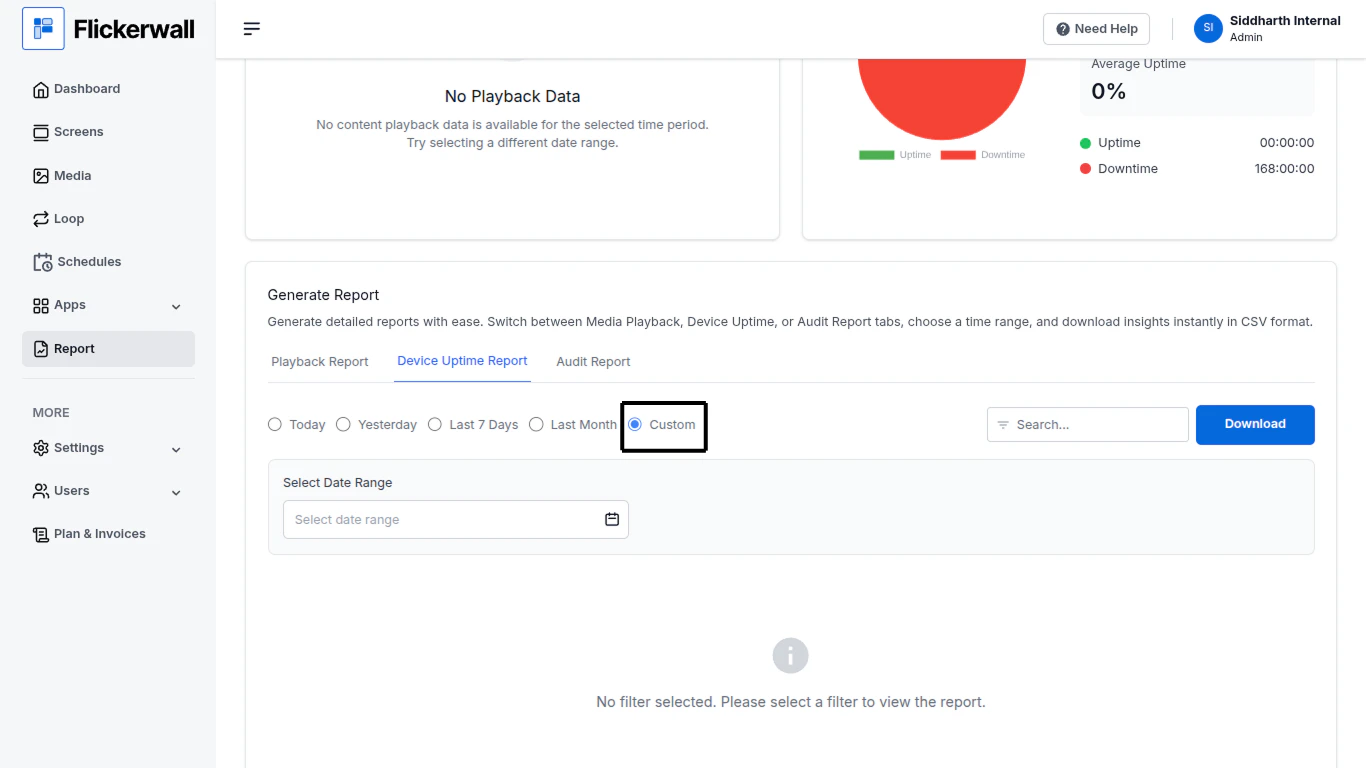
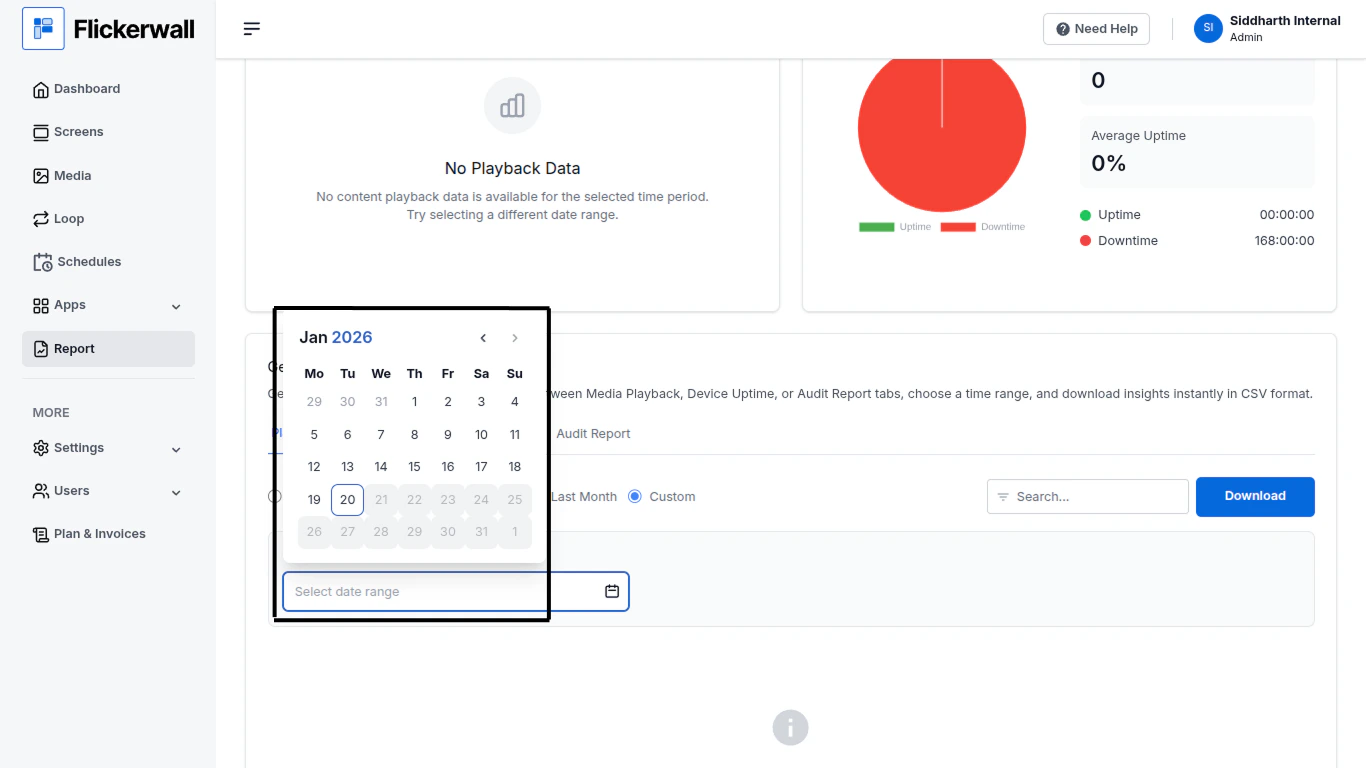
Step 1Select Custom to enter specific Dates and download the data of the selected datesStep 2Enter the Start and End Date of your Reportfirst select the year/month/day for the start datethen select year/month/day for the end dateDone the File will be saved as a CSV Format.