How to add the Google Slide app from Flickerwall store?

step by step guide to learn how to add the Google Slider app from the Flickerwall store
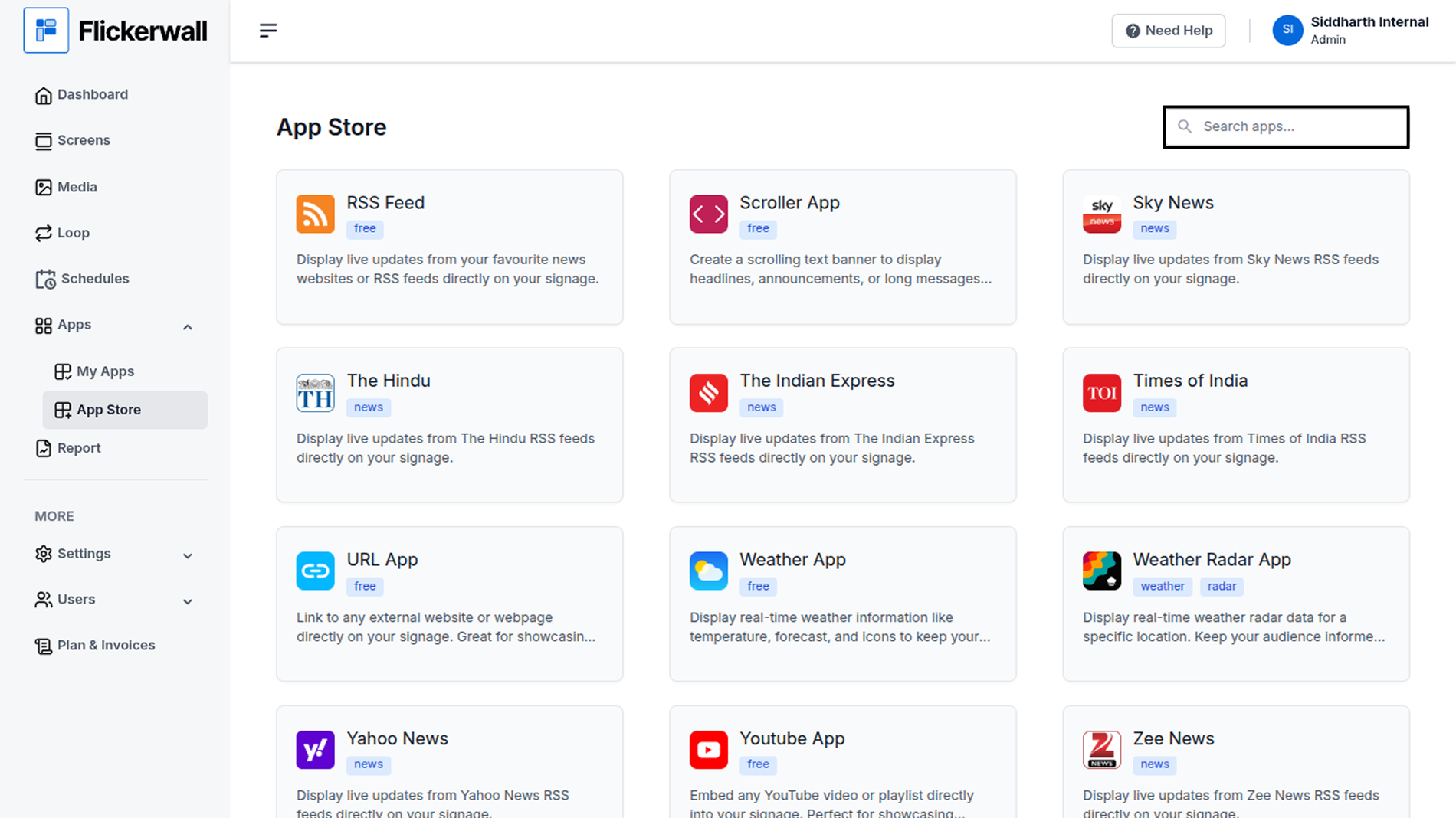
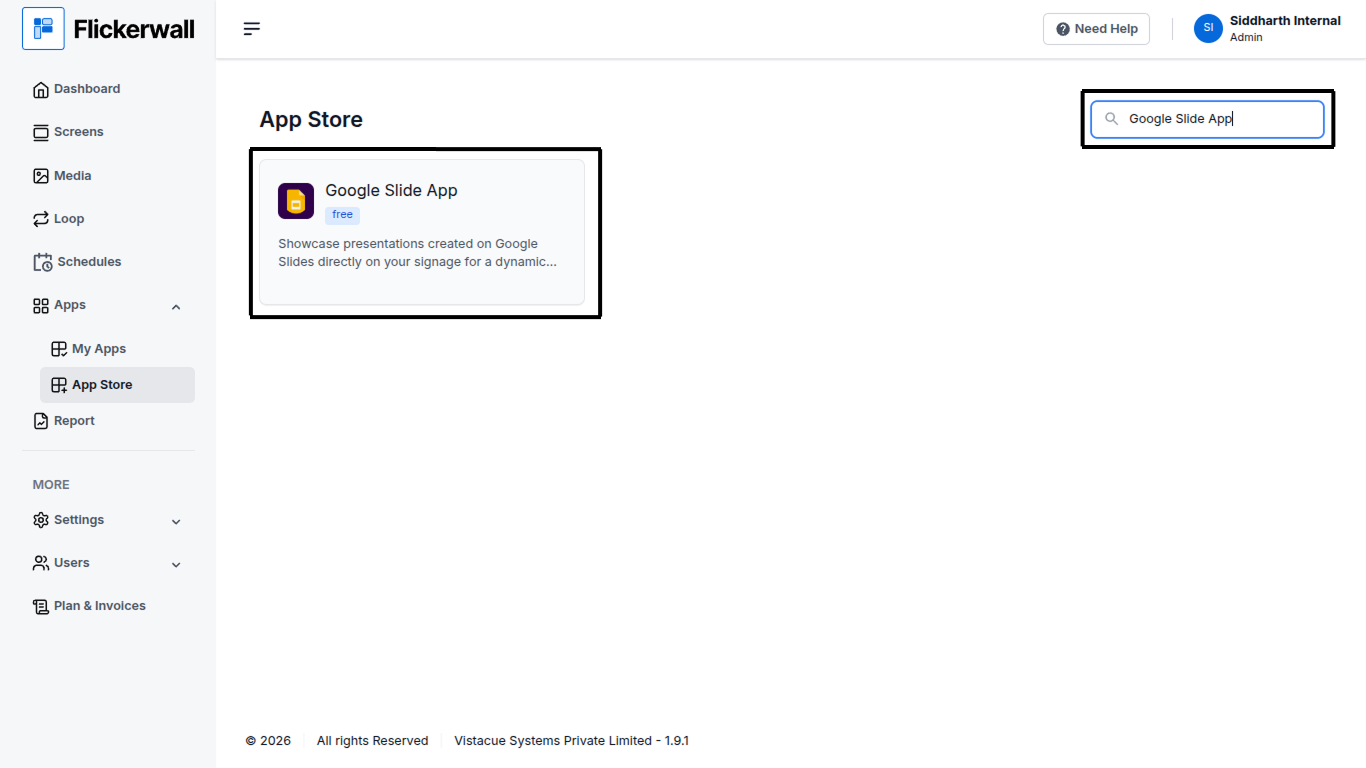
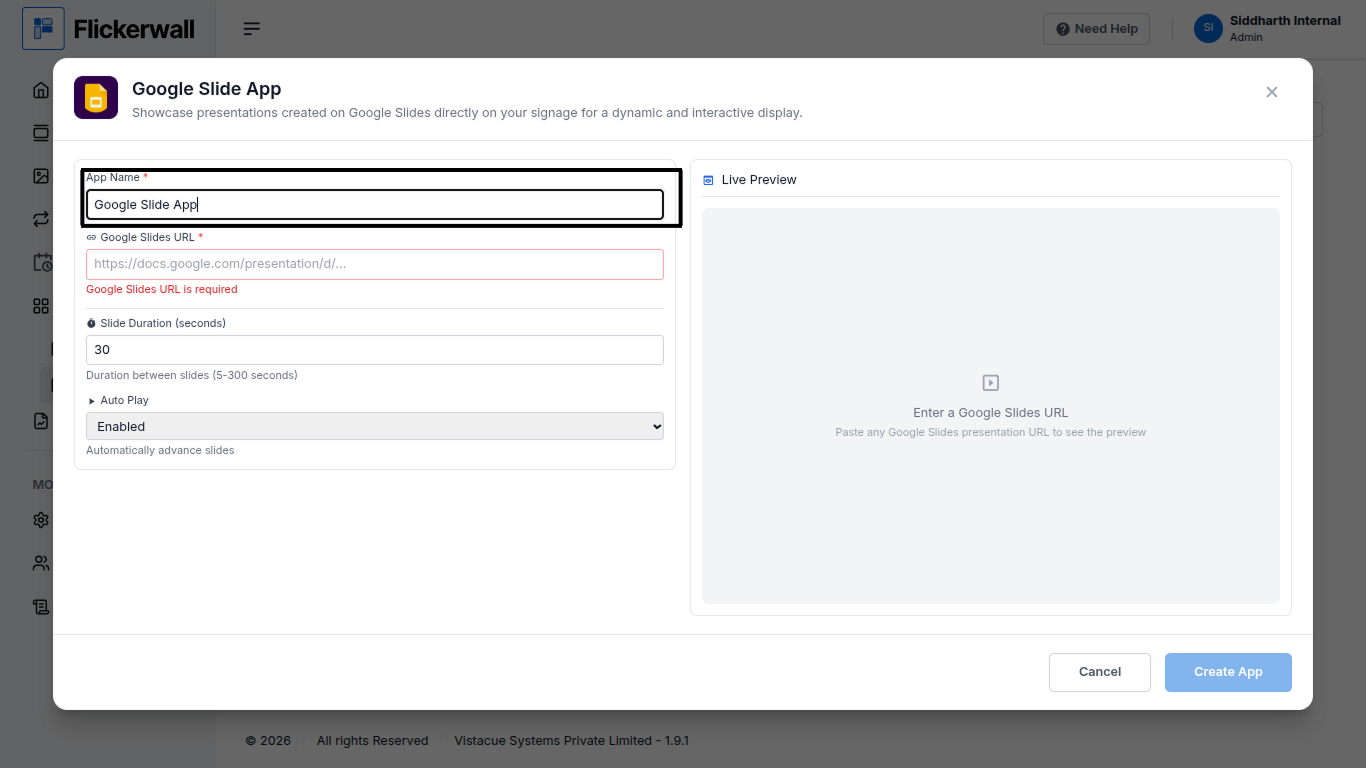
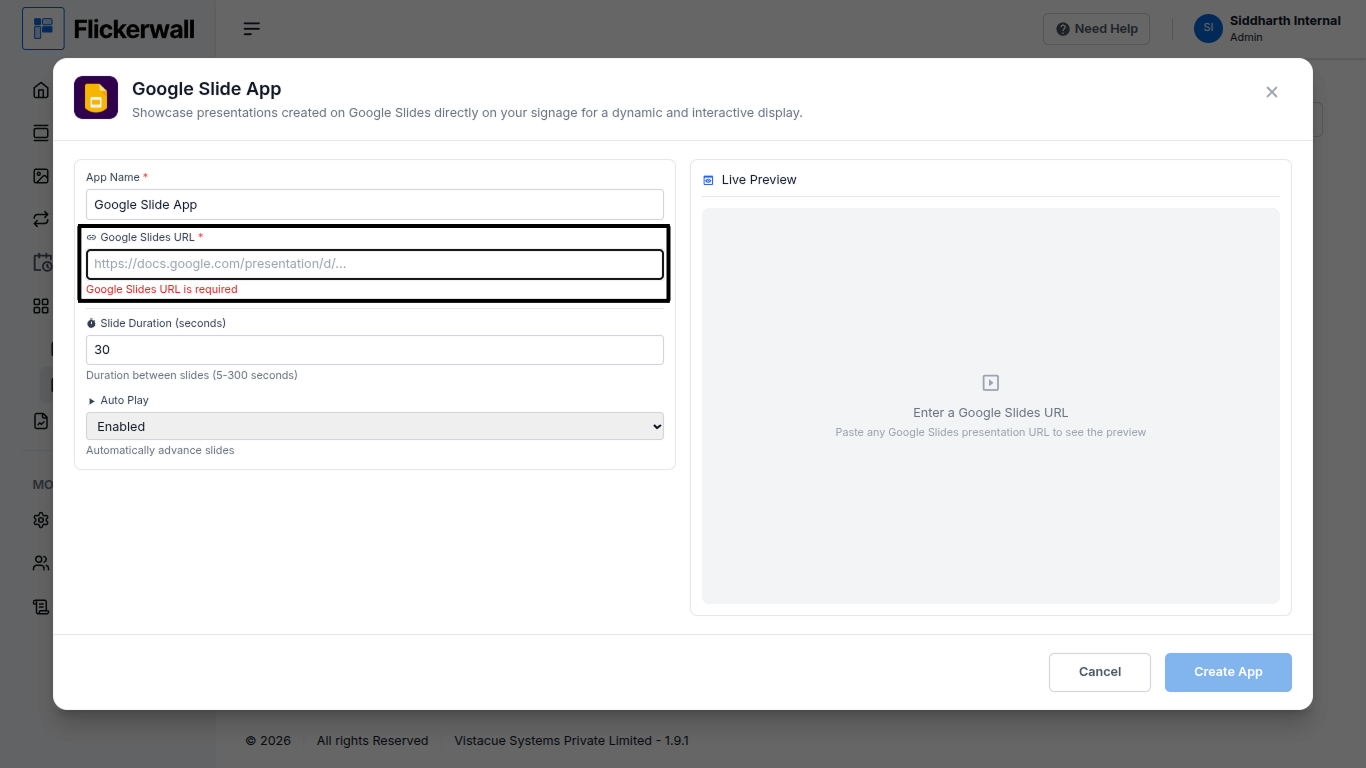
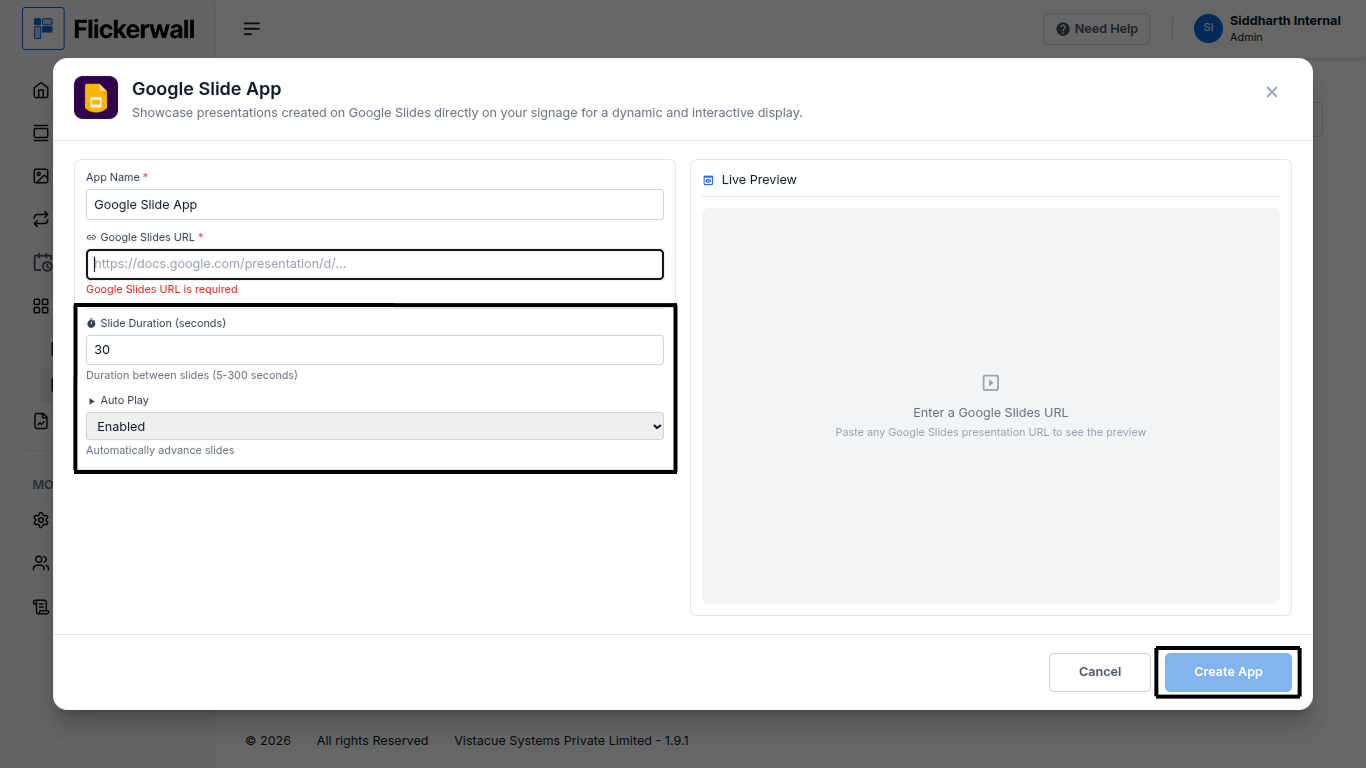
Step 1 Go to Apps and then App store! click on the apps and then Nevigate to App store in the appeared drawer Step 2 Go to Search Bar you can search the app you want Step 3 Search for Google Slide App Select and click on the desired app Step 4 Enter a Name for the App Enter a name for app so you can find it easy later Step 5 Enter your Google Slide URL in the URL box Step 6 Select Slide duration and Enable or Disable the Auto play feature ones you’re done with all the process click on Create App Congratulations : you have now created the Google Slide app