
How to add and use the URL App from Flickerwall store?
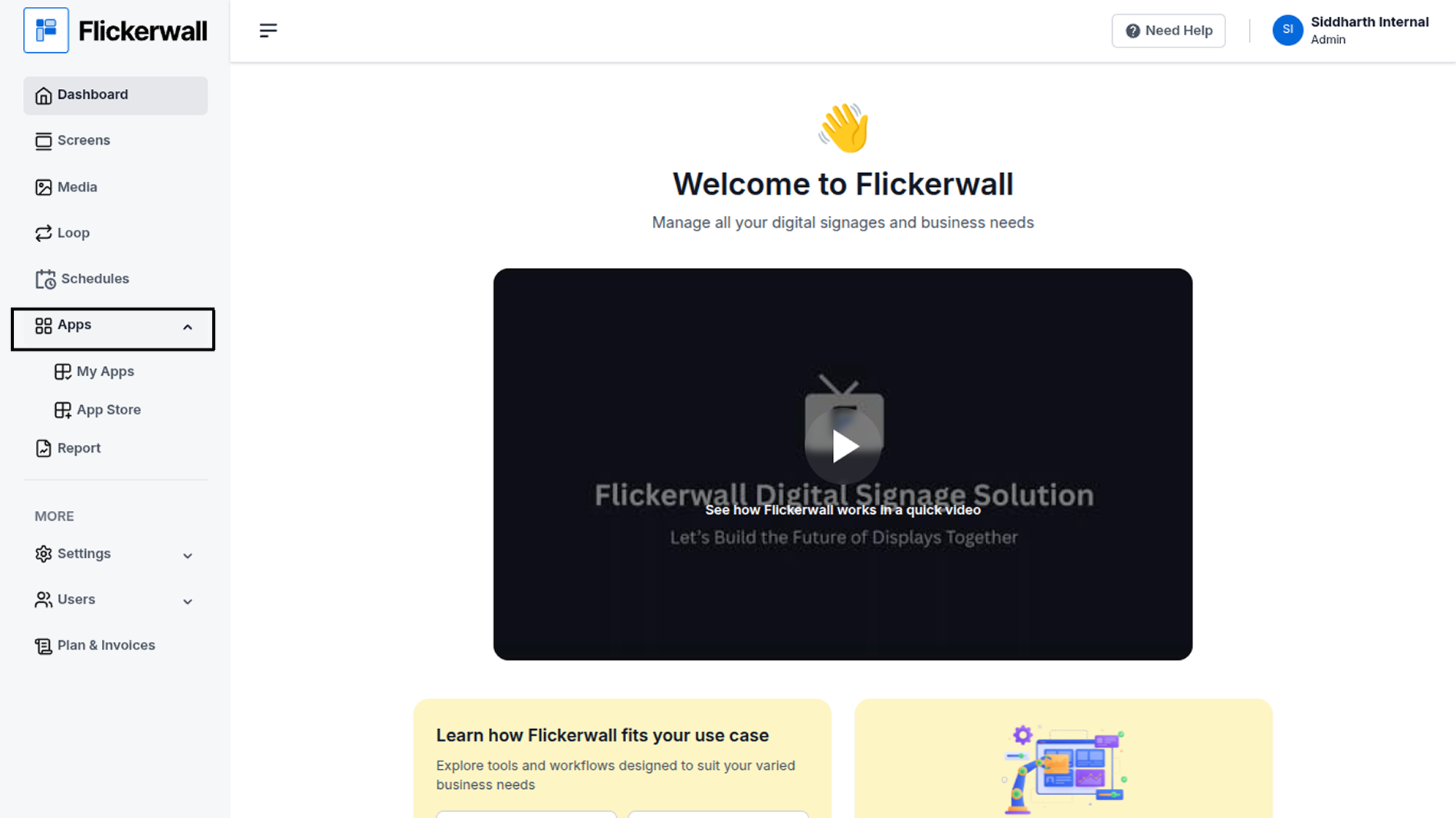
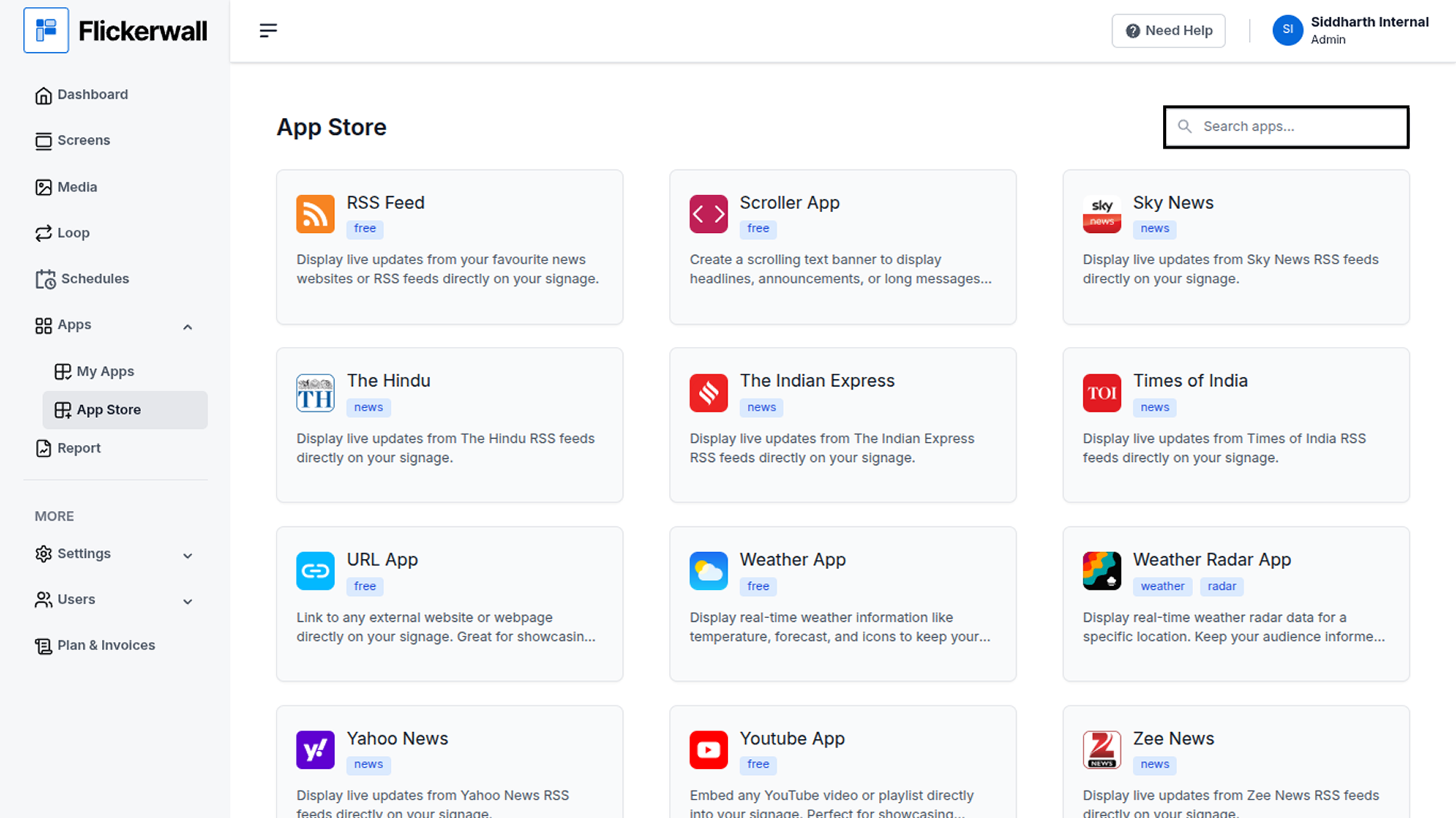
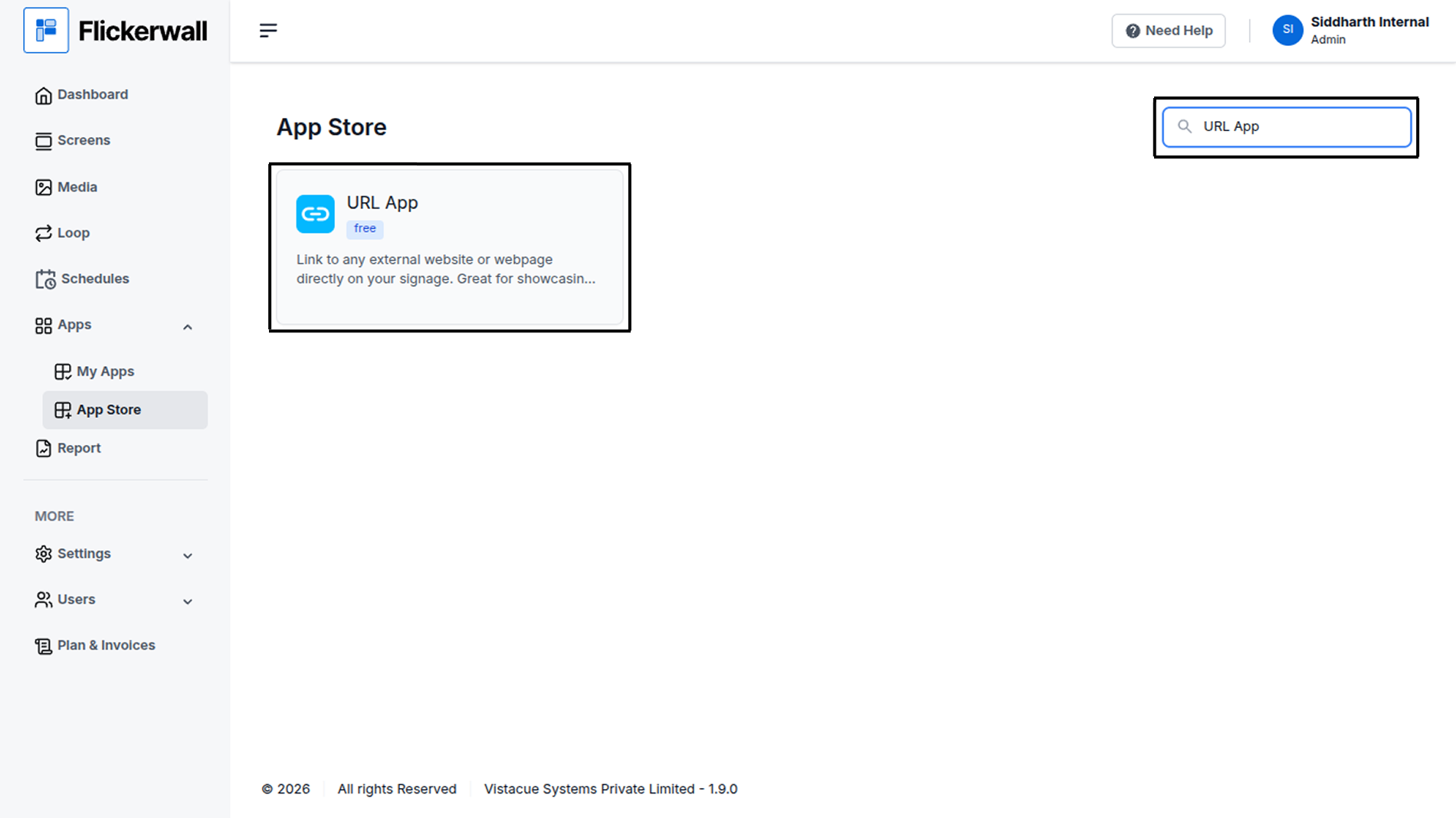
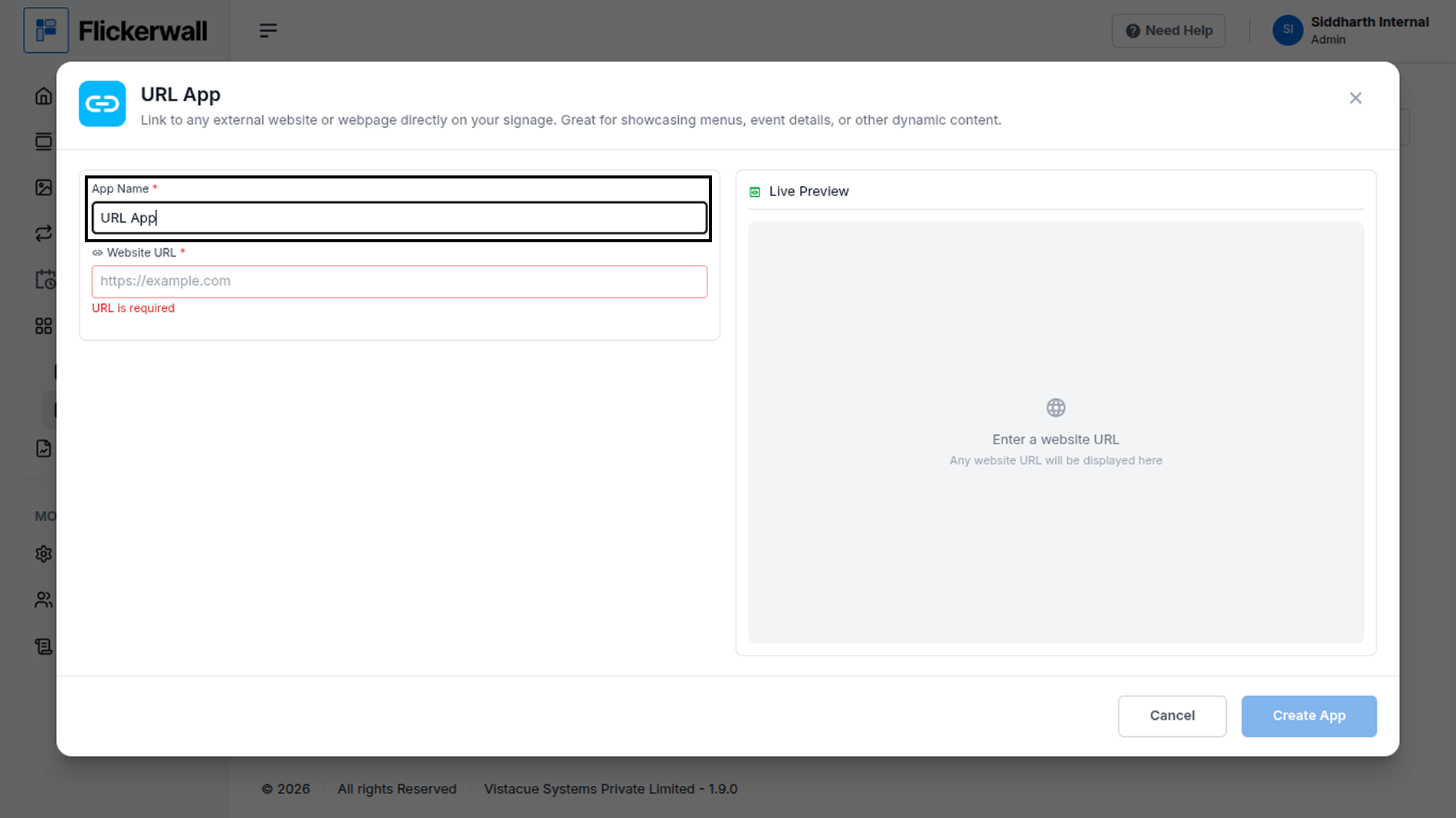
Step by step guide to learn how to add the URL app from the Flickerwall storeStep 1 Go to Apps and then App store! click on the apps and then Nevigate to App store in the appeared drawer
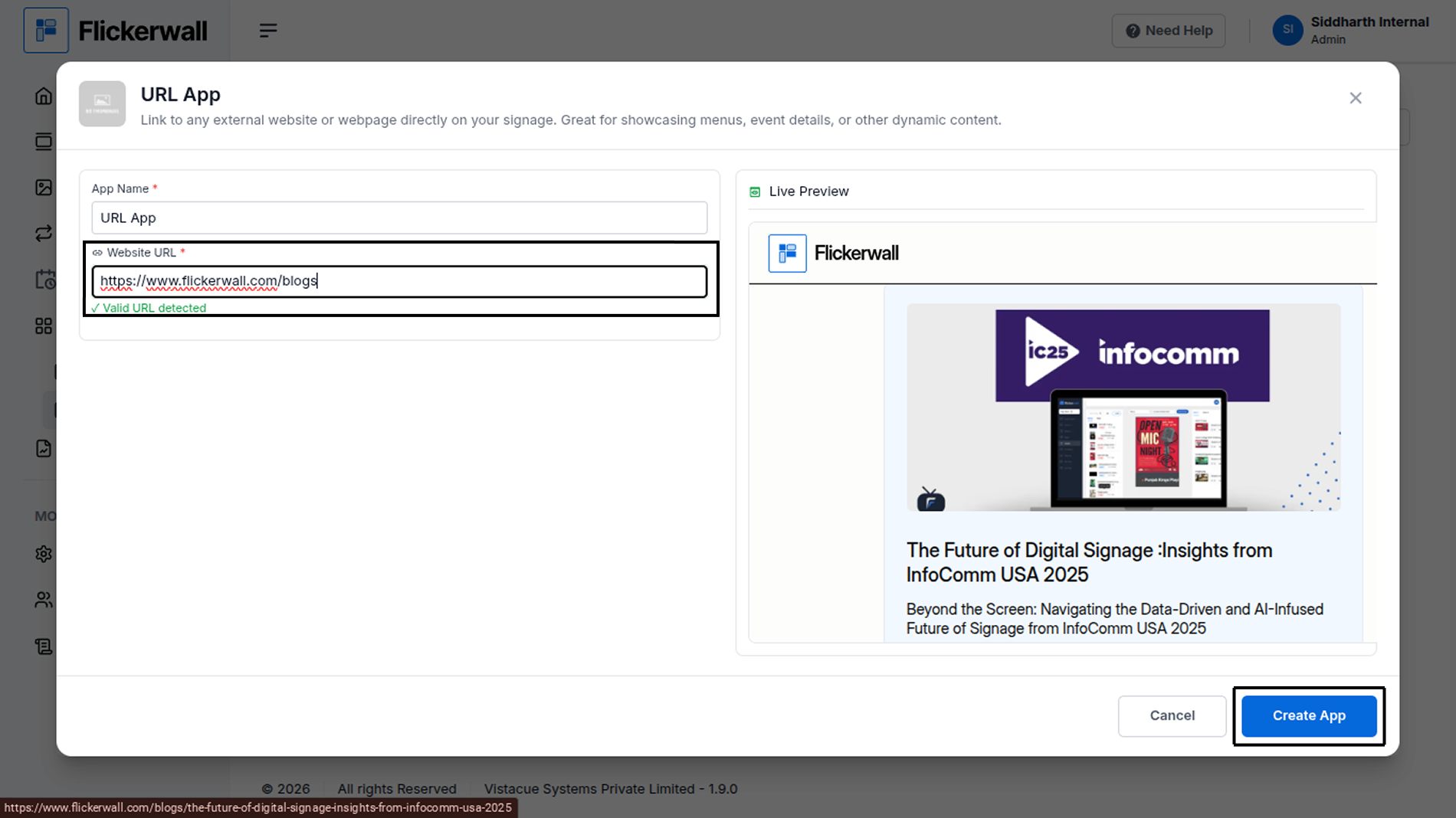
Step by step guide to learn how to add the URL app from the Flickerwall store