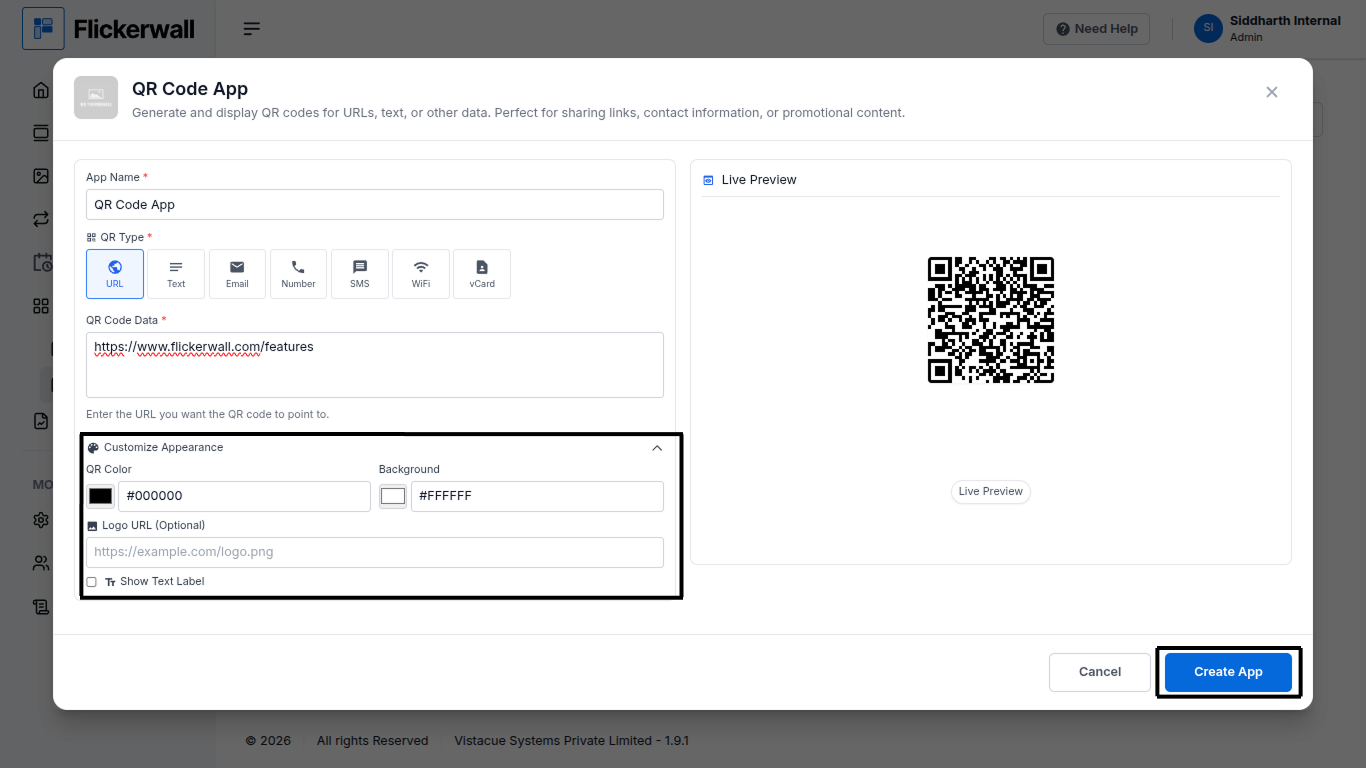
How to add the QR Code app from the Flickerwall Store?

Step by step guide to learn how to add the QR Code app from the Flickerwall store
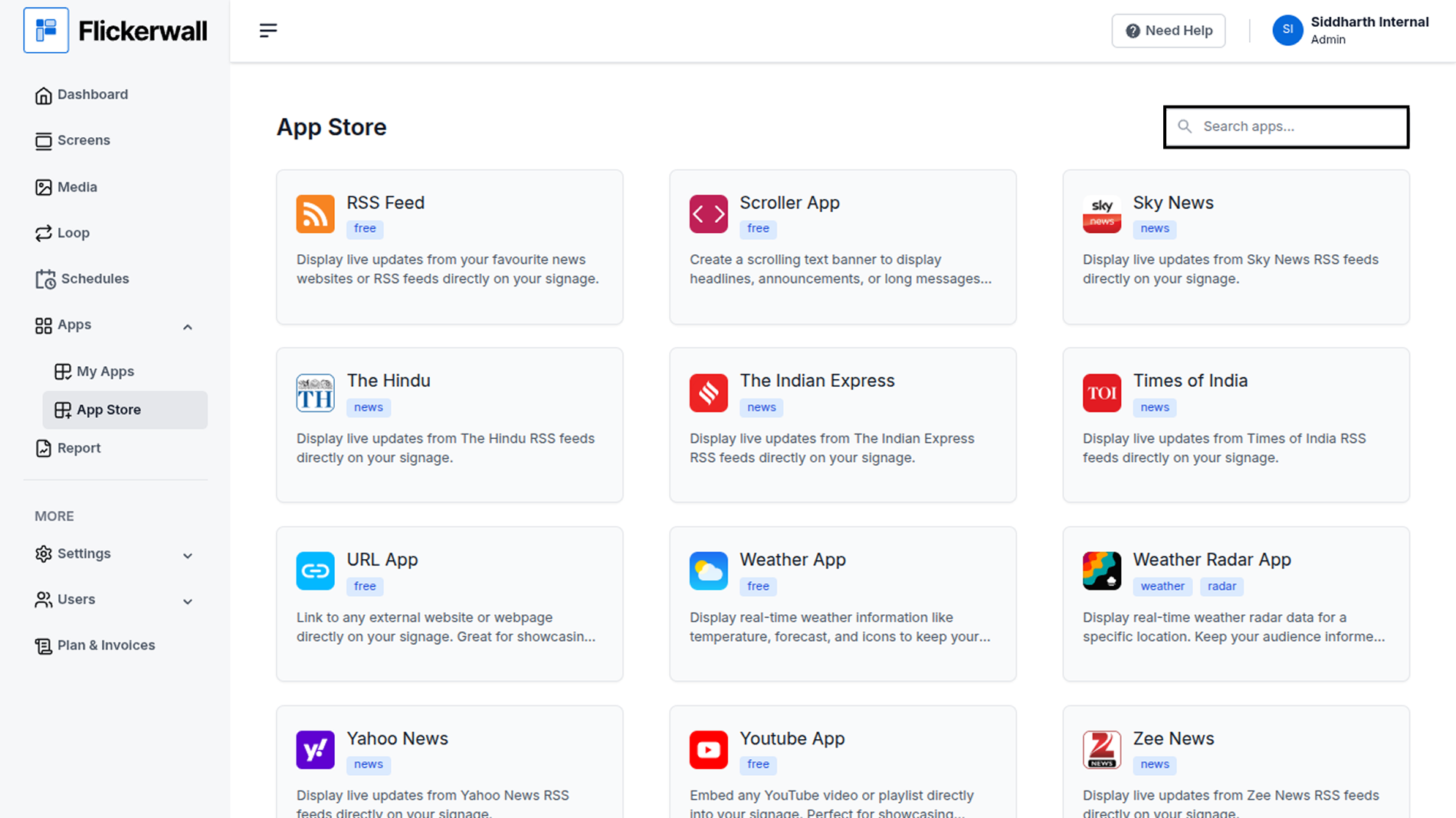
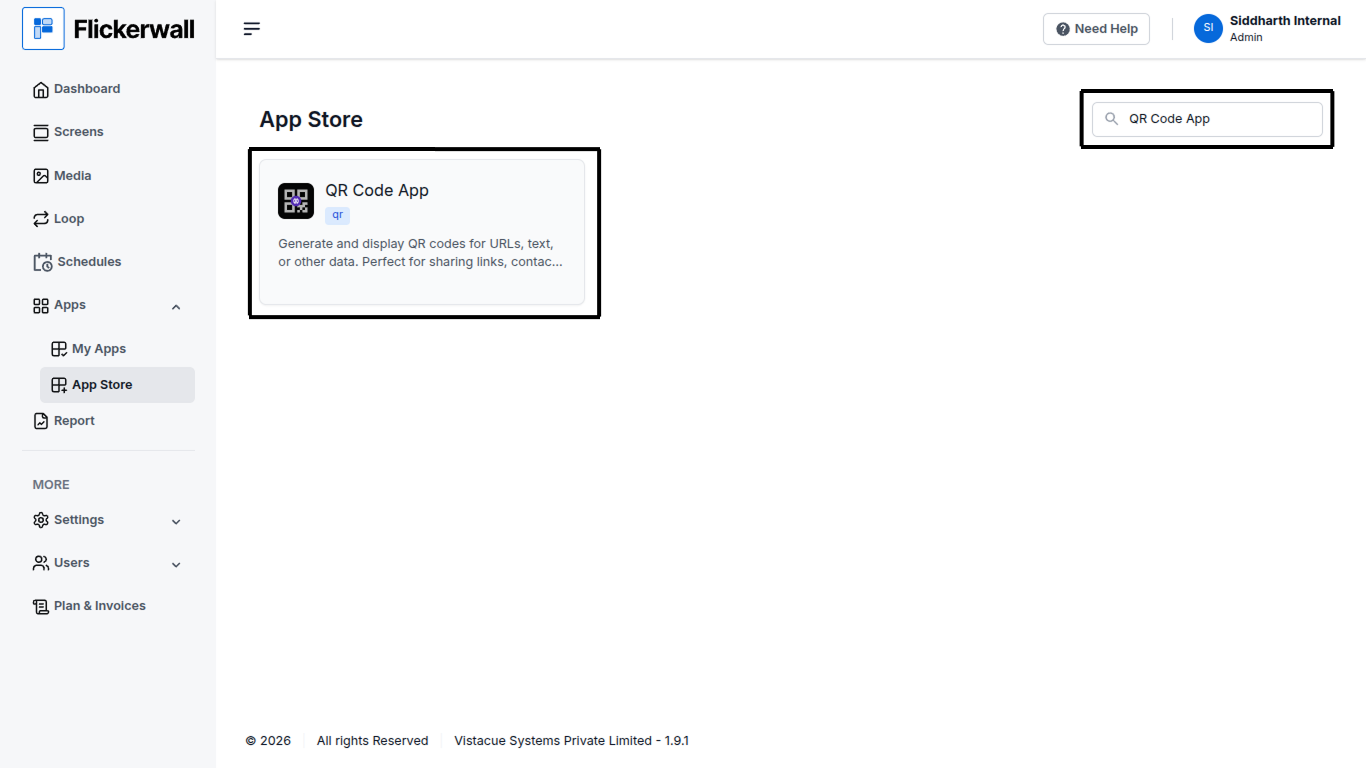
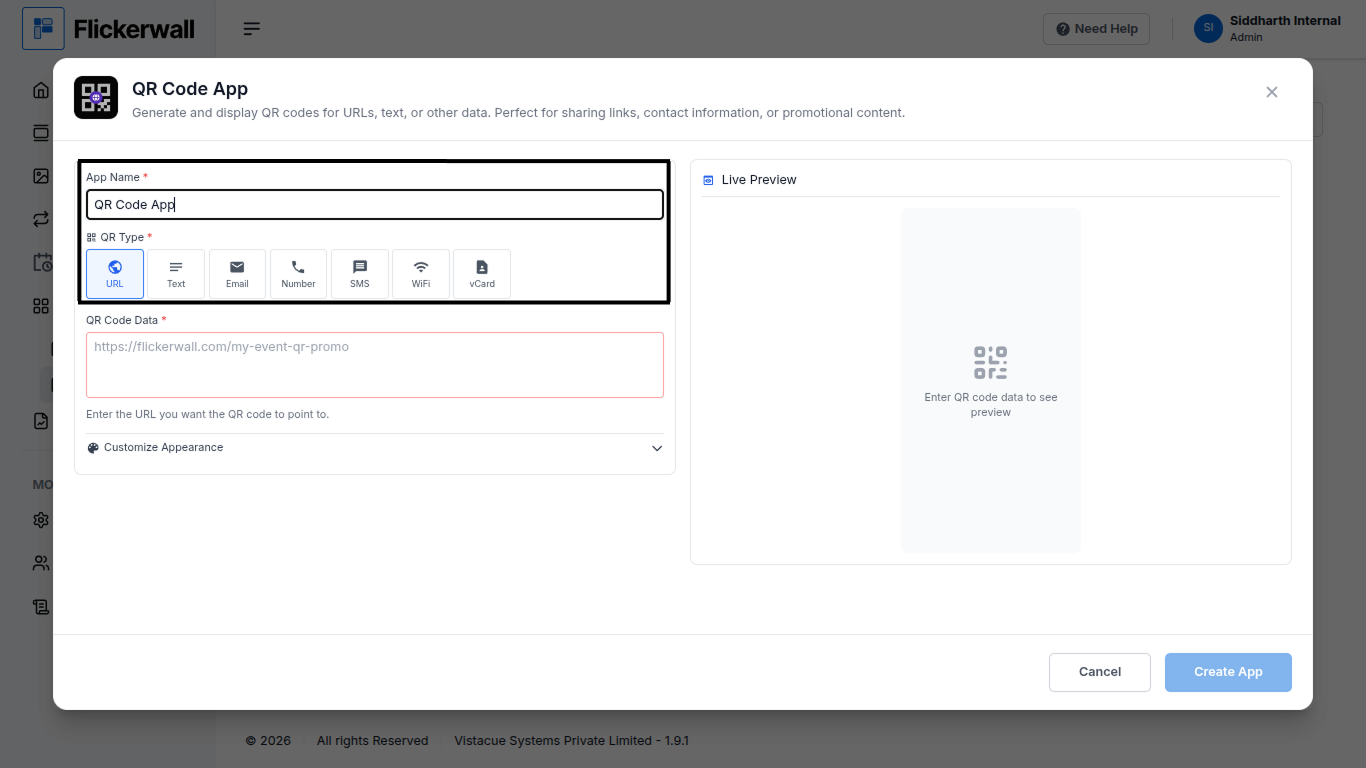
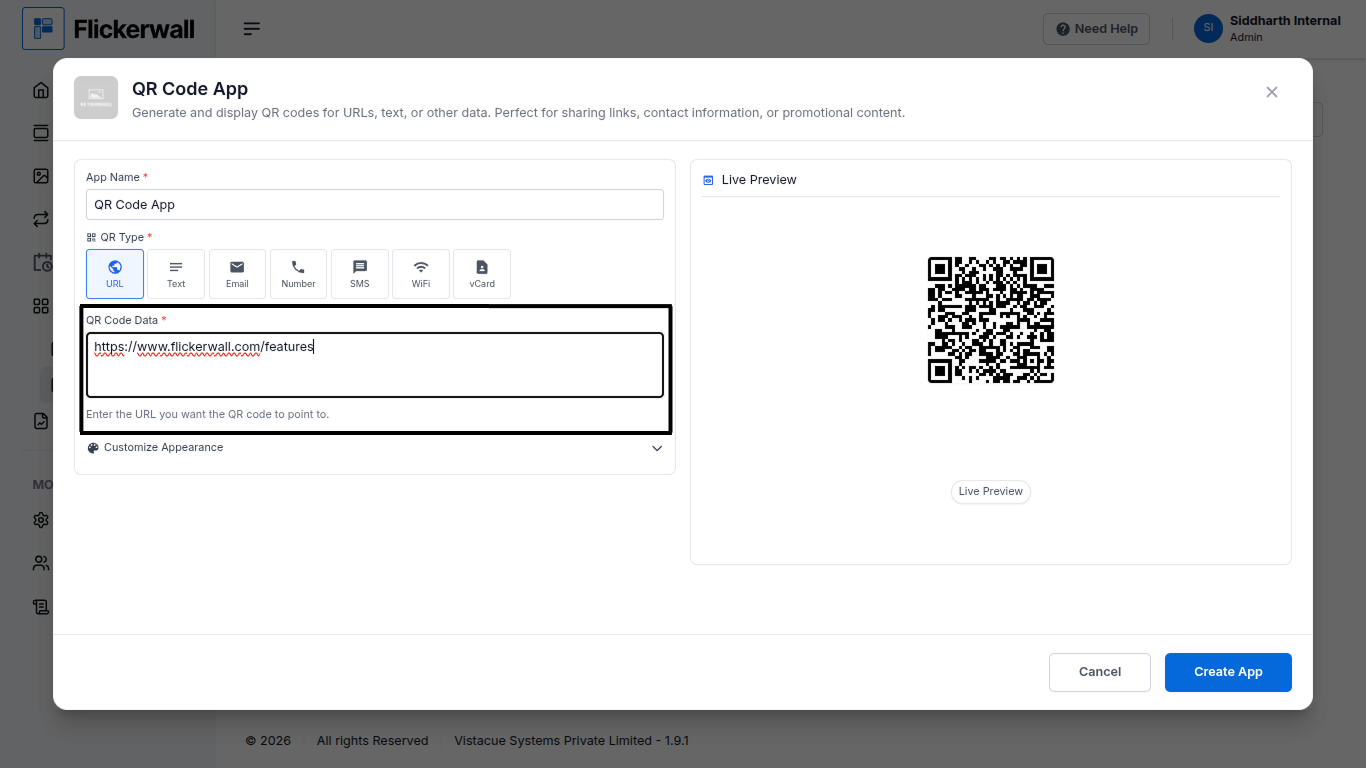
Step 1 Go to Apps and then App store! click on the apps and then Nevigate to App store in the appeared drawer Step 2 Go to Search Bar you can search the app you want Step 3 Search for QR Code App Select and click on the desired app Step 4 Enter a Name for the App Select the QR type your want to add Step 5 Enter your QR Code URL and our system will verify it and show you an Preview Step 6 Customize the Appearance QR Code Color or Background Color you can also add a Logo URL (optional) Ones done with app the process Click on Create app to complete the process Congratulations : your app making process is done