What is a Layout?

Layout represents the compositional mapping of a web canvas, dictating the precise location of all media.

How to Create a Layout?

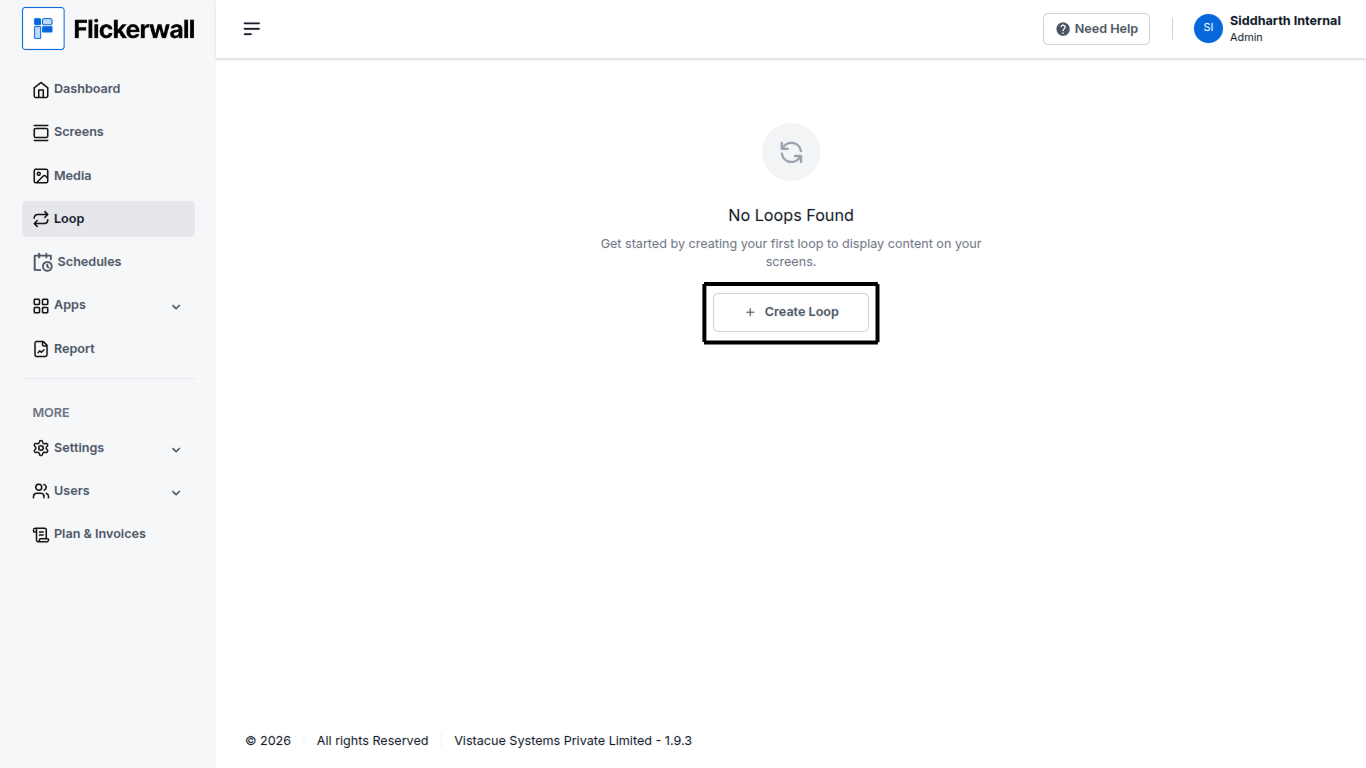
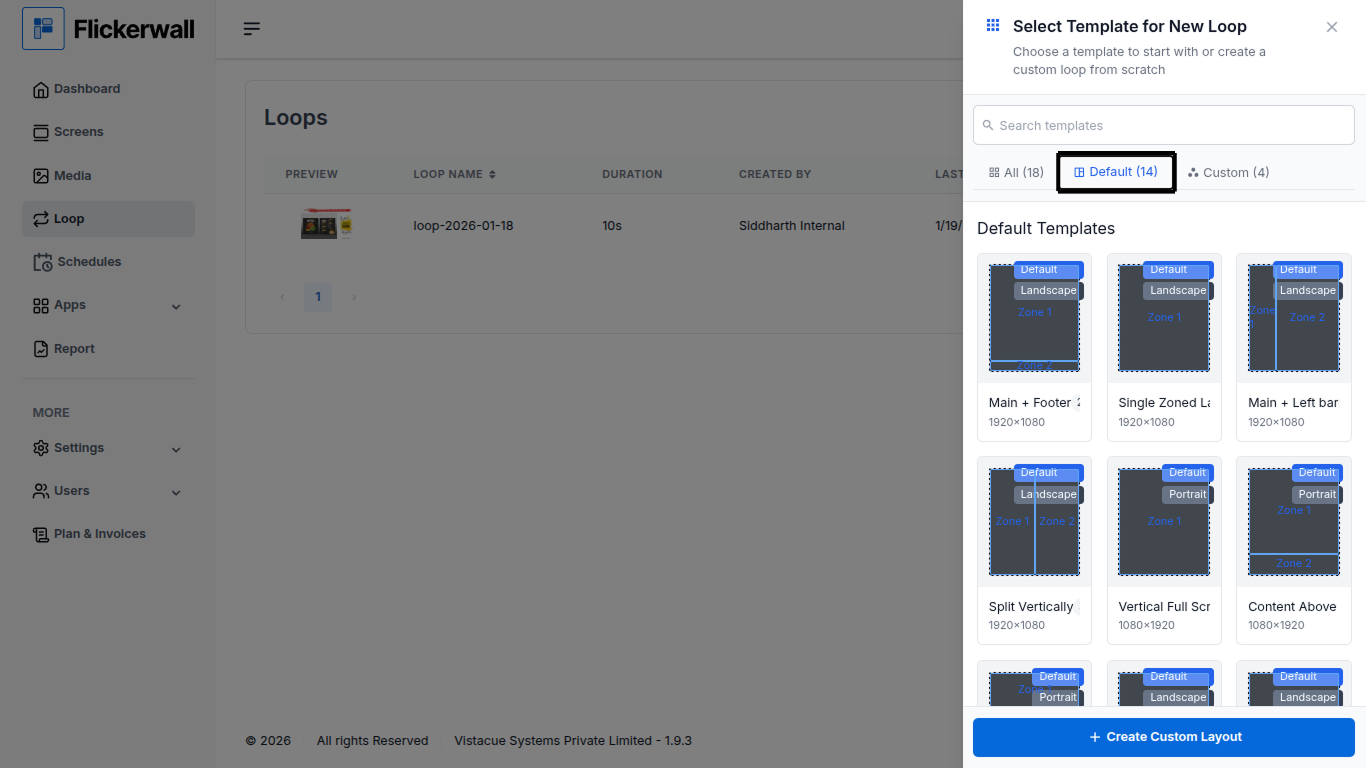
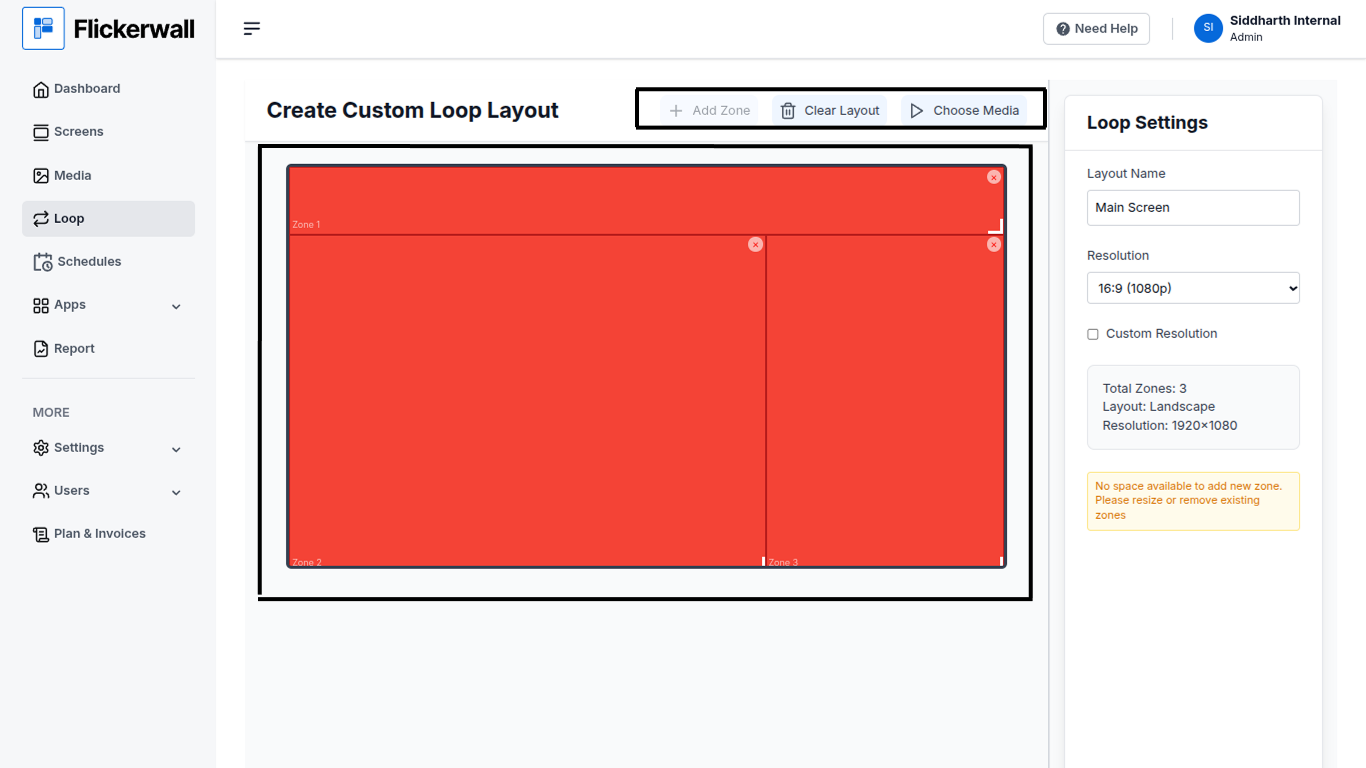
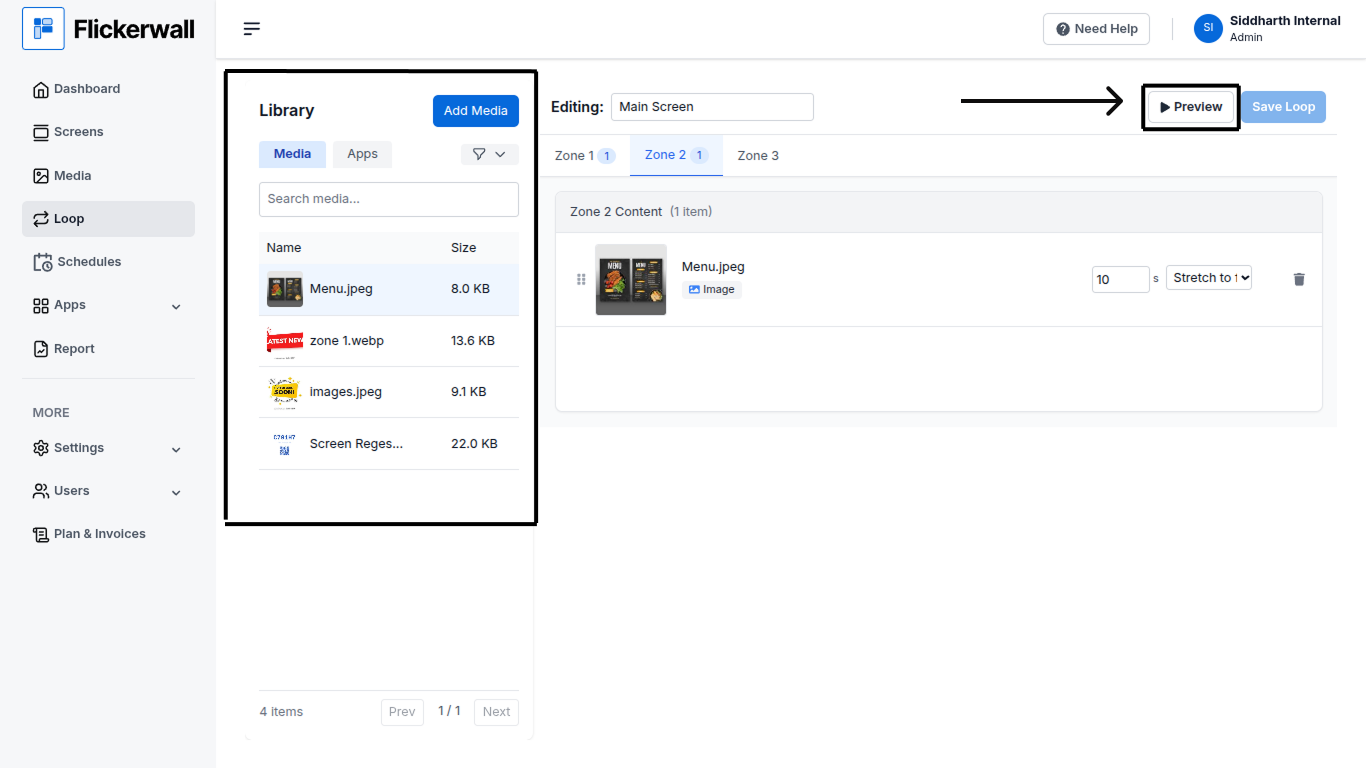
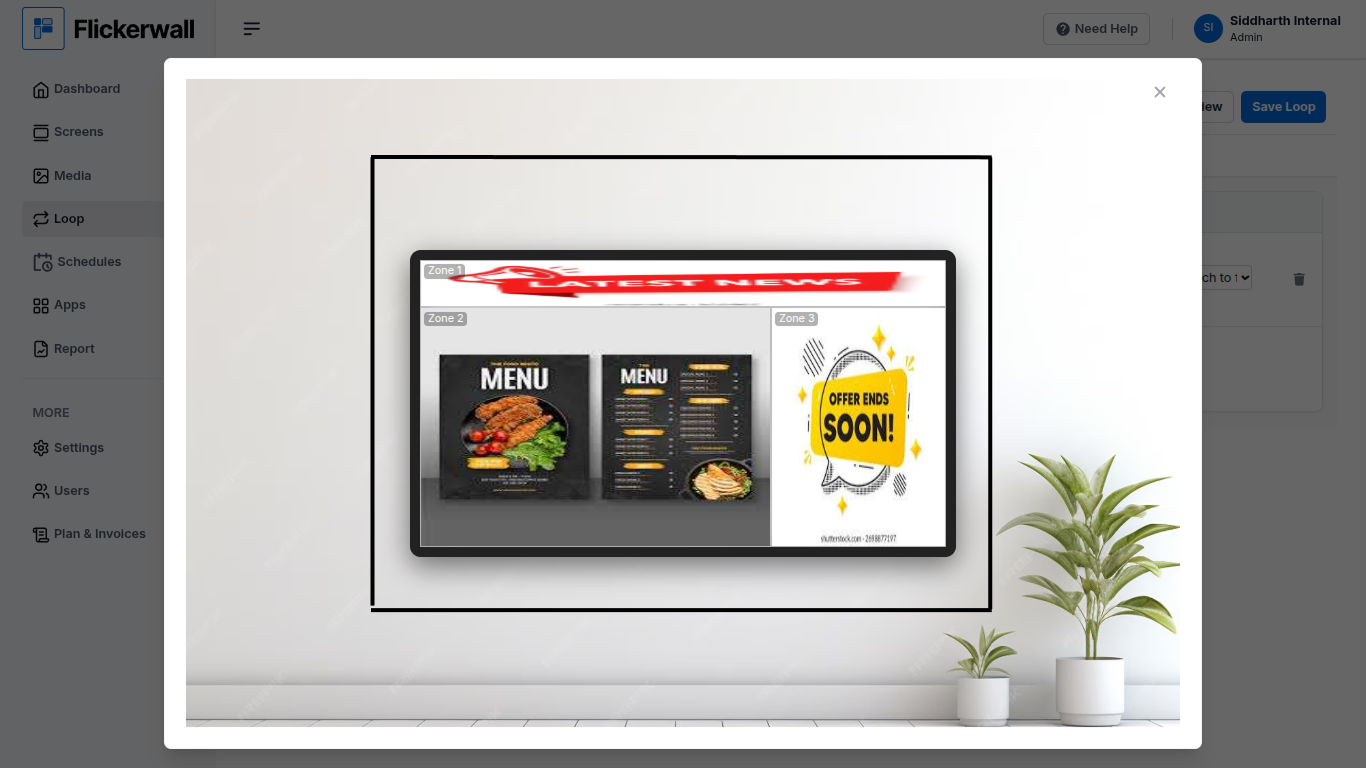
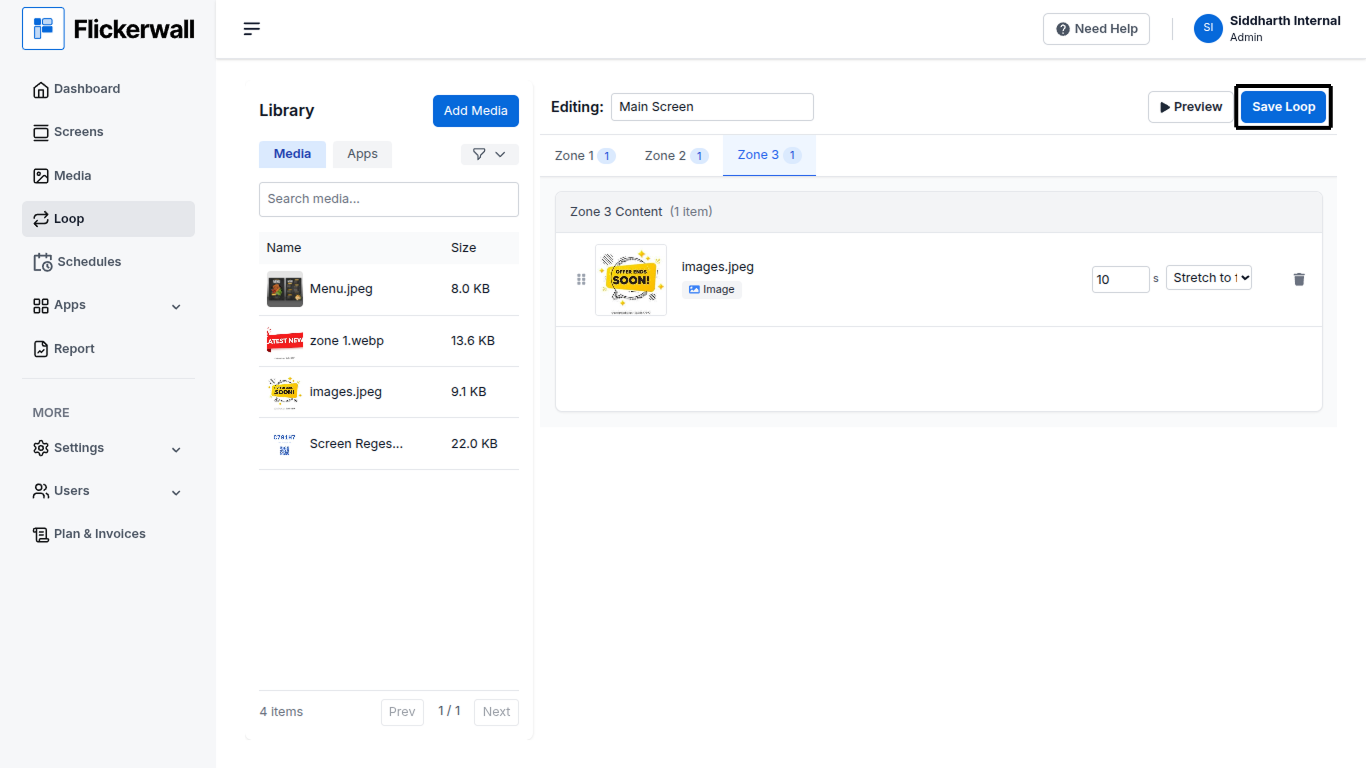
Step 1 Click Loop and Create Loop Step 2 Select Default if you want to use our Ready-To-Use templates or Click on Create Custom Layout if you want to Create one Step 3 (Note : skip this step if you are not creating a Custom Layout) Drag and Resize the zones , add new zones , Create your desired Layout If you did’t like the layout you can always fix it , you can remove the unwanted zones by clicking on the X button within the created zone or delete the entire layout to start from start by clicking on ‘“Clear Layout” Step 4 Add Media to the Loop we just created Select the media you want to add in the respective zones , make sure you are not adding all the media in only one zone click on the zone you intend to add the media to and add the desired media Step 5 Preview the Layout Sometimes the Images aspect ratio may not support the outcome you intend as per showed below it’s always better to check if the preview shows the Layout working Fine Step 6 Save the Loop once you are satisfied with the settings go ahead and save the loop by Clicking the “Save Loop” button the Created Loop will Now appear in you Loop window . (funfact : if you want to use this created Layout again you don’t have to Create it again , when creating a new loop check under “Custom” Layouts all your Created Layouts are Stored there!)