How to add the Canva Embed App from Flickerwall store?

Step by step guide to learn how to add the Canva Embed app from the Flickerwall store
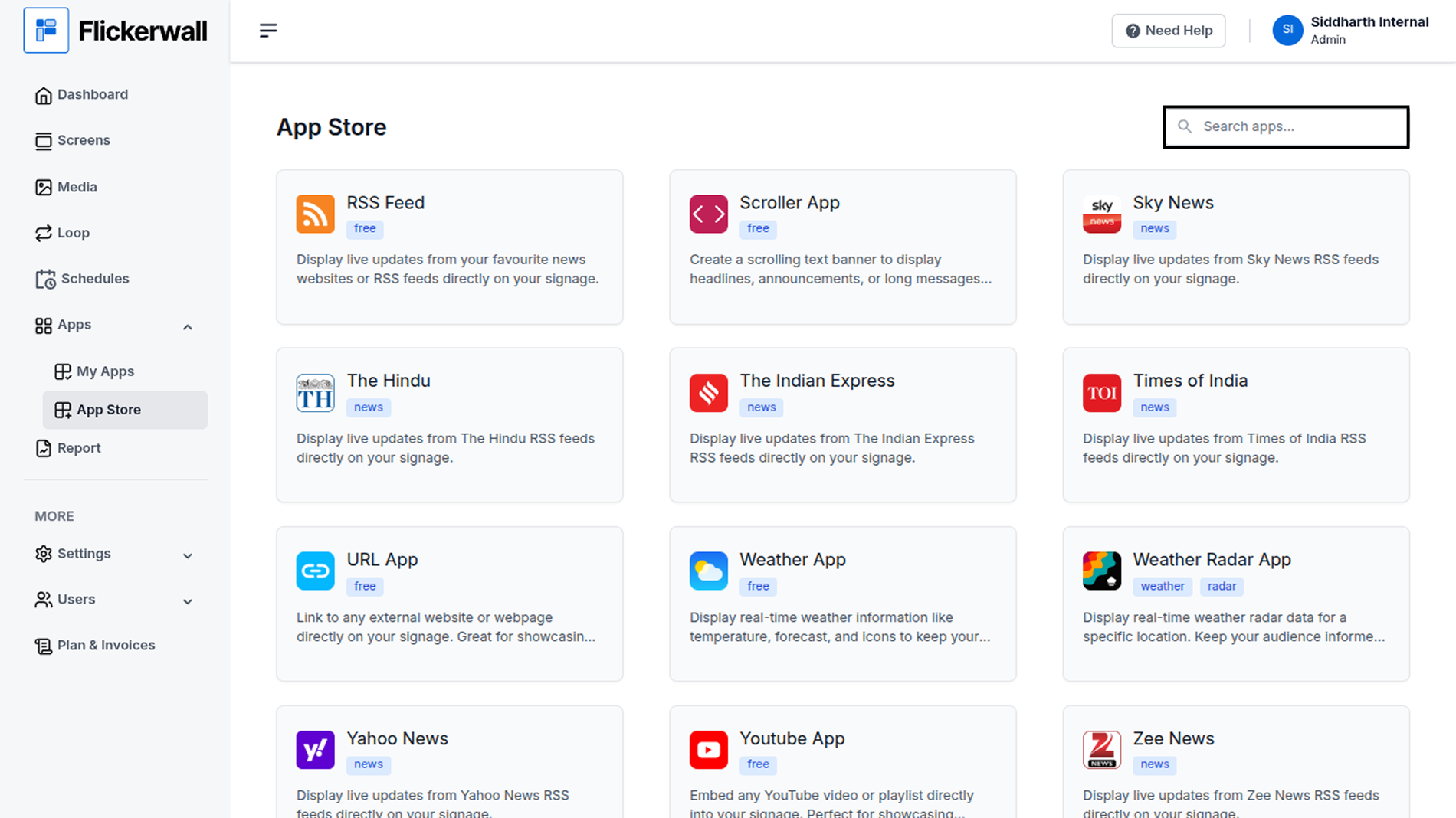
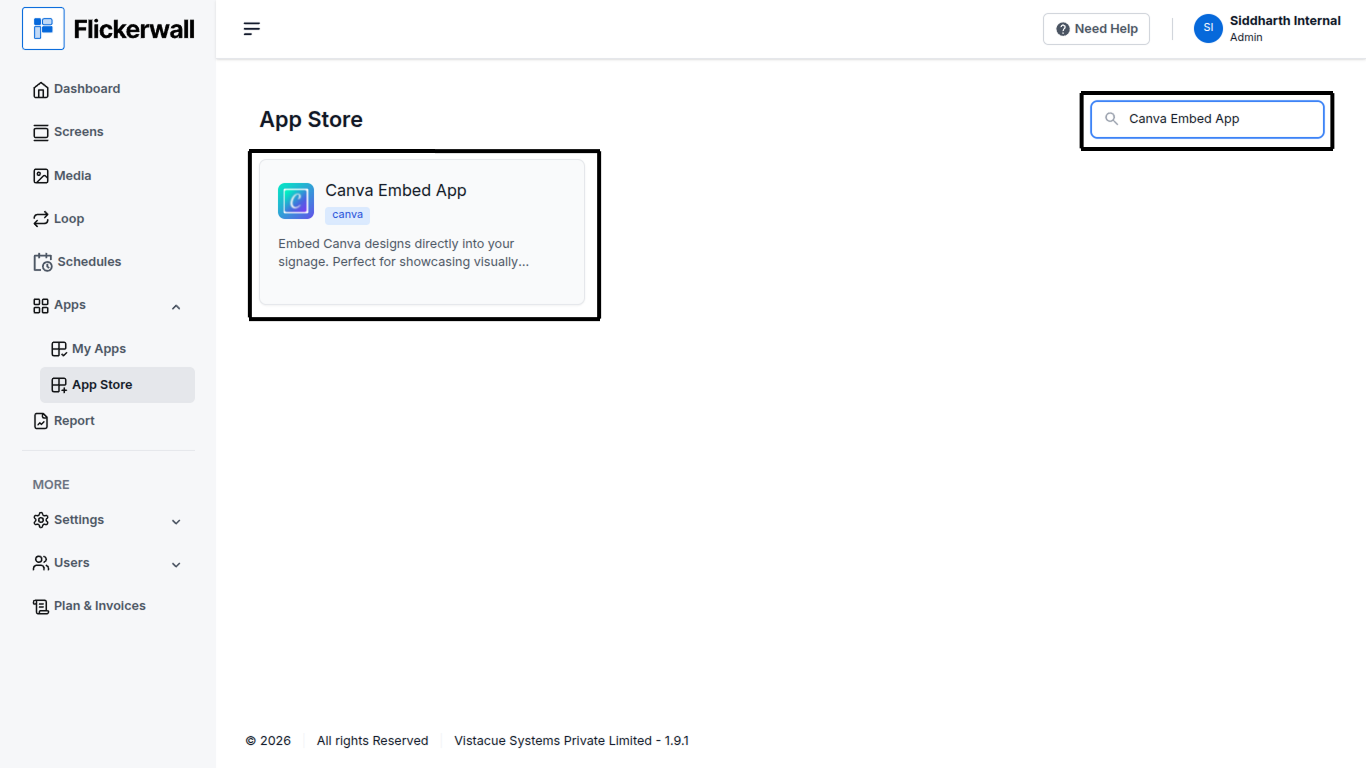
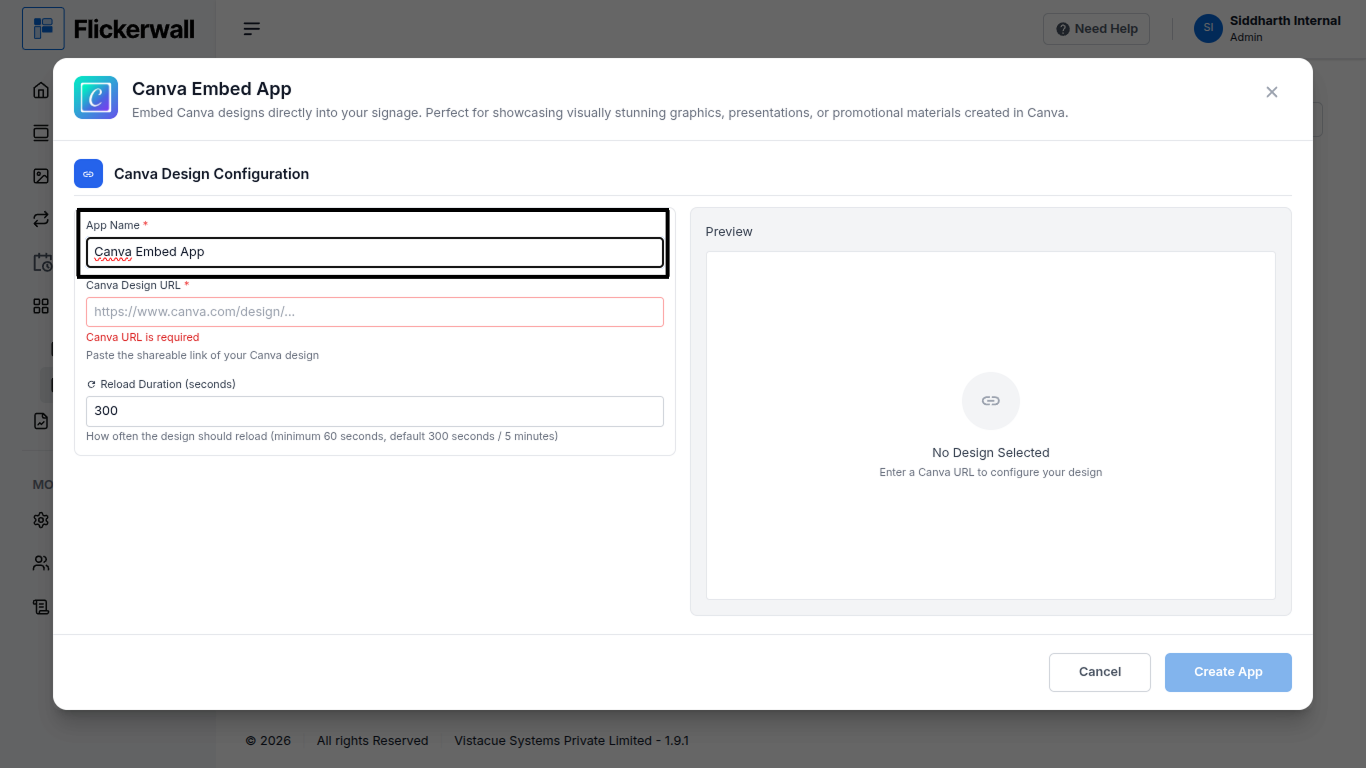
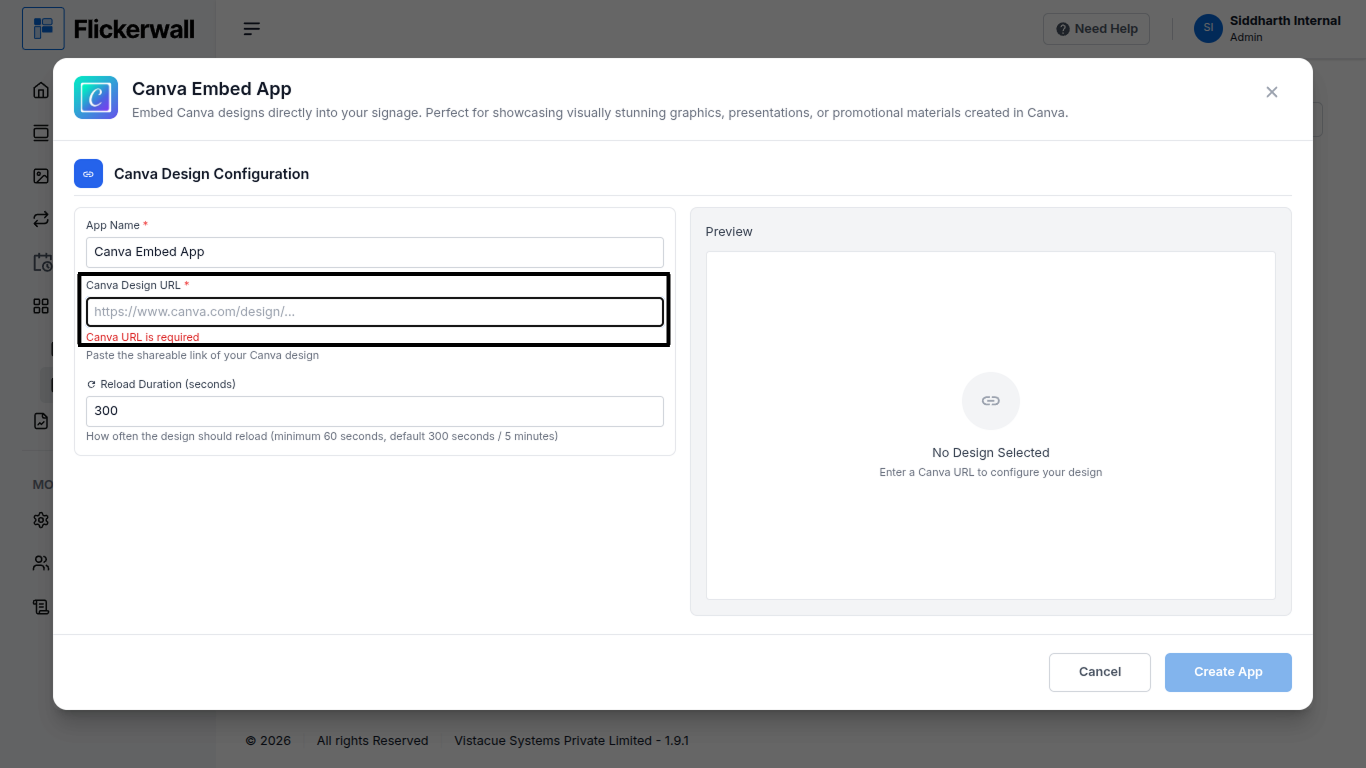
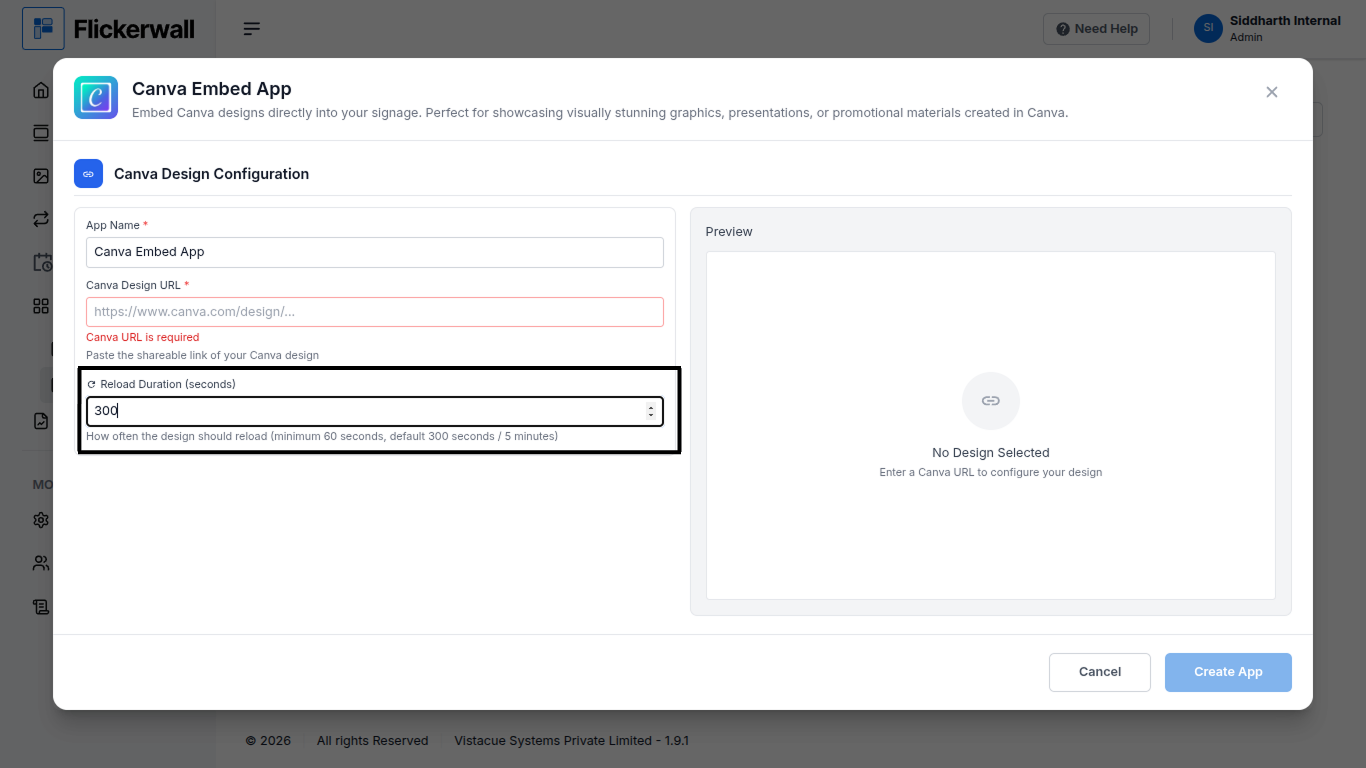
Step 1 Go to Apps and then App store! click on the apps and then Nevigate to App store in the appeared drawer Step 2 Go to Search Bar you can search the app you want Step 3 Search for Canva Embed App Select and click on the desired app Step 4 Enter a Name for the App Enter a name for app so you can find it easy later Step 5 Enter / Paste your Canva Design URL in the URL box Our system will provide you a preview based on the URL Step 6 Enter the Reload Duration you want the app to have the app will Reload according to your preference ones done with the process click Create App to end the process and your created app will appear in “my Apps” Tab Congratulations: You’ve now learnt how to create a app and created a app