
How to Edit your Billing Information?
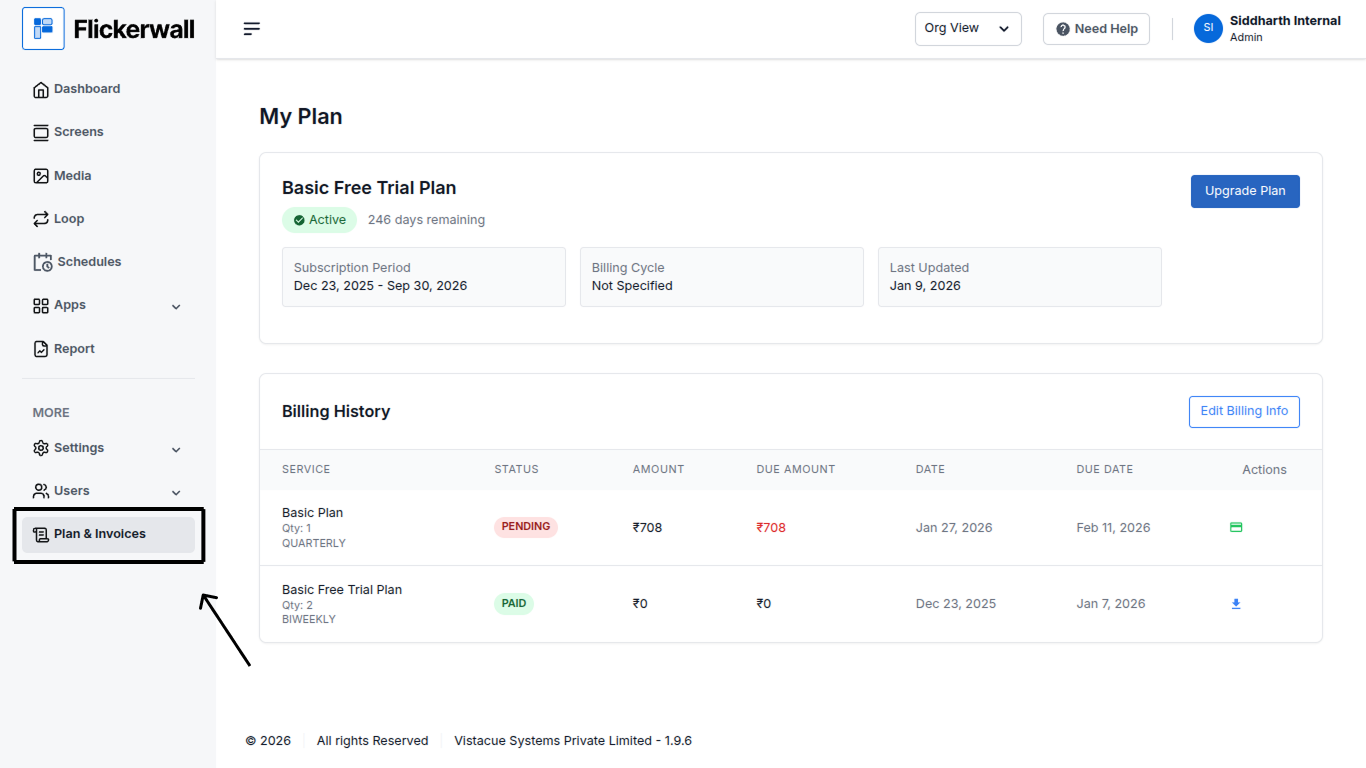
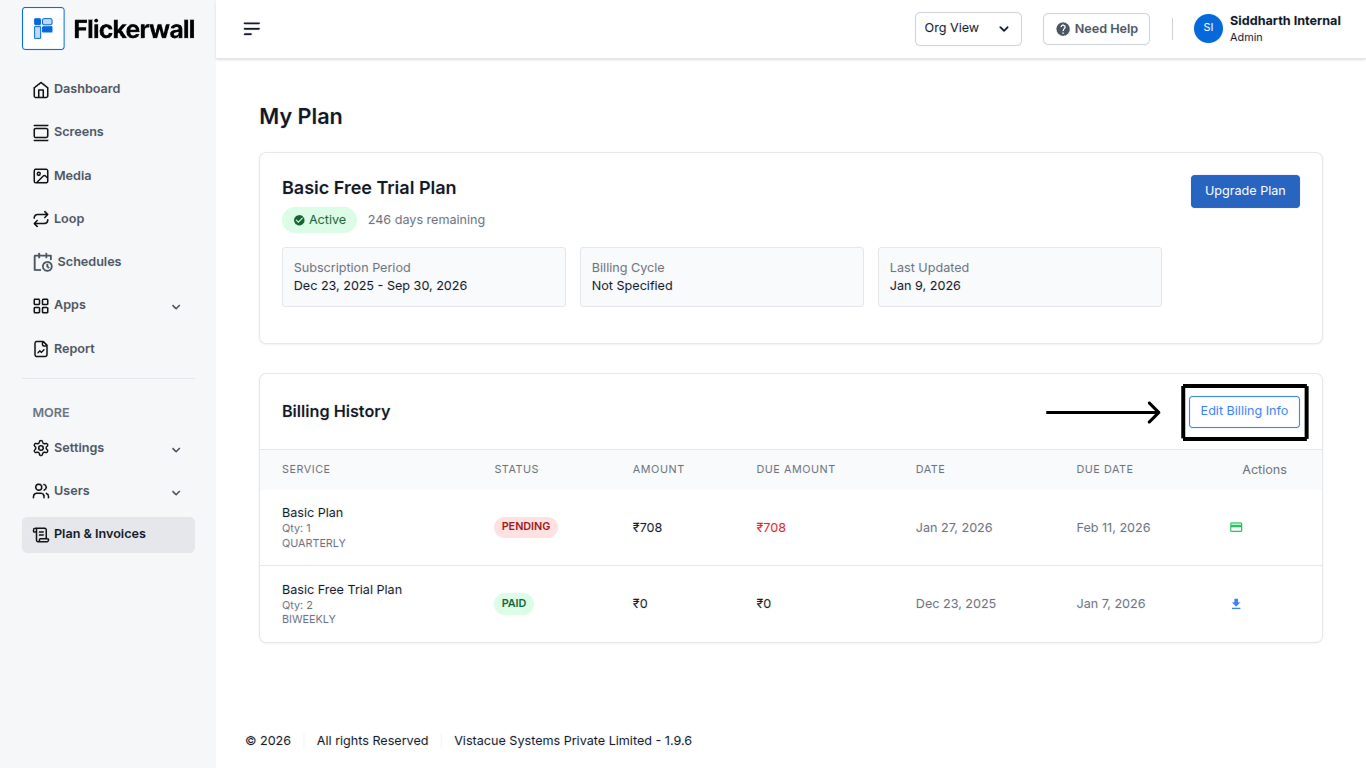
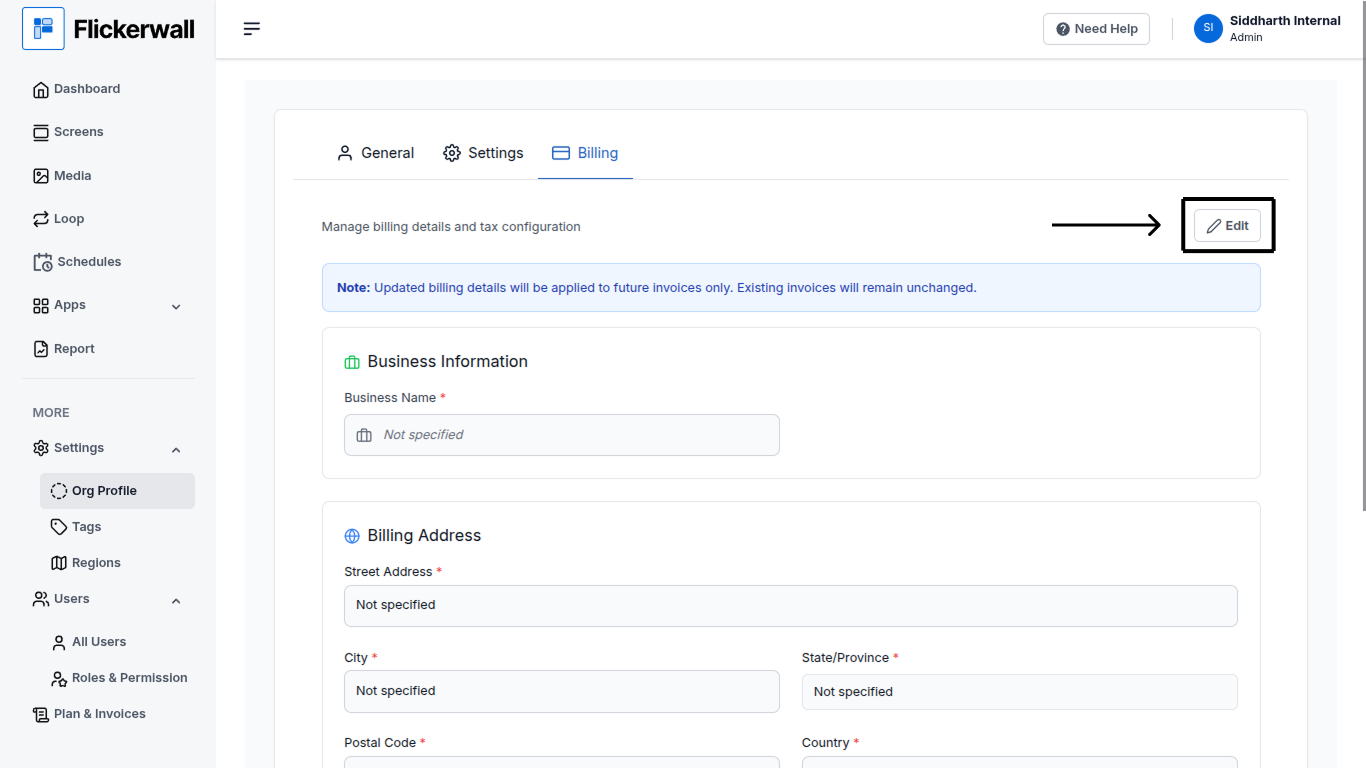
Learn how to Edit your Organization’s Billing details for better ManagementStep 1 Go to “Plan and Invoices” Module
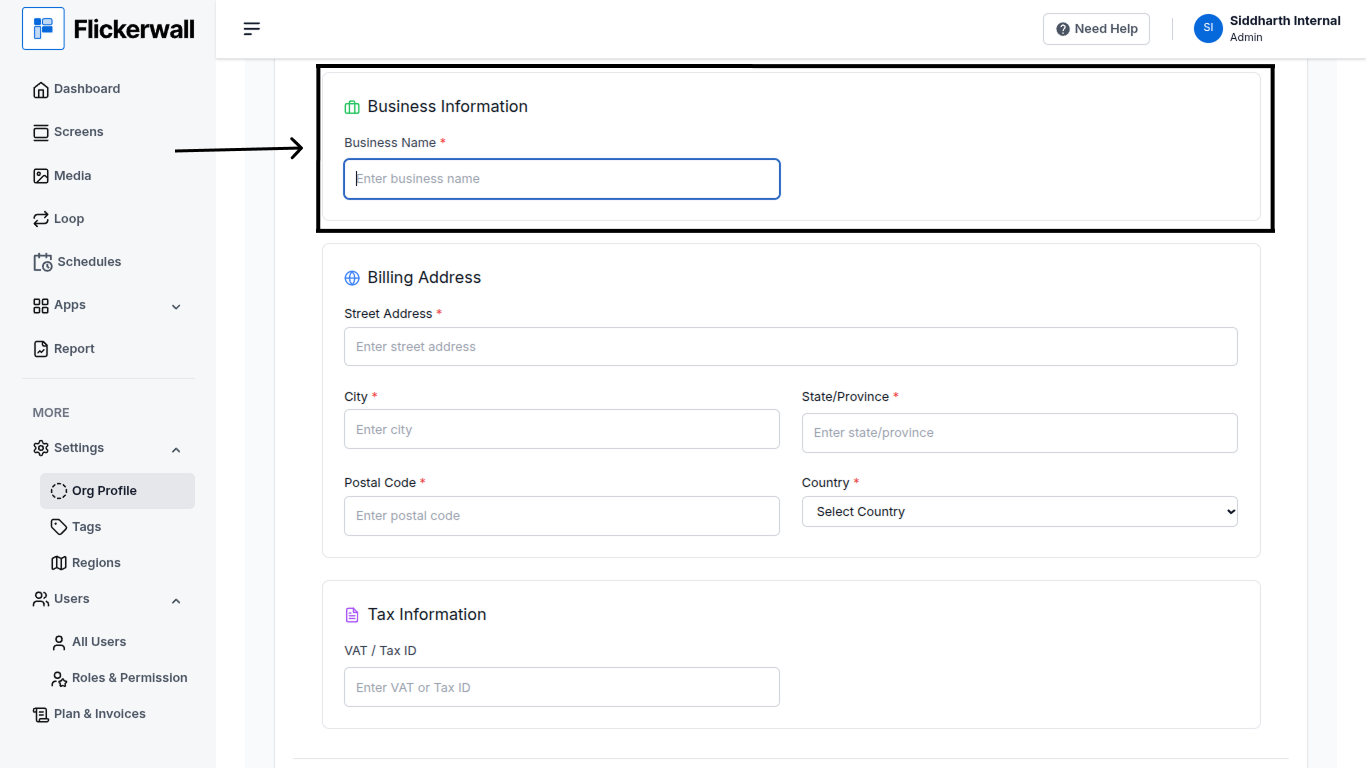
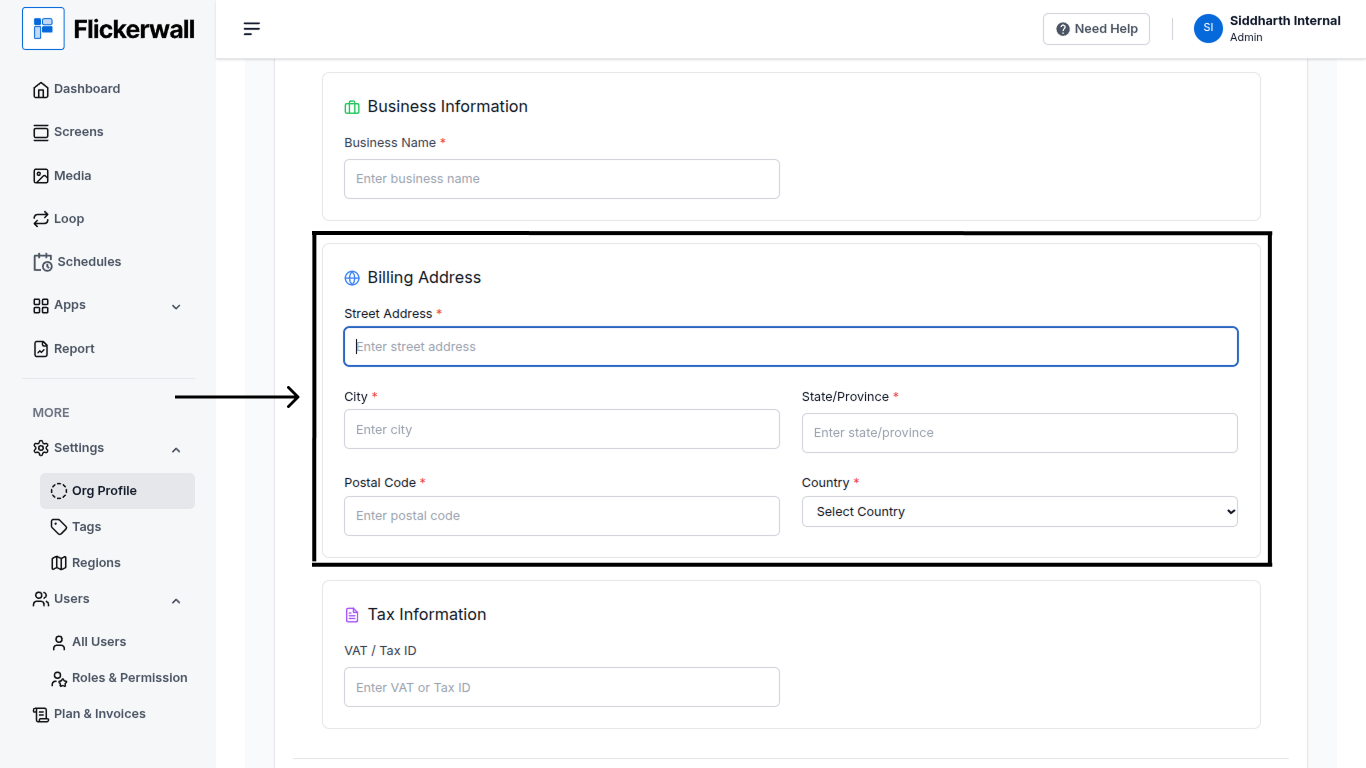
- Street Address
- City
- State / Province
- Postal Code
- Country
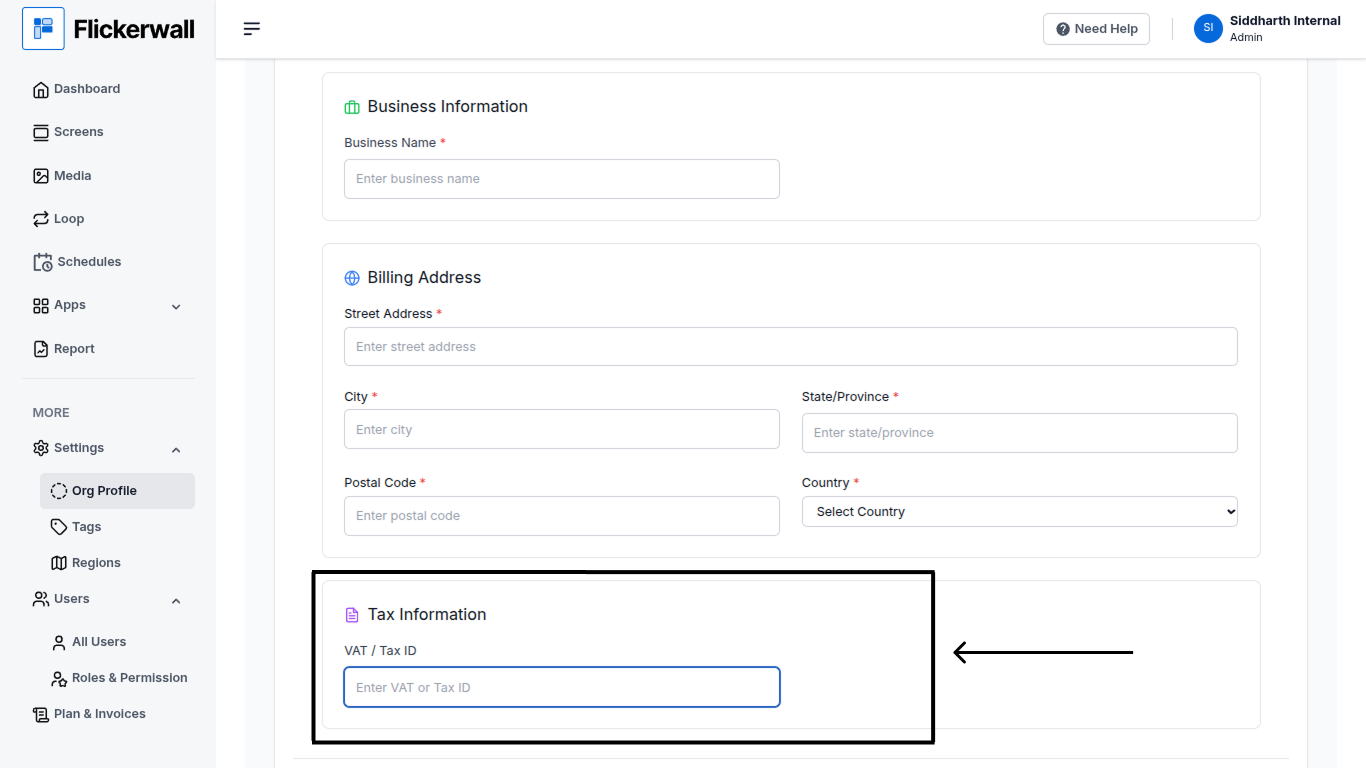
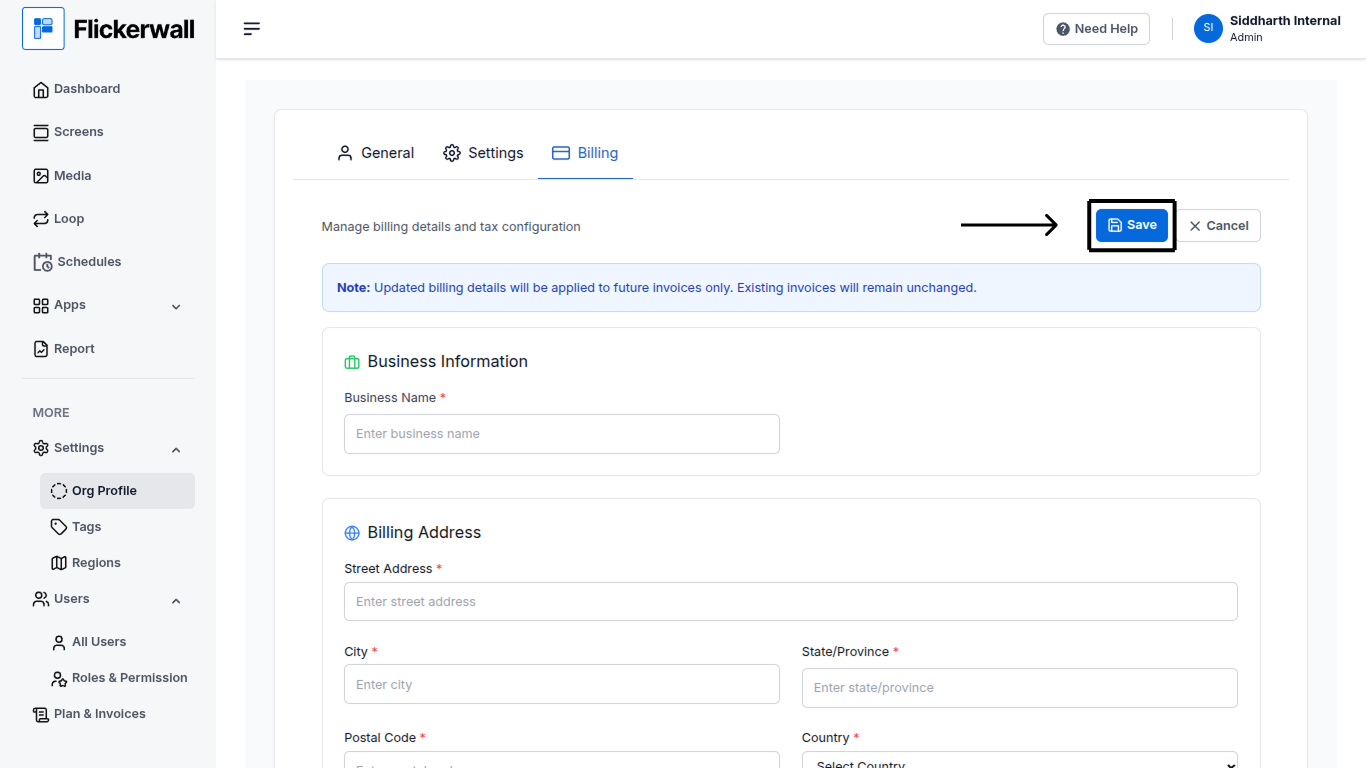
Learn how to Edit your Organization’s Billing details for better Management