How to add your Canva Design using the Upload from Canva Method?

Learn how to Connect your Canva account to use your Designs as Media
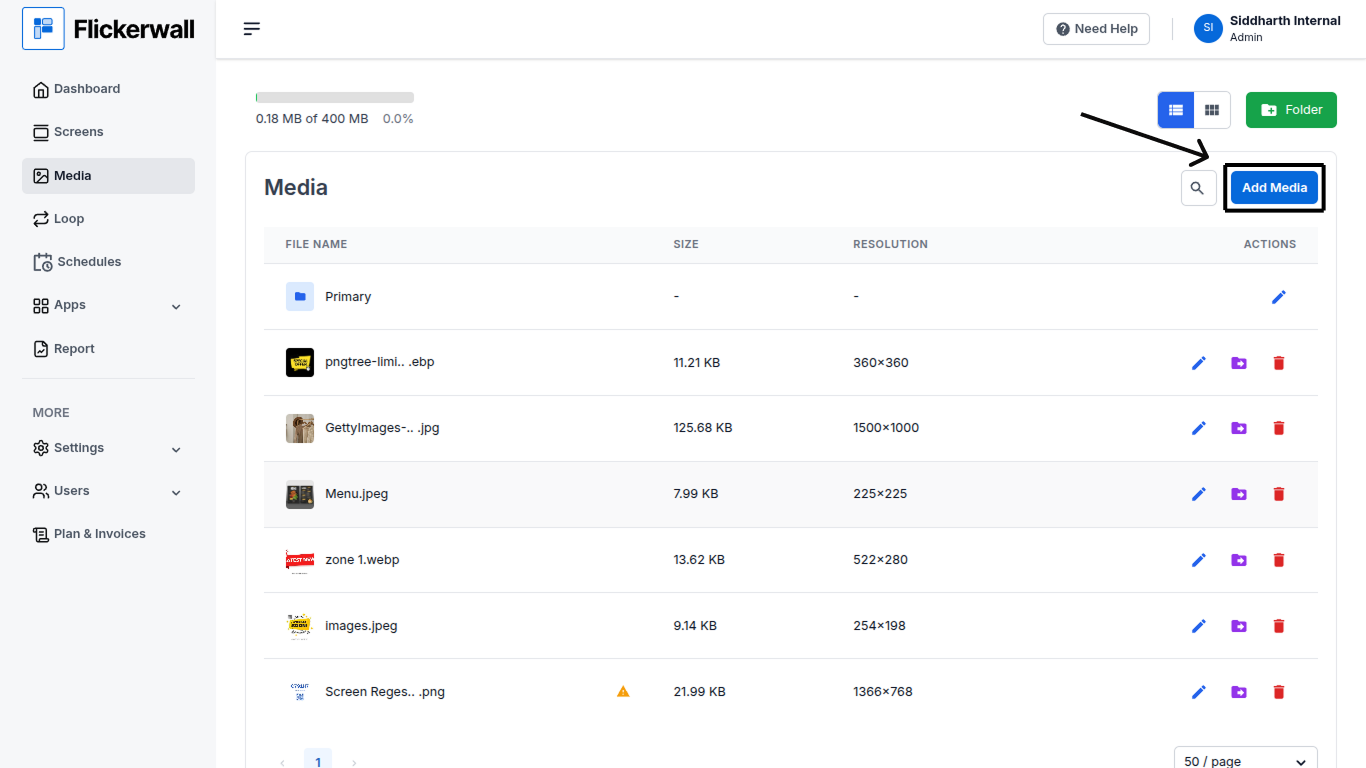
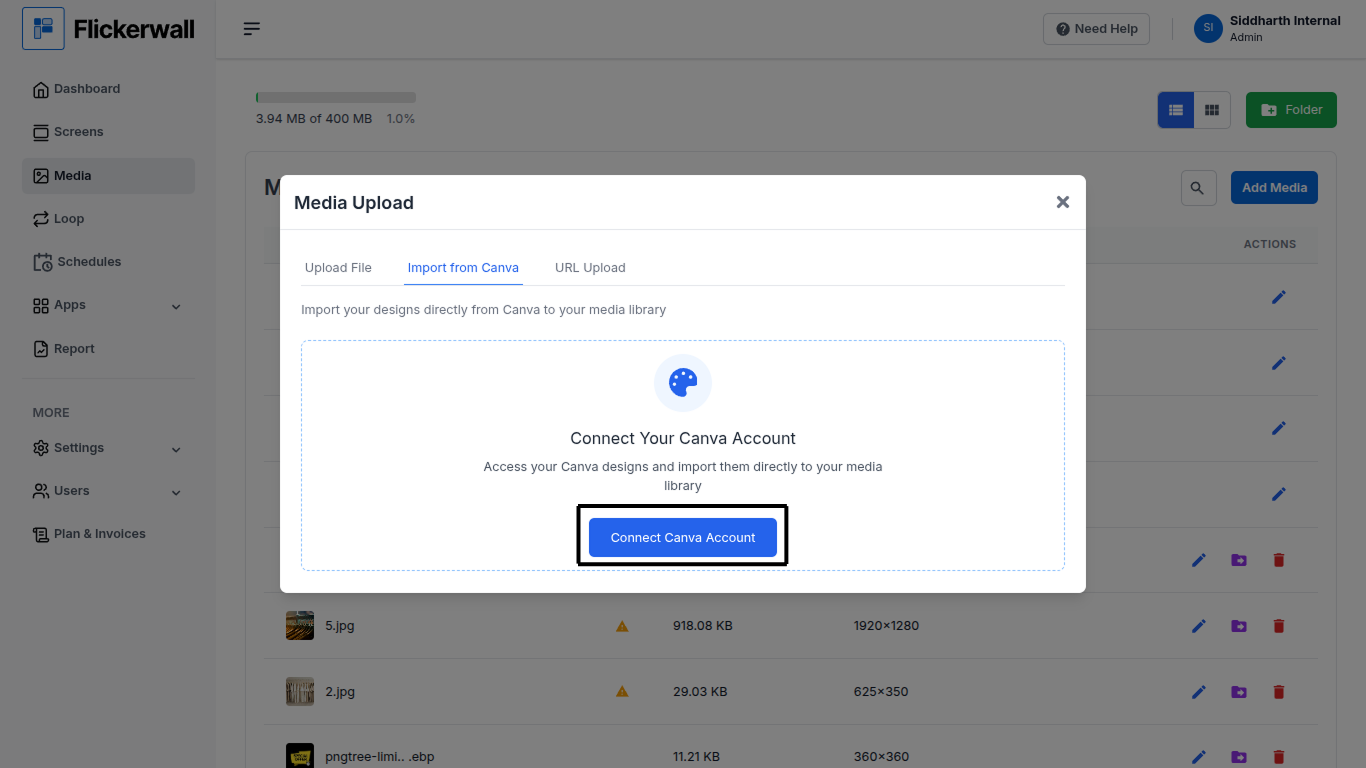
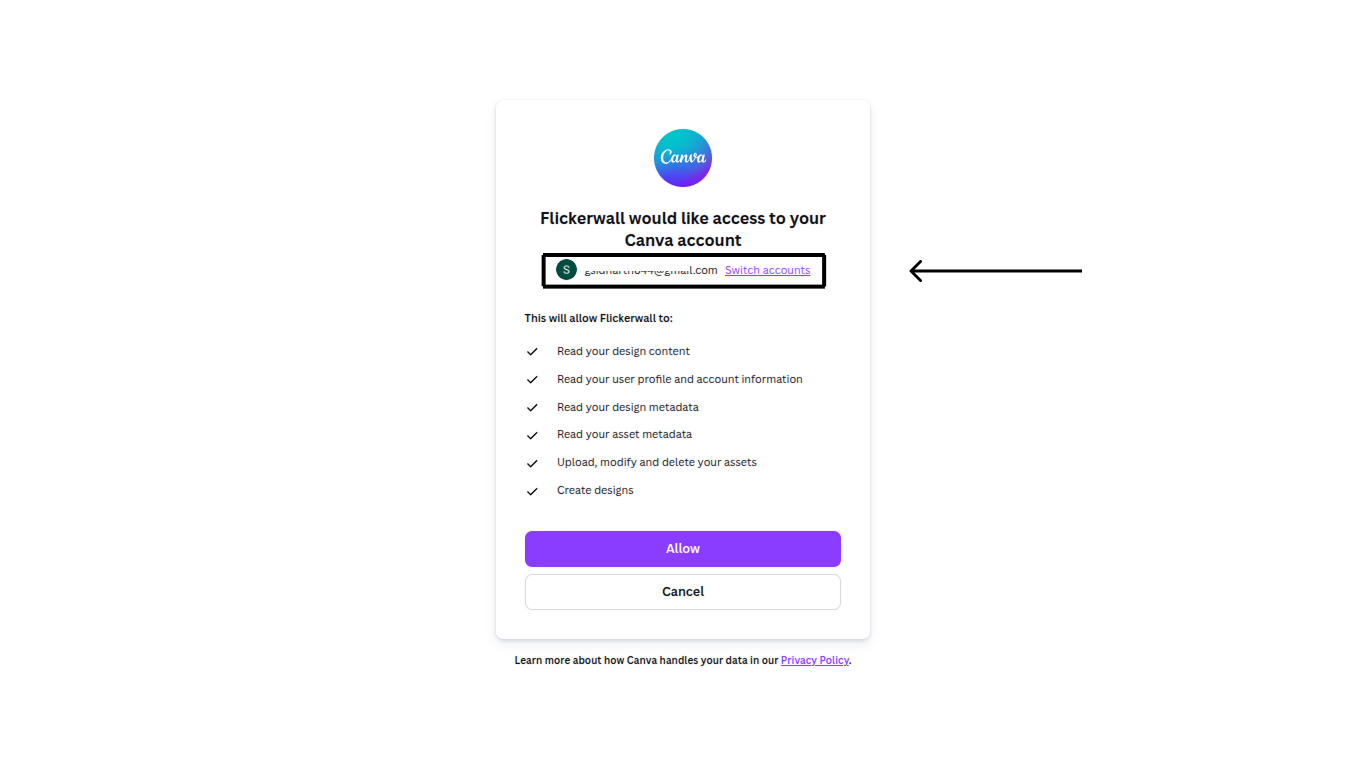
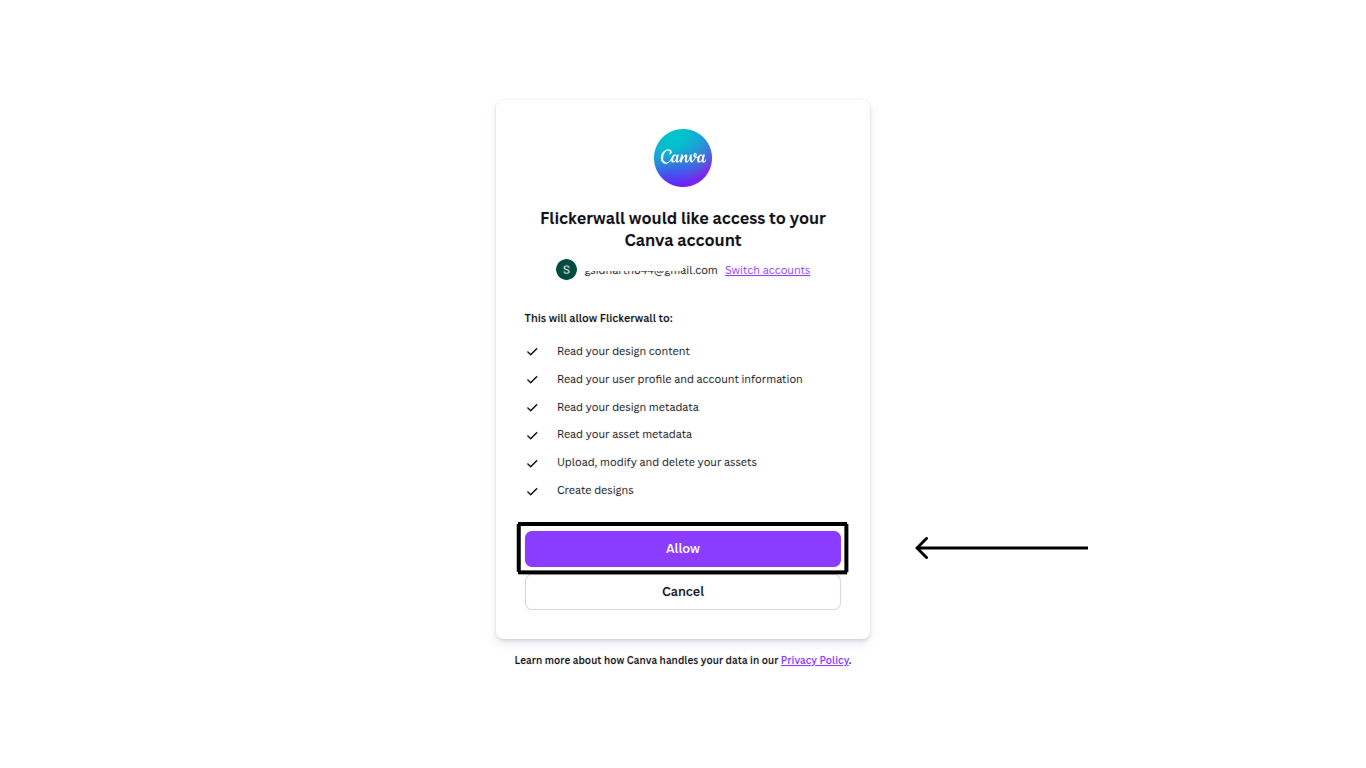
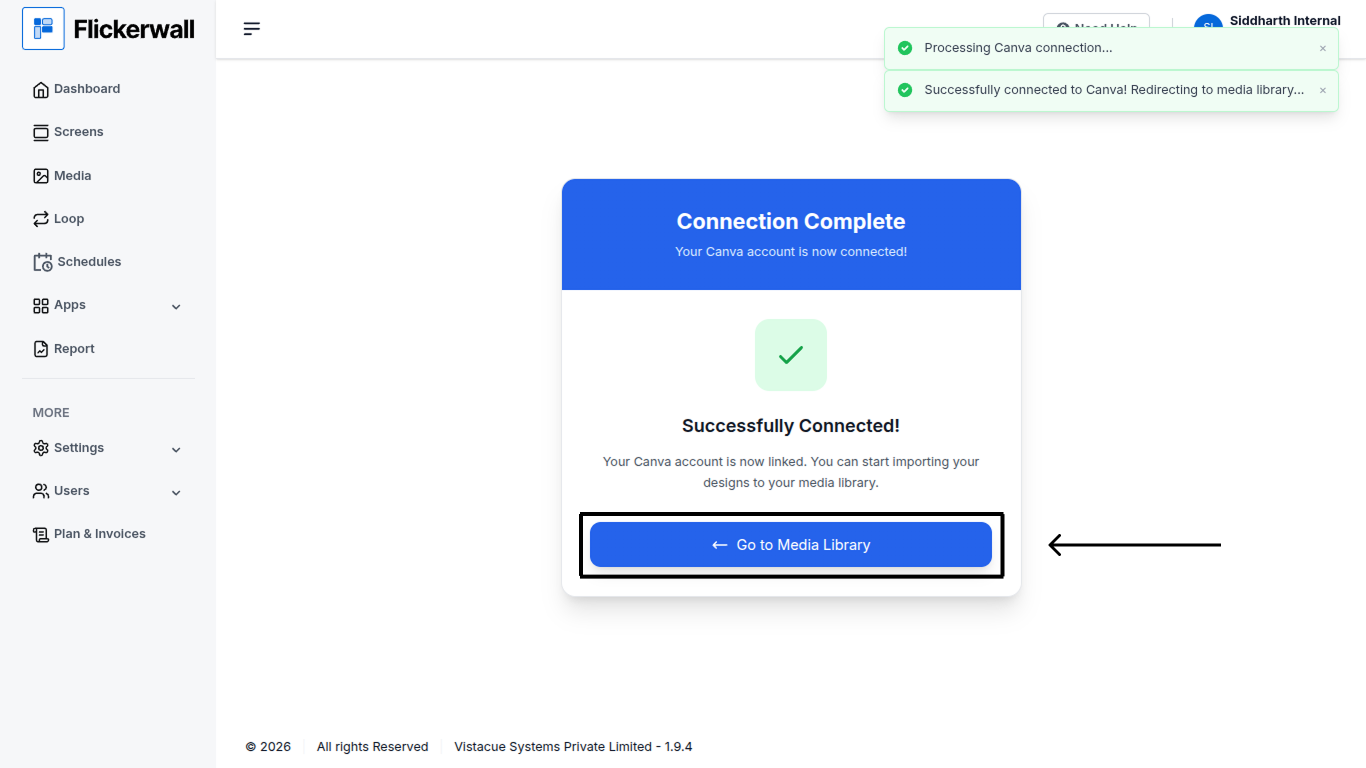
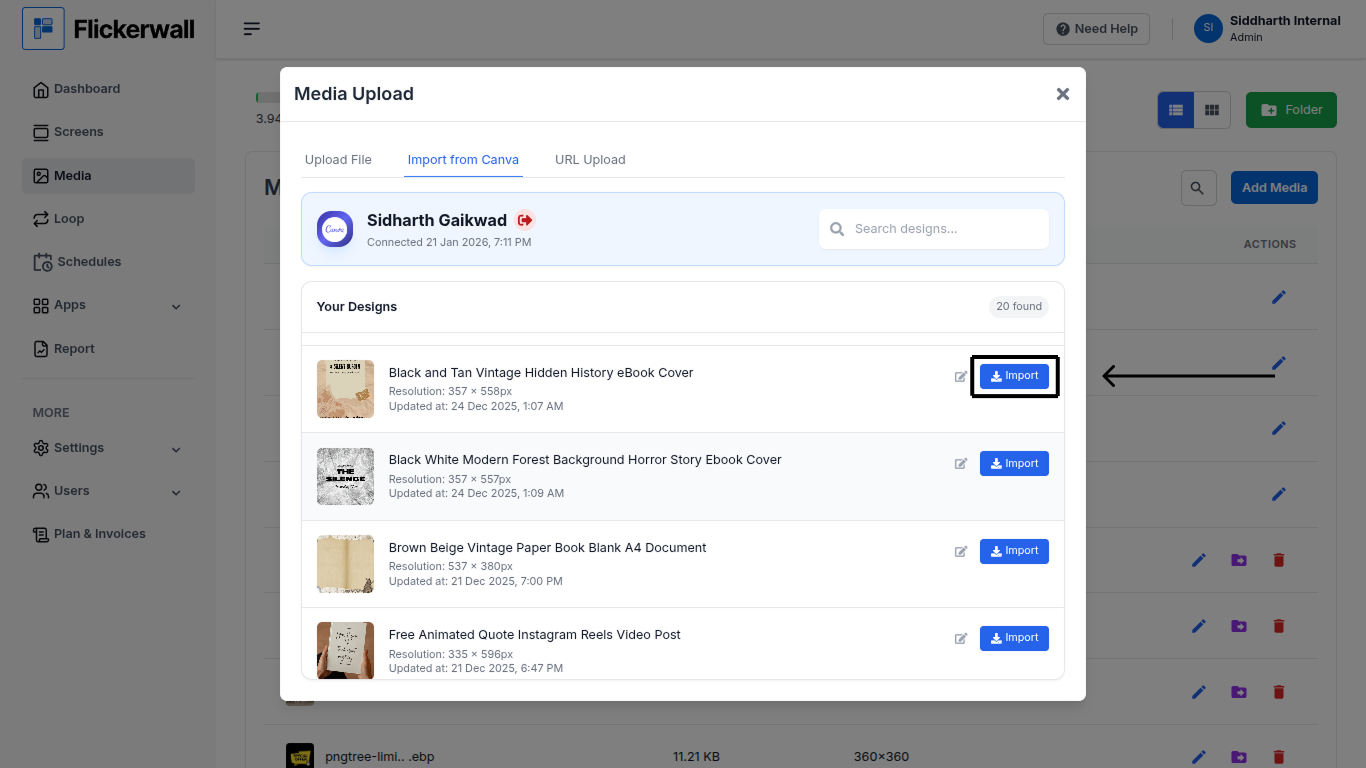
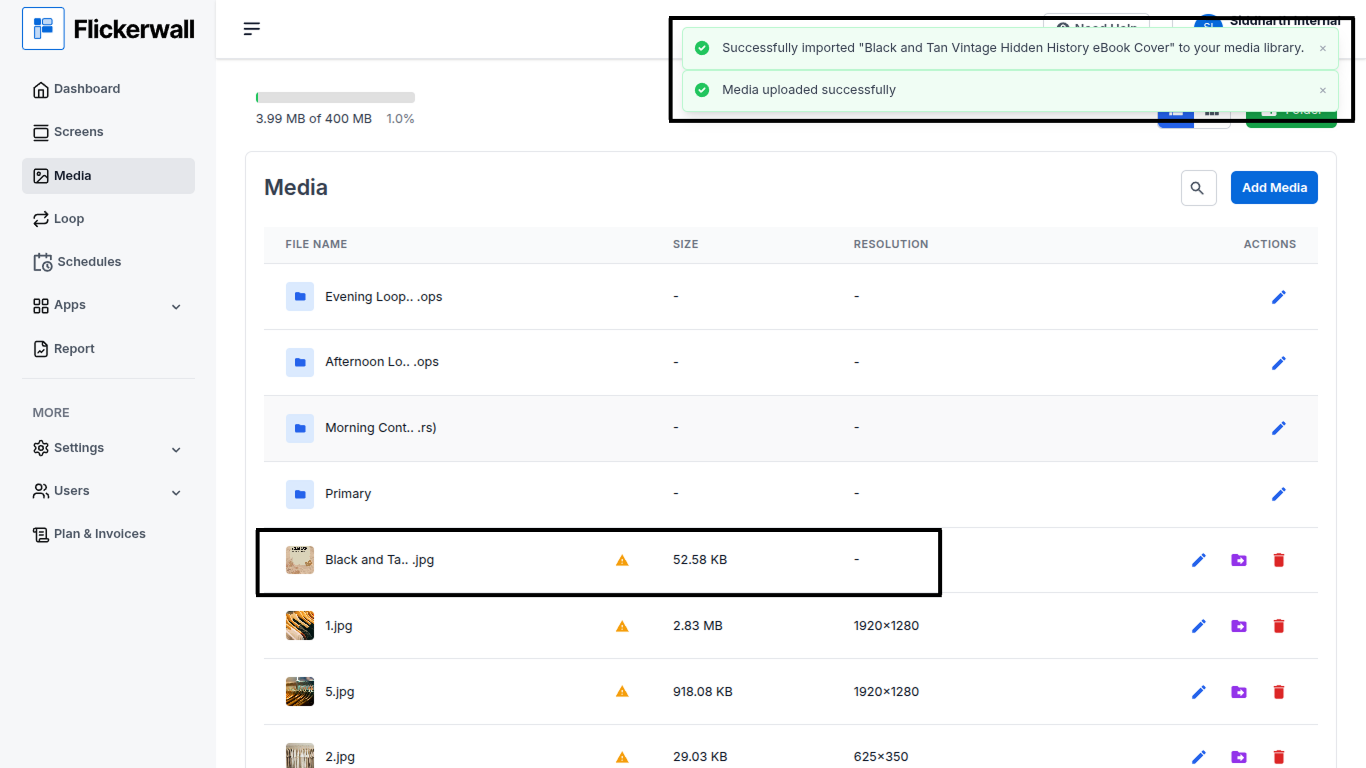
Step 1 Go to the Media Module and click on “Add Media” Step 2 Go to Import from Canva and click on “Connect Canva Account” Step 3 Check if your selected account is the one you have your designs or “Switch Account” Step 4 Click “Allow” to continue the process Step 5 Click on “Go to Media Library” Step 6 Find the desired Design and click “Import” Step 7 Once you have imported the design you’ll get a notification of “Media uploaded successfully”