
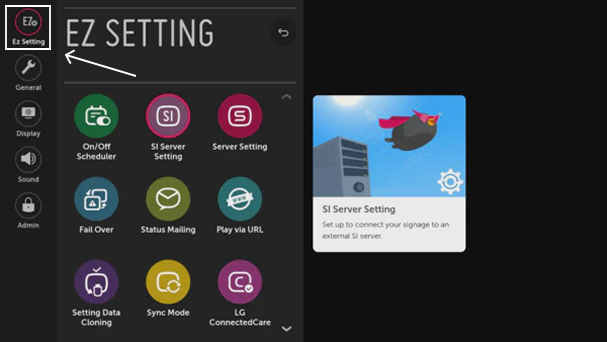
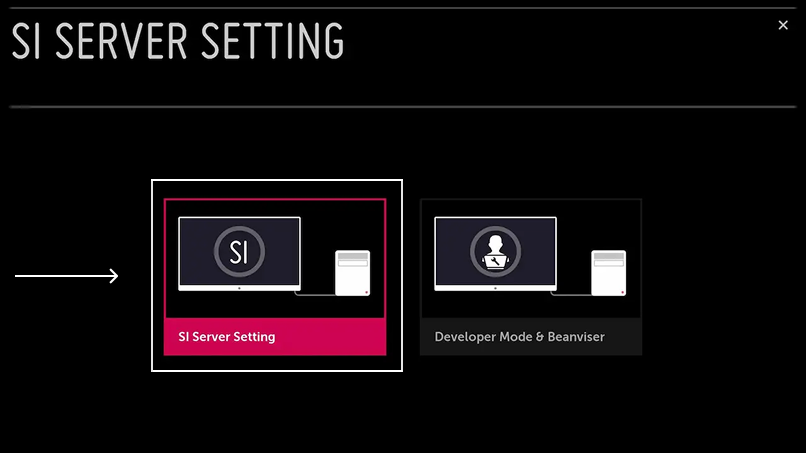
Step 1 Access the Setup Menu: Press the Settings or Setup button on your remote control and select OK to enter the menu. Step 2 Open the EZ Settings
- Application Launch Mode: Local
- Application Type: IPK
- Local Application Upgrade: Remote
Step-by-Step Guide: Installing the Flickerwall Player on LG webOS Displays via Remote URL.