How to add the Live Streaming app from Flickerwall store?
step by step guide to learn how to add the Live Streaming app from Flickerwall store?
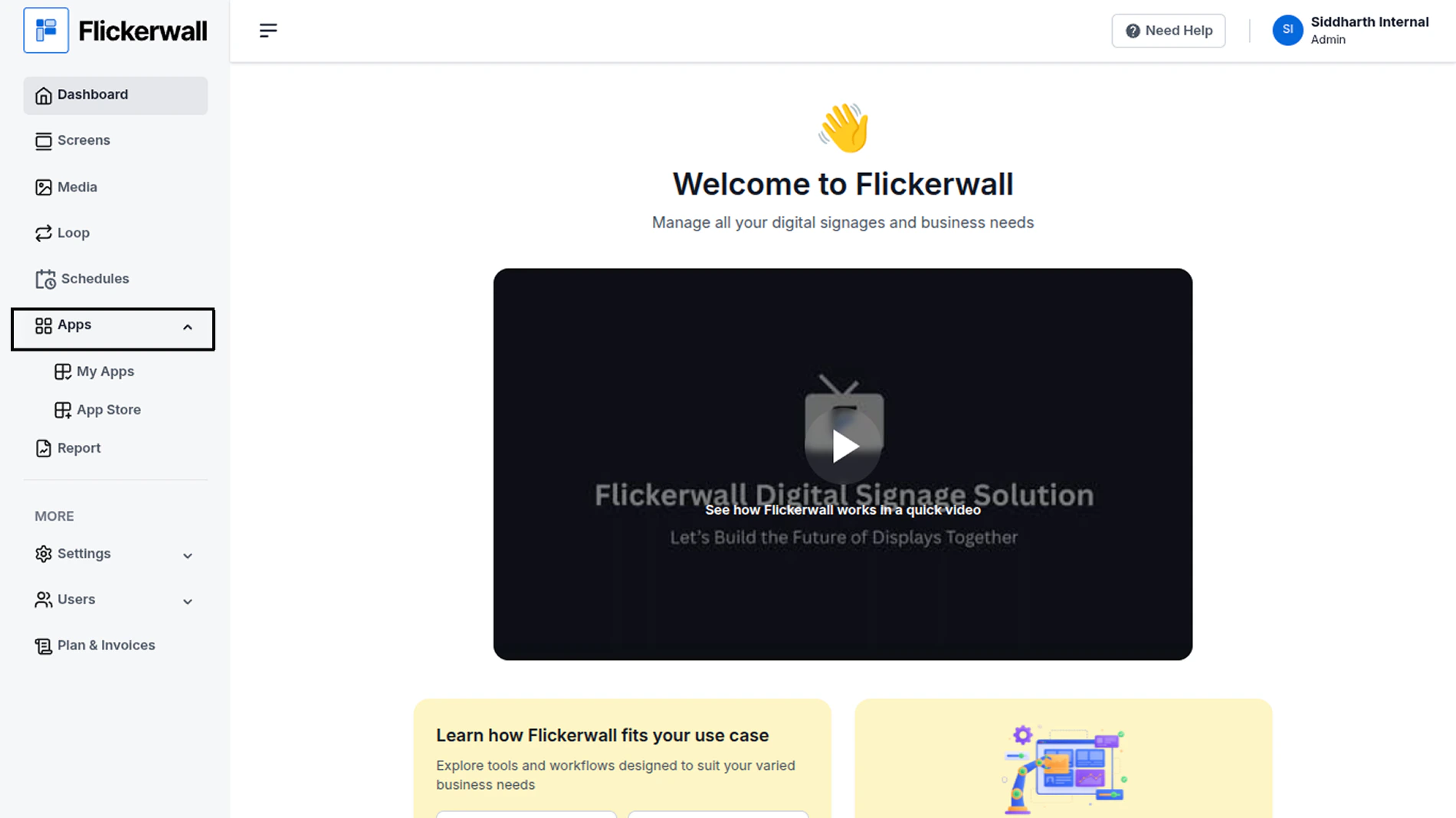
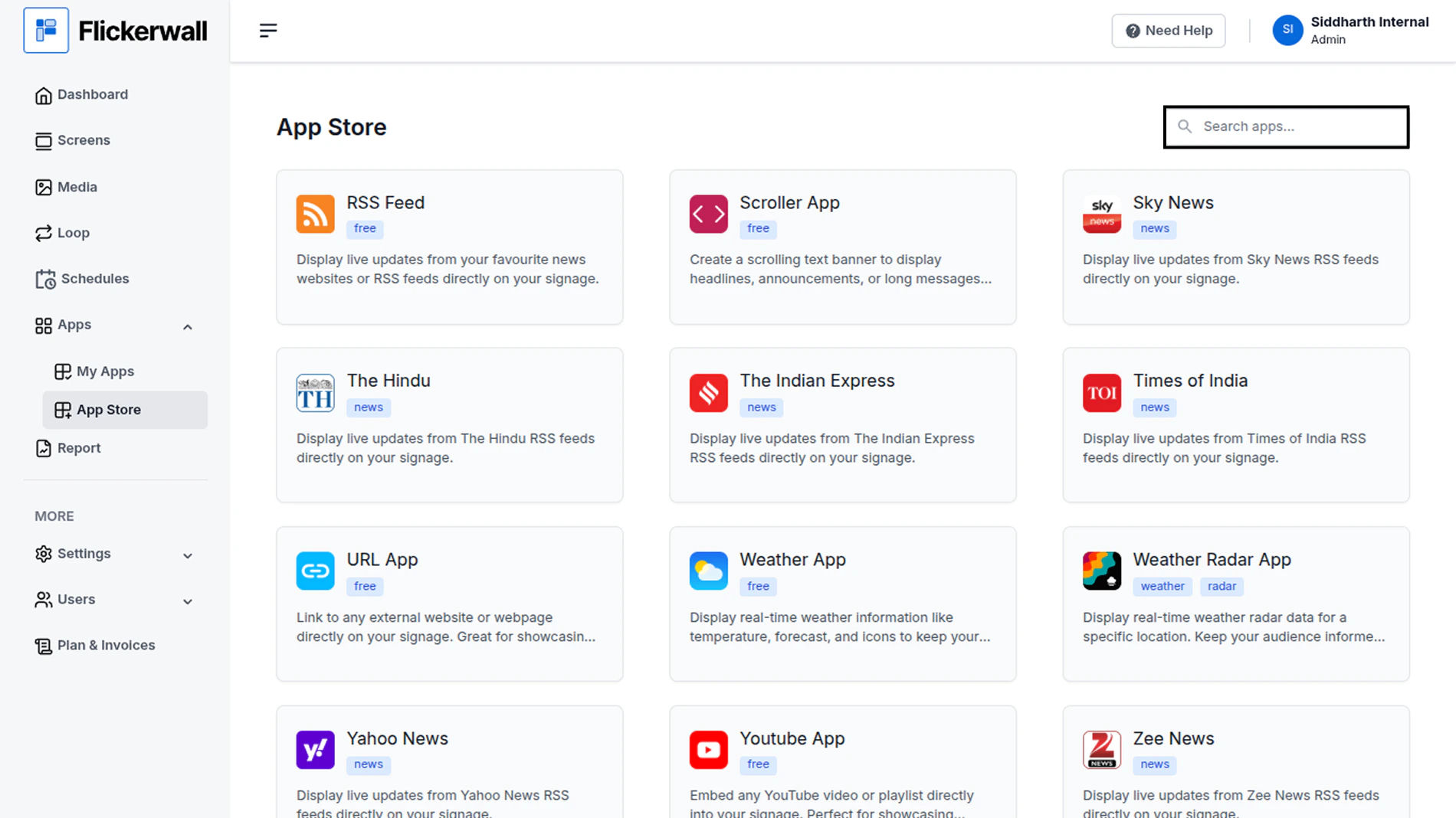
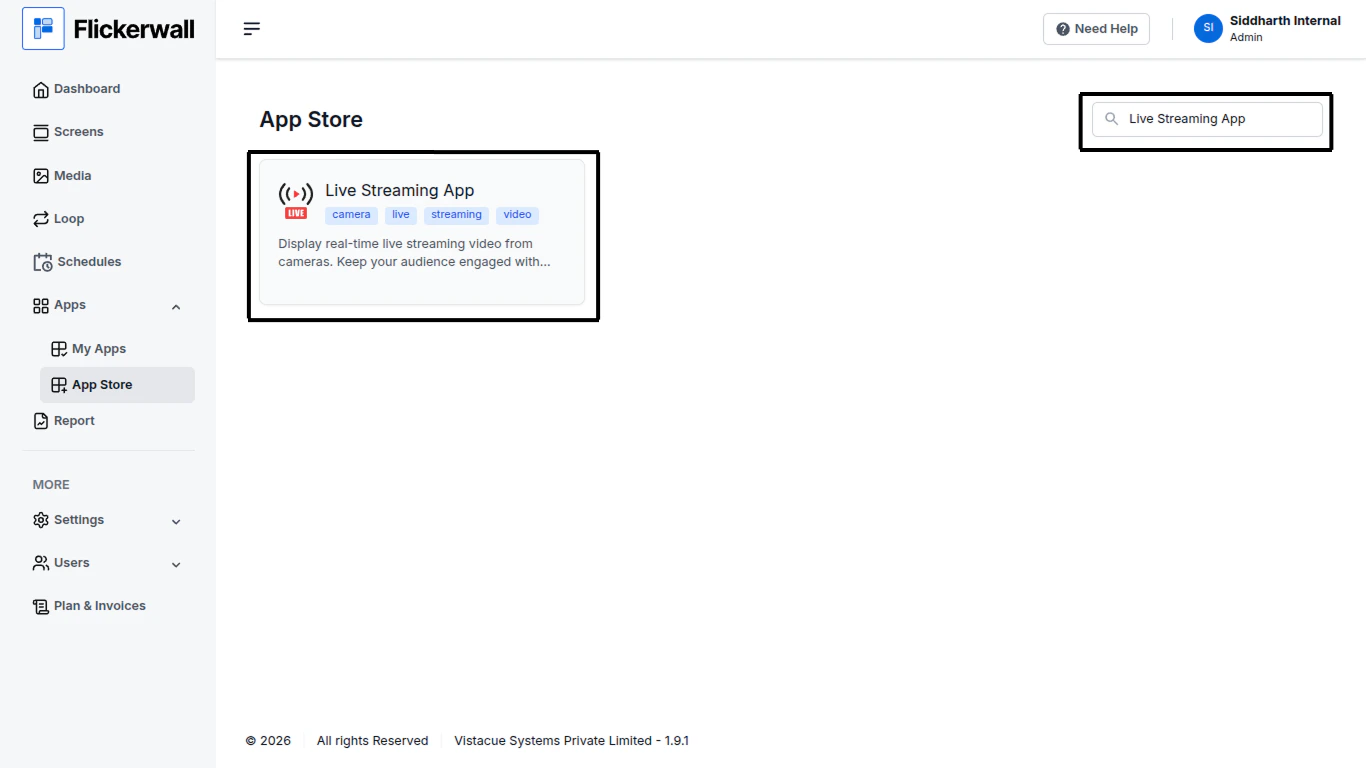
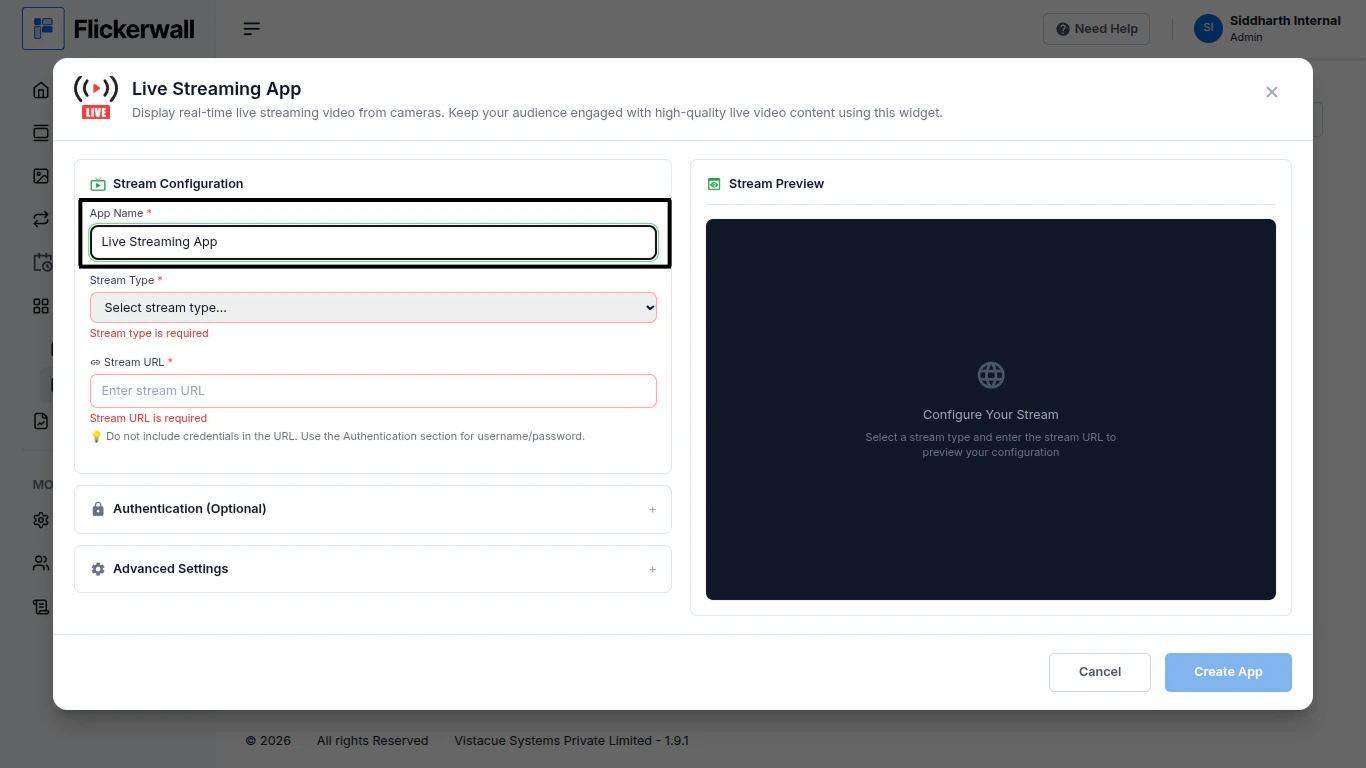
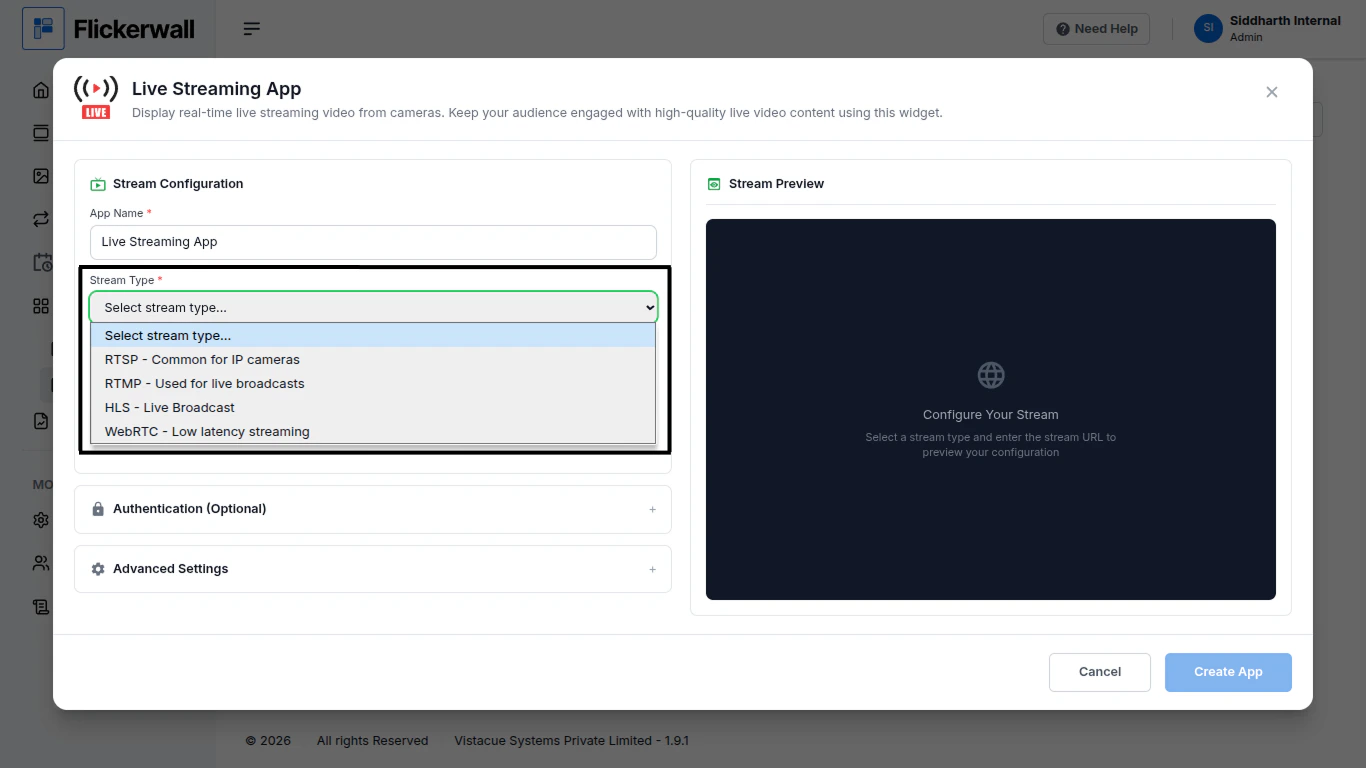
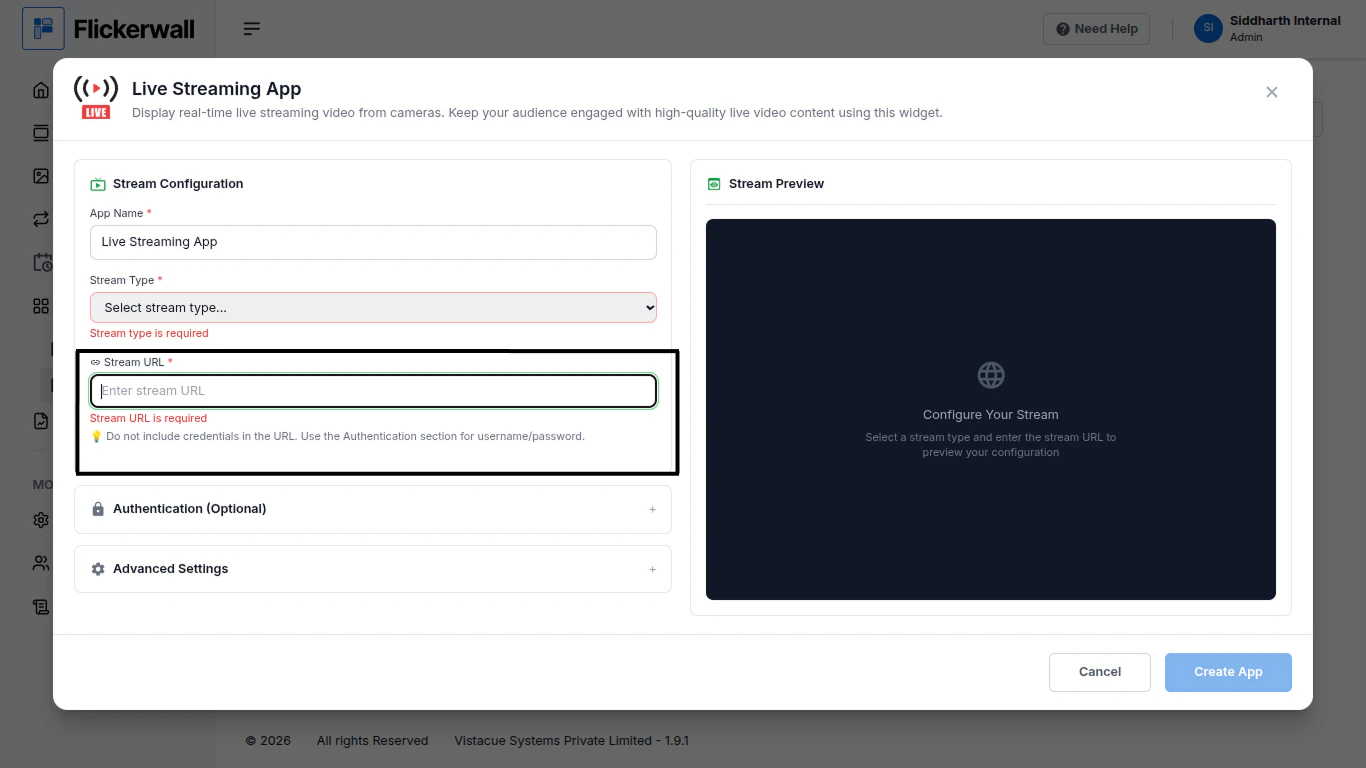
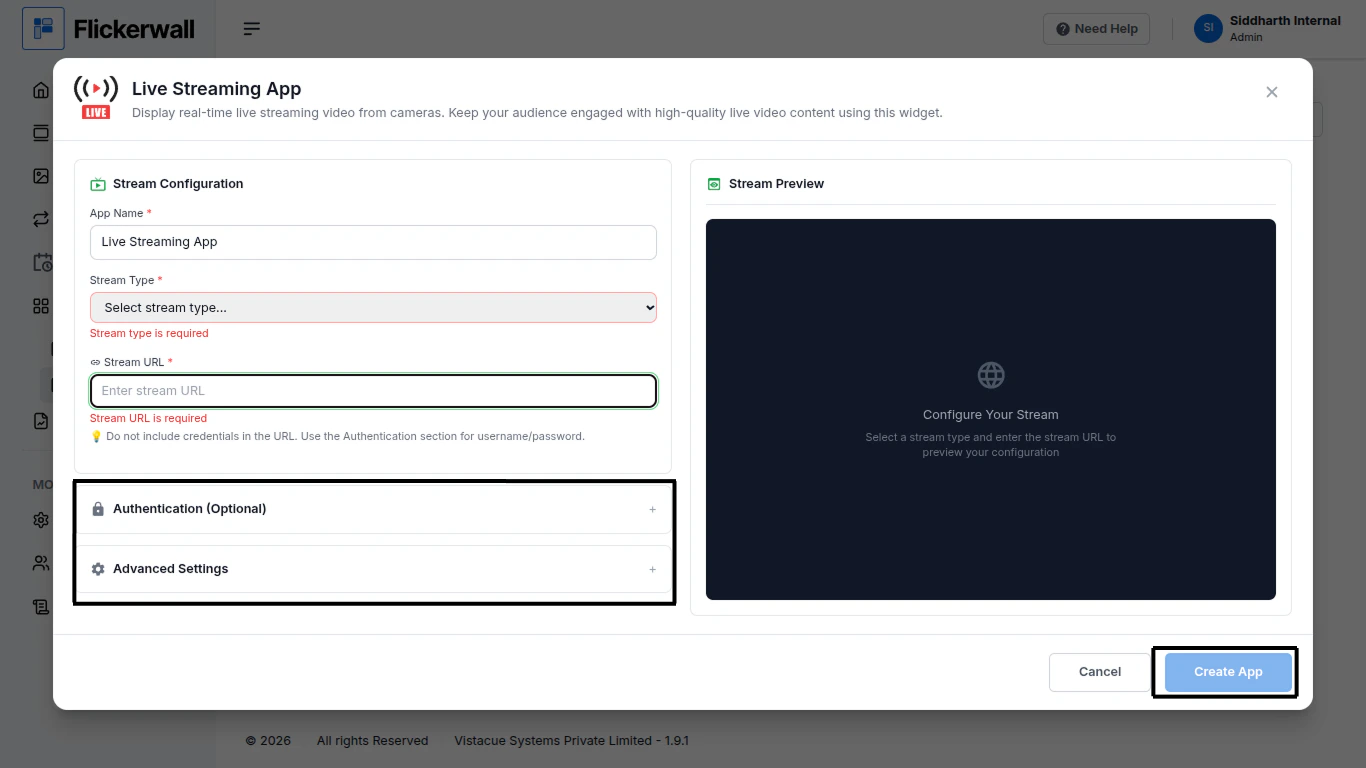
Step 1Go to Apps and then App store!click on the apps and then Nevigate to App store in the appeared drawerStep 2Go to Search Baryou can search the app you wantStep 3Search for Live Streaming App Select and click on the desired appStep 4Enter a Name for the AppEnter a name for app so you can find it easy laterStep 5Select your Stream TypeStep 6Enter your Stream URL and we’ll give you Stream PreviewStep 7Lastly if you want you can toggle the Authentication (optional, Stream works without it as well)you can also toggle some Advanced Settings if you want provided right below “Authentication”Ones you’re done with the process as you intended please click Create AppCongrataulatins: your app making process is completed check “My Apps” to see the apps you created