How to add the Clock and Date Widget from Flickerwall store?
Step by step guide to learn how to add the Clock and Date Widget from the Flickerwall store
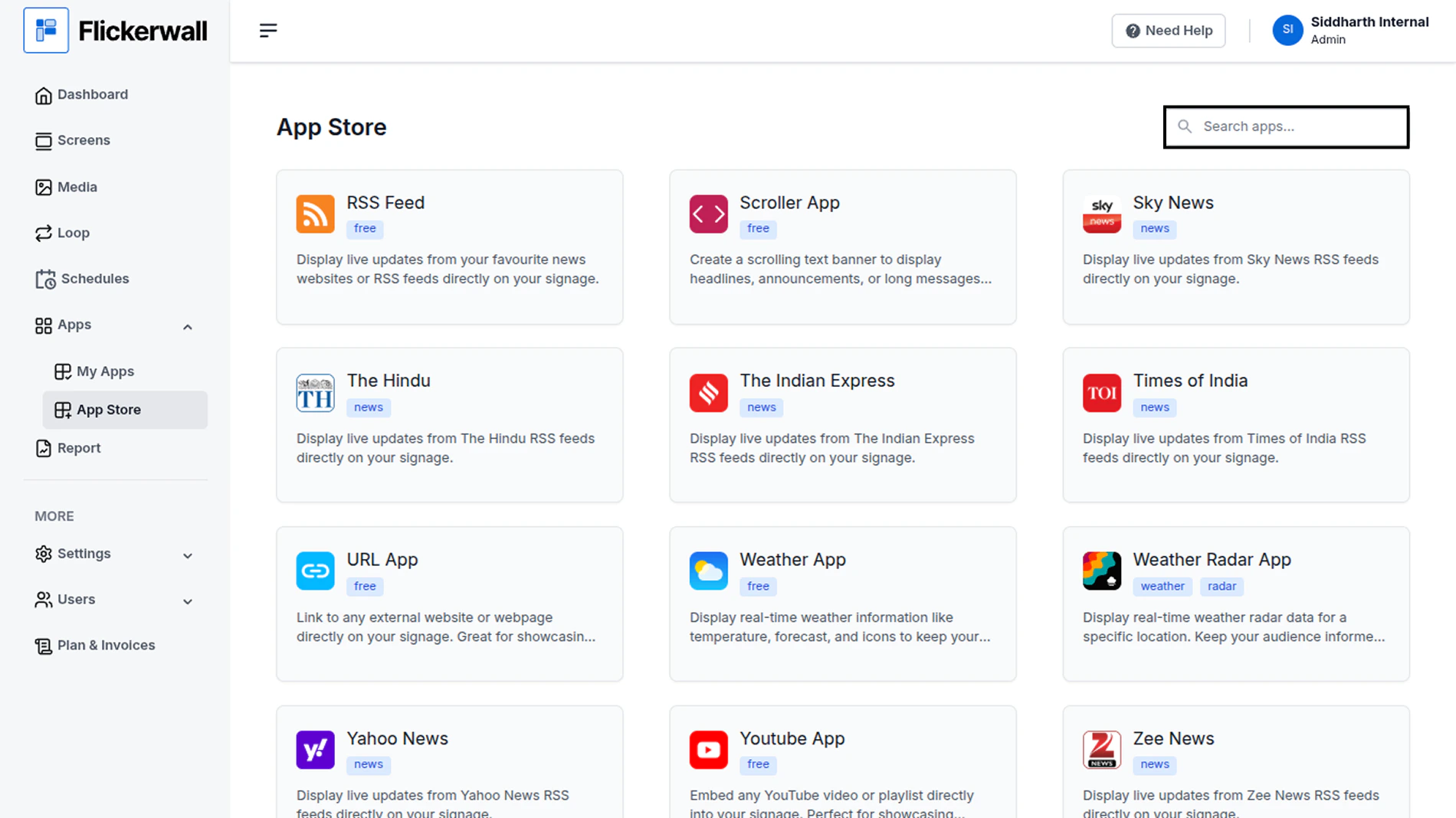
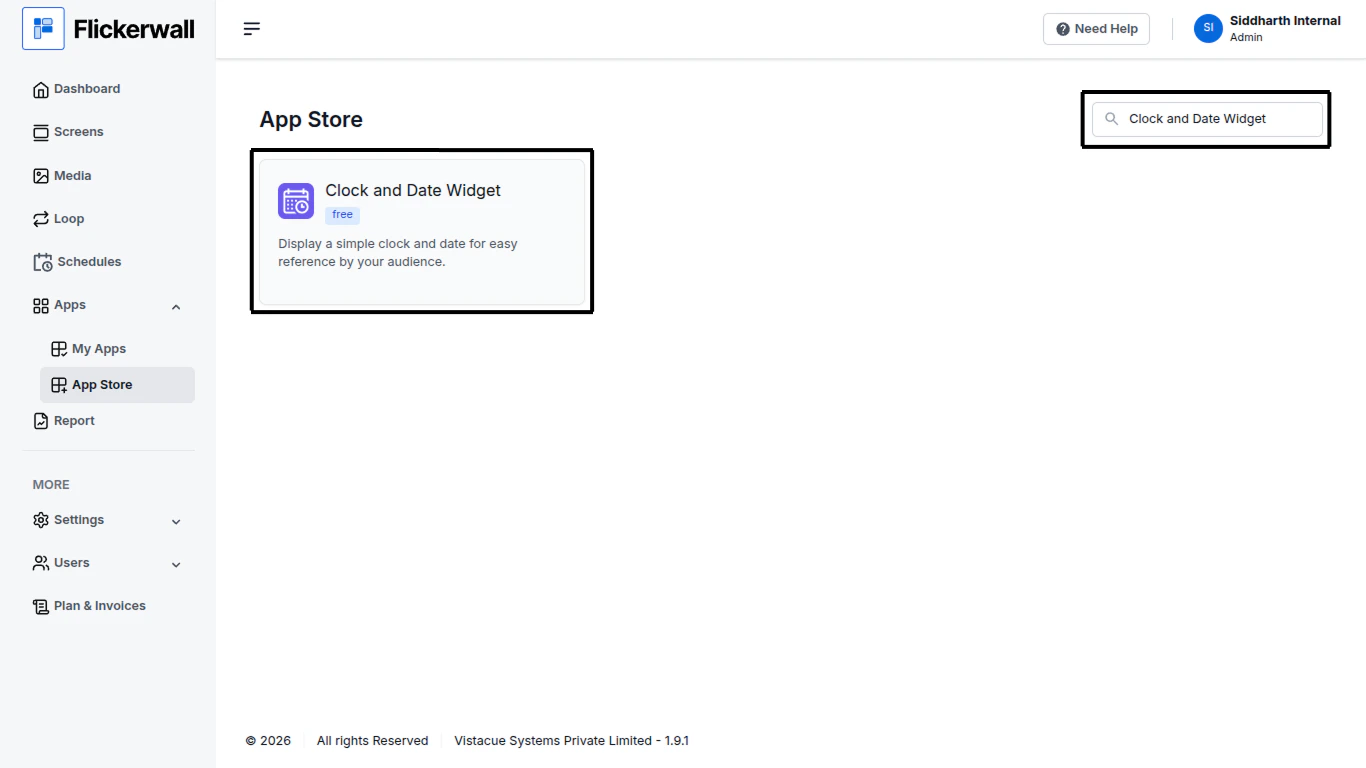
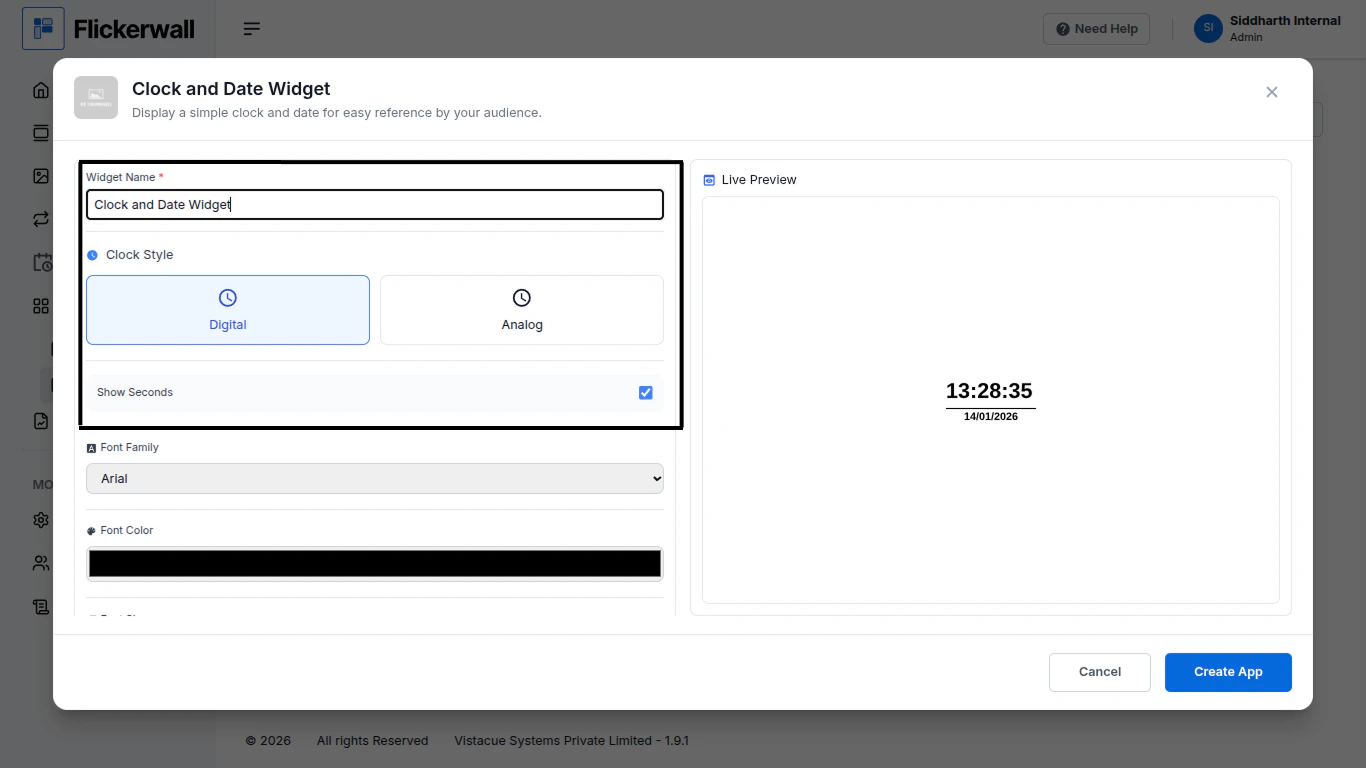
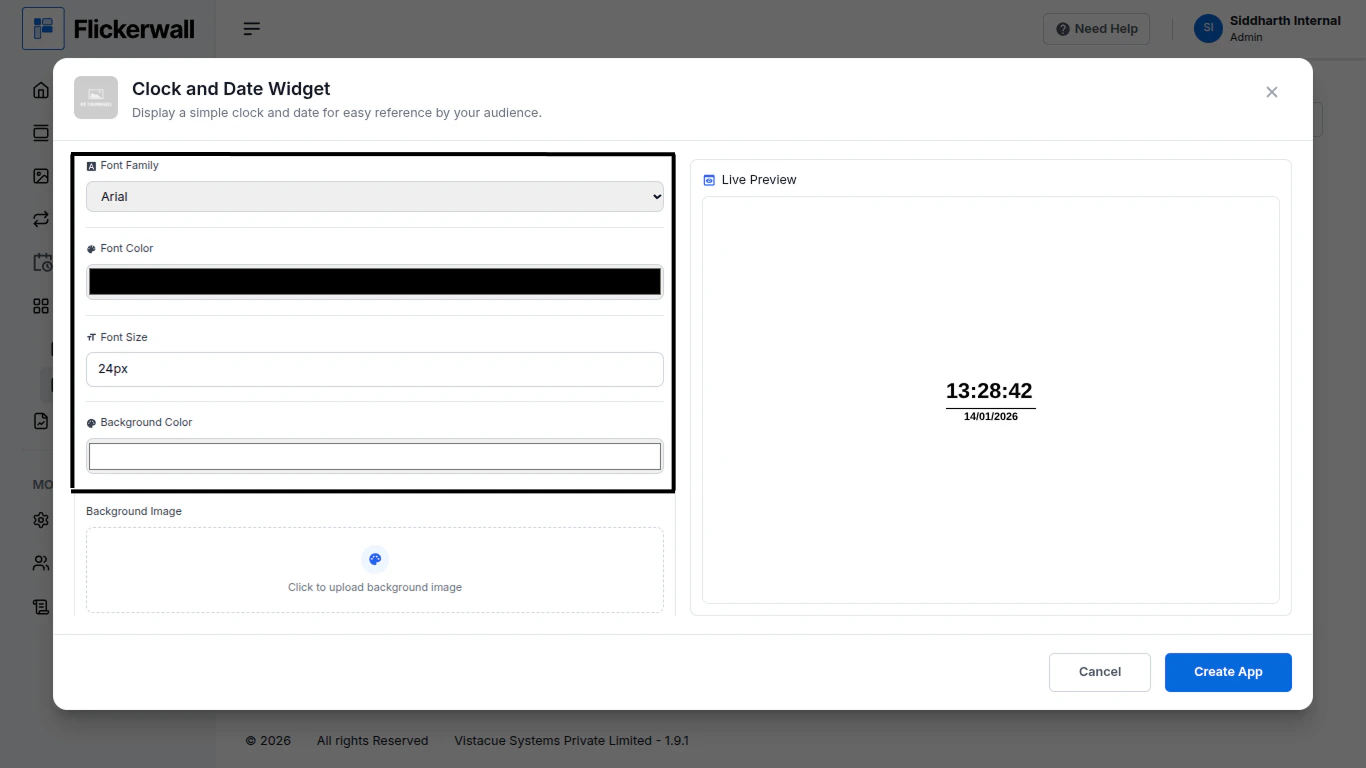
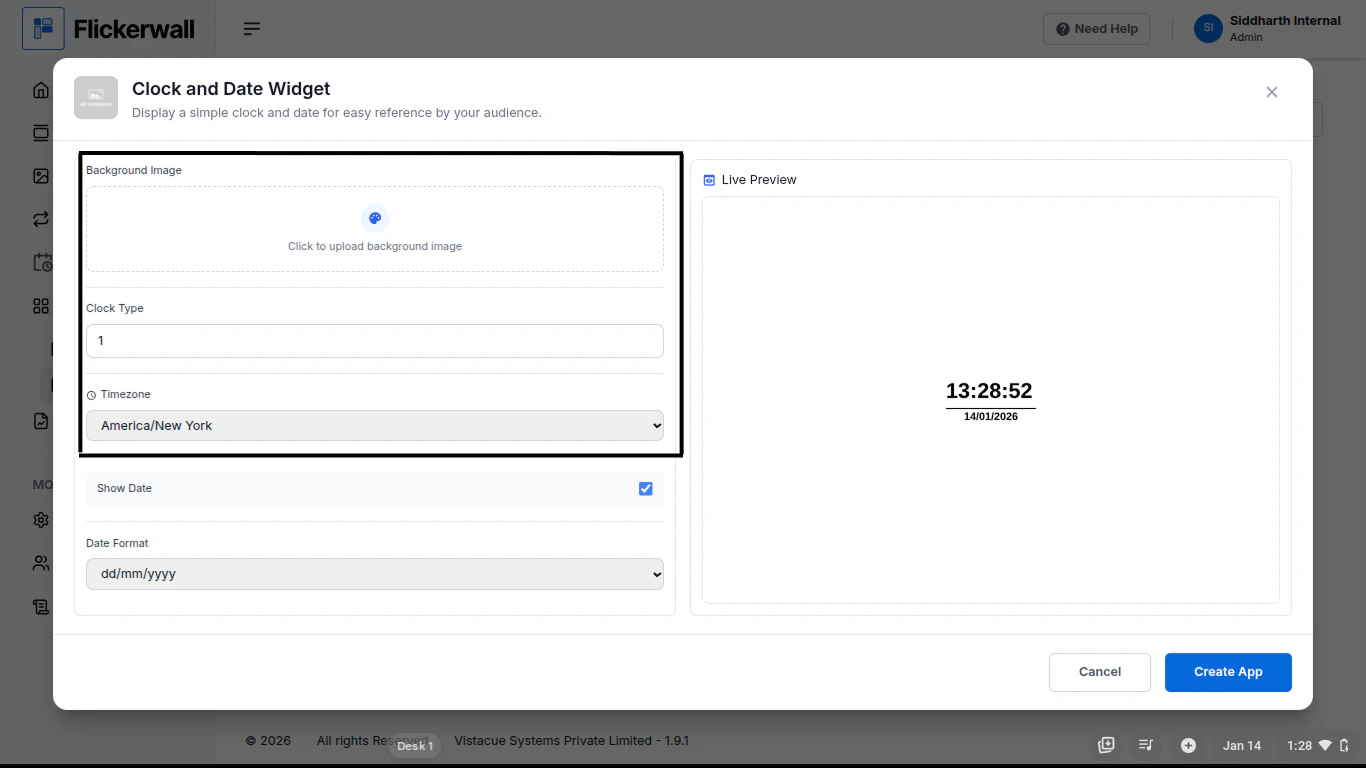
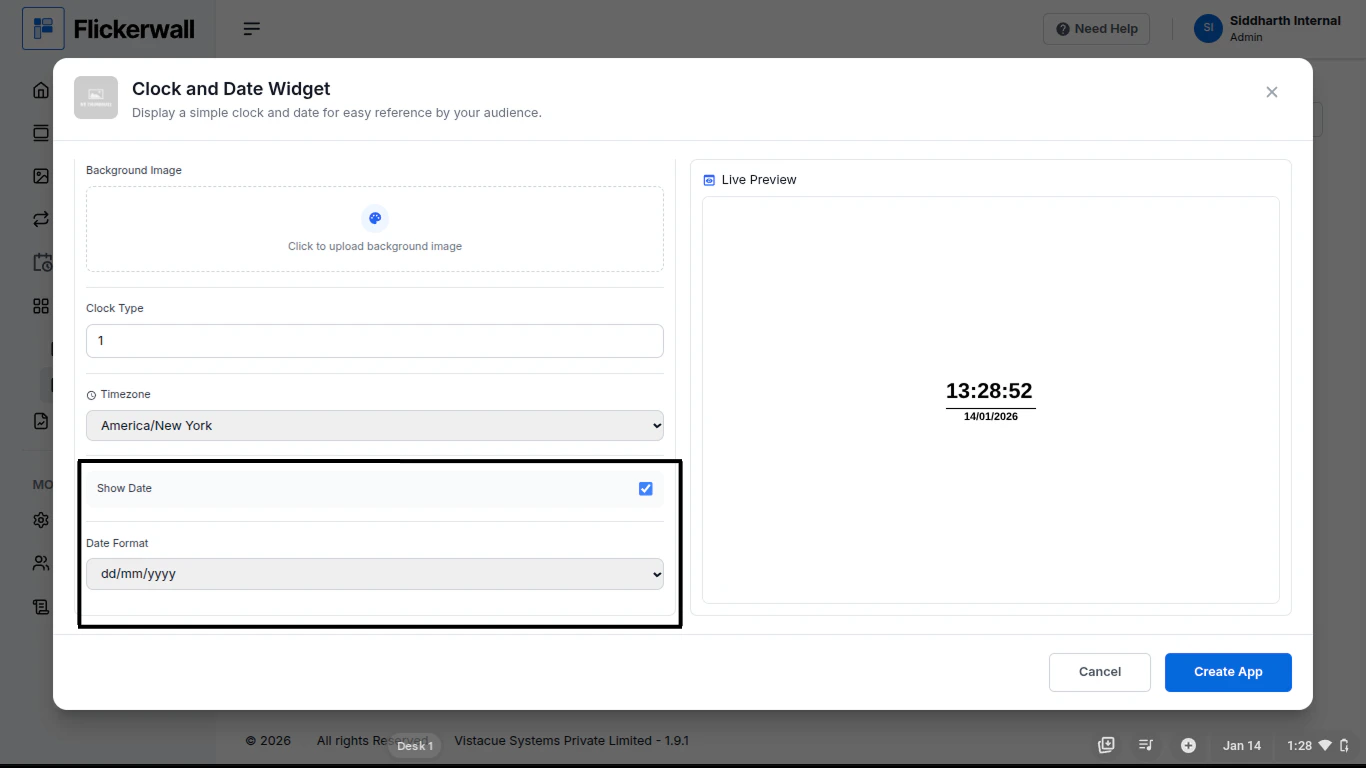
Step 1Go to Apps and then App store!click on the apps and then Nevigate to App store in the appeared drawerStep 2Go to Search Baryou can search the app you wantStep 3Search for Clock and Date Widget Select and click on the desired appStep 4Enter a Name for the AppEnter a name for app so you can find it easy laterStep 5Select the Font StyleChoose your preferred Font ColorEdit your Font size and Background color as per need and designStep 6Background Image , Clock Type , Time ZoneIf you don’t want a boring background color you can add am image to the backgroundSelect your Clock type and your Time ZoneStep 7Show Date?You can choose if you want the Date to show on thescreen if you want or don’t want it simply update it in this sectionones done with the process complete the process by clicking Create AppCongratulations : you have now created an App from Flickerwall store