> ## Documentation Index
> Fetch the complete documentation index at: https://docs.flickerwall.com/llms.txt
> Use this file to discover all available pages before exploring further.
# How to Sign-Out a particular device or all devices from Sessions ?
> Learn how you can Manage your active sessions so you can better control of the organization Step 1
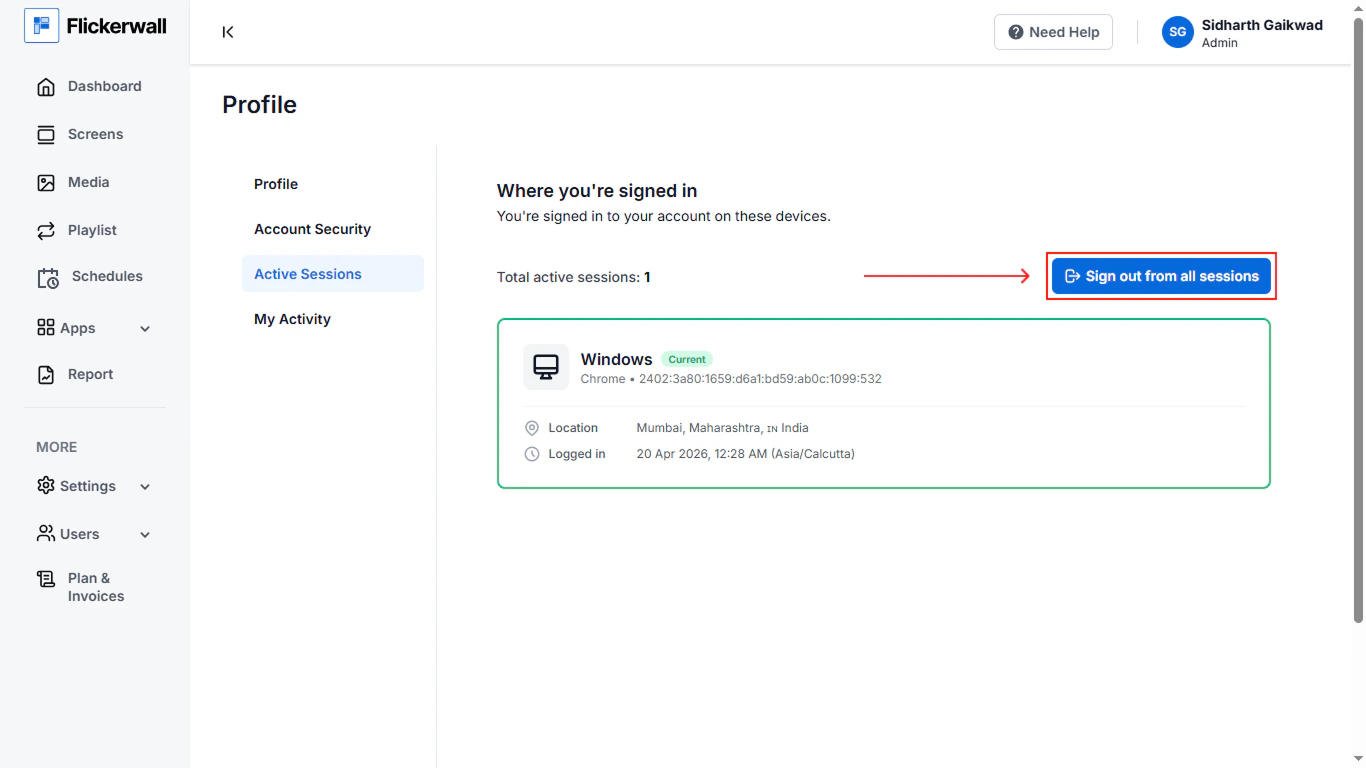
Go to the "Active Session Module" From User Profile
 Step 2
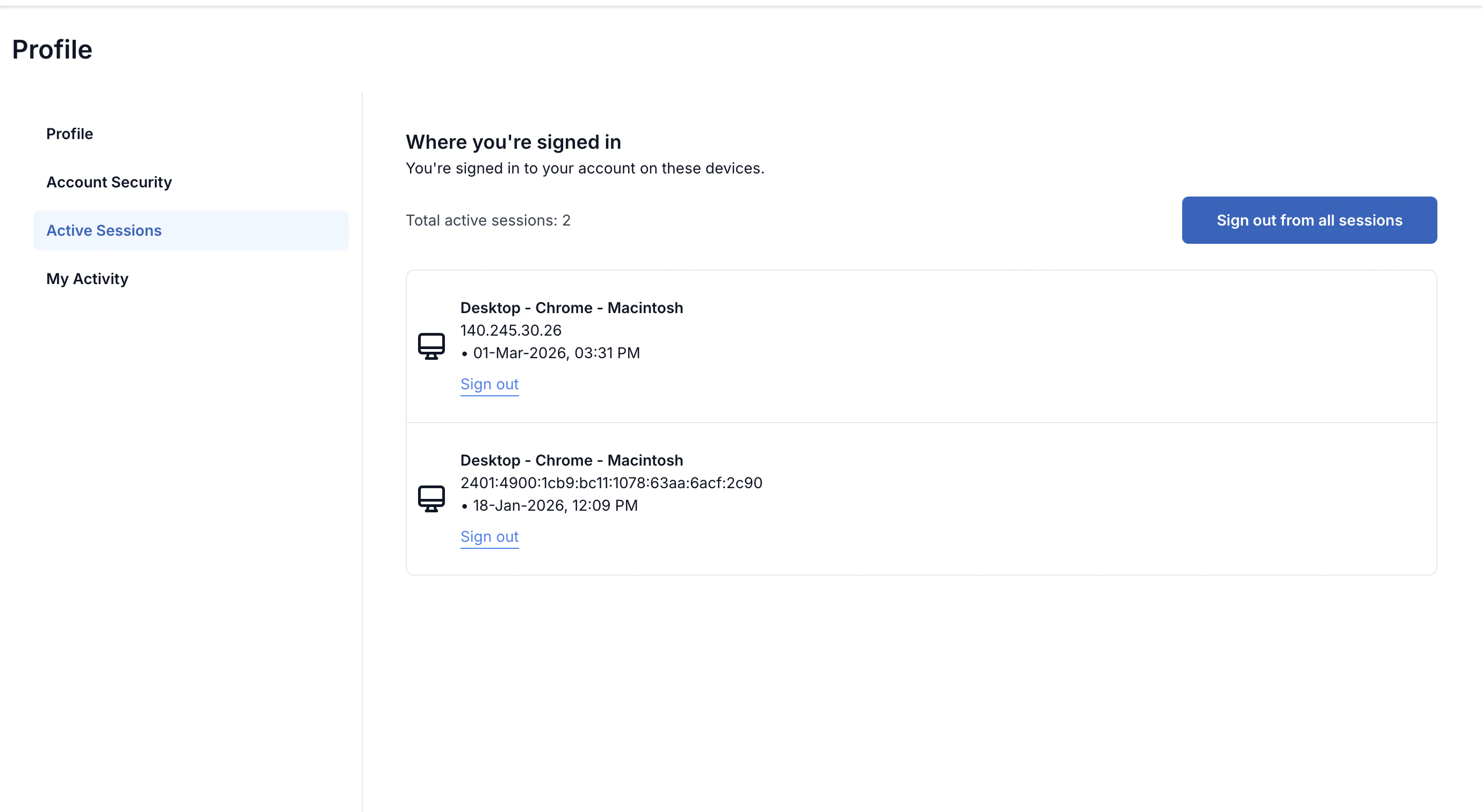
Here you can see all the devices you have Signed-In to ,
Kindly Click "Sign-out" on the device you wish to remove or Click on "Sign-out from all Devices" to remove all the Devices in one click
Step 2
Here you can see all the devices you have Signed-In to ,
Kindly Click "Sign-out" on the device you wish to remove or Click on "Sign-out from all Devices" to remove all the Devices in one click