> ## Documentation Index
> Fetch the complete documentation index at: https://docs.flickerwall.com/llms.txt
> Use this file to discover all available pages before exploring further.

# How to make new Tags?

> Learn How to make News Tags for better Screen Optimization

***

Step 1

Go to the Tags Module and Click on “Add Tags”
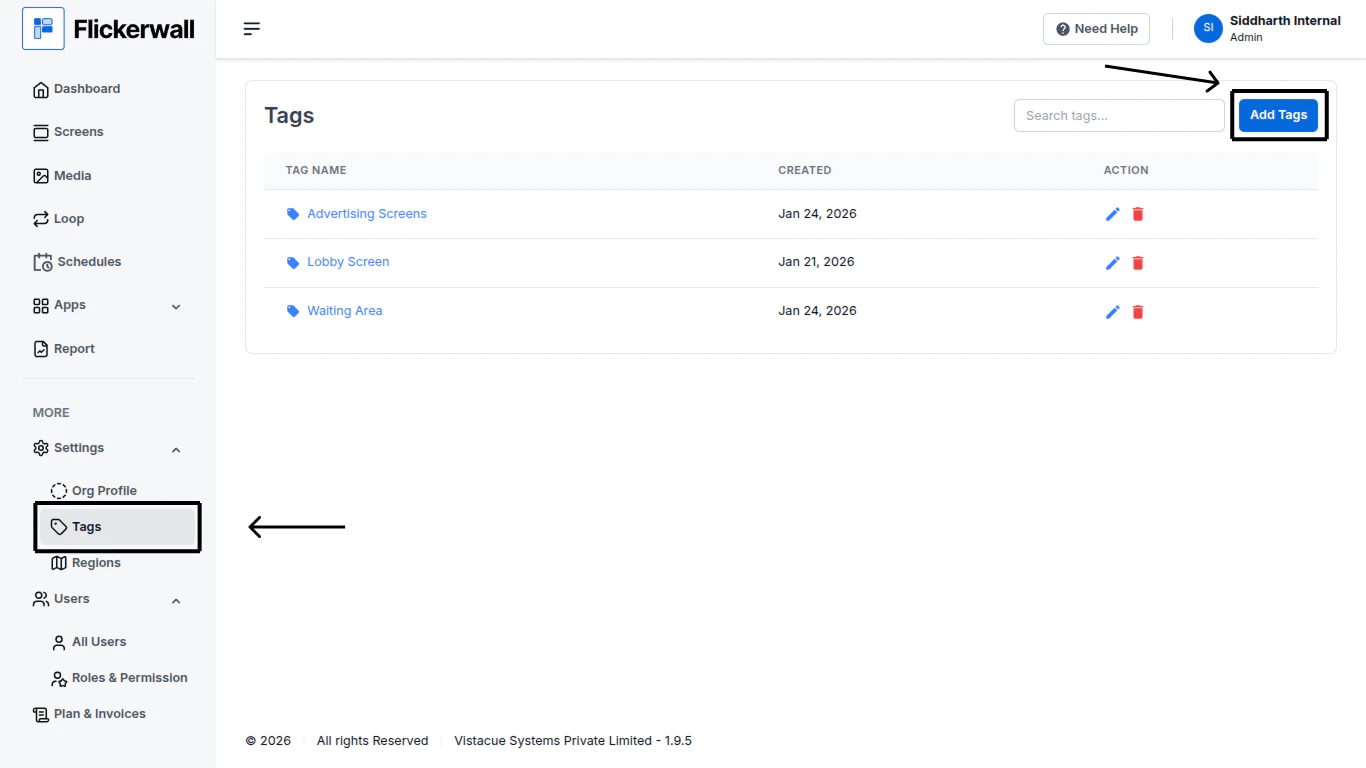
<img src="https://mintcdn.com/flickerwall-796545b9/MimF6oumHHS1qwlF/images/settings-tags-how-to-make-new-tags-image-1.png?fit=max&auto=format&n=MimF6oumHHS1qwlF&q=85&s=b930cbf6ded0b090a19d4784afc73522" alt="" width="1366" height="768" data-path="images/settings-tags-how-to-make-new-tags-image-1.png" />

Step 2

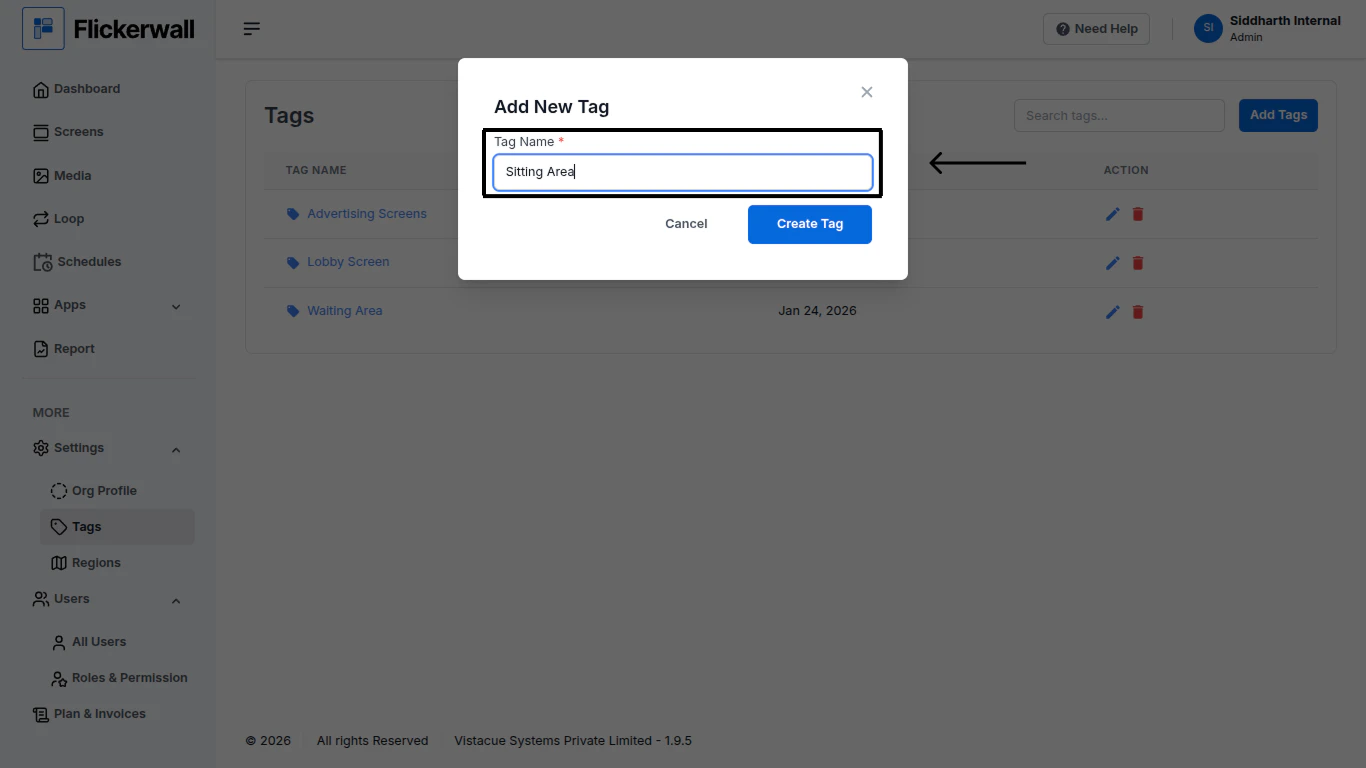
Add a Name for the Tag

<img src="https://mintcdn.com/flickerwall-796545b9/MimF6oumHHS1qwlF/images/settings-tags-how-to-make-new-tags-image-2.png?fit=max&auto=format&n=MimF6oumHHS1qwlF&q=85&s=a8198b6b97e30db82536923ecc53ae01" alt="" width="1366" height="768" data-path="images/settings-tags-how-to-make-new-tags-image-2.png" />

Step 3

Click on “Create Tag” to proceed and create an Tag
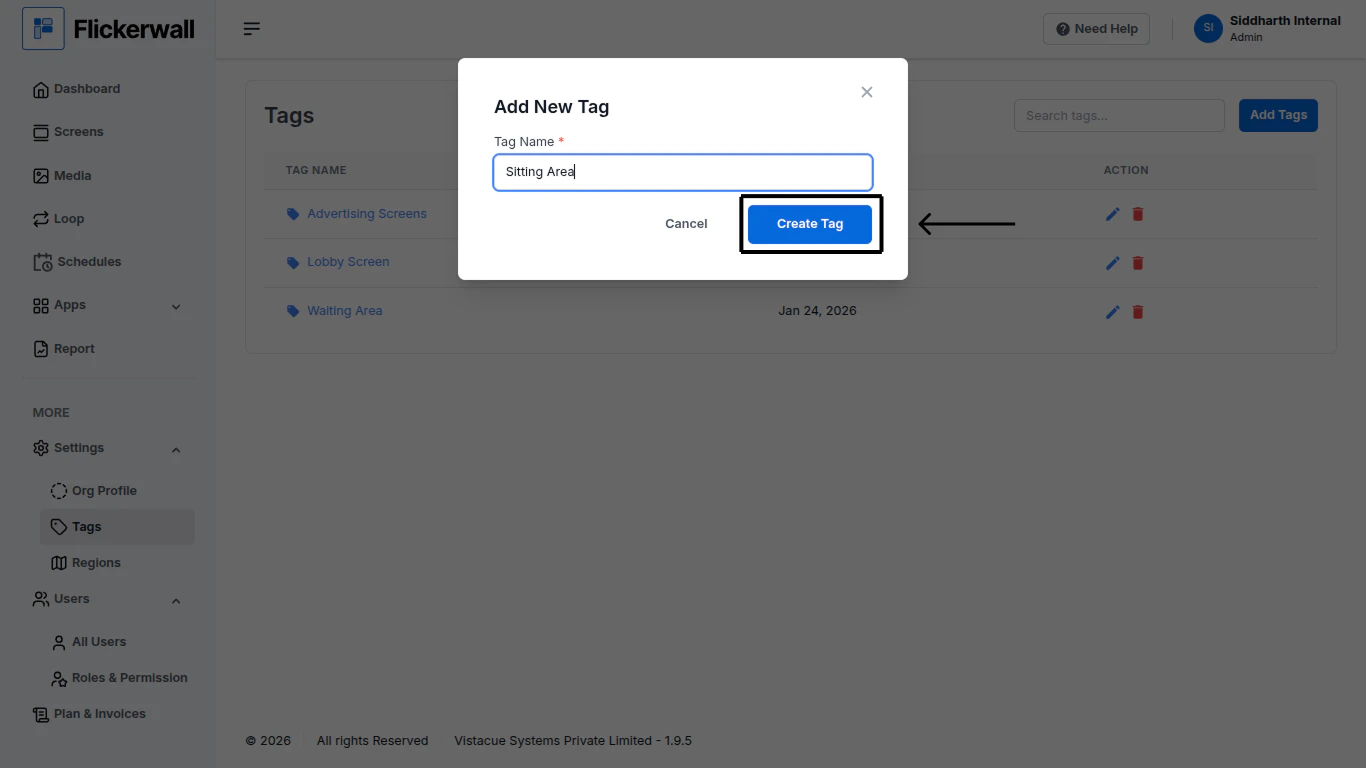
<img src="https://mintcdn.com/flickerwall-796545b9/MimF6oumHHS1qwlF/images/settings-tags-how-to-make-new-tags-image-3.png?fit=max&auto=format&n=MimF6oumHHS1qwlF&q=85&s=f0d8141a372f4e05830966ecb3791f35" alt="" width="1366" height="768" data-path="images/settings-tags-how-to-make-new-tags-image-3.png" />