> ## Documentation Index
> Fetch the complete documentation index at: https://docs.flickerwall.com/llms.txt
> Use this file to discover all available pages before exploring further.

# How to Delete a Tag?

> Learn how to delete a Tag if you no longer need it.

***

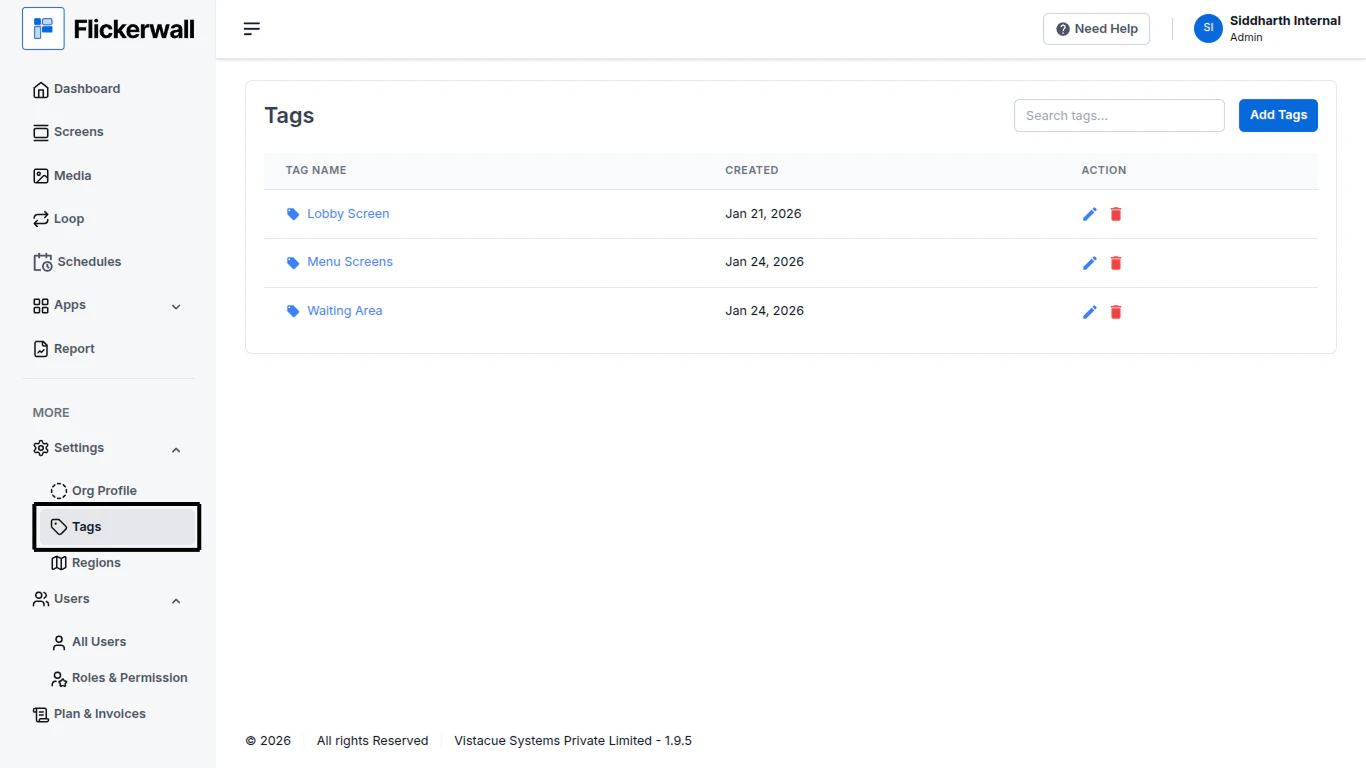
Step 1

Go to the Tags Module
<img src="https://mintcdn.com/flickerwall-796545b9/MimF6oumHHS1qwlF/images/settings-tags-how-to-delete-a-tag-image-1.png?fit=max&auto=format&n=MimF6oumHHS1qwlF&q=85&s=fe5c359419129a115da9770d90fbca88" alt="" width="1366" height="768" data-path="images/settings-tags-how-to-delete-a-tag-image-1.png" />

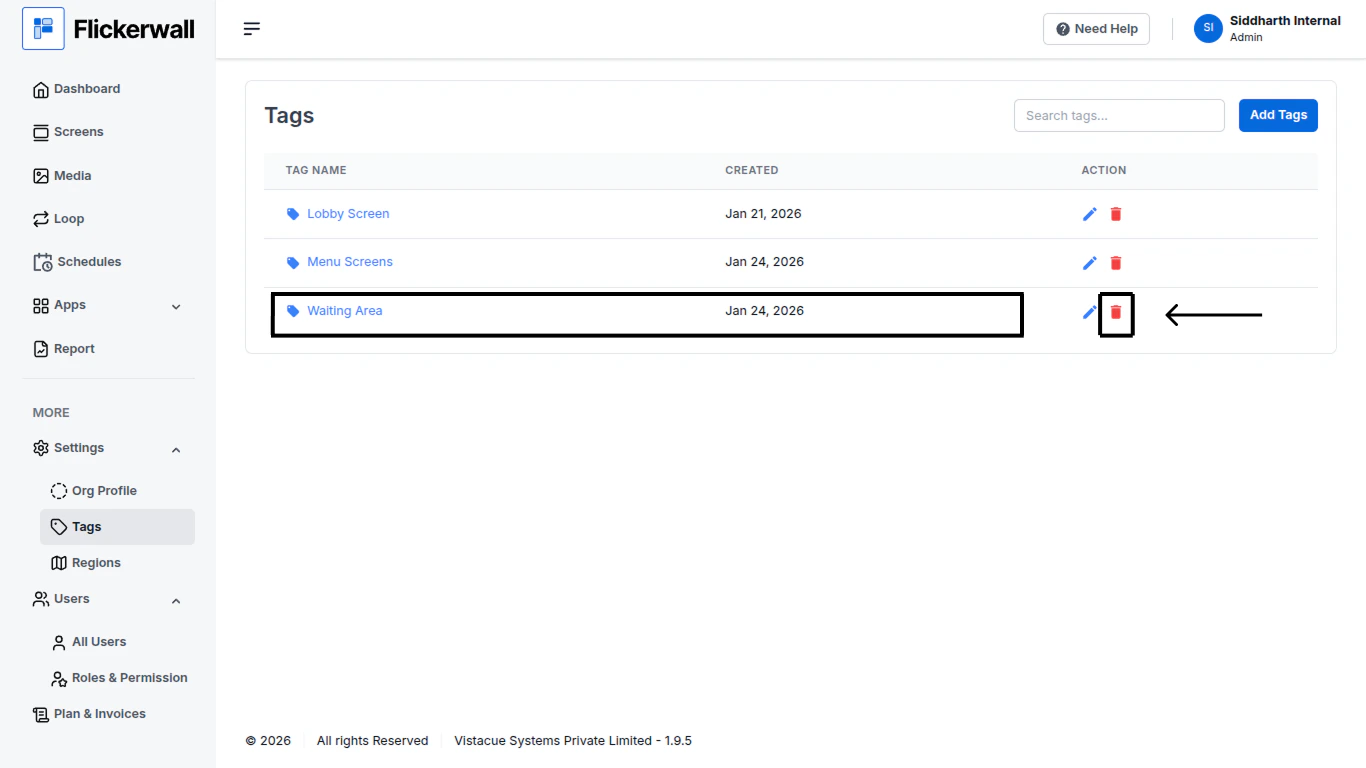
Step 2

Find the Tag you want to delete any click on the “delete” icon next to it
<img src="https://mintcdn.com/flickerwall-796545b9/MimF6oumHHS1qwlF/images/settings-tags-how-to-delete-a-tag-image-2.png?fit=max&auto=format&n=MimF6oumHHS1qwlF&q=85&s=b5e57d82c7deaa8a1cf3fac6bb0213fb" alt="" width="1366" height="768" data-path="images/settings-tags-how-to-delete-a-tag-image-2.png" />

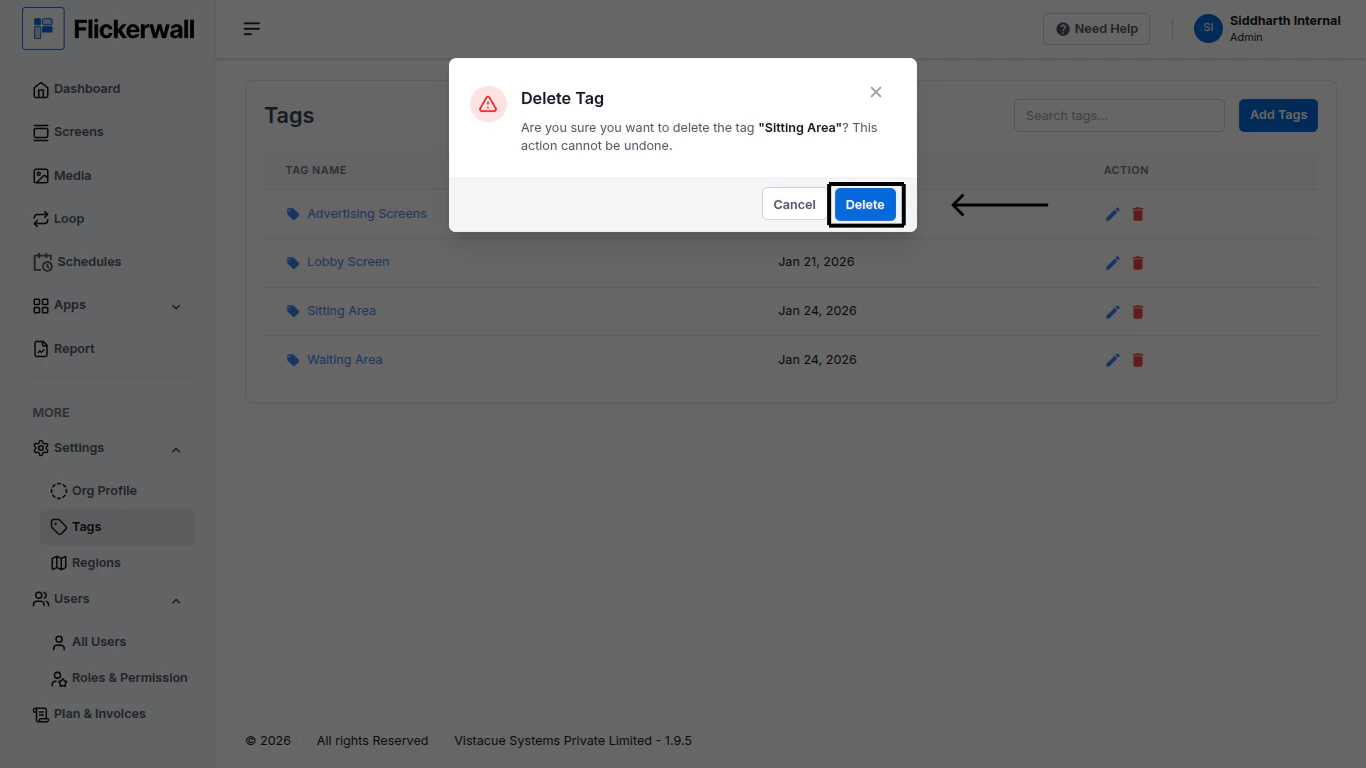
Step 3

Click on “Delete” to proceed

<img src="https://mintcdn.com/flickerwall-796545b9/MimF6oumHHS1qwlF/images/settings-tags-how-to-delete-a-tag-image-3.png?fit=max&auto=format&n=MimF6oumHHS1qwlF&q=85&s=5617c91730dc638133208811ce6f0fb3" alt="" width="1366" height="768" data-path="images/settings-tags-how-to-delete-a-tag-image-3.png" />