> ## Documentation Index
> Fetch the complete documentation index at: https://docs.flickerwall.com/llms.txt
> Use this file to discover all available pages before exploring further.
# What are Regions? How are they helpful?
> Learn what are the regions and what are their uses in the CRM?
***
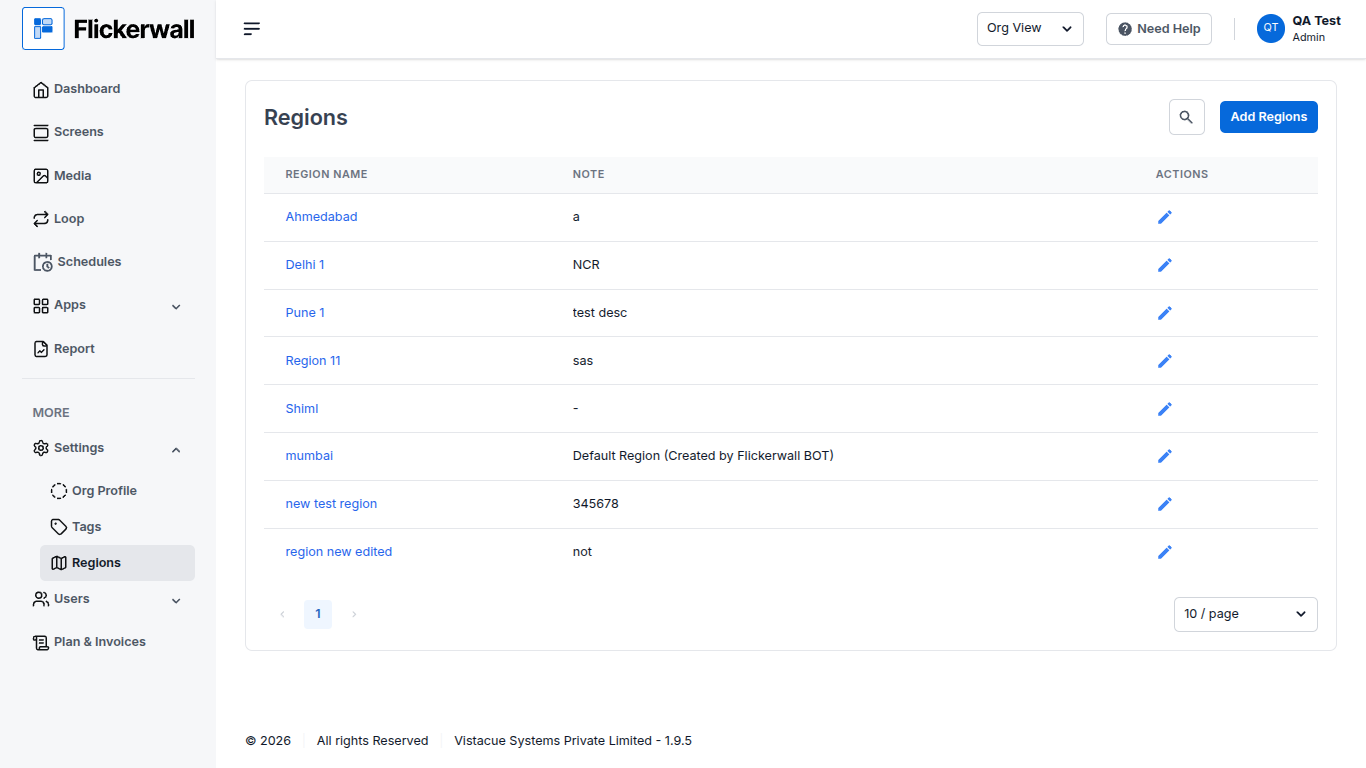
If you have Multiple Screens across Multiple Cities / Regions , you can now sort them in Regions
As you can see below there are many Regions Created Ahemdabad, Delhi, Pune , Mumbai and so on.
**Control = Efficiency**
 ***
# How are they helpful?
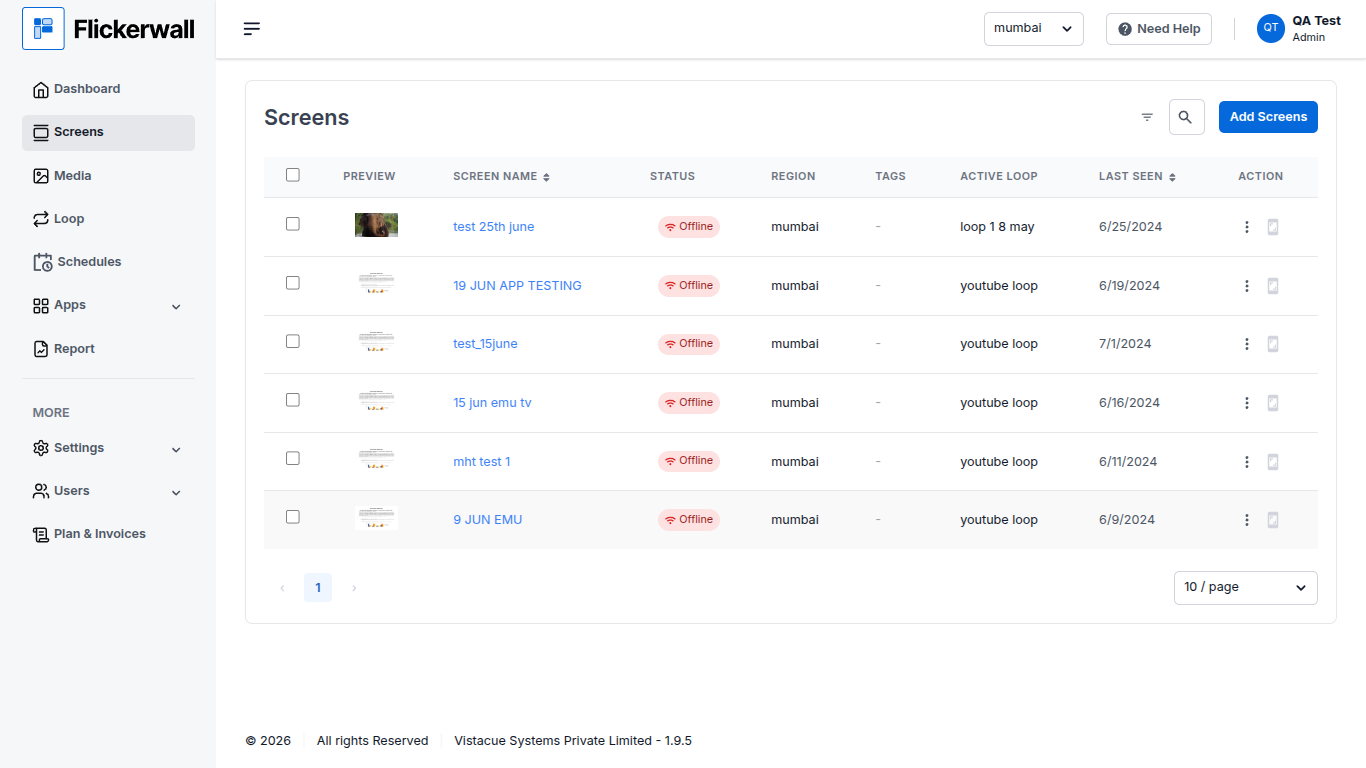
You can use Regions to filter the Screens in the “Screen Module” to check your Screen Region wise and Update them Faster rather than having to Go through a “Search Operation”
As you can see the Screen only Shows Screens from Mumbai Region
***
# How are they helpful?
You can use Regions to filter the Screens in the “Screen Module” to check your Screen Region wise and Update them Faster rather than having to Go through a “Search Operation”
As you can see the Screen only Shows Screens from Mumbai Region
 ***
***