> ## Documentation Index
> Fetch the complete documentation index at: https://docs.flickerwall.com/llms.txt
> Use this file to discover all available pages before exploring further.

# How to Add or Change details in the Org Profile?

> Learn how to Edit your Organization Profile.

# How to Add or Change details in the Org Profile?

Learn how to Edit your Organization Profile.

***

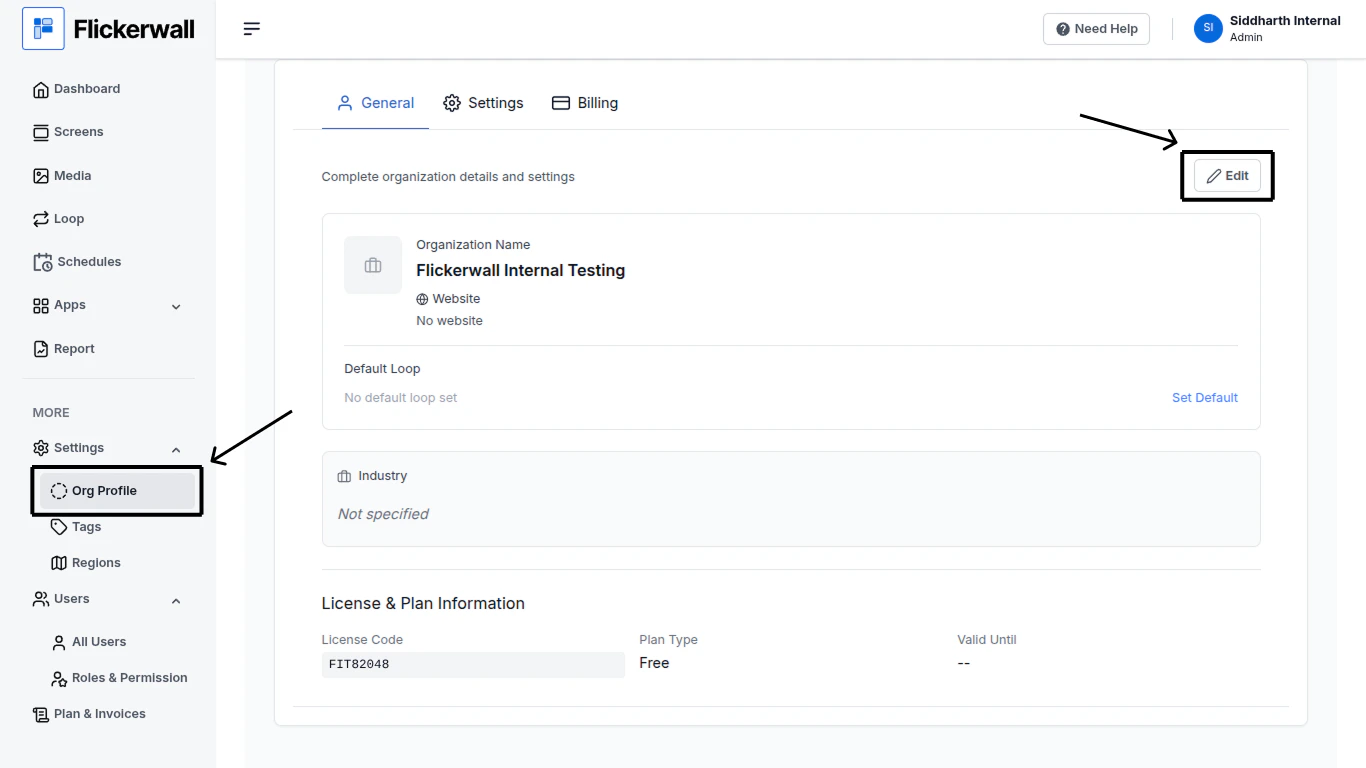
Step 1

Go to the Org Profile Module and click on “Edit”
<img src="https://mintcdn.com/flickerwall-796545b9/Xj6F_u96gjjZf5cg/images/settings-org-profile-how-to-add-or-change-details-in-the-org-profile-image-1.png?fit=max&auto=format&n=Xj6F_u96gjjZf5cg&q=85&s=0dc992a702c5cd5d5206deaa0112ea45" alt="" width="1366" height="768" data-path="images/settings-org-profile-how-to-add-or-change-details-in-the-org-profile-image-1.png" />

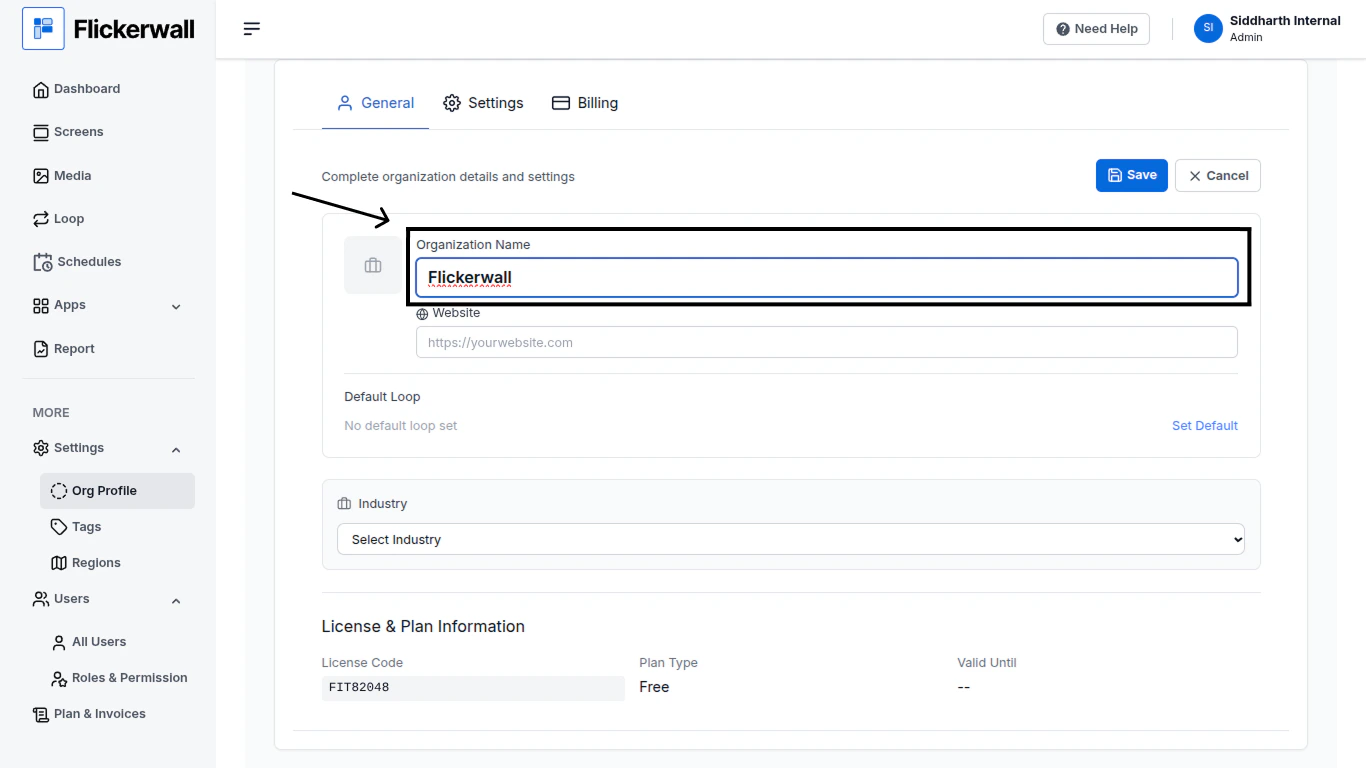
Step 2

Now you can Edit

Edit the Organization Name
<img src="https://mintcdn.com/flickerwall-796545b9/Xj6F_u96gjjZf5cg/images/settings-org-profile-how-to-add-or-change-details-in-the-org-profile-image-2.png?fit=max&auto=format&n=Xj6F_u96gjjZf5cg&q=85&s=c8d88bef1a0d7ac4b40f122f9e8fbcca" alt="" width="1366" height="768" data-path="images/settings-org-profile-how-to-add-or-change-details-in-the-org-profile-image-2.png" />

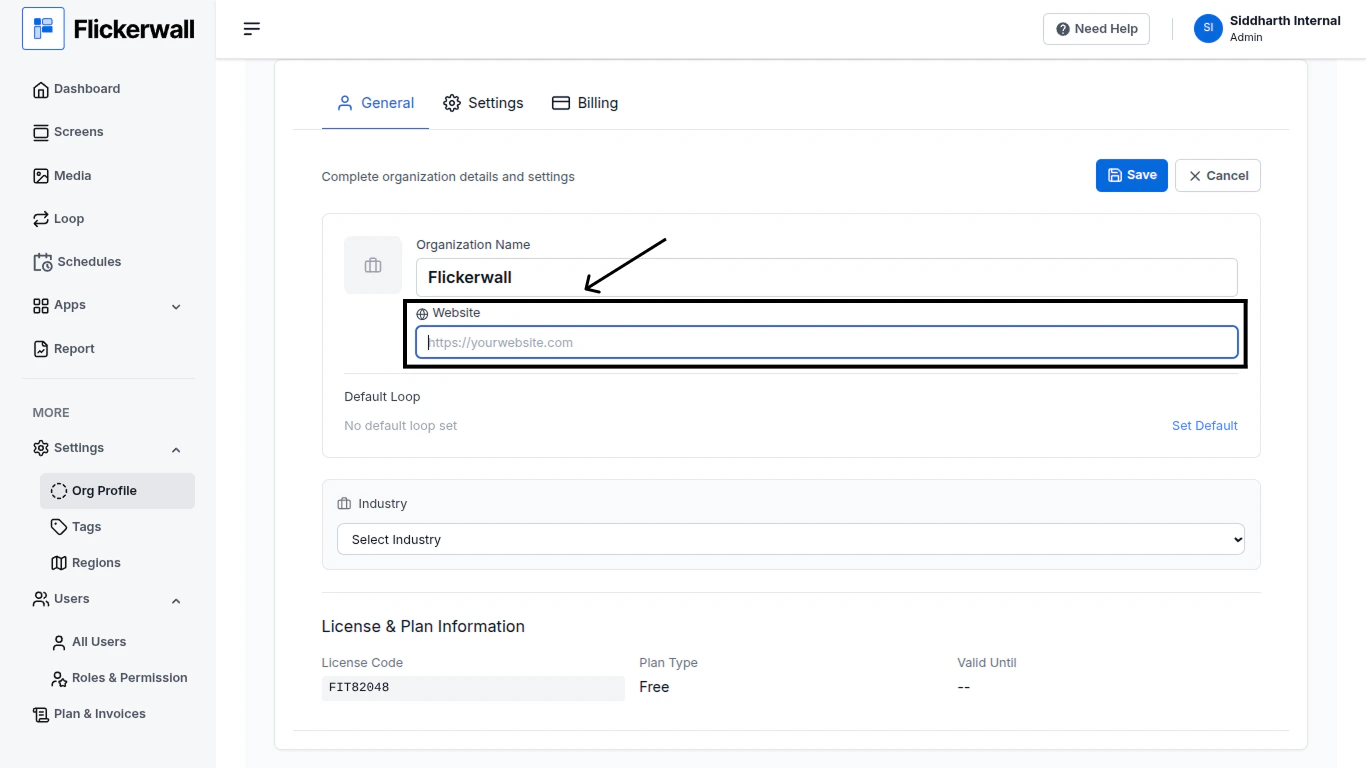
Step 3

Edit or Add Your Business Website
<img src="https://mintcdn.com/flickerwall-796545b9/Xj6F_u96gjjZf5cg/images/settings-org-profile-how-to-add-or-change-details-in-the-org-profile-image-3.png?fit=max&auto=format&n=Xj6F_u96gjjZf5cg&q=85&s=f406a8bca6bf59448498ecba02515120" alt="" width="1366" height="768" data-path="images/settings-org-profile-how-to-add-or-change-details-in-the-org-profile-image-3.png" />

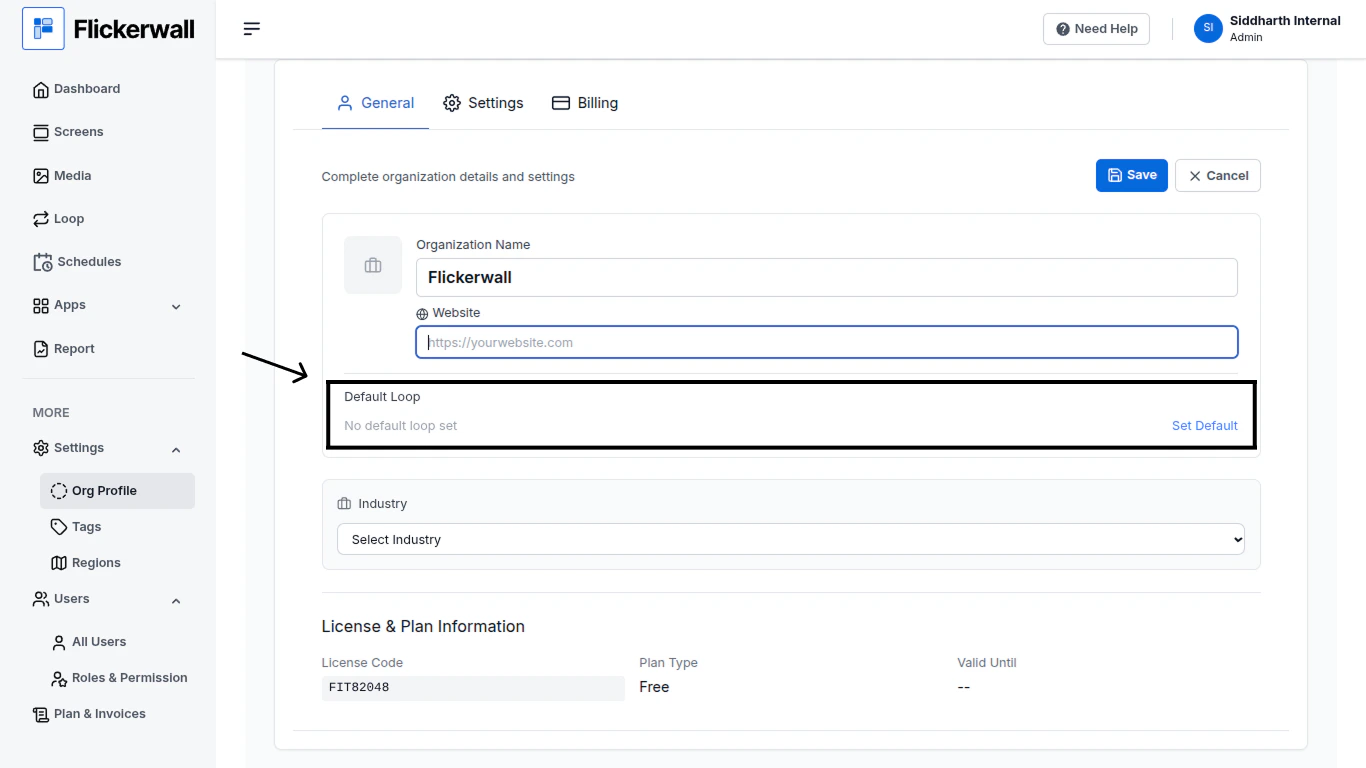
Step 4

Set an Default Loop

(Note: Default Loop setting under the Org Profile Module has a different use than the one in the “Screen Module”)
<img src="https://mintcdn.com/flickerwall-796545b9/MimF6oumHHS1qwlF/images/settings-org-profile-how-to-add-or-change-details-in-the-org-profile-image-4.png?fit=max&auto=format&n=MimF6oumHHS1qwlF&q=85&s=83dccf500690bed0fc76baeabfc11065" alt="" width="1366" height="768" data-path="images/settings-org-profile-how-to-add-or-change-details-in-the-org-profile-image-4.png" />

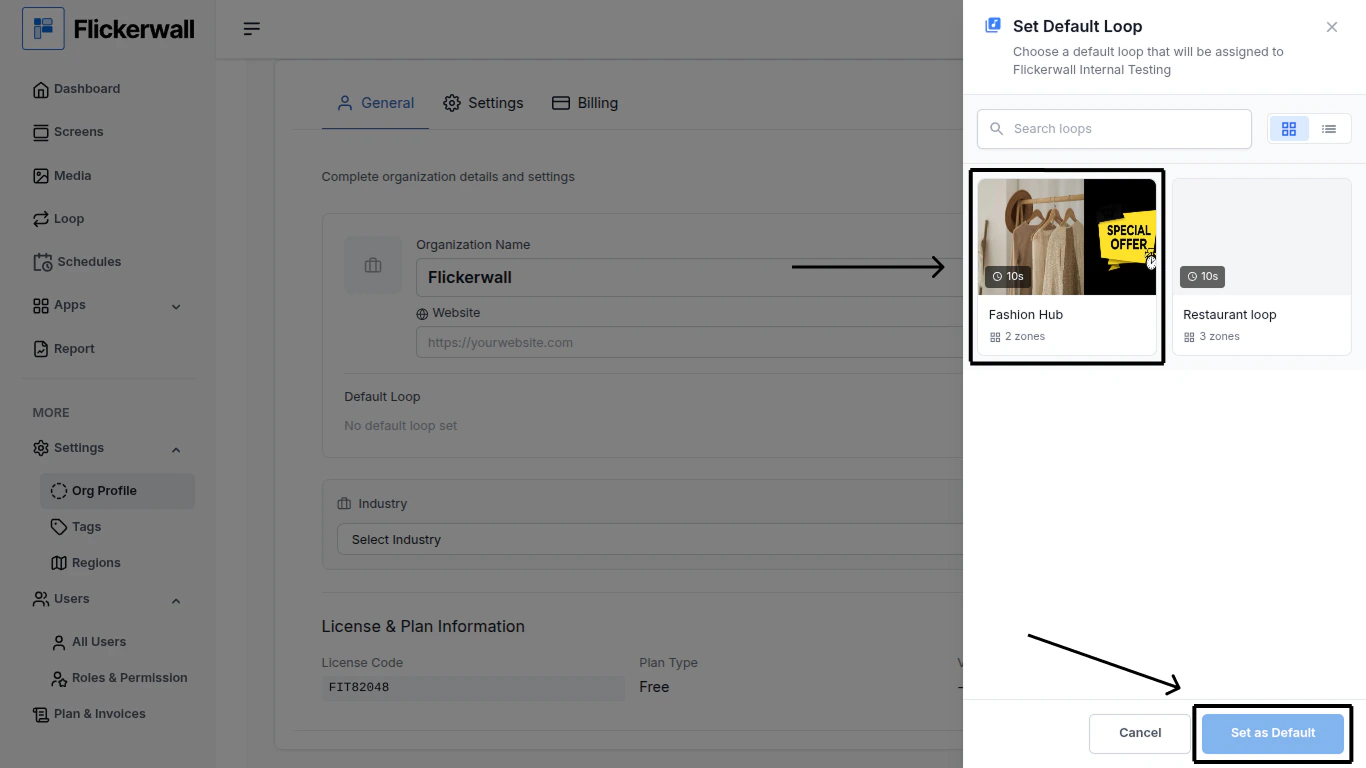
Step 5

Select a Default Loop and click “Set as Default”
<img src="https://mintcdn.com/flickerwall-796545b9/MimF6oumHHS1qwlF/images/settings-org-profile-how-to-add-or-change-details-in-the-org-profile-image-5.png?fit=max&auto=format&n=MimF6oumHHS1qwlF&q=85&s=5619b82cb1b4e29797bf67783687699f" alt="" width="1366" height="768" data-path="images/settings-org-profile-how-to-add-or-change-details-in-the-org-profile-image-5.png" />

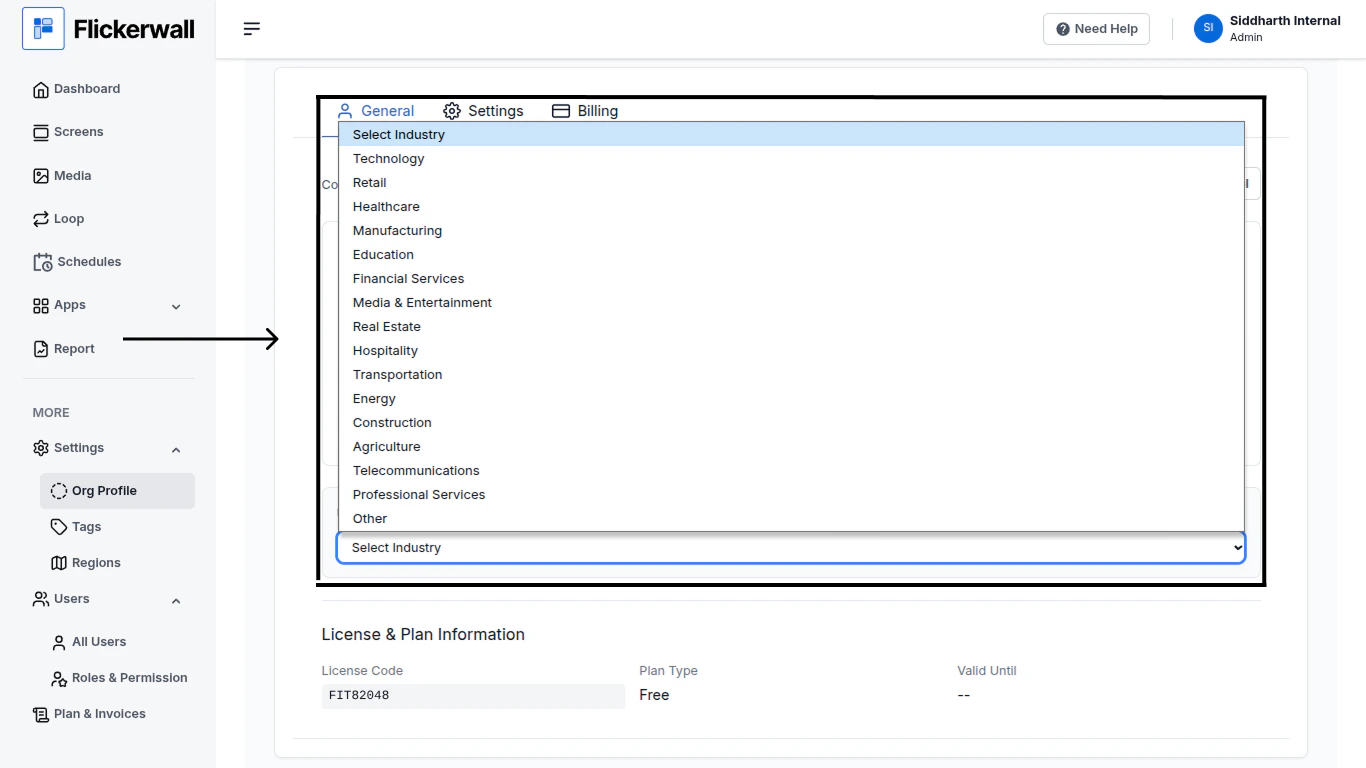
Step 6

Now Select Your Business Industry
<img src="https://mintcdn.com/flickerwall-796545b9/MimF6oumHHS1qwlF/images/settings-org-profile-how-to-add-or-change-details-in-the-org-profile-image-6.png?fit=max&auto=format&n=MimF6oumHHS1qwlF&q=85&s=0e64ac0fcb90fccf62f93a7d9be1ddf9" alt="" width="1366" height="768" data-path="images/settings-org-profile-how-to-add-or-change-details-in-the-org-profile-image-6.png" />

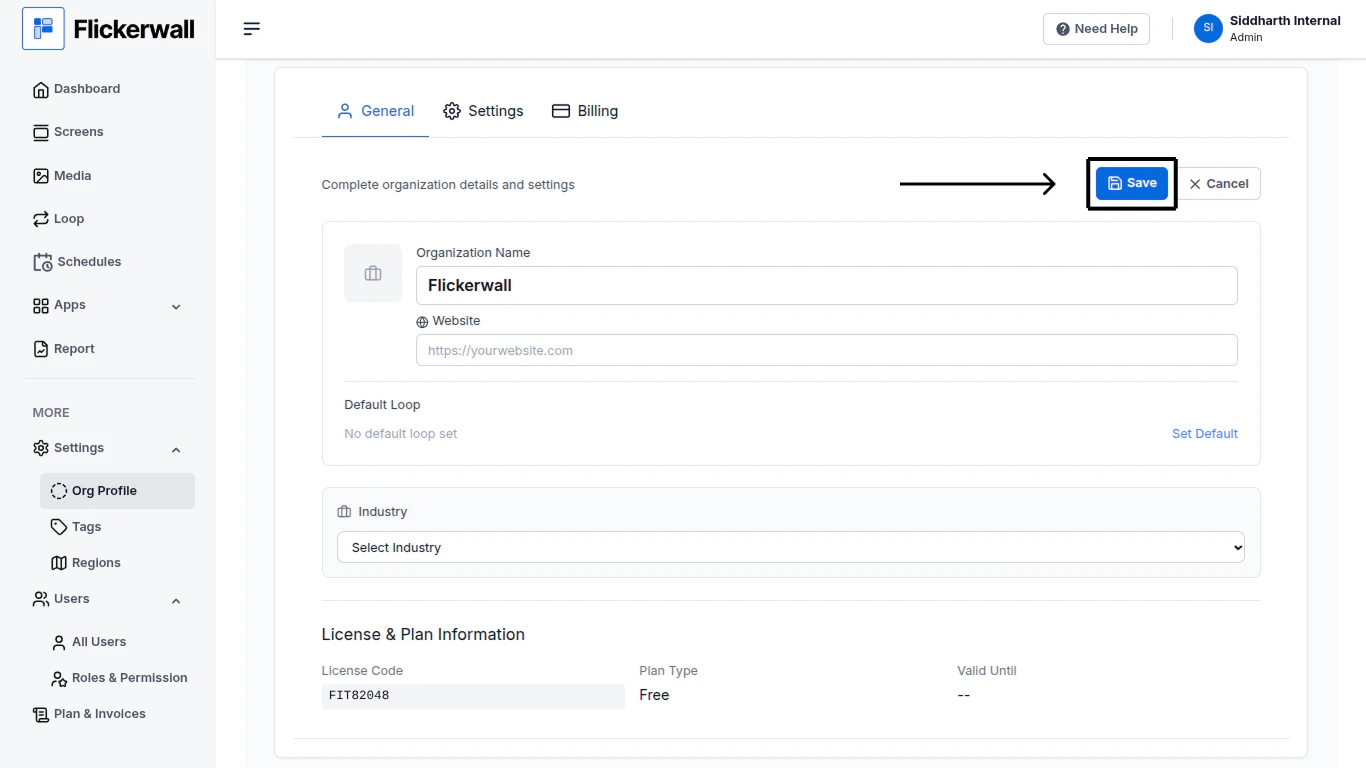
Step 7

Lastly Click on “Save” to save all the Added or Changed Inf
<img src="https://mintcdn.com/flickerwall-796545b9/MimF6oumHHS1qwlF/images/settings-org-profile-how-to-add-or-change-details-in-the-org-profile-image-7.png?fit=max&auto=format&n=MimF6oumHHS1qwlF&q=85&s=d77b3f6a70ea6f1f36b2f11bffb275a6" alt="" width="1366" height="768" data-path="images/settings-org-profile-how-to-add-or-change-details-in-the-org-profile-image-7.png" />
