> ## Documentation Index
> Fetch the complete documentation index at: https://docs.flickerwall.com/llms.txt
> Use this file to discover all available pages before exploring further.

# How to Add / Change Billing Details?

> Learn how to Add or Change your Organization’s Billing details for better Management

***

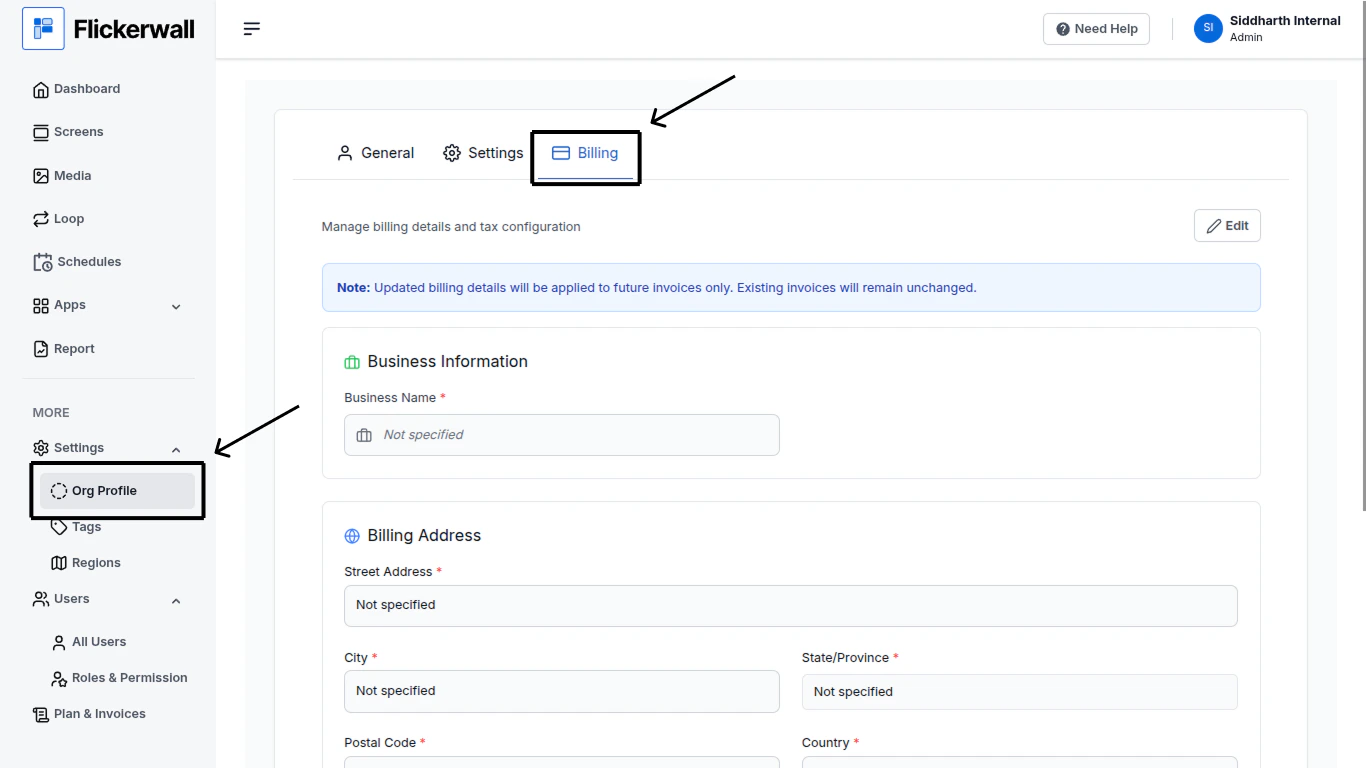
Step 1

Go to the Org Profile Module
<img src="https://mintcdn.com/flickerwall-796545b9/Xj6F_u96gjjZf5cg/images/settings-org-profile-how-to-add-or-change-billing-details-image-1.png?fit=max&auto=format&n=Xj6F_u96gjjZf5cg&q=85&s=25a10d78a3e420757144c5680ad52e03" alt="" width="1366" height="768" data-path="images/settings-org-profile-how-to-add-or-change-billing-details-image-1.png" />

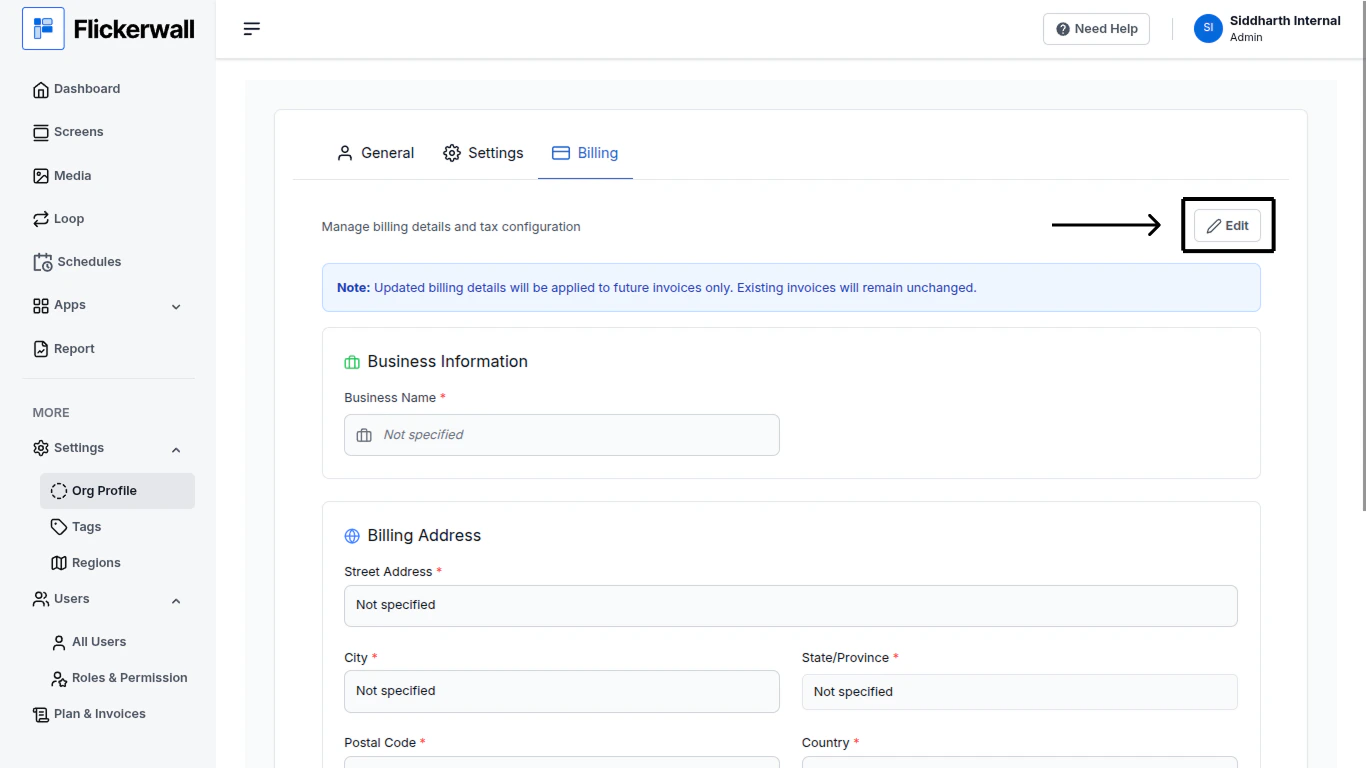
Step 2

Click on “Edit” to start Adding or to Change the Details
<img src="https://mintcdn.com/flickerwall-796545b9/Xj6F_u96gjjZf5cg/images/settings-org-profile-how-to-add-or-change-billing-details-image-2.png?fit=max&auto=format&n=Xj6F_u96gjjZf5cg&q=85&s=9f53f698dbb522e27d275859138f0bad" alt="" width="1366" height="768" data-path="images/settings-org-profile-how-to-add-or-change-billing-details-image-2.png" />

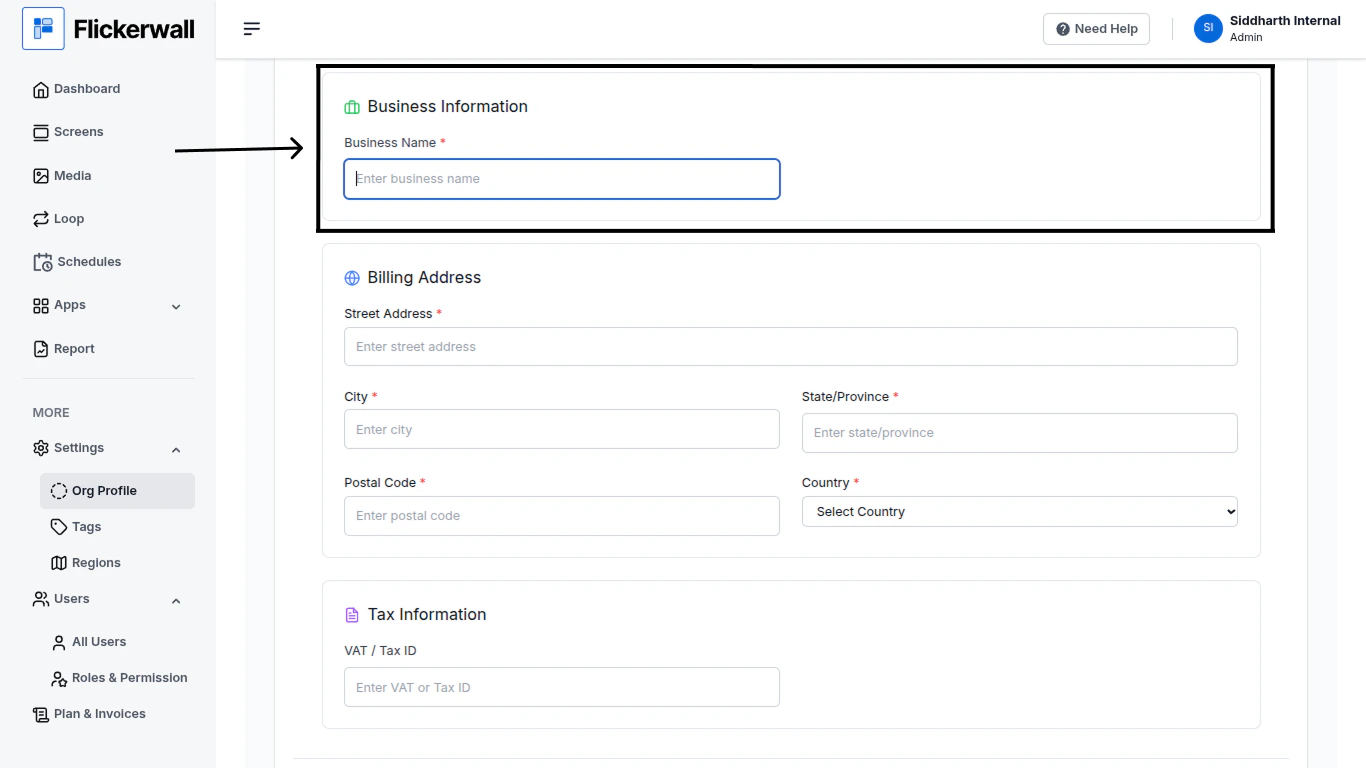
Step 3

Start by adding your Organization’s Name
<img src="https://mintcdn.com/flickerwall-796545b9/Xj6F_u96gjjZf5cg/images/settings-org-profile-how-to-add-or-change-billing-details-image-3.png?fit=max&auto=format&n=Xj6F_u96gjjZf5cg&q=85&s=b85f982e9ac28a2b1b5fbe0144b675ba" alt="" width="1366" height="768" data-path="images/settings-org-profile-how-to-add-or-change-billing-details-image-3.png" />

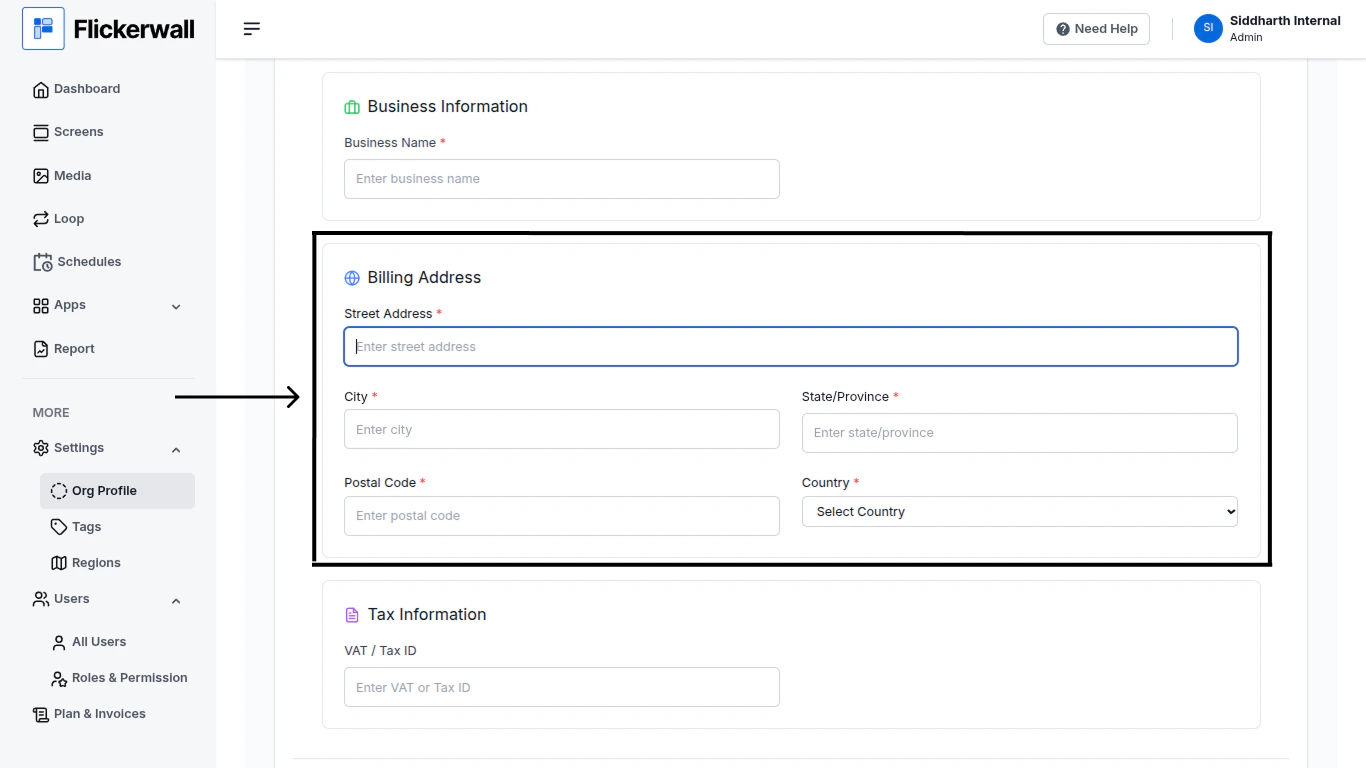
Step 4

Enter your Billing Address

* Street Address
* City
* State / Province
* Postal Code
* Country
<img src="https://mintcdn.com/flickerwall-796545b9/Xj6F_u96gjjZf5cg/images/settings-org-profile-how-to-add-or-change-billing-details-image-4.png?fit=max&auto=format&n=Xj6F_u96gjjZf5cg&q=85&s=b68cc6645d6184916f1c3235eb95b8c5" alt="" width="1366" height="768" data-path="images/settings-org-profile-how-to-add-or-change-billing-details-image-4.png" />

Step 5

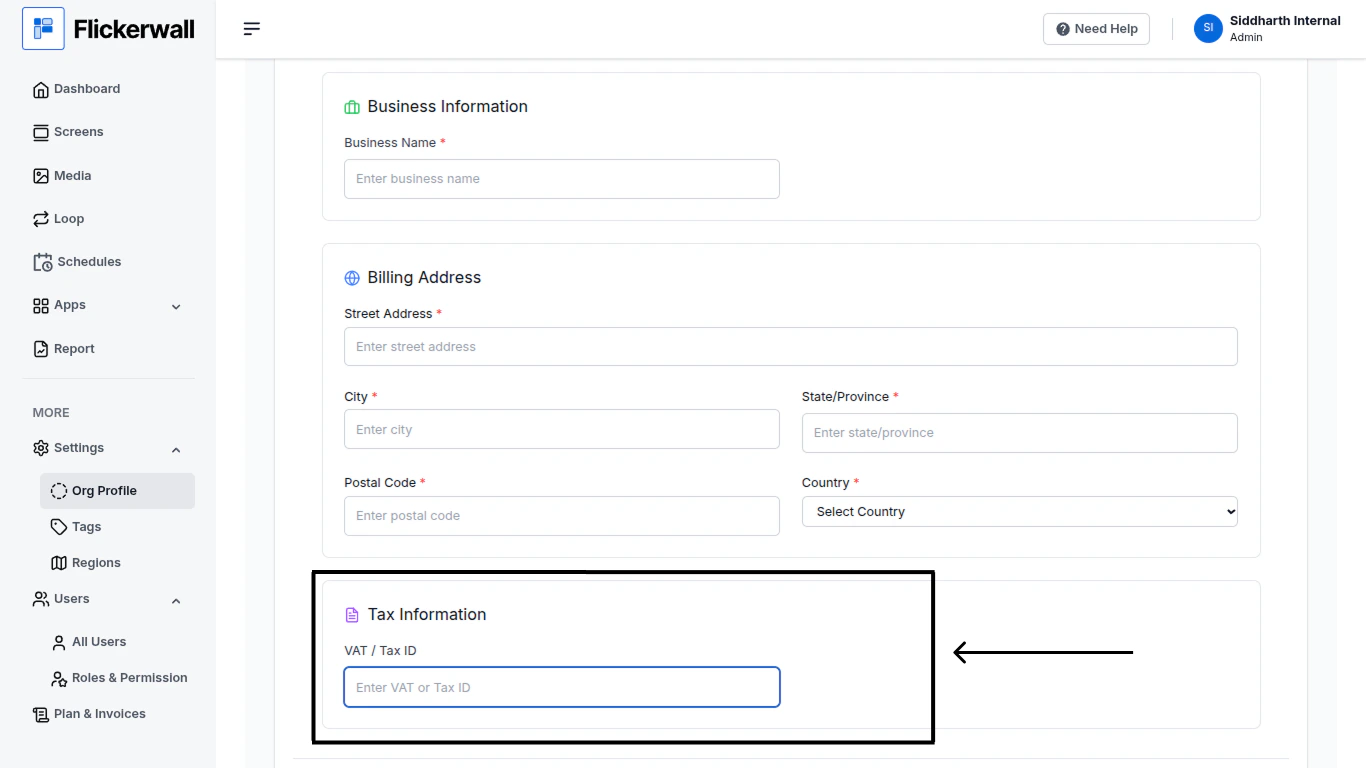
Lastly enter your Tax Information

VAT / Tax ID
<img src="https://mintcdn.com/flickerwall-796545b9/Xj6F_u96gjjZf5cg/images/settings-org-profile-how-to-add-or-change-billing-details-image-5.png?fit=max&auto=format&n=Xj6F_u96gjjZf5cg&q=85&s=565a3df1b1b41b8dce9ff54ba761151b" alt="" width="1366" height="768" data-path="images/settings-org-profile-how-to-add-or-change-billing-details-image-5.png" />

Step 7

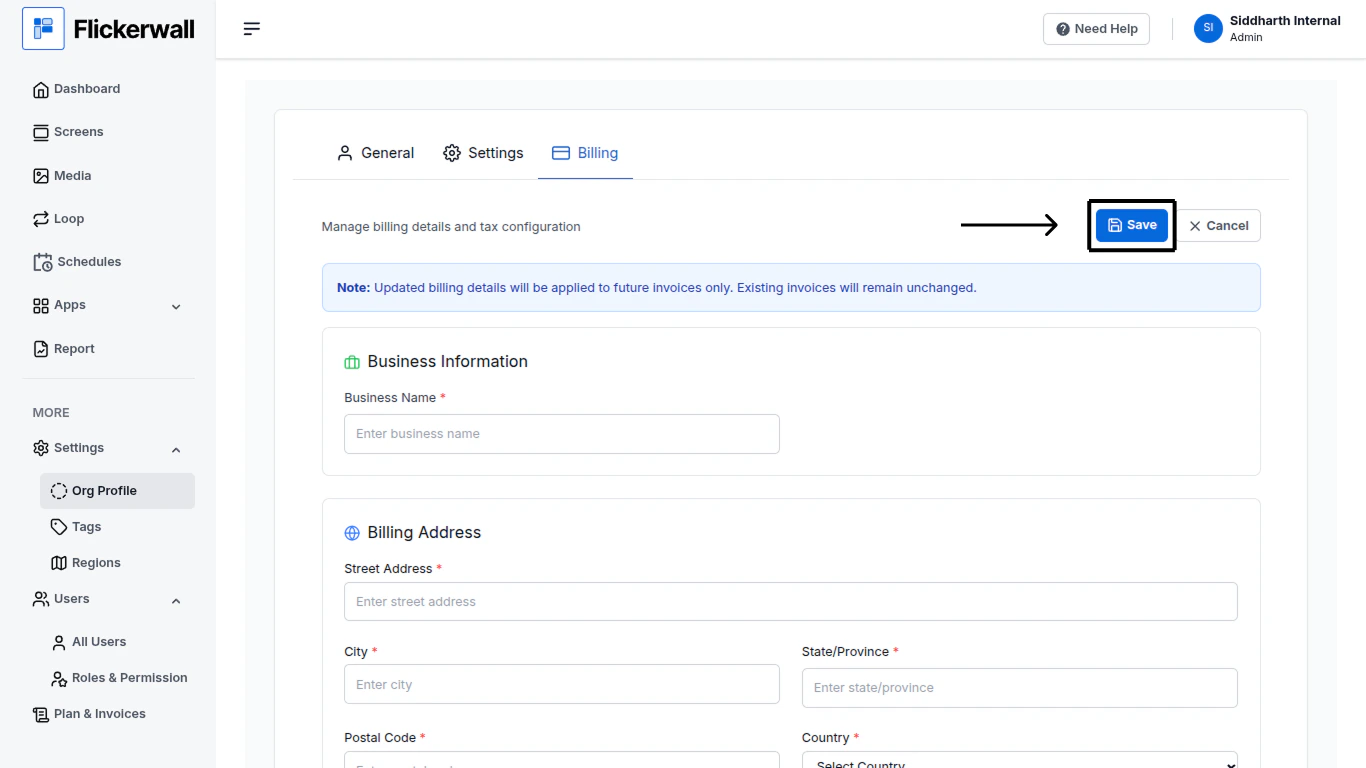
Once you are done with the process , Scroll back up on the page and click on “Save” to save the added details
<img src="https://mintcdn.com/flickerwall-796545b9/Xj6F_u96gjjZf5cg/images/settings-org-profile-how-to-add-or-change-billing-details-image-6.png?fit=max&auto=format&n=Xj6F_u96gjjZf5cg&q=85&s=acac523ed5e067c729a0ded834b9aedc" alt="" width="1366" height="768" data-path="images/settings-org-profile-how-to-add-or-change-billing-details-image-6.png" />
