> ## Documentation Index
> Fetch the complete documentation index at: https://docs.flickerwall.com/llms.txt
> Use this file to discover all available pages before exploring further.

# How to change the Screen Name?

> Learn how you can change / add a Screen name

***

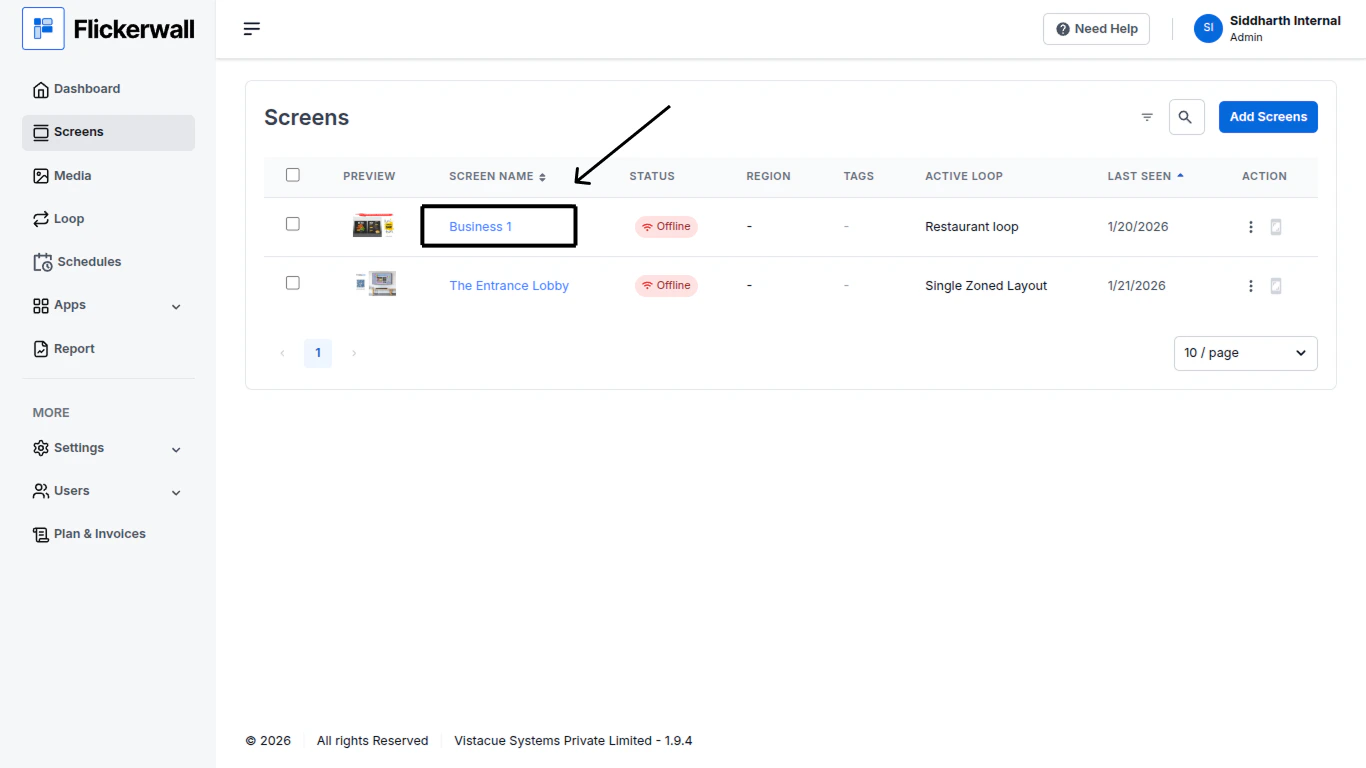
Step 1

Go to Screen module and click on the Screen Name
<img src="https://mintcdn.com/flickerwall-796545b9/Xj6F_u96gjjZf5cg/images/screens-how-to-change-the-screen-name-image-1.png?fit=max&auto=format&n=Xj6F_u96gjjZf5cg&q=85&s=2c0f38ce0ad90235dc711f643234293a" alt="" width="1366" height="768" data-path="images/screens-how-to-change-the-screen-name-image-1.png" />

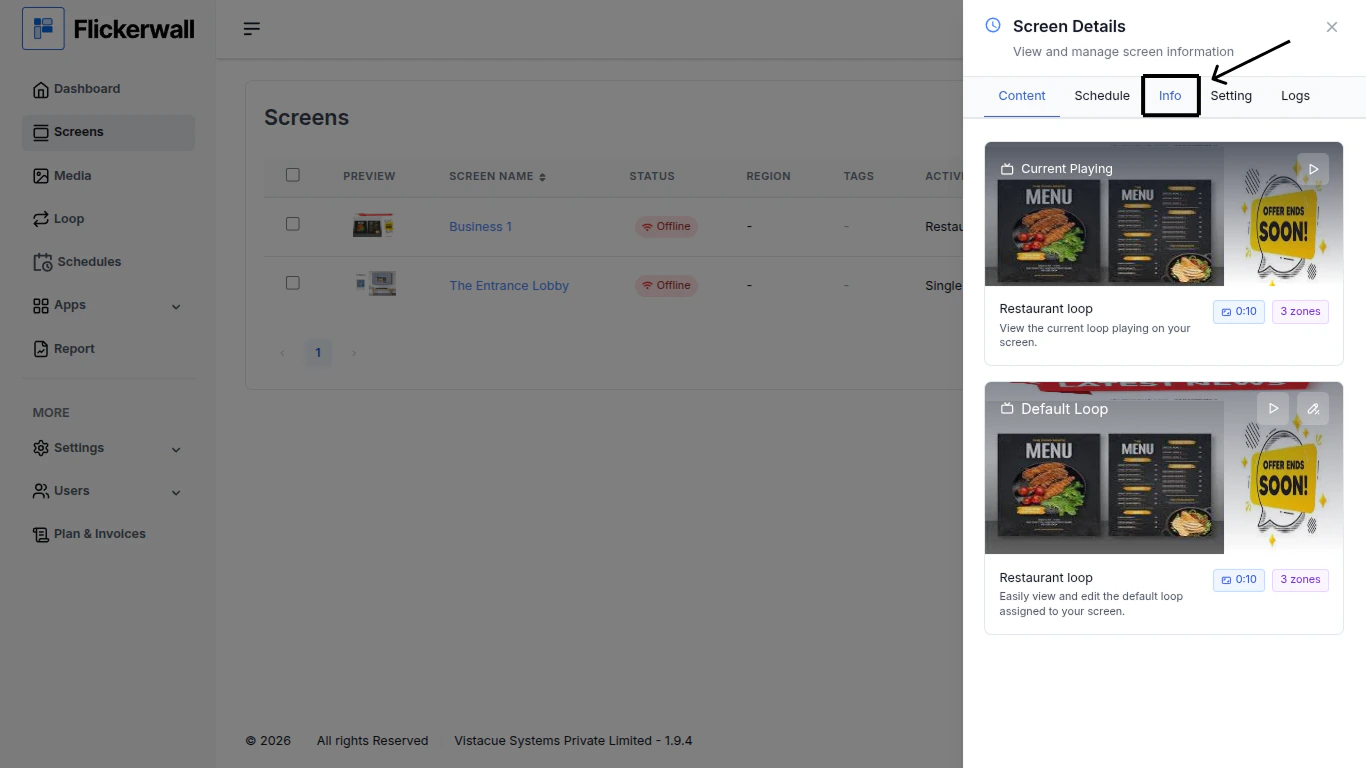
Step 2

Click on the Info tab for Screen Information
<img src="https://mintcdn.com/flickerwall-796545b9/Xj6F_u96gjjZf5cg/images/screens-how-to-change-the-screen-name-image-2.png?fit=max&auto=format&n=Xj6F_u96gjjZf5cg&q=85&s=b9a0460649e5f0db63c33bbb5d603899" alt="" width="1366" height="768" data-path="images/screens-how-to-change-the-screen-name-image-2.png" />

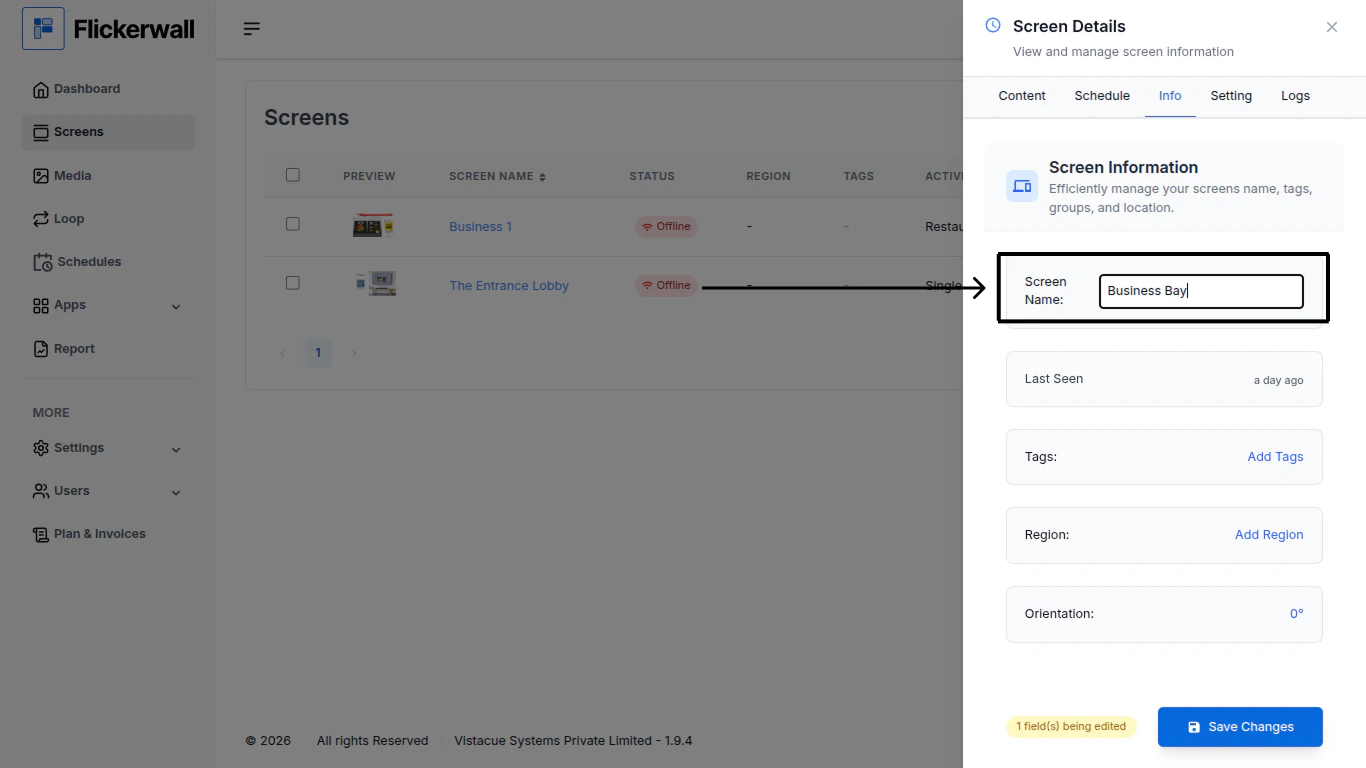
Step 3

Change / Add the desired changes with the followings
<img src="https://mintcdn.com/flickerwall-796545b9/Xj6F_u96gjjZf5cg/images/screens-how-to-change-the-screen-name-image-3.png?fit=max&auto=format&n=Xj6F_u96gjjZf5cg&q=85&s=ad17a3874f8117fd8d1968e6893a4678" alt="" width="1366" height="768" data-path="images/screens-how-to-change-the-screen-name-image-3.png" />

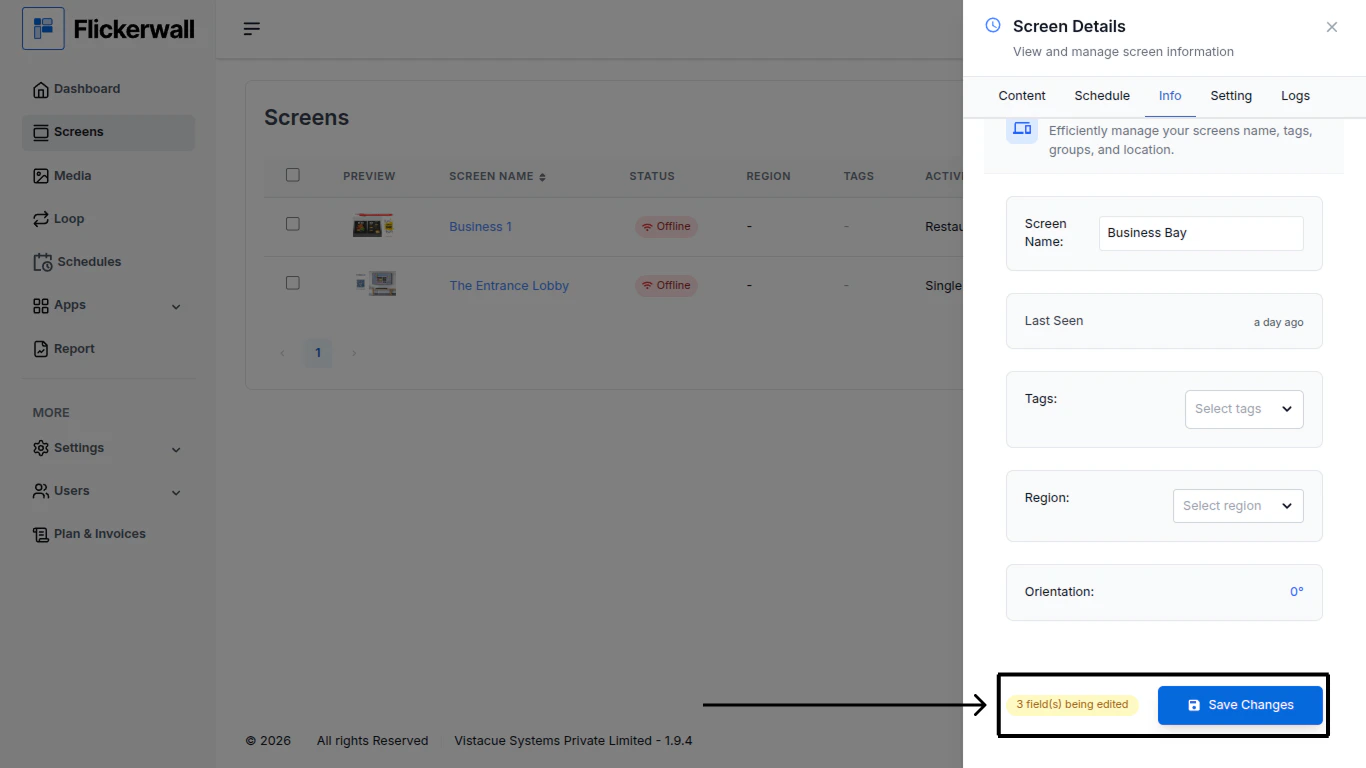
Step 4

Once you are done with the needed changes click on “Save Changes” to End the process
<img src="https://mintcdn.com/flickerwall-796545b9/Xj6F_u96gjjZf5cg/images/screens-how-to-change-the-screen-name-image-4.png?fit=max&auto=format&n=Xj6F_u96gjjZf5cg&q=85&s=f6452b168bd921b8e7577e2827ff4f9c" alt="" width="1366" height="768" data-path="images/screens-how-to-change-the-screen-name-image-4.png" />
