> ## Documentation Index
> Fetch the complete documentation index at: https://docs.flickerwall.com/llms.txt
> Use this file to discover all available pages before exploring further.

# How to Delete a Schedule

> Learn how to delete a Schedule if you wish not to publish it

***

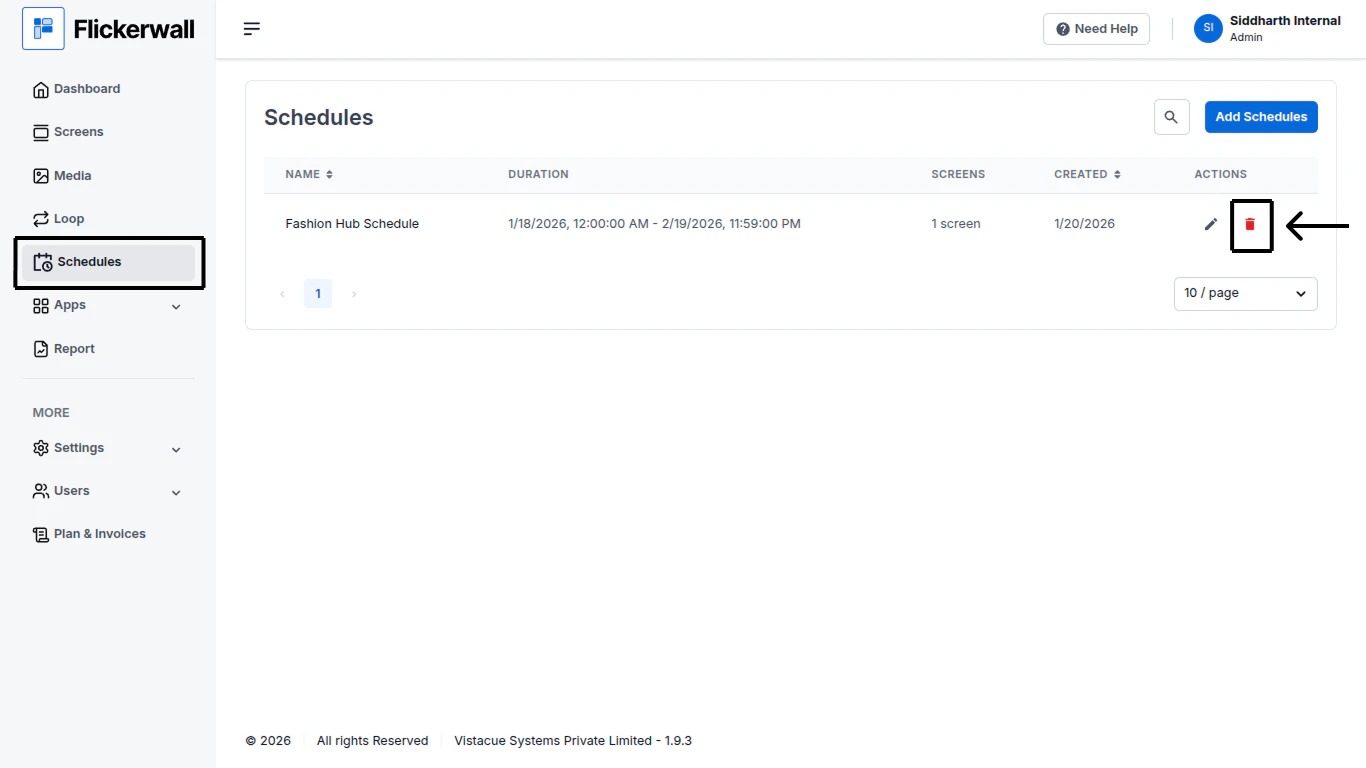
Step 1

Go to Schedule Module and click on the Delete icon
<img src="https://mintcdn.com/flickerwall-796545b9/YJVFsp4LEe4i5j5p/images/schedules-how-to-delete-a-schedule-image-1.png?fit=max&auto=format&n=YJVFsp4LEe4i5j5p&q=85&s=24ce2715296a400392e34a94af1f7853" alt="" width="1366" height="768" data-path="images/schedules-how-to-delete-a-schedule-image-1.png" />

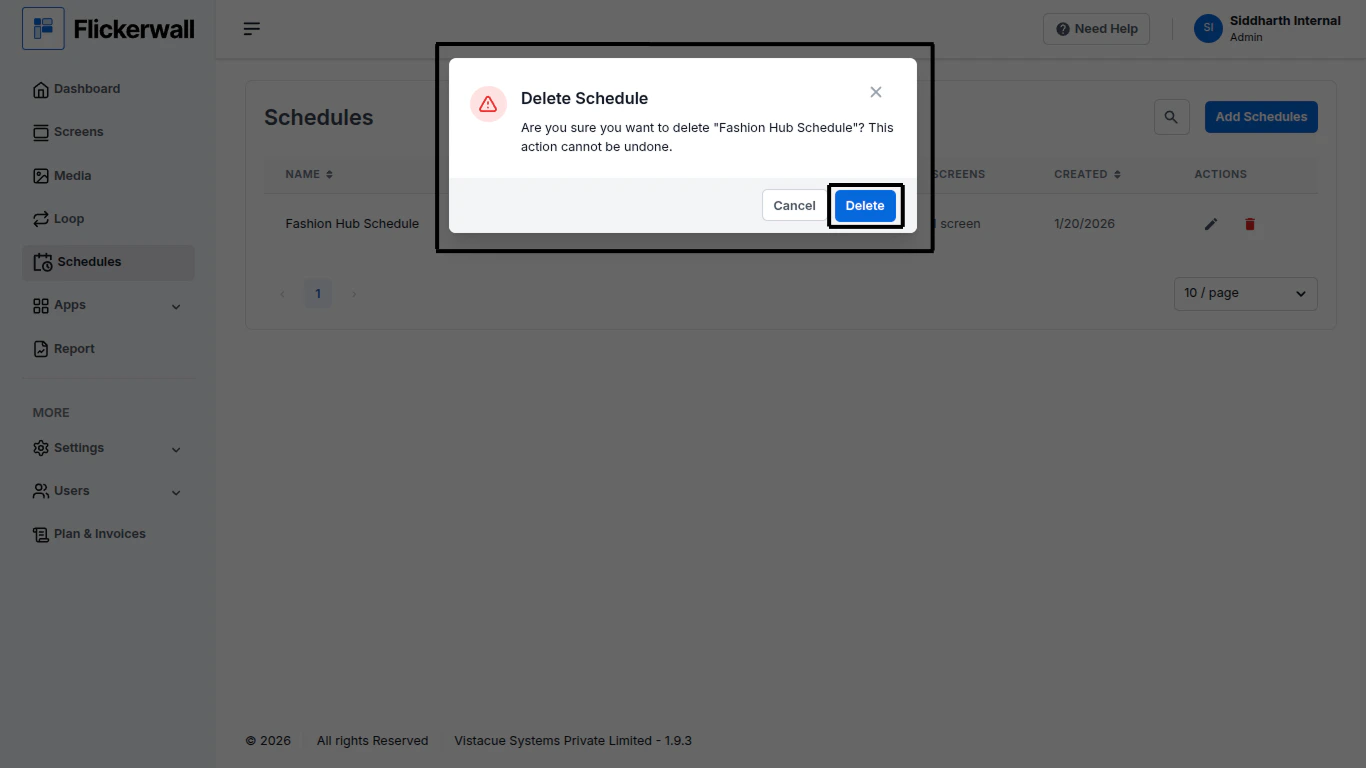
Step 2

Click on “Delete” to approve the deleting Request
<img src="https://mintcdn.com/flickerwall-796545b9/YJVFsp4LEe4i5j5p/images/schedules-how-to-delete-a-schedule-image-2.png?fit=max&auto=format&n=YJVFsp4LEe4i5j5p&q=85&s=d9050f3ad9bc2dd5efabcd45bab739b3" alt="" width="1366" height="768" data-path="images/schedules-how-to-delete-a-schedule-image-2.png" />
