> ## Documentation Index
> Fetch the complete documentation index at: https://docs.flickerwall.com/llms.txt
> Use this file to discover all available pages before exploring further.

# How to Check the Audit Report from Flickerwall Dashboard? How to Check Audit Report of the Custom/Specific dates?

> Learn how to access the Flickerwall Auditing Dashboard and use custom filters to track system activity across specific timeframes

***

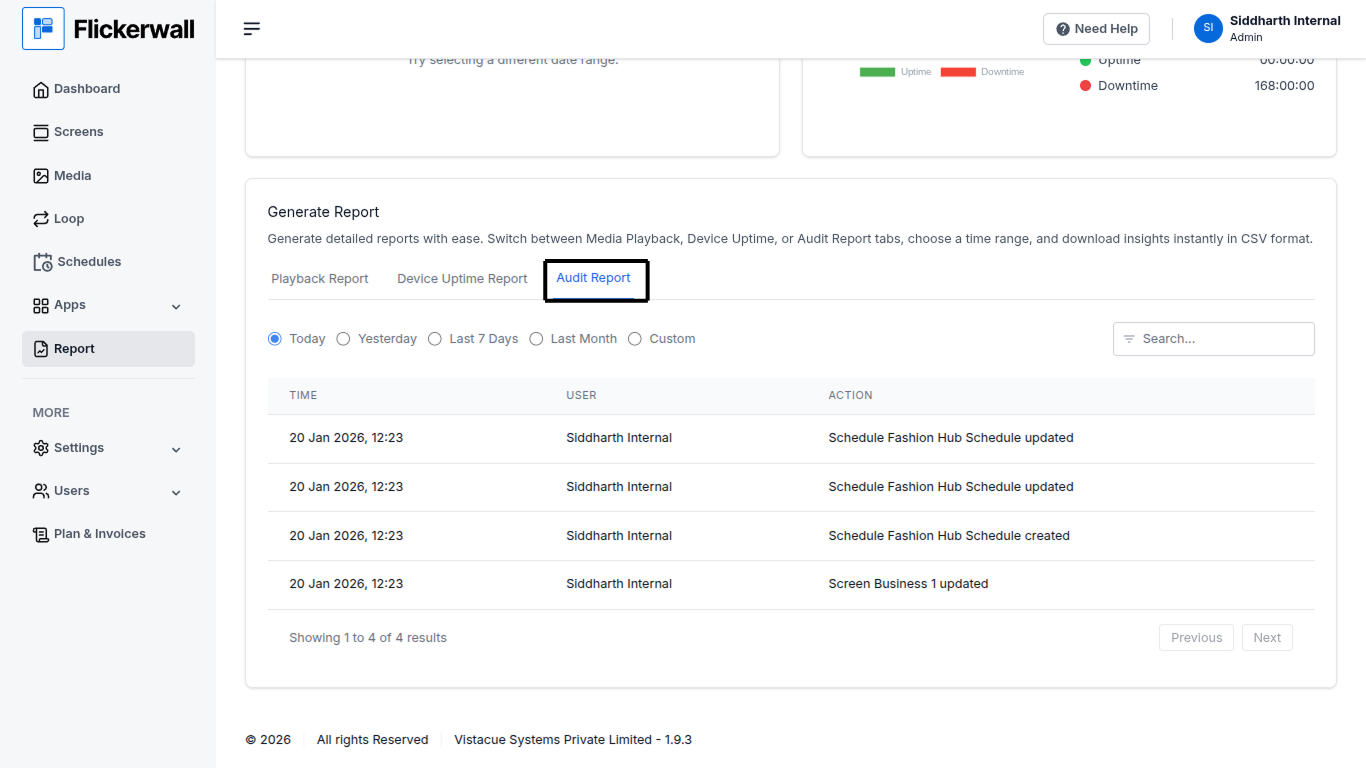
Step 1

Go to Report module

Scroll down and select Audit Report
<img src="https://mintcdn.com/flickerwall-796545b9/YJVFsp4LEe4i5j5p/images/reports-how-to-check-the-audit-report-from-flickerwall-dashboard-how-to-check-audit-report-of-the-custom-or-specific-dates-image-1.png?fit=max&auto=format&n=YJVFsp4LEe4i5j5p&q=85&s=abef2914b7c88633be96aabc7e131344" alt="" width="1366" height="768" data-path="images/reports-how-to-check-the-audit-report-from-flickerwall-dashboard-how-to-check-audit-report-of-the-custom-or-specific-dates-image-1.png" />

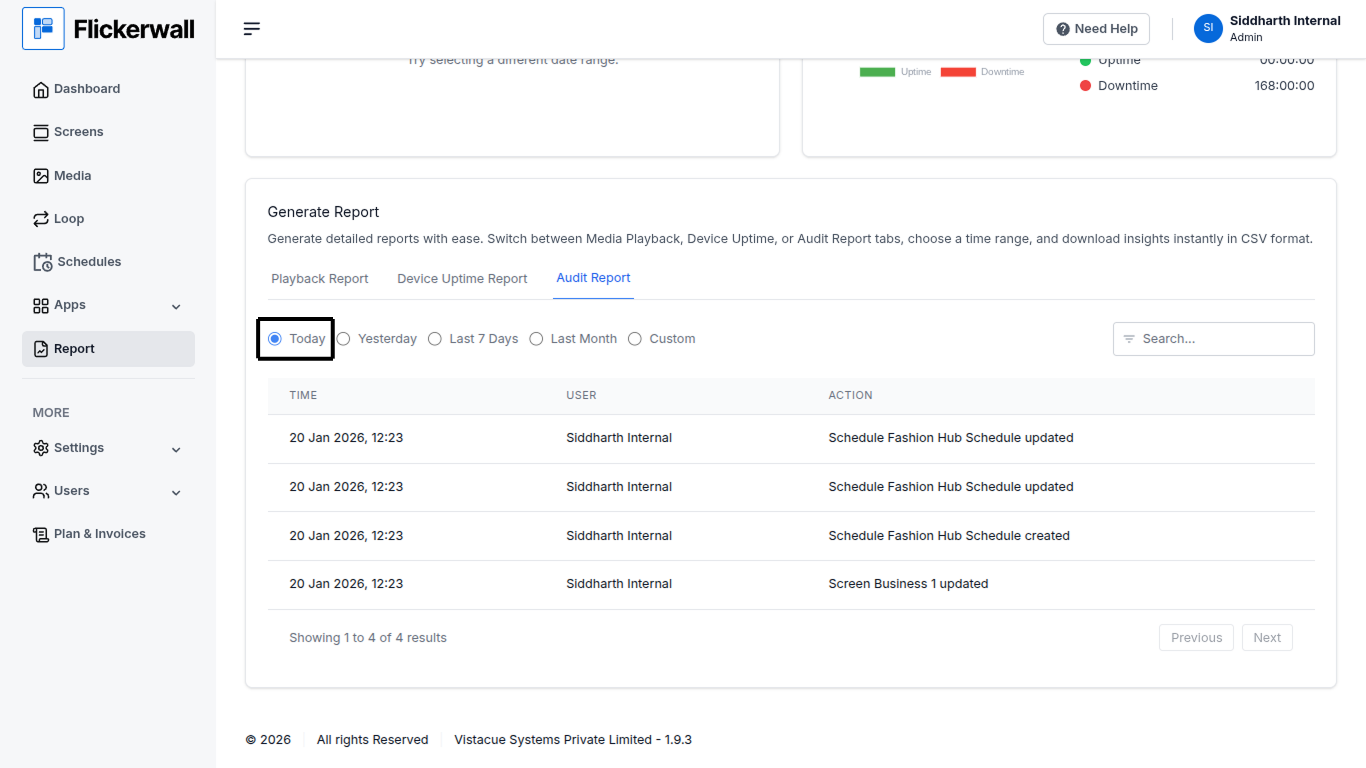
Step 2

Select Date range and view the Reports
<img src="https://mintcdn.com/flickerwall-796545b9/YJVFsp4LEe4i5j5p/images/reports-how-to-check-the-audit-report-from-flickerwall-dashboard-how-to-check-audit-report-of-the-custom-or-specific-dates-image-2.png?fit=max&auto=format&n=YJVFsp4LEe4i5j5p&q=85&s=d33a2fffce9495e4af07d40d71e82d11" alt="" width="1366" height="768" data-path="images/reports-how-to-check-the-audit-report-from-flickerwall-dashboard-how-to-check-audit-report-of-the-custom-or-specific-dates-image-2.png" />

***

# How to Check Audit Report of the Custom/Specific dates?

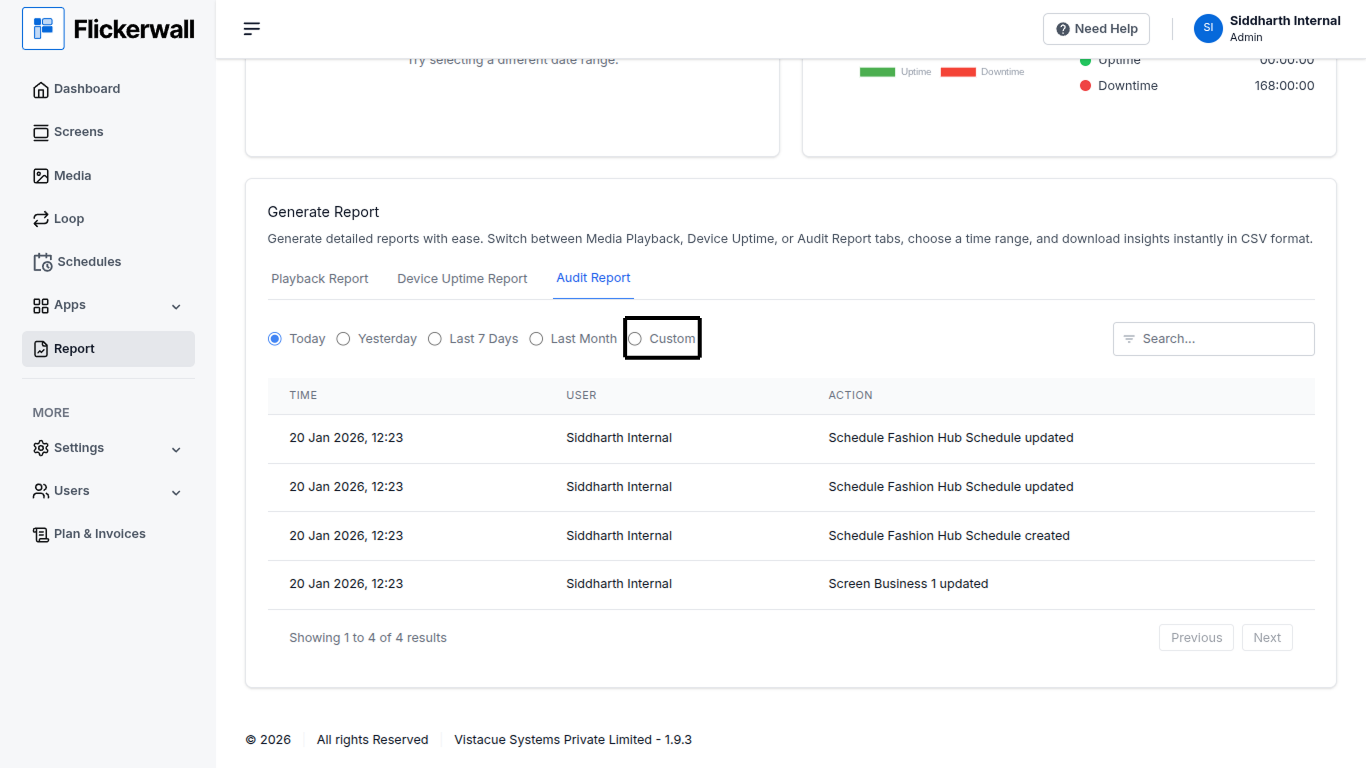
Select Custom to enter a specific start and end date to see data of some selected/specific dates

Step 1

Select Custom in the date range module
<img src="https://mintcdn.com/flickerwall-796545b9/YJVFsp4LEe4i5j5p/images/reports-how-to-check-the-audit-report-from-flickerwall-dashboard-how-to-check-audit-report-of-the-custom-or-specific-dates-image-3.png?fit=max&auto=format&n=YJVFsp4LEe4i5j5p&q=85&s=07f09e9140d4b16eb06fc77dce0d6792" alt="" width="1366" height="768" data-path="images/reports-how-to-check-the-audit-report-from-flickerwall-dashboard-how-to-check-audit-report-of-the-custom-or-specific-dates-image-3.png" />

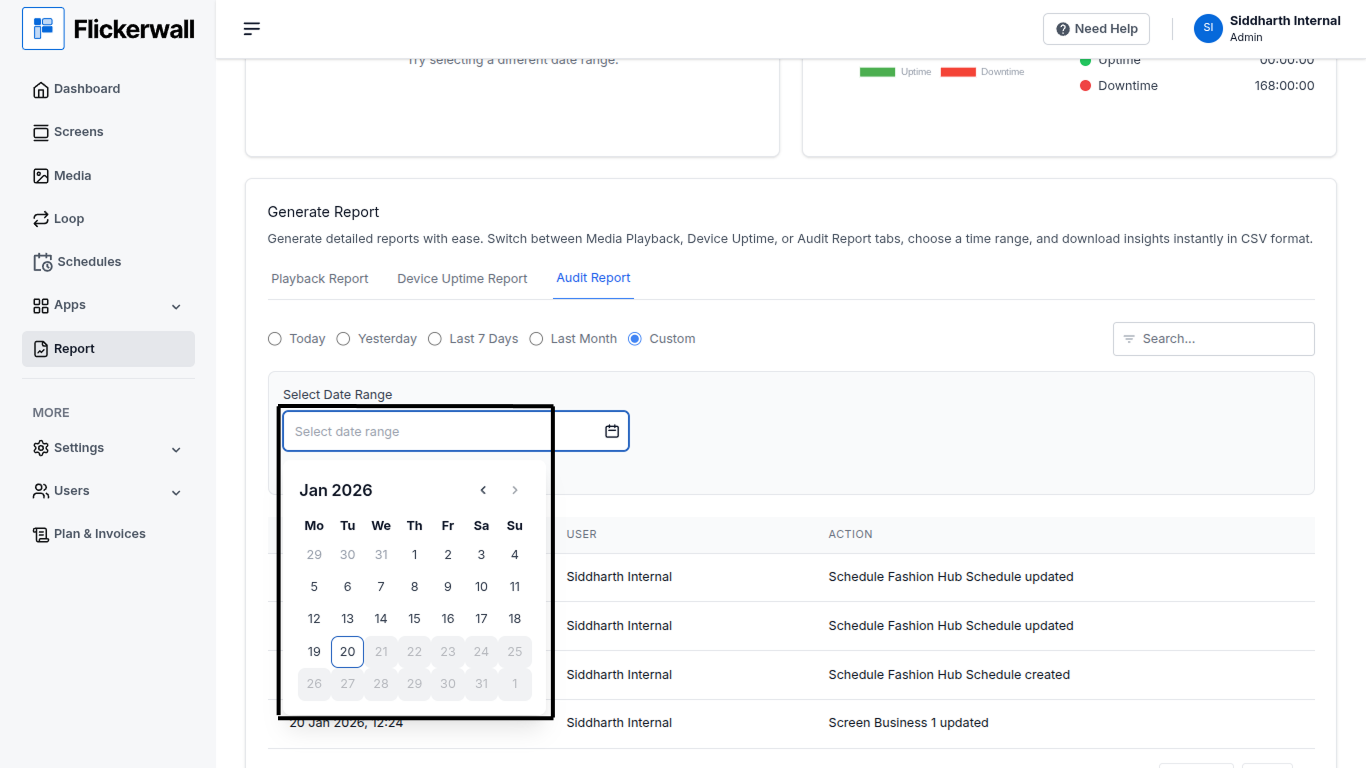
Step 2

Enter the Start and End Date of your Report

first select the year/month/day for the start date

then select year/month/day for the end date
<img src="https://mintcdn.com/flickerwall-796545b9/YJVFsp4LEe4i5j5p/images/reports-how-to-check-the-audit-report-from-flickerwall-dashboard-how-to-check-audit-report-of-the-custom-or-specific-dates-image-4.png?fit=max&auto=format&n=YJVFsp4LEe4i5j5p&q=85&s=8c6c793ab8a675abd1819c60cc961052" alt="" width="1366" height="768" data-path="images/reports-how-to-check-the-audit-report-from-flickerwall-dashboard-how-to-check-audit-report-of-the-custom-or-specific-dates-image-4.png" />
