> ## Documentation Index
> Fetch the complete documentation index at: https://docs.flickerwall.com/llms.txt
> Use this file to discover all available pages before exploring further.
# How to Check Audit Report of the Custom/Specific dates?
> Learn how to Check Audit Reports of Custom/Specific date range
***
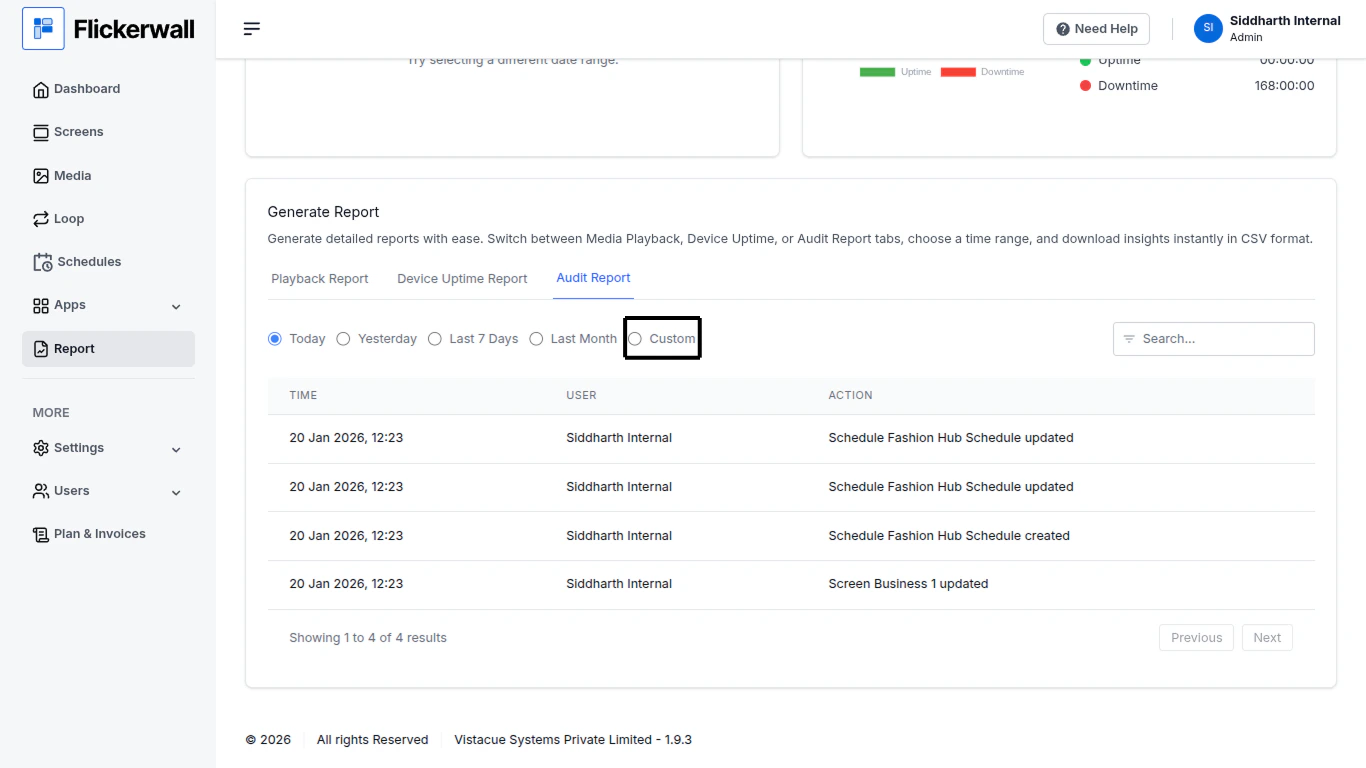
Select Custom to enter a specific start and end date to see data of some selected/specific dates
Step 1
Select Custom in the date range module
 Step 2
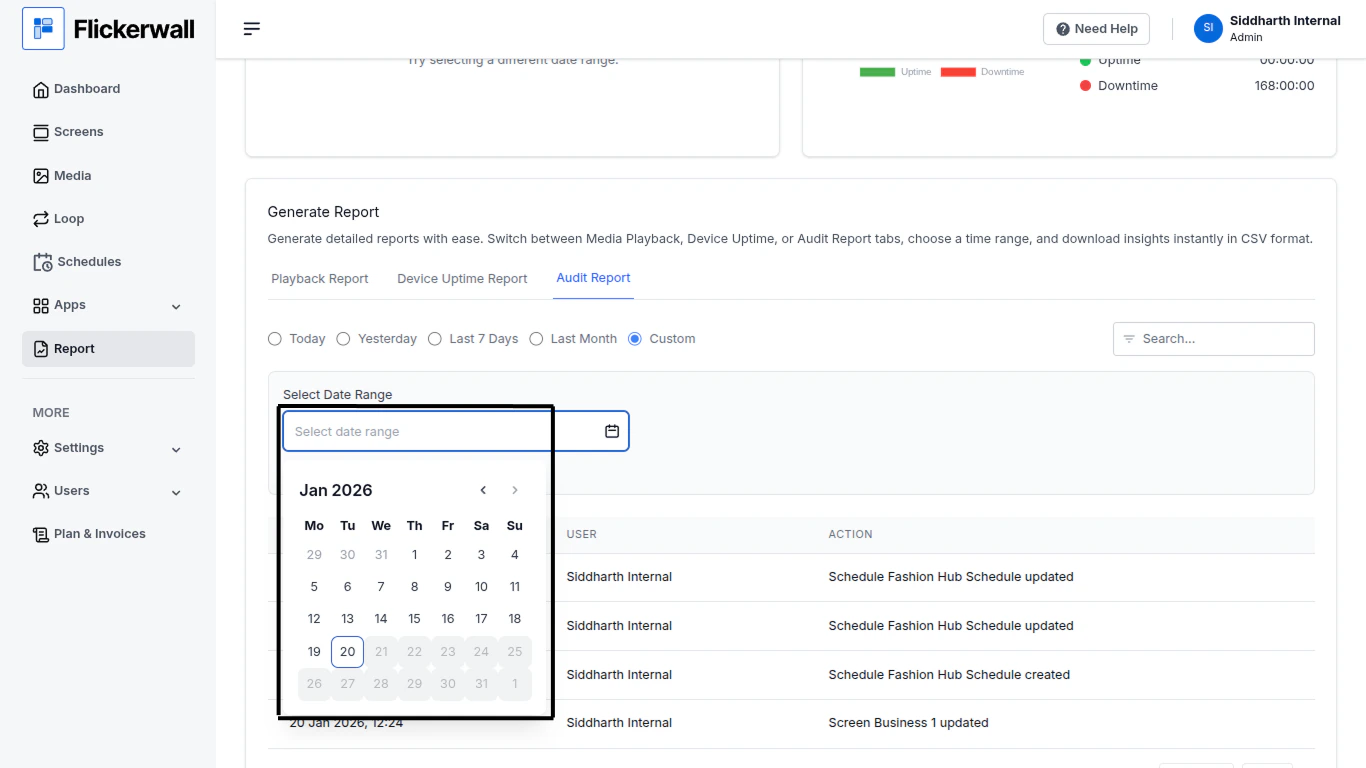
Enter the Start and End Date of your Report
first select the year/month/day for the start date
then select year/month/day for the end date
Step 2
Enter the Start and End Date of your Report
first select the year/month/day for the start date
then select year/month/day for the end date