> ## Documentation Index
> Fetch the complete documentation index at: https://docs.flickerwall.com/llms.txt
> Use this file to discover all available pages before exploring further.

# How to Update any Schedule in Flickerwall?

> Learn how to update an existing Schedule

# How to Update any Schedule in Flickerwall?

Learn how to update an existing Schedule

***

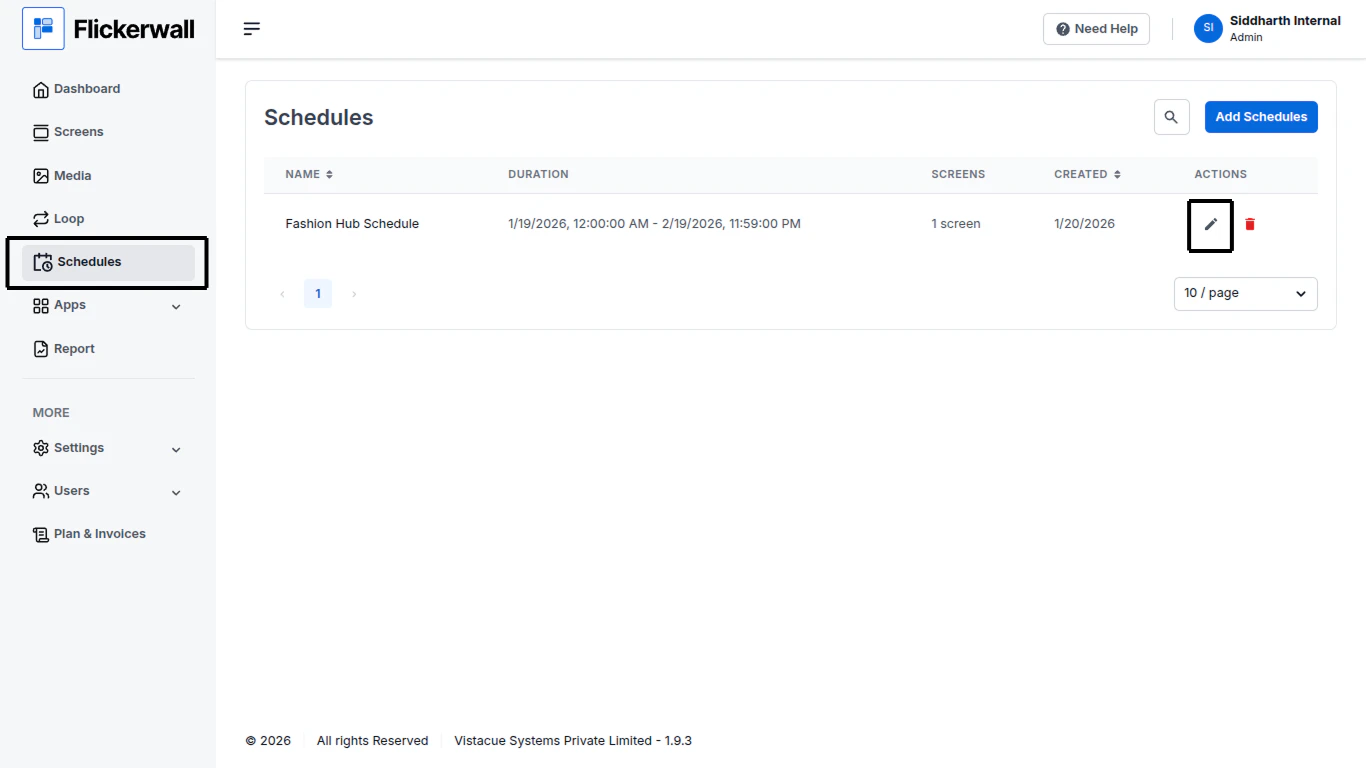
Step 1

Go to the Schedule module and Click on the edit icon
<img src="https://mintcdn.com/flickerwall-796545b9/YJVFsp4LEe4i5j5p/images/plan-and-invoices-how-to-update-any-schedule-in-flickerwall-image-1.png?fit=max&auto=format&n=YJVFsp4LEe4i5j5p&q=85&s=29b89704480cf12781199670c8e03480" alt="" width="1366" height="768" data-path="images/plan-and-invoices-how-to-update-any-schedule-in-flickerwall-image-1.png" />

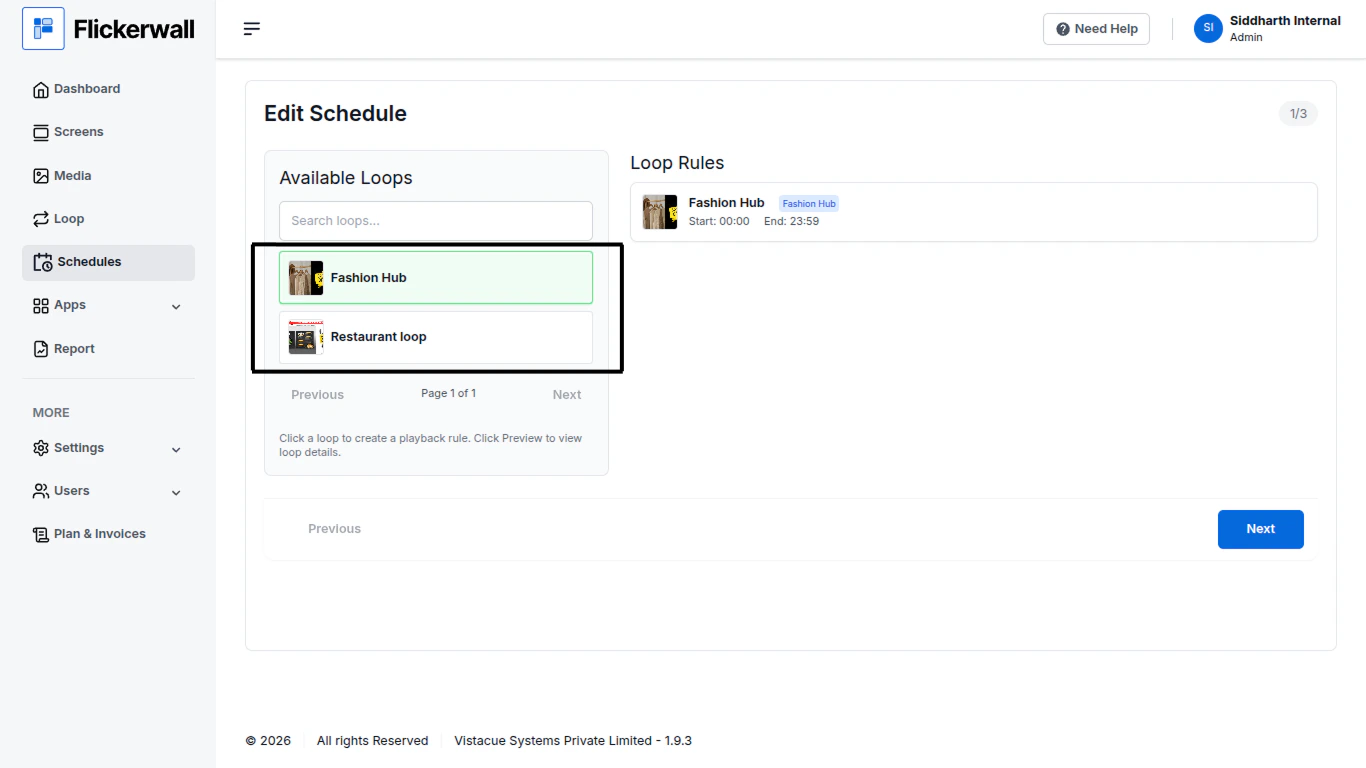
Step 2

Select the loop you want to update the details of or type it in the Search Bar
<img src="https://mintcdn.com/flickerwall-796545b9/YJVFsp4LEe4i5j5p/images/plan-and-invoices-how-to-update-any-schedule-in-flickerwall-image-2.png?fit=max&auto=format&n=YJVFsp4LEe4i5j5p&q=85&s=66a4341192bd9042b9518a45bc2f8757" alt="" width="1366" height="768" data-path="images/plan-and-invoices-how-to-update-any-schedule-in-flickerwall-image-2.png" />

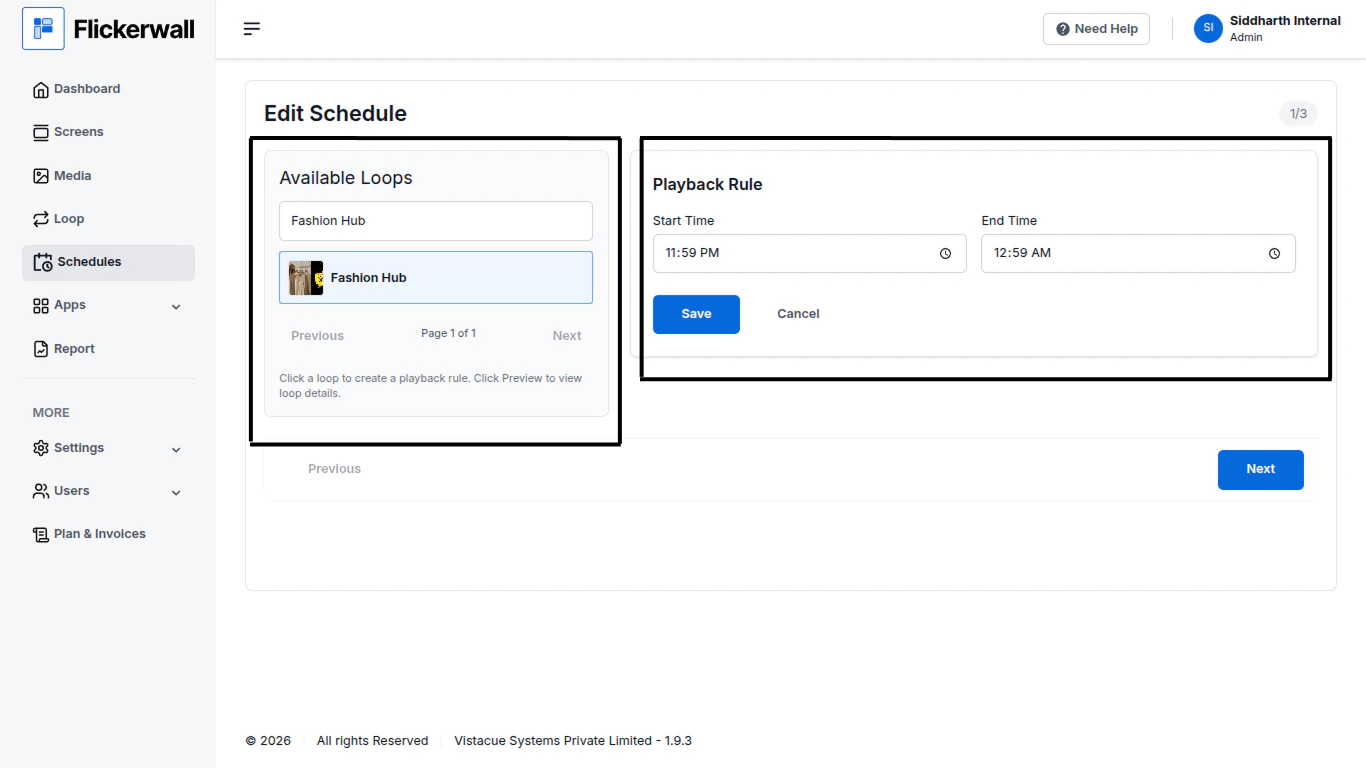
Step 3

Once you Find the Loops you want to update , update the Playback Rule
<img src="https://mintcdn.com/flickerwall-796545b9/YJVFsp4LEe4i5j5p/images/plan-and-invoices-how-to-update-any-schedule-in-flickerwall-image-3.png?fit=max&auto=format&n=YJVFsp4LEe4i5j5p&q=85&s=288106fa61ba955f98ec3df5ab3a3846" alt="" width="1366" height="768" data-path="images/plan-and-invoices-how-to-update-any-schedule-in-flickerwall-image-3.png" />

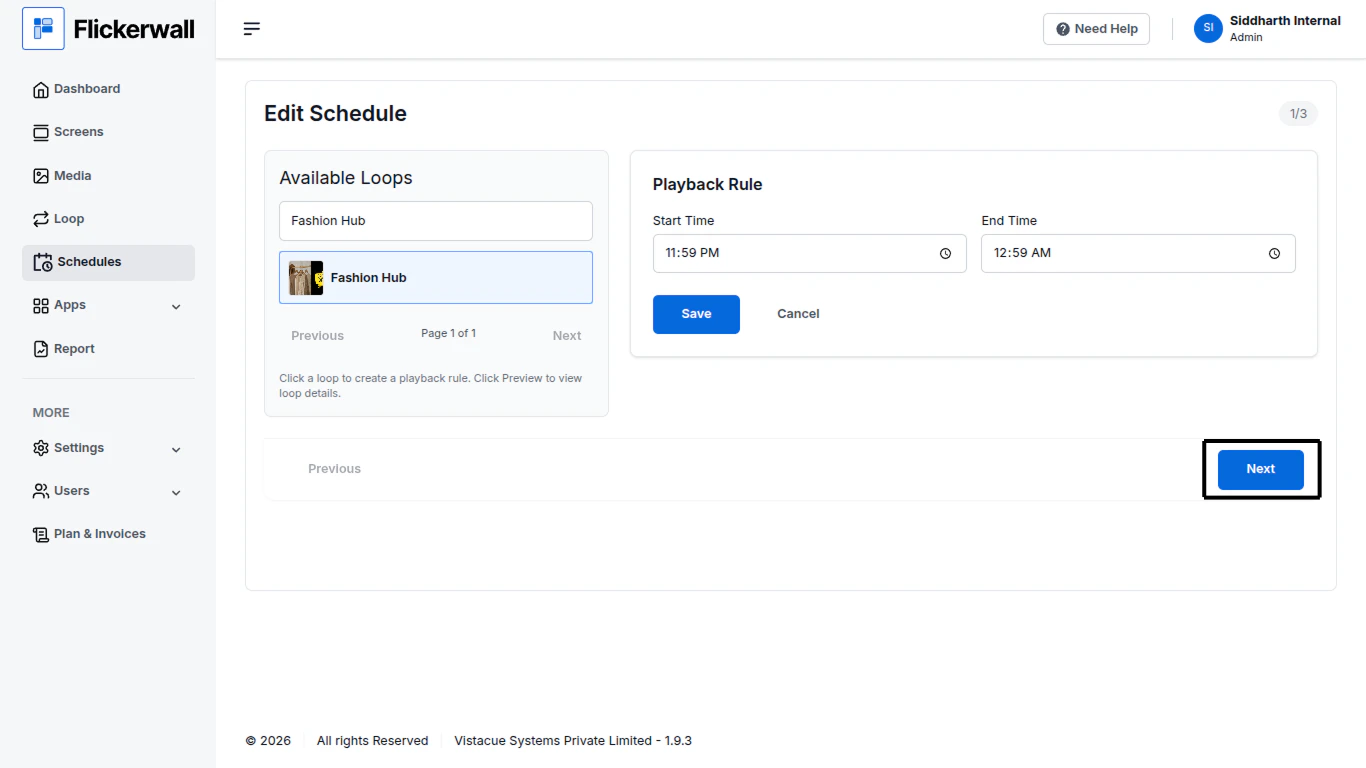
Step 4

Click on Next once you are done with the Details
<img src="https://mintcdn.com/flickerwall-796545b9/YJVFsp4LEe4i5j5p/images/plan-and-invoices-how-to-update-any-schedule-in-flickerwall-image-4.png?fit=max&auto=format&n=YJVFsp4LEe4i5j5p&q=85&s=d9aa22a92ab34322dafaa763cae5d86e" alt="" width="1366" height="768" data-path="images/plan-and-invoices-how-to-update-any-schedule-in-flickerwall-image-4.png" />

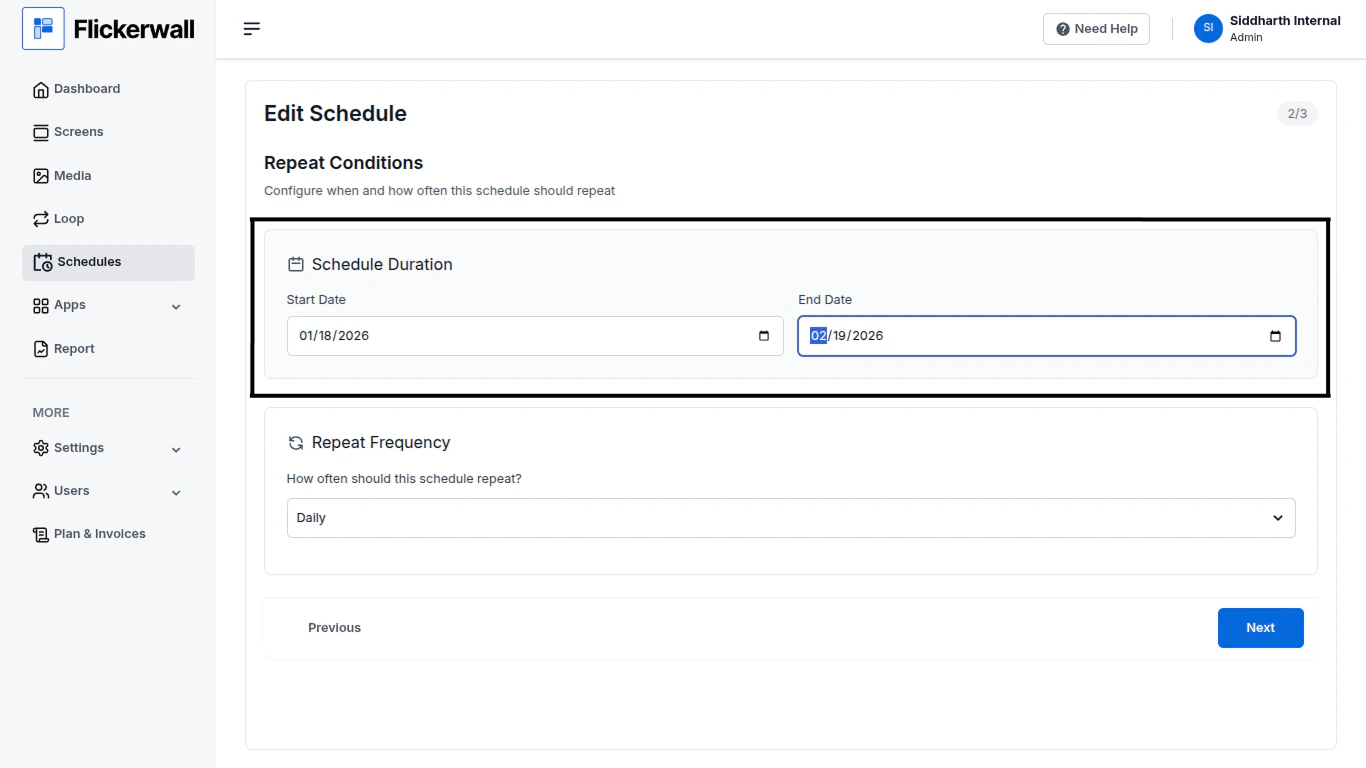
Step 5

Update the Repeat Conditions

Update your new Start and End date
<img src="https://mintcdn.com/flickerwall-796545b9/YJVFsp4LEe4i5j5p/images/plan-and-invoices-how-to-update-any-schedule-in-flickerwall-image-5.png?fit=max&auto=format&n=YJVFsp4LEe4i5j5p&q=85&s=32b04df423cd96c8a4b5194199baccc8" alt="" width="1366" height="768" data-path="images/plan-and-invoices-how-to-update-any-schedule-in-flickerwall-image-5.png" />

Step 6

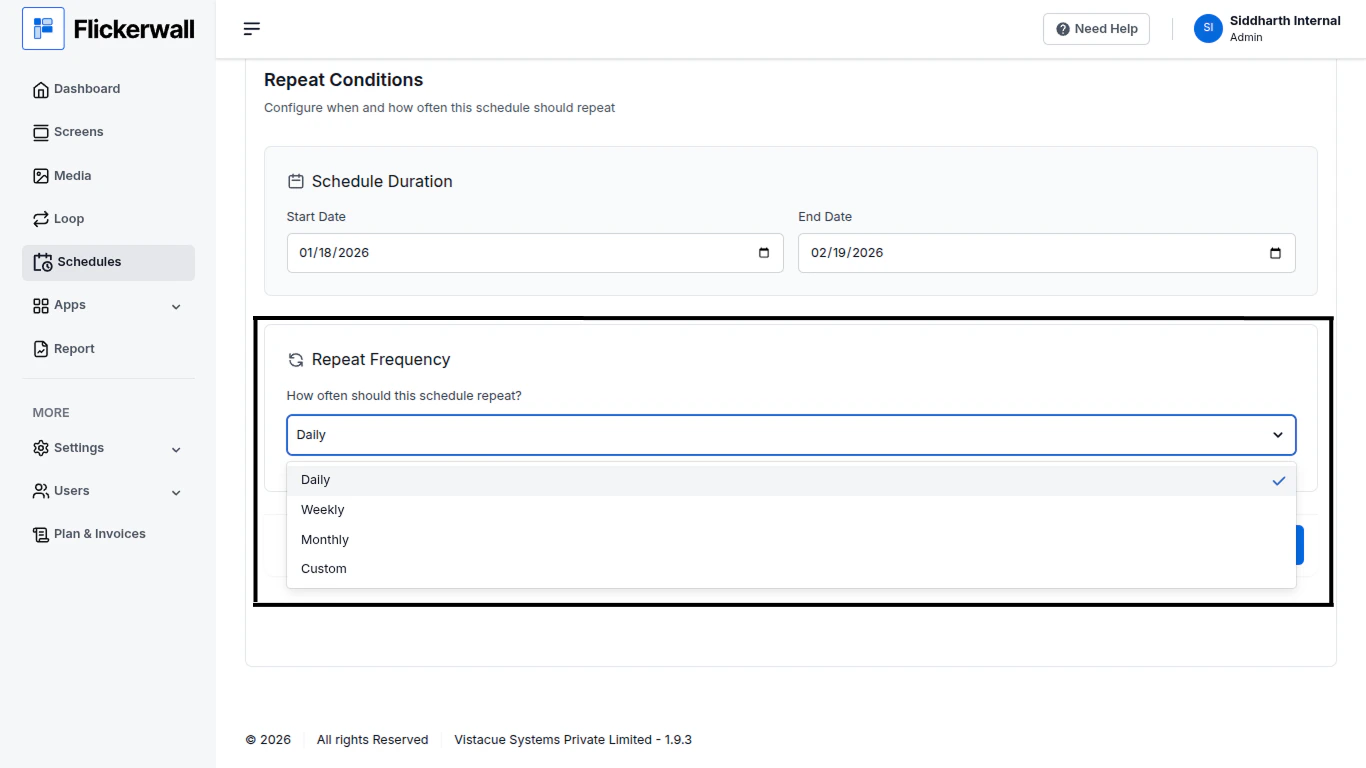
Update your Repeat Frequency

<img src="https://mintcdn.com/flickerwall-796545b9/YJVFsp4LEe4i5j5p/images/plan-and-invoices-how-to-update-any-schedule-in-flickerwall-image-6.png?fit=max&auto=format&n=YJVFsp4LEe4i5j5p&q=85&s=c4c43decc4df1fc0363e73e972df3100" alt="" width="1366" height="768" data-path="images/plan-and-invoices-how-to-update-any-schedule-in-flickerwall-image-6.png" />

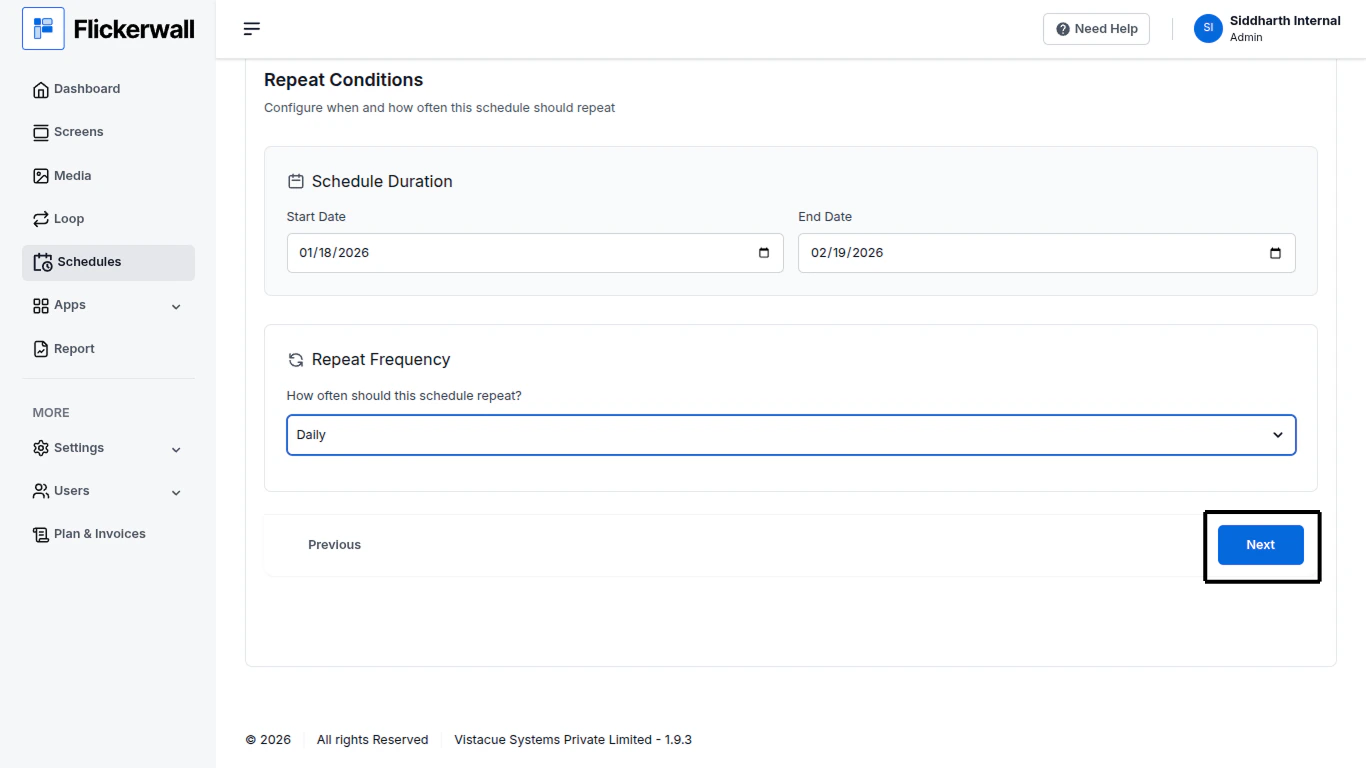
Step 7

Click on Next once you are done with updating the details
<img src="https://mintcdn.com/flickerwall-796545b9/YJVFsp4LEe4i5j5p/images/plan-and-invoices-how-to-update-any-schedule-in-flickerwall-image-7.png?fit=max&auto=format&n=YJVFsp4LEe4i5j5p&q=85&s=ab46b719b2aa2b2b7f8d1ca3f75c2d15" alt="" width="1366" height="768" data-path="images/plan-and-invoices-how-to-update-any-schedule-in-flickerwall-image-7.png" />

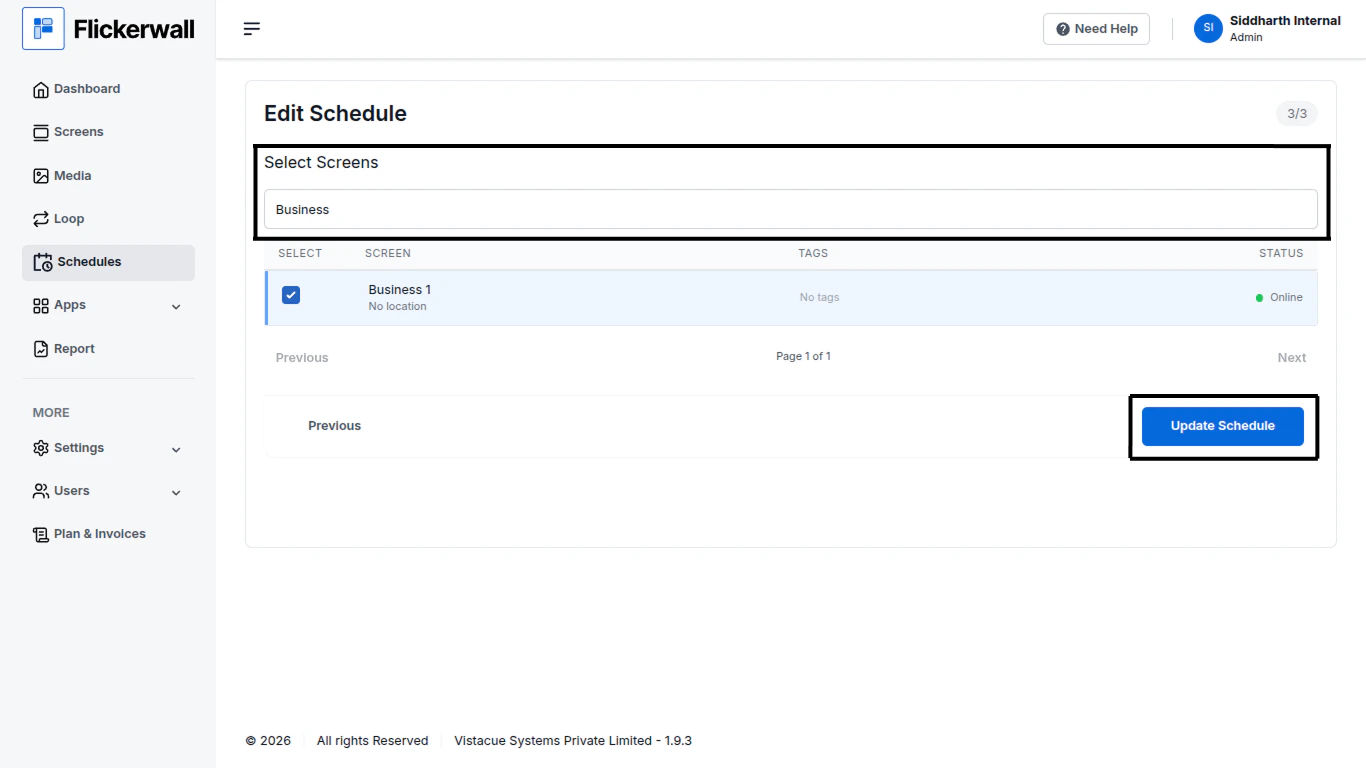
Step 8

Update the Screens

Select or Deselect the Screens you want and Click on Update Schedule
<img src="https://mintcdn.com/flickerwall-796545b9/YJVFsp4LEe4i5j5p/images/plan-and-invoices-how-to-update-any-schedule-in-flickerwall-image-8.png?fit=max&auto=format&n=YJVFsp4LEe4i5j5p&q=85&s=01421fc06a4012e1d902789ebd4d52a6" alt="" width="1366" height="768" data-path="images/plan-and-invoices-how-to-update-any-schedule-in-flickerwall-image-8.png" />

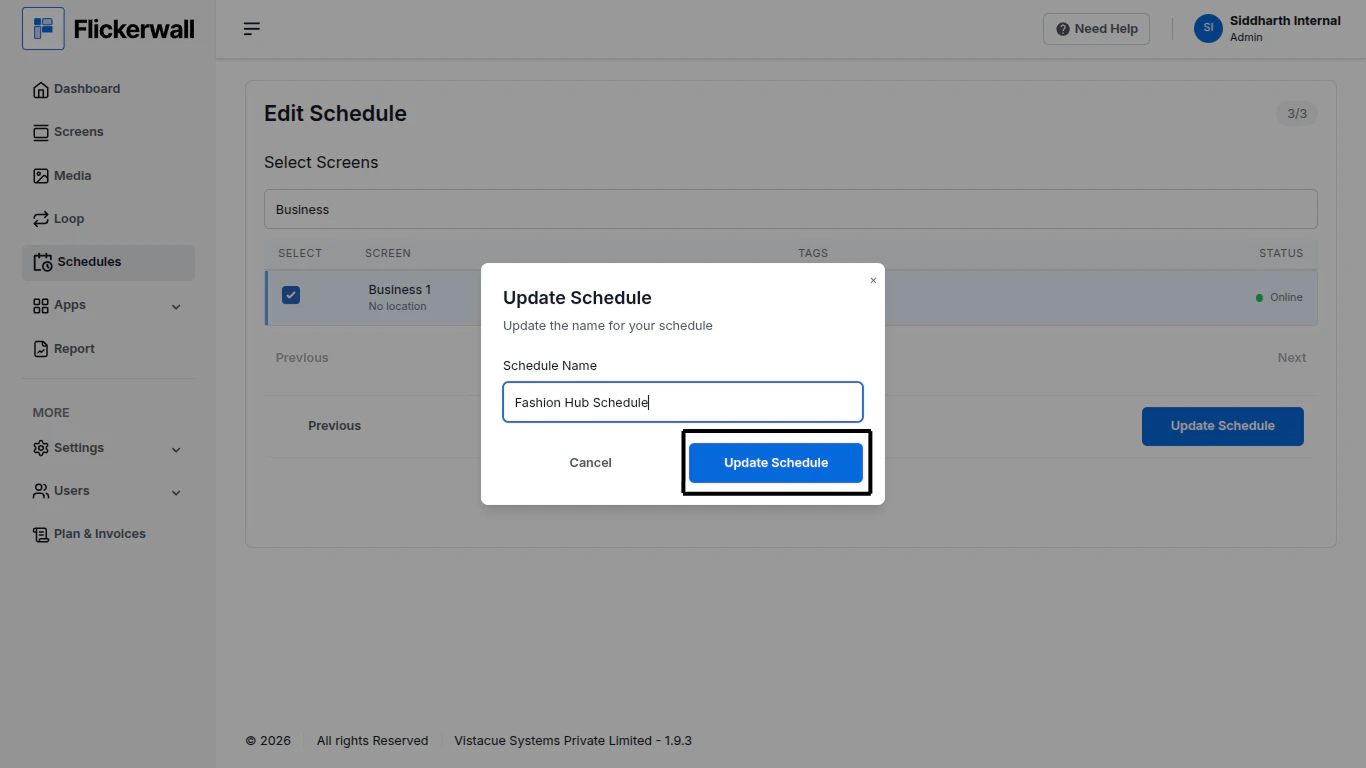
Step 9

Update the name of the Schedule if you want and Click on Update Schedule
<img src="https://mintcdn.com/flickerwall-796545b9/YJVFsp4LEe4i5j5p/images/plan-and-invoices-how-to-update-any-schedule-in-flickerwall-image-9.png?fit=max&auto=format&n=YJVFsp4LEe4i5j5p&q=85&s=521a292f23a10ec92b8cfa98be65b146" alt="" width="1366" height="768" data-path="images/plan-and-invoices-how-to-update-any-schedule-in-flickerwall-image-9.png" />