> ## Documentation Index
> Fetch the complete documentation index at: https://docs.flickerwall.com/llms.txt
> Use this file to discover all available pages before exploring further.

# How to move Uploaded Media to any Folder?

> Learn how to move Uploaded Media to any Folder of your choice so you can manage Media efficiently

***

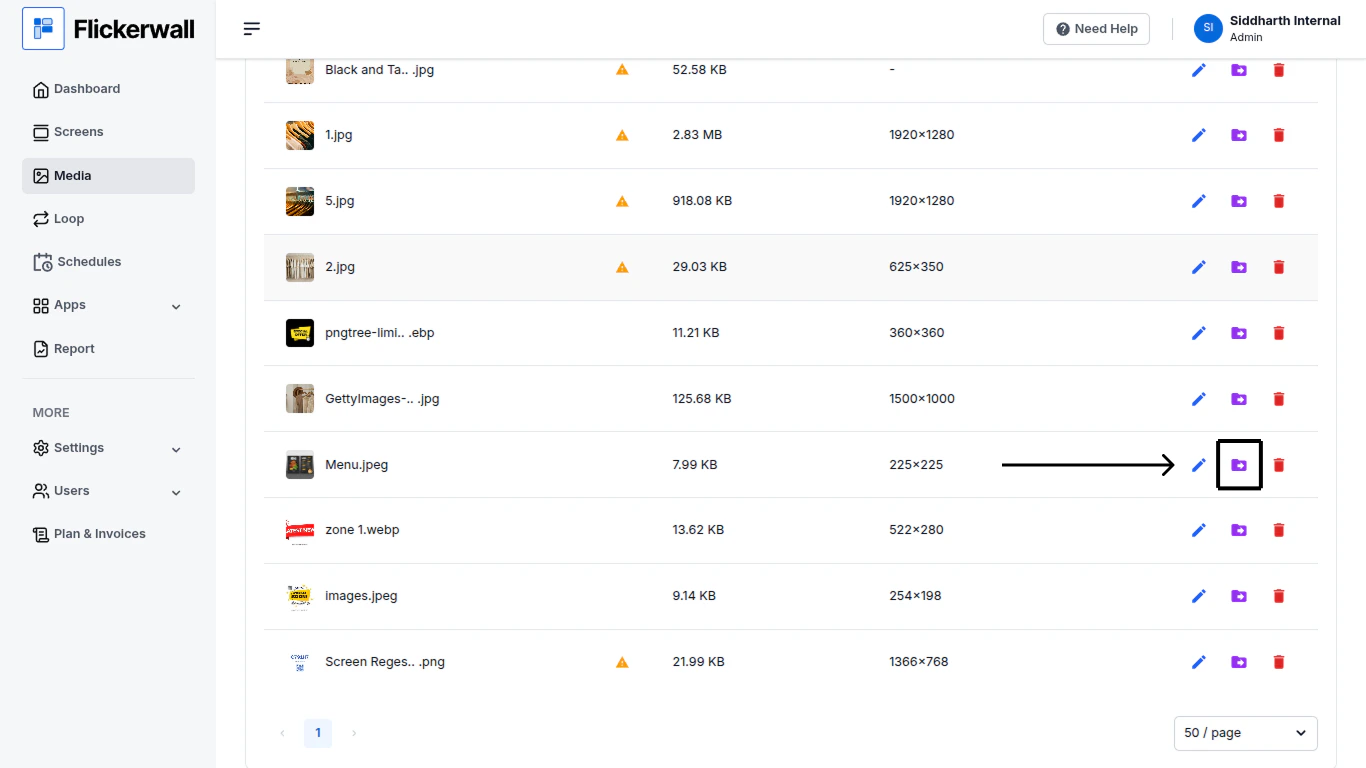
Step 1

Go to Media module , find and select the desired Media
<img src="https://mintcdn.com/flickerwall-796545b9/Hdn4G0VyeEFztsZz/images/media-how-to-move-uploaded-media-to-any-folder-image-1.png?fit=max&auto=format&n=Hdn4G0VyeEFztsZz&q=85&s=dfc9bcf3c1961a3cbeb936980c70723c" alt="" width="1366" height="768" data-path="images/media-how-to-move-uploaded-media-to-any-folder-image-1.png" />

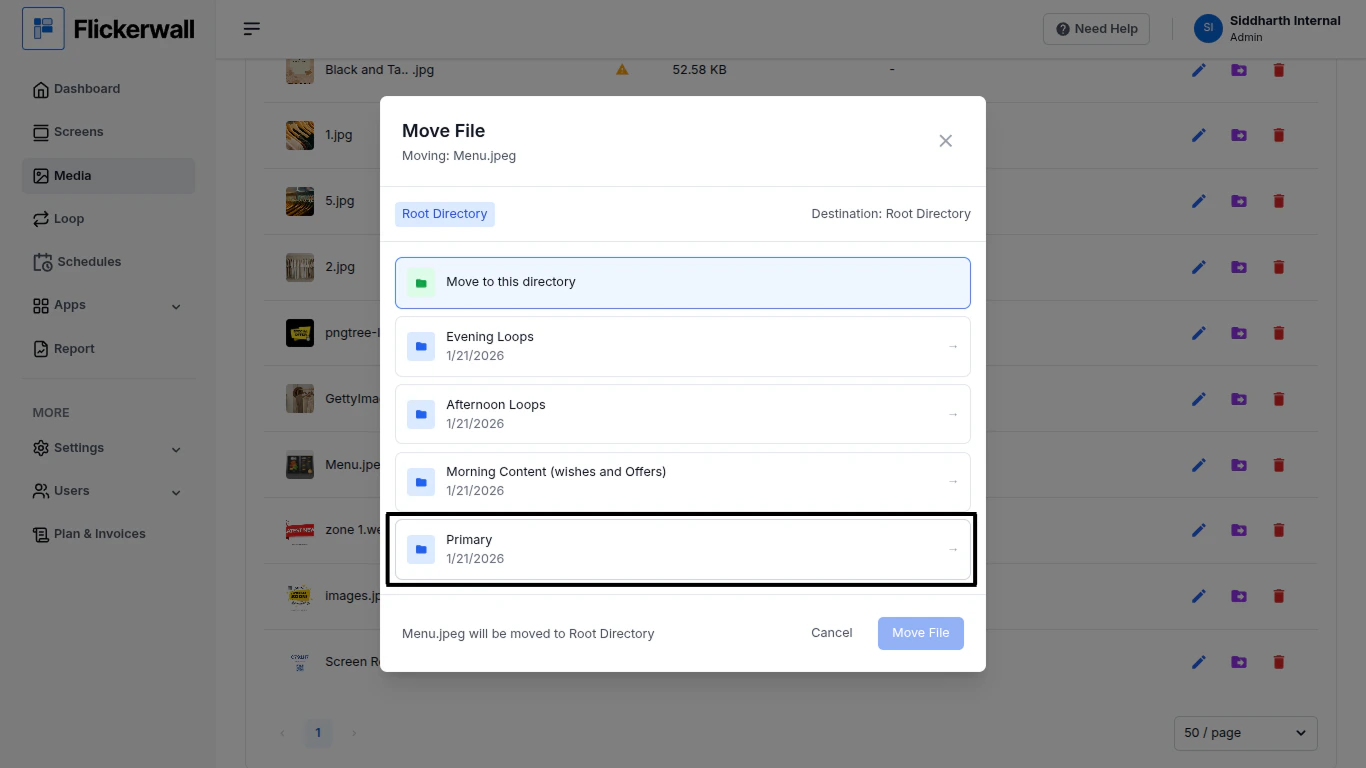
Step 2

Select the Folder you wish to move this Media to
<img src="https://mintcdn.com/flickerwall-796545b9/Hdn4G0VyeEFztsZz/images/media-how-to-move-uploaded-media-to-any-folder-image-2.png?fit=max&auto=format&n=Hdn4G0VyeEFztsZz&q=85&s=e840be17c3d3d1cb595e457a7cca4694" alt="" width="1366" height="768" data-path="images/media-how-to-move-uploaded-media-to-any-folder-image-2.png" />

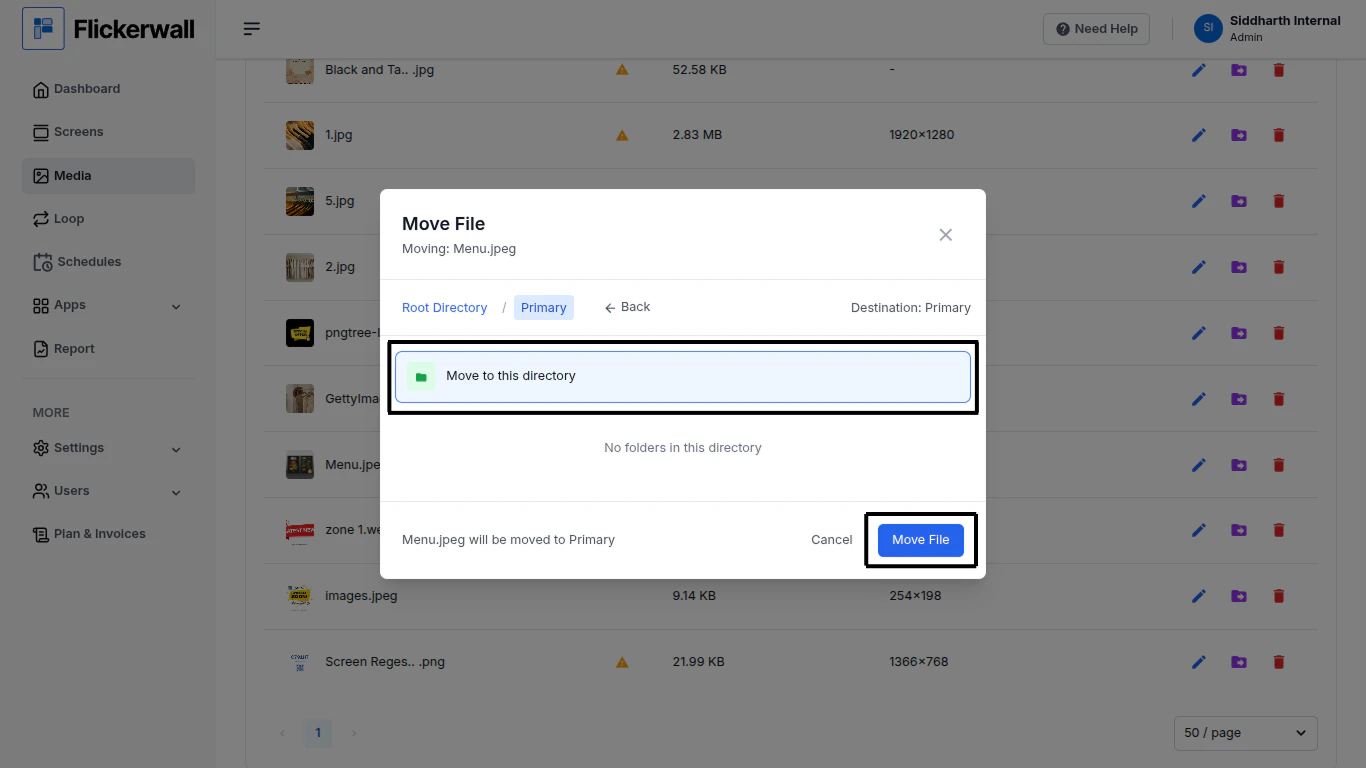
Step 3

once selected the Folder click on “Move to this directory”

and click “Move File”
<img src="https://mintcdn.com/flickerwall-796545b9/Hdn4G0VyeEFztsZz/images/media-how-to-move-uploaded-media-to-any-folder-image-3.png?fit=max&auto=format&n=Hdn4G0VyeEFztsZz&q=85&s=5257a998e63a9fc01f84d85fb556b256" alt="" width="1366" height="768" data-path="images/media-how-to-move-uploaded-media-to-any-folder-image-3.png" />
