> ## Documentation Index
> Fetch the complete documentation index at: https://docs.flickerwall.com/llms.txt
> Use this file to discover all available pages before exploring further.

# How to make a Folder to Organize the Media to use it more Optimally?

> Learn how to make an Folder so you can easily organize your Media for optimal uses

***

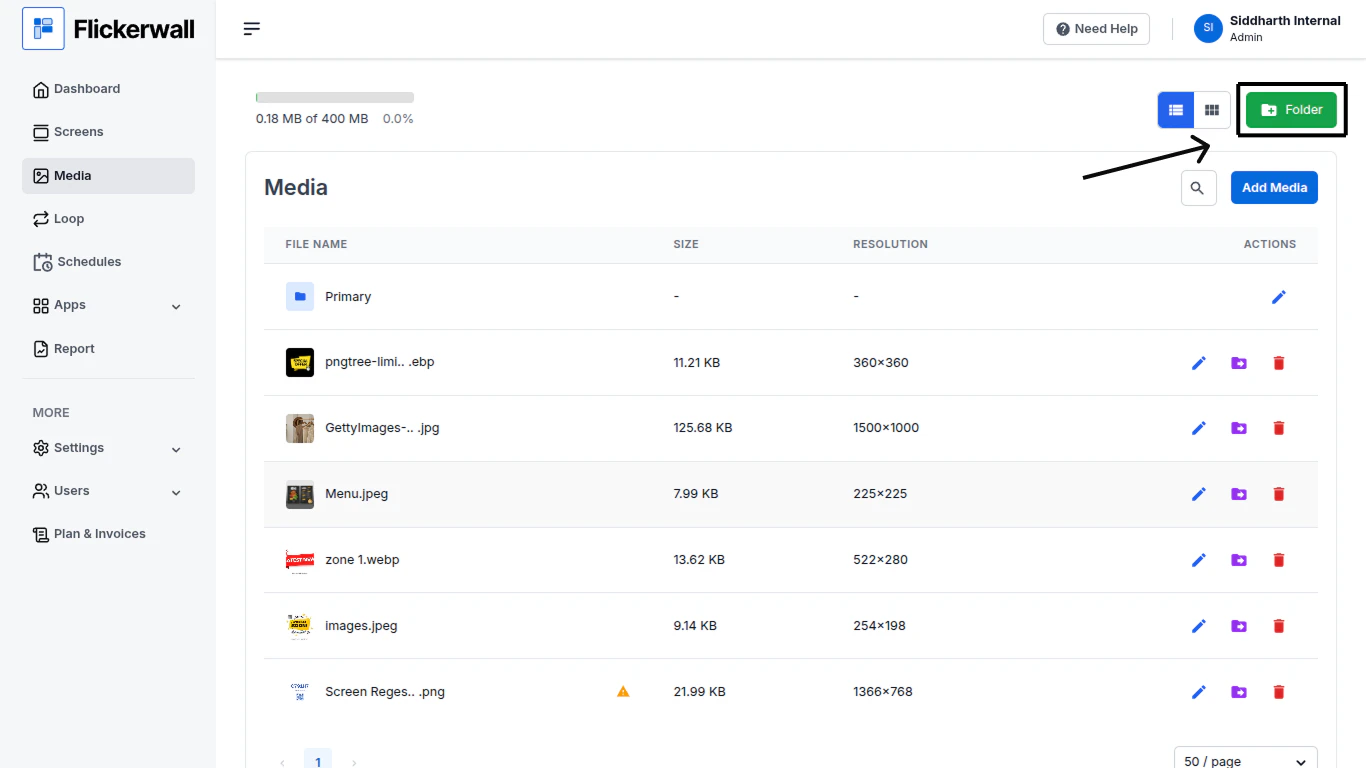
Step 1

Go to Media module and click on “Folder”
<img src="https://mintcdn.com/flickerwall-796545b9/Hdn4G0VyeEFztsZz/images/media-how-to-make-a-folder-to-organize-the-media-to-use-it-more-optimally-image-1.png?fit=max&auto=format&n=Hdn4G0VyeEFztsZz&q=85&s=c135c568b1826d3fdcbbd4b42aa9cedb" alt="" width="1366" height="768" data-path="images/media-how-to-make-a-folder-to-organize-the-media-to-use-it-more-optimally-image-1.png" />

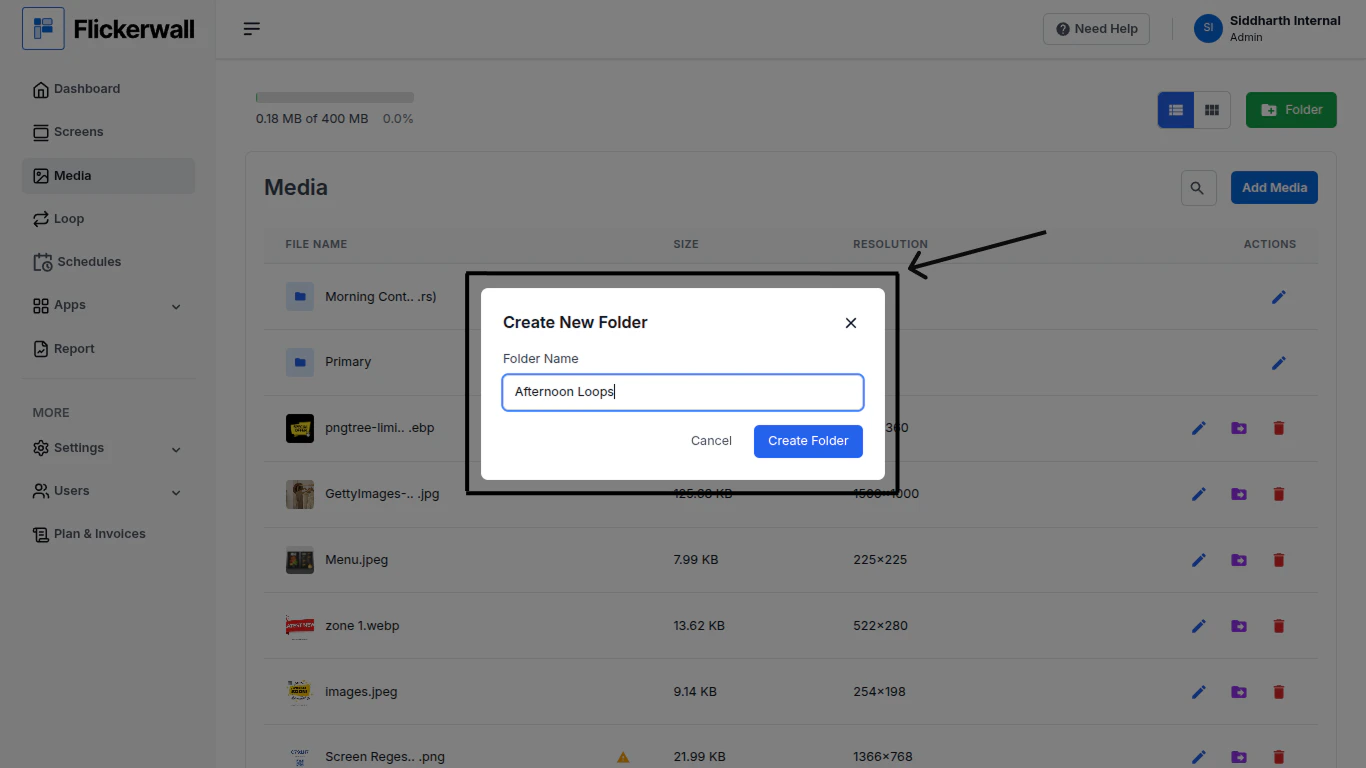
Step 2

Enter a name as per it suits your business or strategy and click on Create Folder
<img src="https://mintcdn.com/flickerwall-796545b9/Hdn4G0VyeEFztsZz/images/media-how-to-make-a-folder-to-organize-the-media-to-use-it-more-optimally-image-2.png?fit=max&auto=format&n=Hdn4G0VyeEFztsZz&q=85&s=12b978649228d8eeb33354fc9600e154" alt="" width="1366" height="768" data-path="images/media-how-to-make-a-folder-to-organize-the-media-to-use-it-more-optimally-image-2.png" />

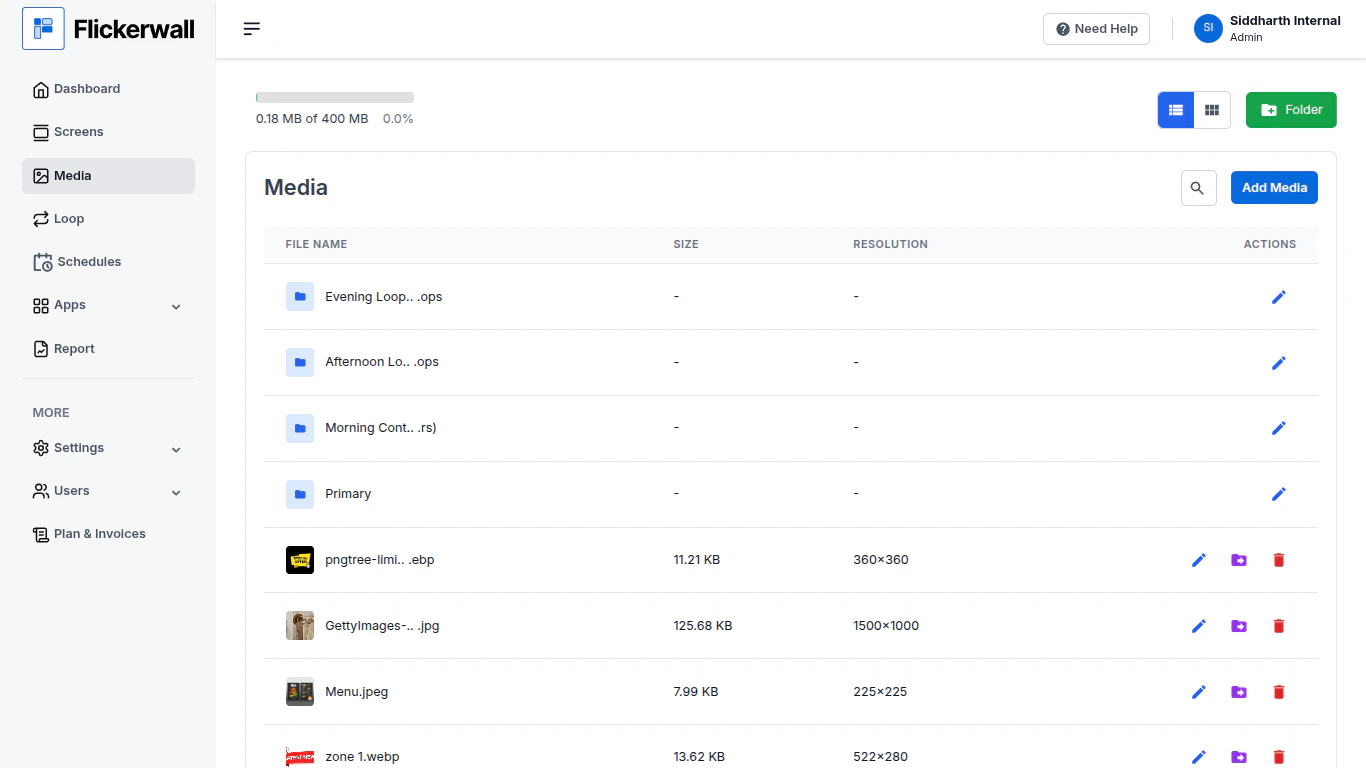
Step 3

The created Folders are shown Under the Media section
<img src="https://mintcdn.com/flickerwall-796545b9/Hdn4G0VyeEFztsZz/images/media-how-to-make-a-folder-to-organize-the-media-to-use-it-more-optimally-image-3.png?fit=max&auto=format&n=Hdn4G0VyeEFztsZz&q=85&s=775b40f013ee46e856cd213cec157140" alt="" width="1366" height="768" data-path="images/media-how-to-make-a-folder-to-organize-the-media-to-use-it-more-optimally-image-3.png" />
