> ## Documentation Index
> Fetch the complete documentation index at: https://docs.flickerwall.com/llms.txt
> Use this file to discover all available pages before exploring further.

# How to Change from List view Media to Grid view Media or vice versa?

> Learn how you can change your listed view to Grid view or from Grid view to Listed

***

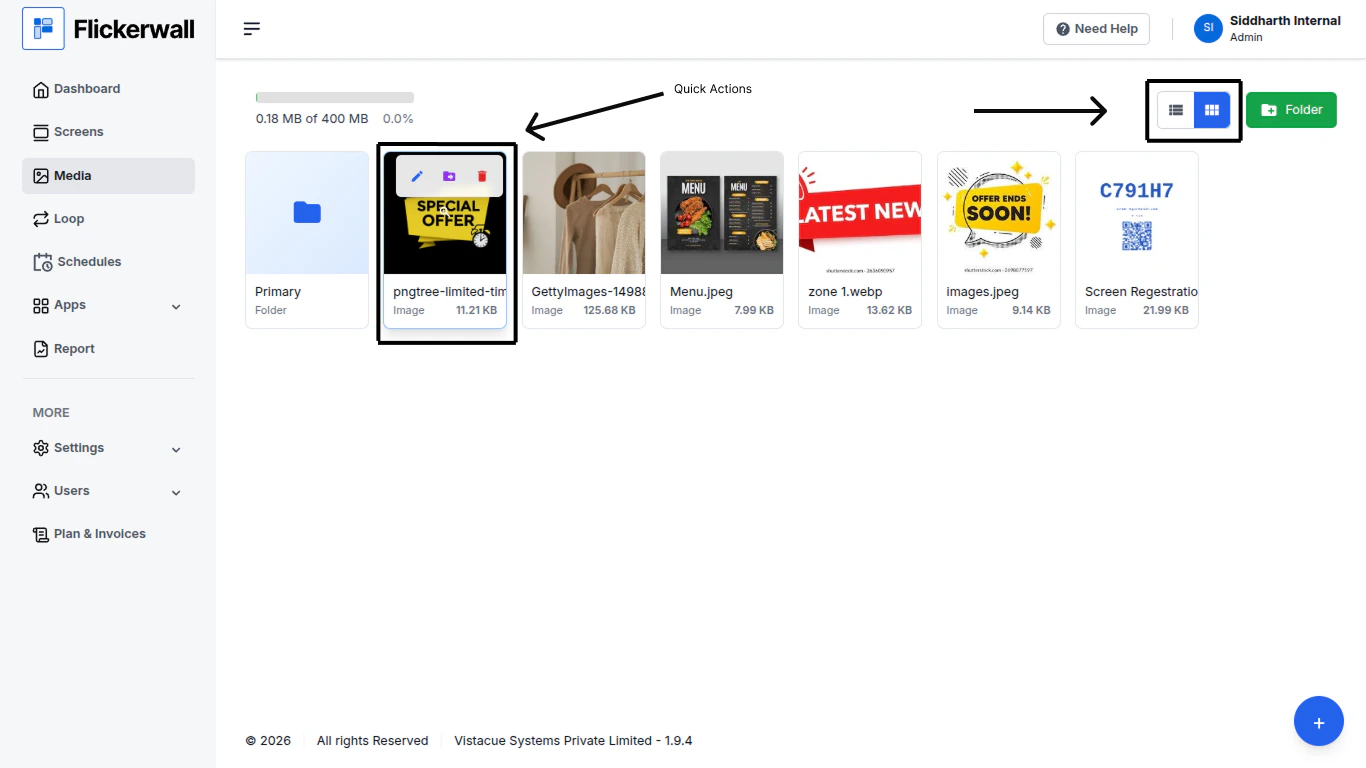
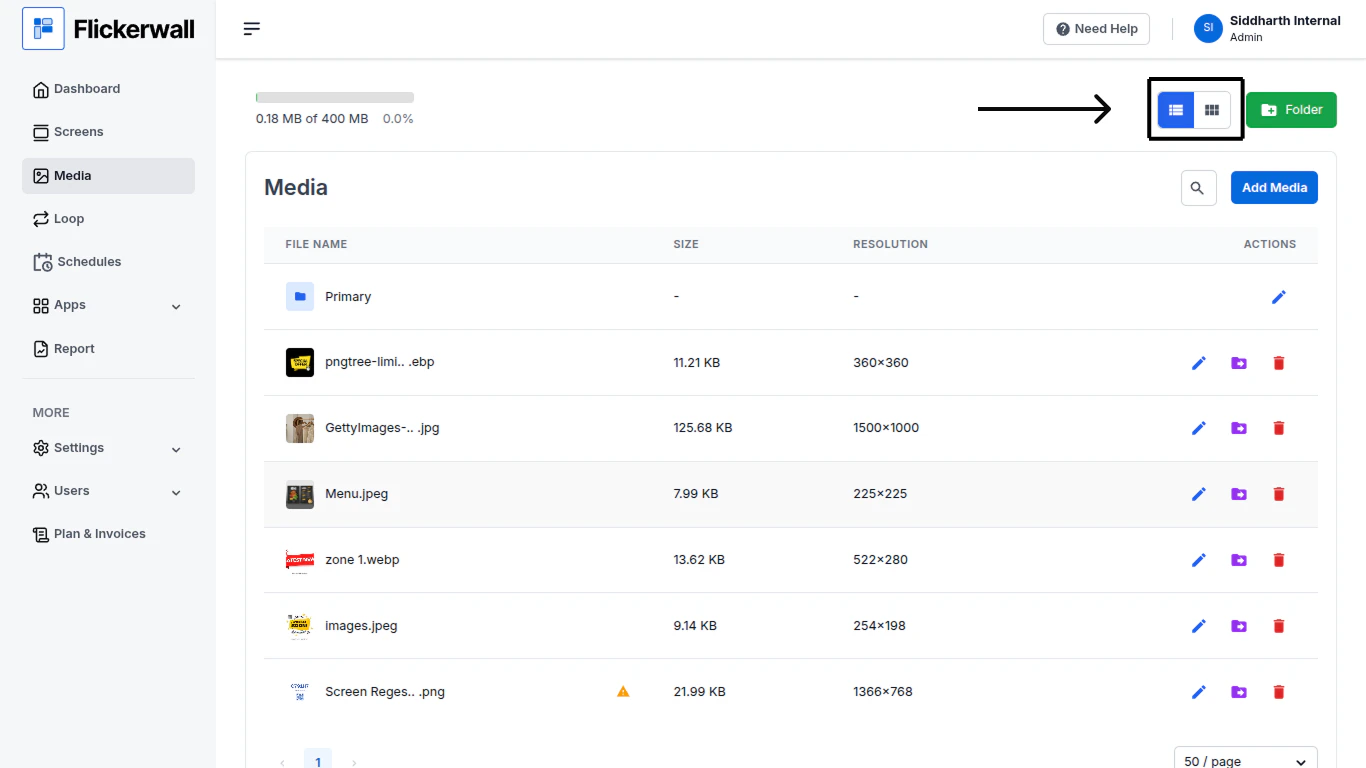
**Step 1**

Go to Media Module and you can find the Option right beside the “Folder” Option
<img src="https://mintcdn.com/flickerwall-796545b9/Hdn4G0VyeEFztsZz/images/media-how-to-change-from-list-view-media-to-grid-view-media-or-vice-versa-image-1.png?fit=max&auto=format&n=Hdn4G0VyeEFztsZz&q=85&s=f952d45d795728aa0c1f04abb9f32faf" alt="" width="1366" height="768" data-path="images/media-how-to-change-from-list-view-media-to-grid-view-media-or-vice-versa-image-1.png" />

OR

<img src="https://mintcdn.com/flickerwall-796545b9/Hdn4G0VyeEFztsZz/images/media-how-to-change-from-list-view-media-to-grid-view-media-or-vice-versa-image-2.png?fit=max&auto=format&n=Hdn4G0VyeEFztsZz&q=85&s=9ee32e74f287a239a690fa01d945f1da" alt="" width="1366" height="768" data-path="images/media-how-to-change-from-list-view-media-to-grid-view-media-or-vice-versa-image-2.png" />

(**Note**: if you are using the Grid View the “Action” menu appears when you hover over Media / Folder)