> ## Documentation Index
> Fetch the complete documentation index at: https://docs.flickerwall.com/llms.txt
> Use this file to discover all available pages before exploring further.

# How to Delete a Created Loop?

> Learn how to Delete your Loops.

***

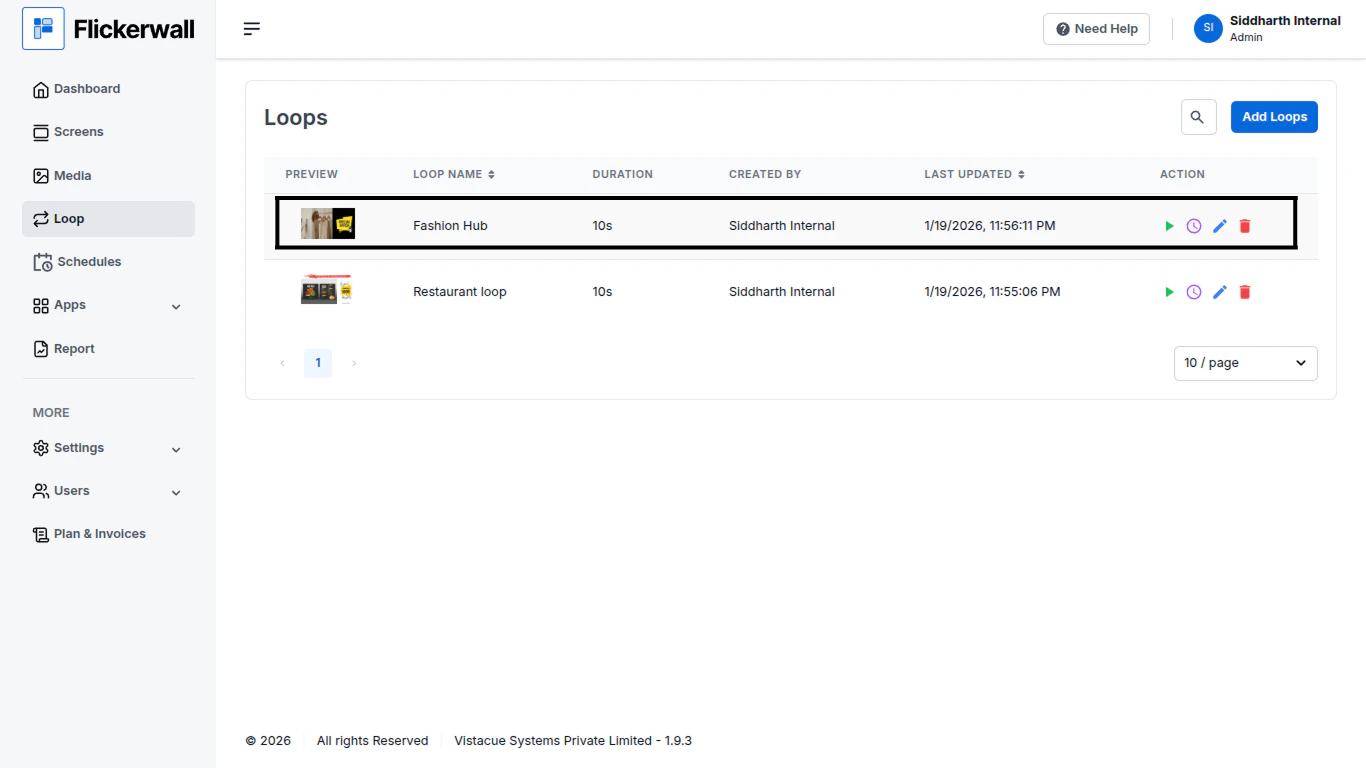
Step 1

Go to Loop module and find the loop you want to Delete
<img src="https://mintcdn.com/flickerwall-796545b9/8we3j2vgq2WdAcCm/images/loops-how-to-delete-a-created-loop-image-1.png?fit=max&auto=format&n=8we3j2vgq2WdAcCm&q=85&s=62e8ac9ebb3949f8bb576c45007aac55" alt="" width="1366" height="768" data-path="images/loops-how-to-delete-a-created-loop-image-1.png" />

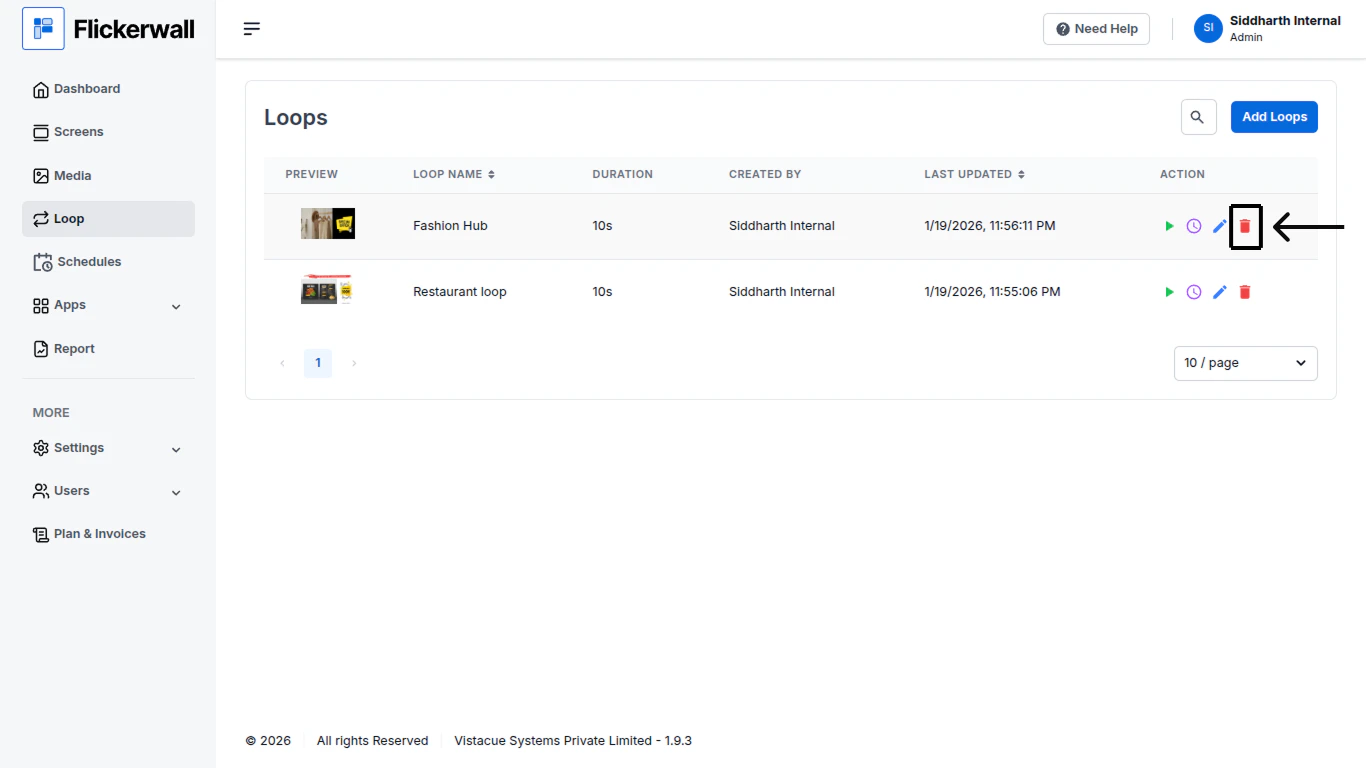
Step 2

Click on the “Delete” icon to Delete the loop
<img src="https://mintcdn.com/flickerwall-796545b9/8we3j2vgq2WdAcCm/images/loops-how-to-delete-a-created-loop-image-2.png?fit=max&auto=format&n=8we3j2vgq2WdAcCm&q=85&s=dfd981aff2fed3dfca2a3d0186e652d9" alt="" width="1366" height="768" data-path="images/loops-how-to-delete-a-created-loop-image-2.png" />

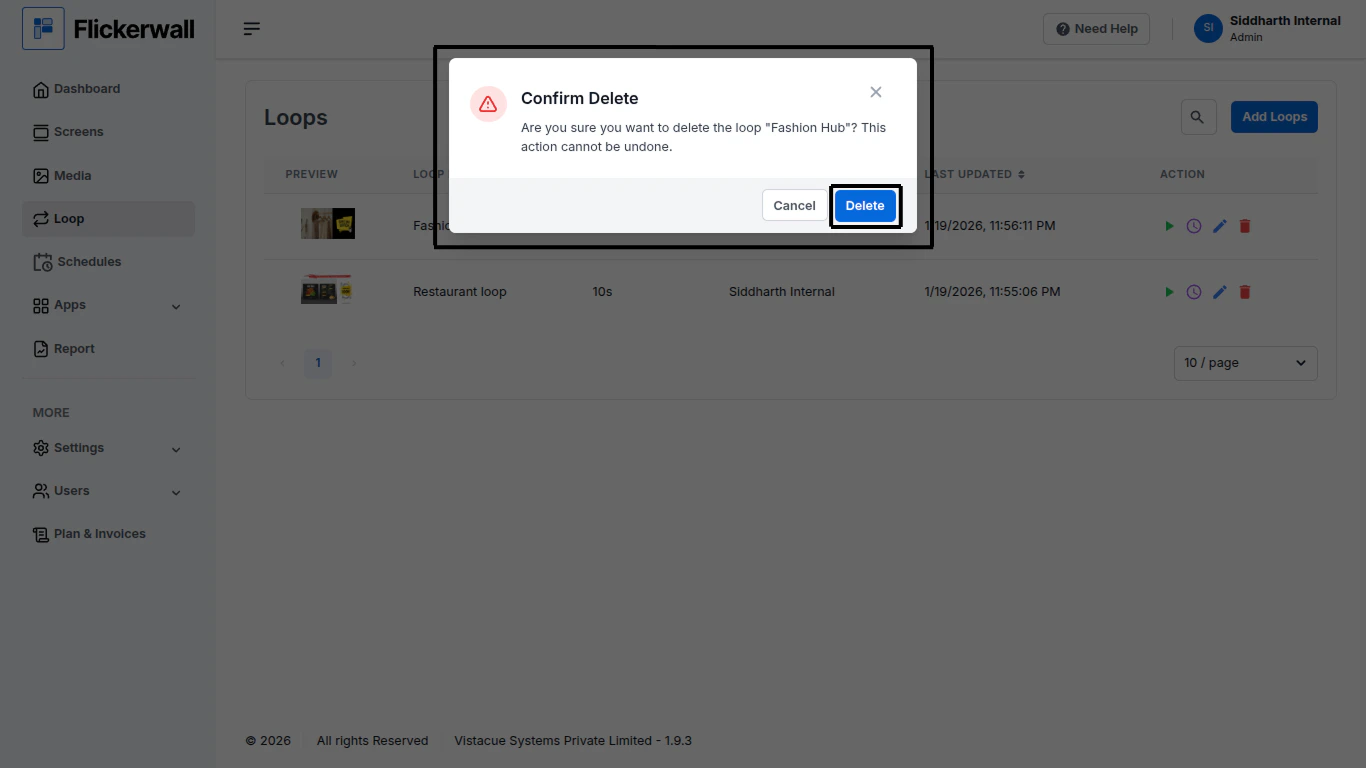
Step 3

Confirm the Delete request

Click on “Delete” to approve the Deleting request
<img src="https://mintcdn.com/flickerwall-796545b9/8we3j2vgq2WdAcCm/images/loops-how-to-delete-a-created-loop-image-3.png?fit=max&auto=format&n=8we3j2vgq2WdAcCm&q=85&s=b872374a4f04adc5ba3dea7b767de5be" alt="" width="1366" height="768" data-path="images/loops-how-to-delete-a-created-loop-image-3.png" />
