> ## Documentation Index
> Fetch the complete documentation index at: https://docs.flickerwall.com/llms.txt
> Use this file to discover all available pages before exploring further.

# How to add the Youtube app from Flickerwall store?

> Step by step guide to learn how to add the Youtube app from Flickerwall store

***

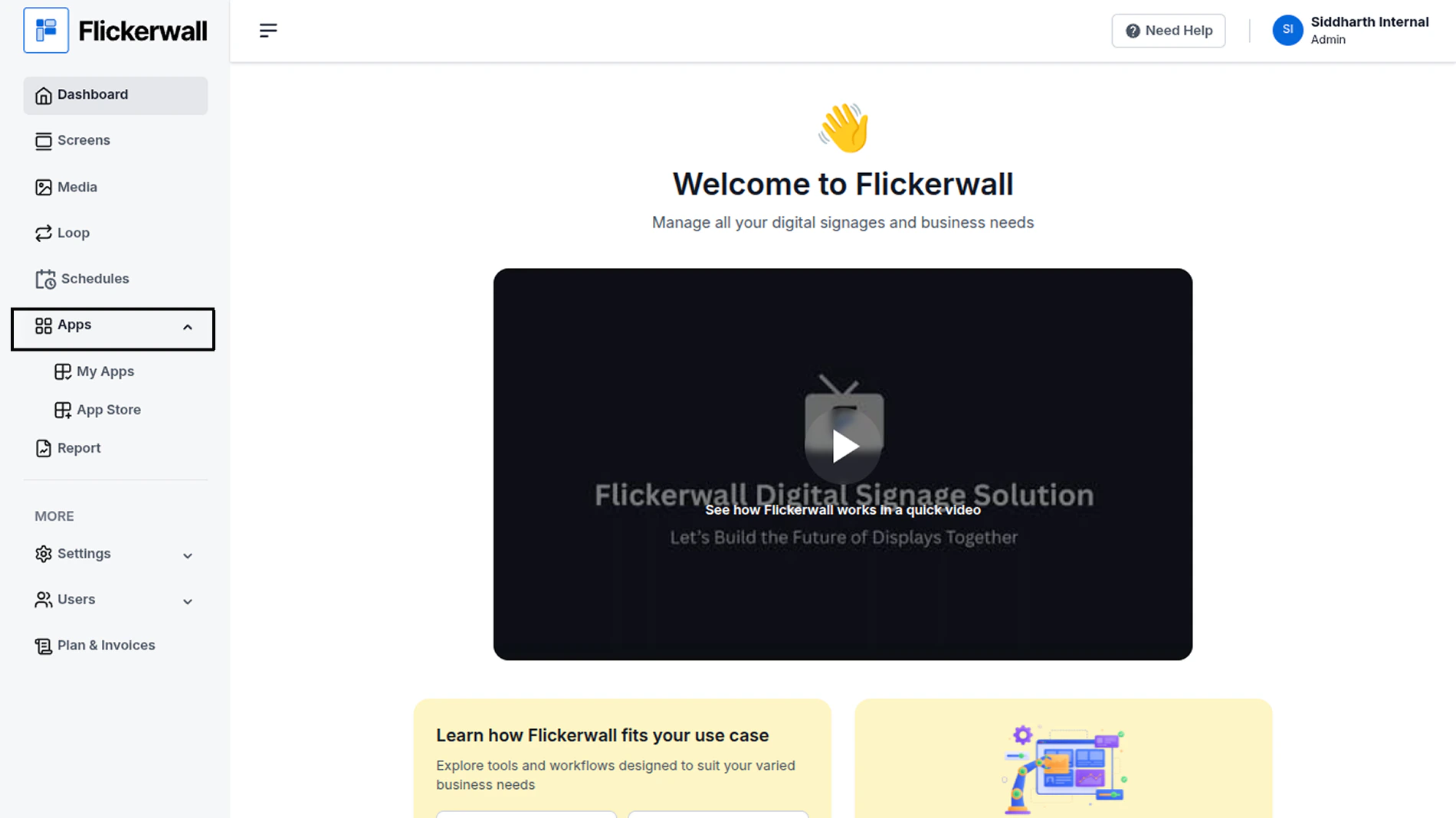
Step 1

Go to Apps and then App store!

click on the apps and then Nevigate to App store in the appeared drawer
<img src="https://mintcdn.com/flickerwall-796545b9/vWvJ3l0LLgrVbFxp/images/apps-how-to-add-the-youtube-app-from-flickerwall-store-image-1.png?fit=max&auto=format&n=vWvJ3l0LLgrVbFxp&q=85&s=cc0305ca2a06c576a8a28e32623527e3" alt="" width="1900" height="1068" data-path="images/apps-how-to-add-the-youtube-app-from-flickerwall-store-image-1.png" />

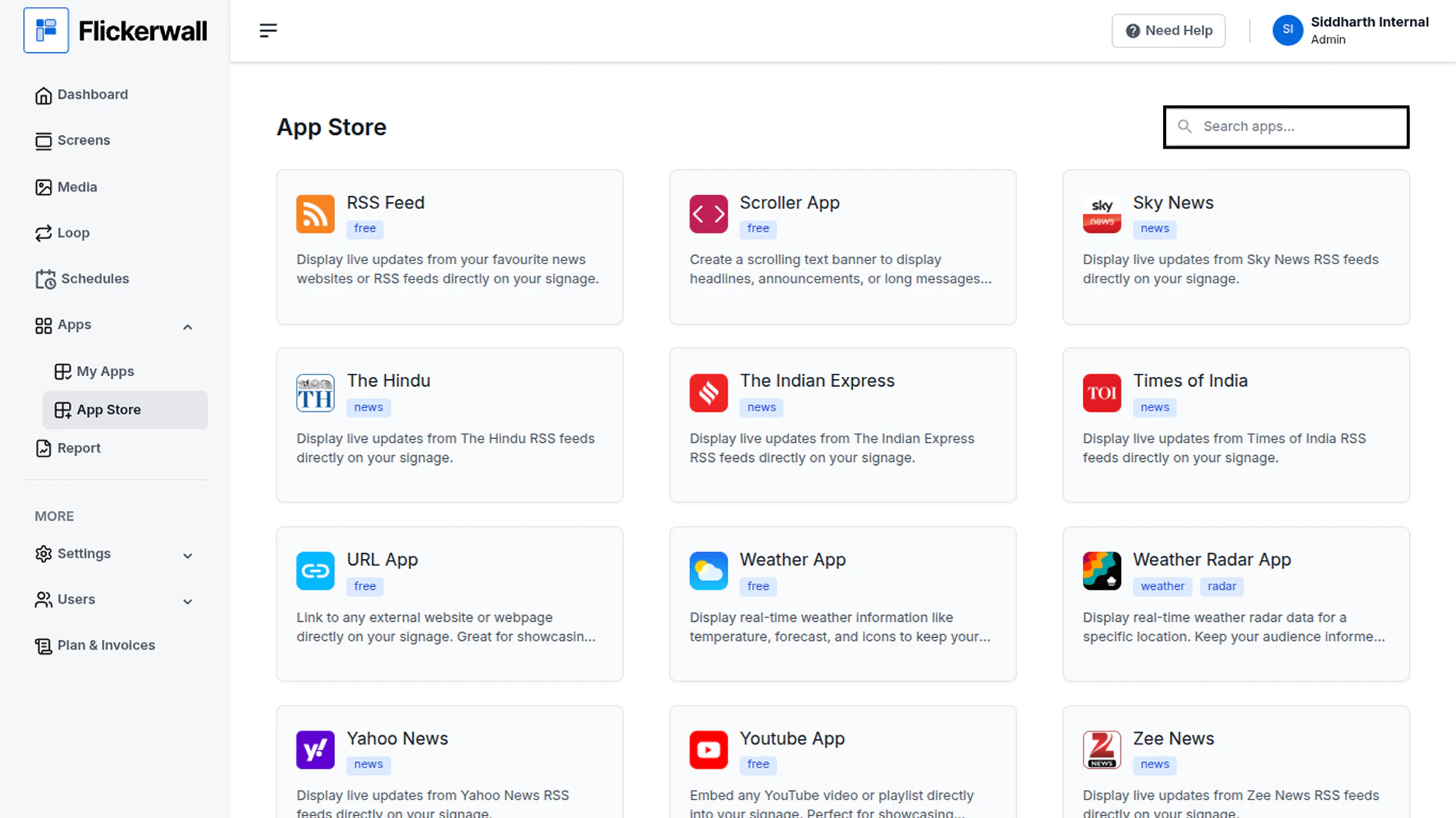
Step 2

Go to Search Bar

you can search the app you want
<img src="https://mintcdn.com/flickerwall-796545b9/vWvJ3l0LLgrVbFxp/images/apps-how-to-add-the-youtube-app-from-flickerwall-store-image-2.png?fit=max&auto=format&n=vWvJ3l0LLgrVbFxp&q=85&s=57266e8e095f3668d20ae3bb25308940" alt="" width="1900" height="1068" data-path="images/apps-how-to-add-the-youtube-app-from-flickerwall-store-image-2.png" />

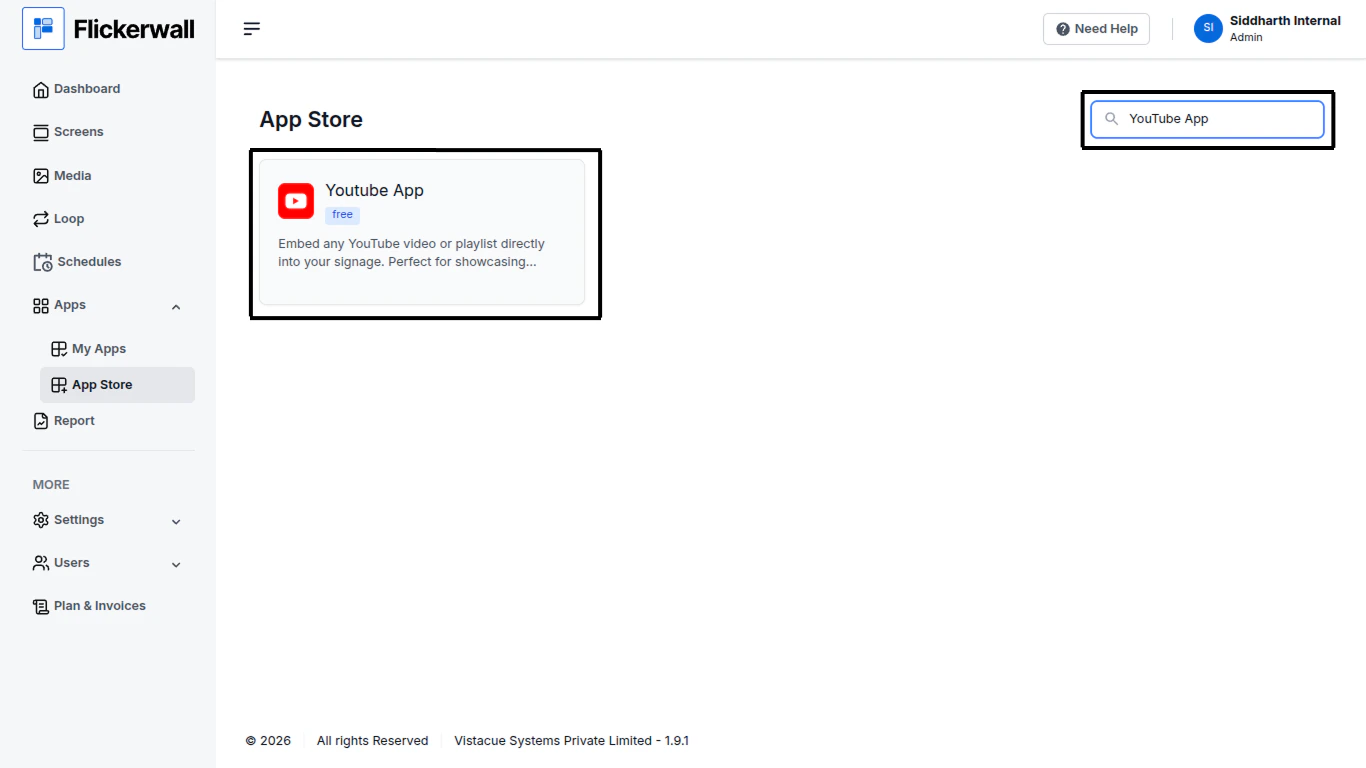
Step 3

Search for YouTube Select and click on the desired app
<img src="https://mintcdn.com/flickerwall-796545b9/vWvJ3l0LLgrVbFxp/images/apps-how-to-add-the-youtube-app-from-flickerwall-store-image-3.png?fit=max&auto=format&n=vWvJ3l0LLgrVbFxp&q=85&s=a39b872eb5e6ae77eefcfa565684bf83" alt="" width="1366" height="768" data-path="images/apps-how-to-add-the-youtube-app-from-flickerwall-store-image-3.png" />

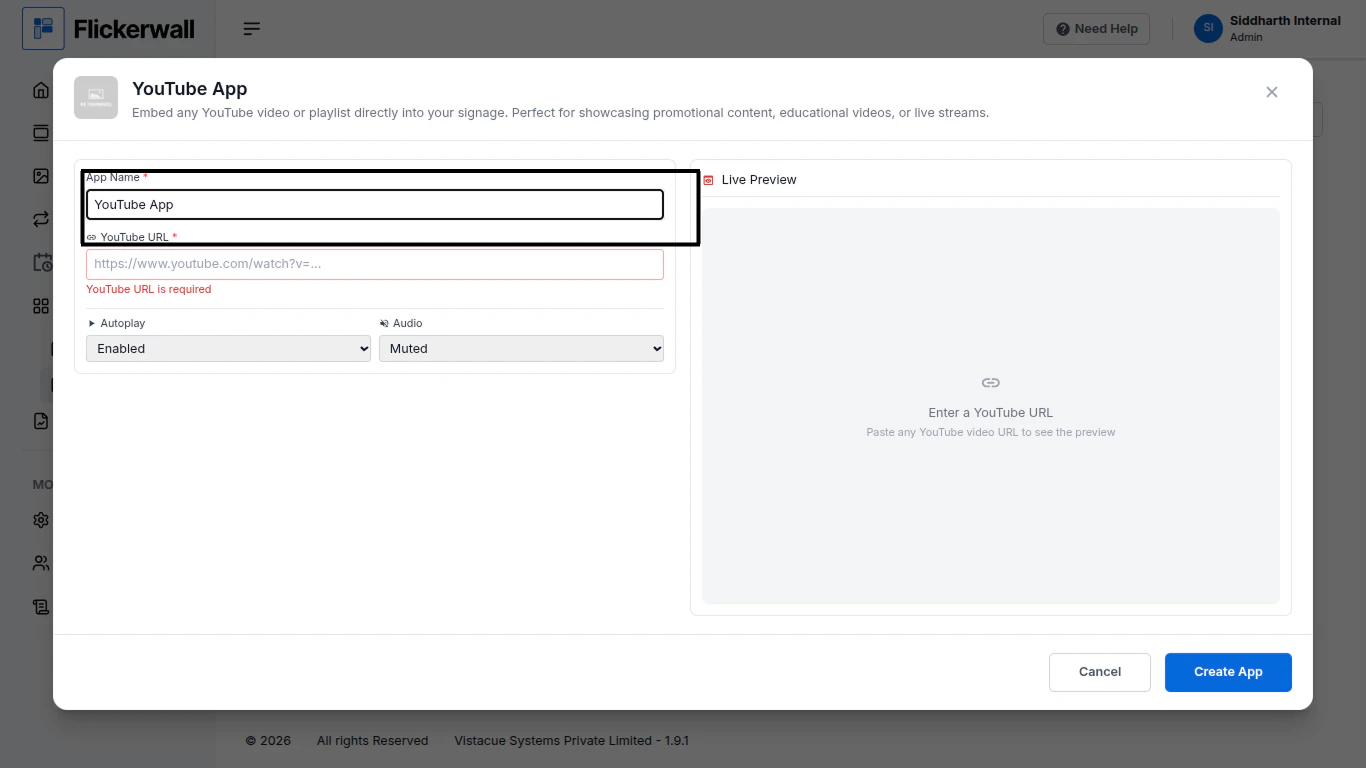
Step 4

Enter a Name for the App

Enter a name for app so you can find it easy later
<img src="https://mintcdn.com/flickerwall-796545b9/vWvJ3l0LLgrVbFxp/images/apps-how-to-add-the-youtube-app-from-flickerwall-store-image-4.png?fit=max&auto=format&n=vWvJ3l0LLgrVbFxp&q=85&s=eaab93ad043448d703827f3e4c13e93f" alt="" width="1366" height="768" data-path="images/apps-how-to-add-the-youtube-app-from-flickerwall-store-image-4.png" />

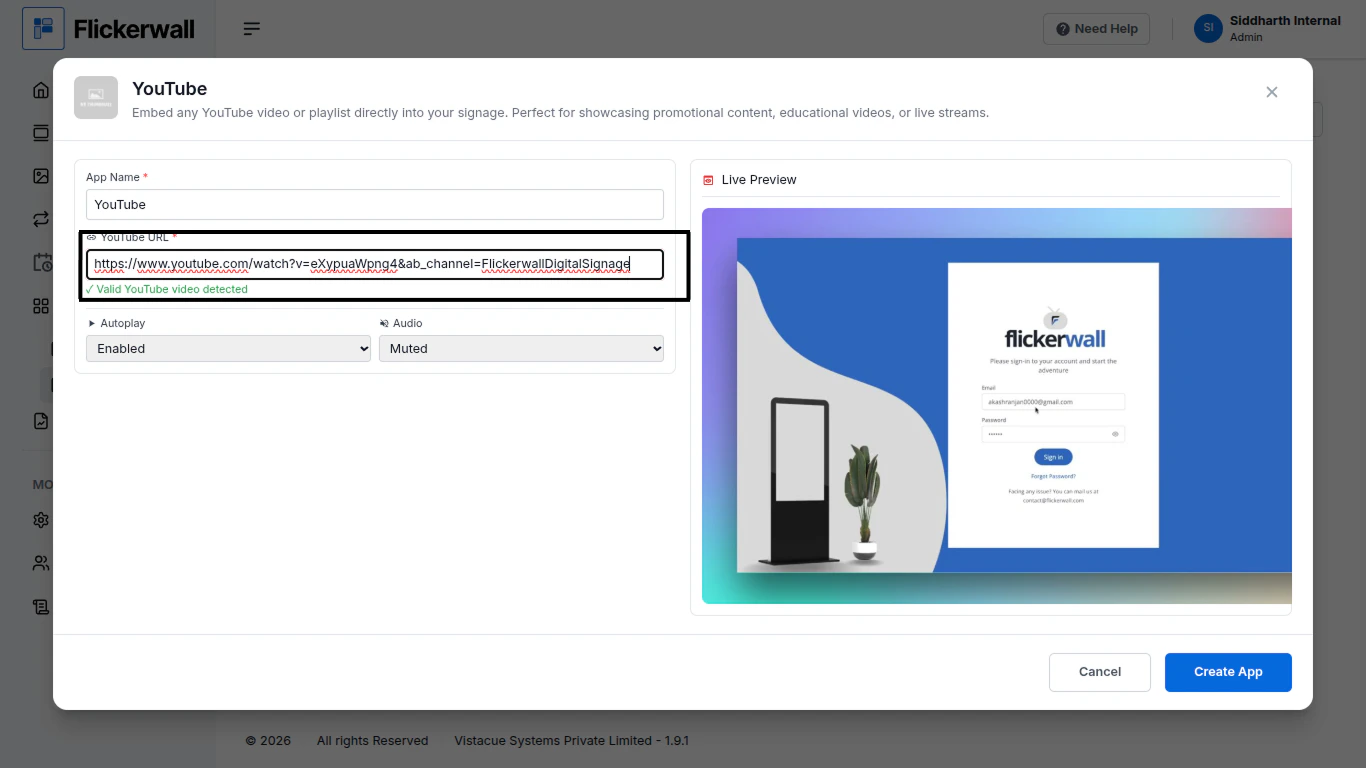
Step 5

Enter your YouTube video URL and our system will detect the video and show you the preview
<img src="https://mintcdn.com/flickerwall-796545b9/vWvJ3l0LLgrVbFxp/images/apps-how-to-add-the-youtube-app-from-flickerwall-store-image-5.png?fit=max&auto=format&n=vWvJ3l0LLgrVbFxp&q=85&s=355038189349b328fcad47c80c8f54ed" alt="" width="1366" height="768" data-path="images/apps-how-to-add-the-youtube-app-from-flickerwall-store-image-5.png" />

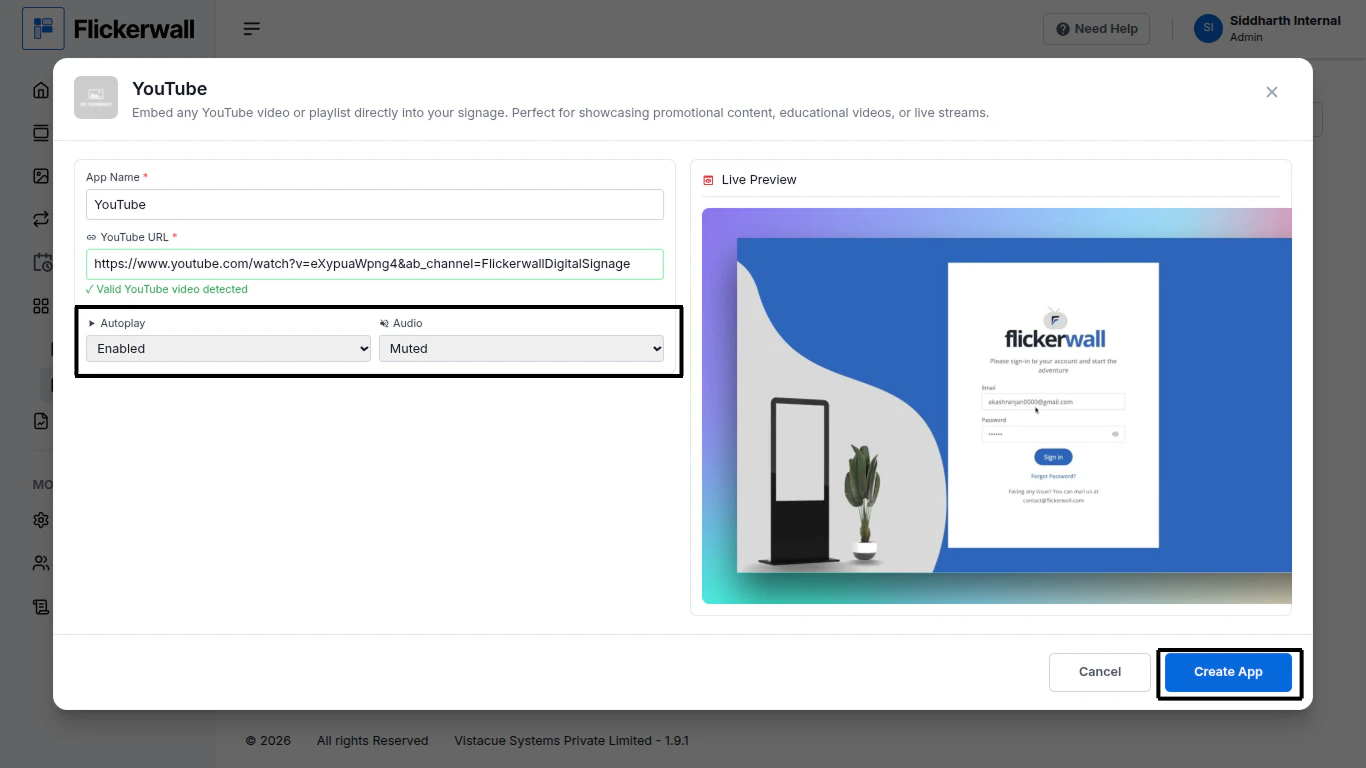
Step 6

Enable auto play and select if the Audio stays Muted or Unmuted
<img src="https://mintcdn.com/flickerwall-796545b9/vWvJ3l0LLgrVbFxp/images/apps-how-to-add-the-youtube-app-from-flickerwall-store-image-6.png?fit=max&auto=format&n=vWvJ3l0LLgrVbFxp&q=85&s=f43f3ccd45aa2e4050eaa6b3755ab58f" alt="" width="1366" height="768" data-path="images/apps-how-to-add-the-youtube-app-from-flickerwall-store-image-6.png" />

Click on Create app ones you’re done with process

Congratulations : you have now made the Youtube app for your uses
