> ## Documentation Index
> Fetch the complete documentation index at: https://docs.flickerwall.com/llms.txt
> Use this file to discover all available pages before exploring further.

# How to add the Weather app from the Flickerwall store?

> Step-by-step guide to add the Weather app from the Flickerwall store

***

Step 1

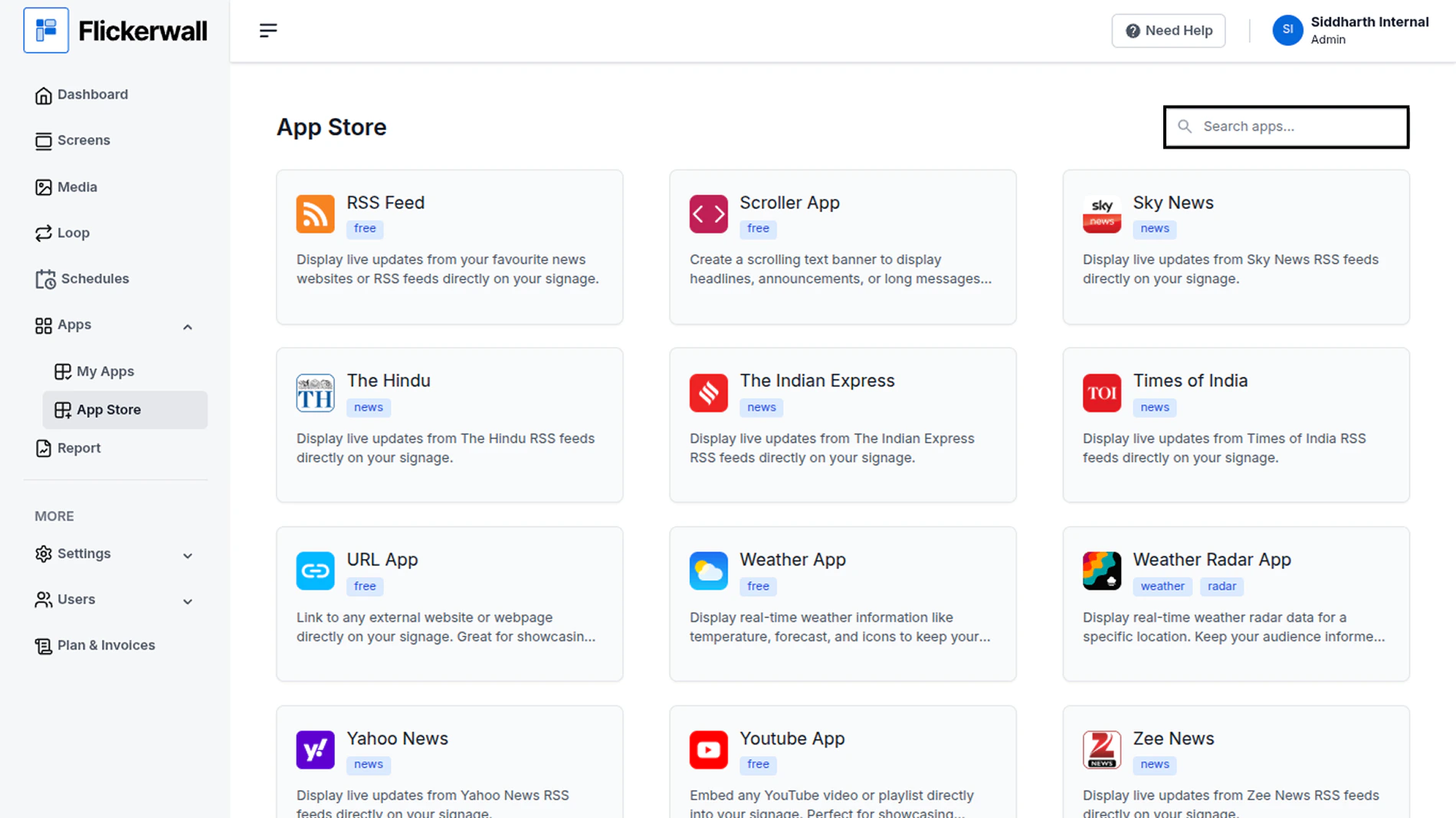
Go to Apps and then App store!

click on the apps and then Nevigate to App store in the appeared drawer

<img src="https://mintcdn.com/flickerwall-796545b9/vWvJ3l0LLgrVbFxp/images/apps-how-to-add-the-weather-app-from-the-flickerwall-store-image-1.png?fit=max&auto=format&n=vWvJ3l0LLgrVbFxp&q=85&s=b08469fe606896be8ffce06f641c9837" alt="" width="1900" height="1068" data-path="images/apps-how-to-add-the-weather-app-from-the-flickerwall-store-image-1.png" />

Step 2

Go to Search Bar

you can search the app you want
<img src="https://mintcdn.com/flickerwall-796545b9/vWvJ3l0LLgrVbFxp/images/apps-how-to-add-the-weather-app-from-the-flickerwall-store-image-2.png?fit=max&auto=format&n=vWvJ3l0LLgrVbFxp&q=85&s=16807db01b31cf6e46266c7b881779c6" alt="" width="1900" height="1068" data-path="images/apps-how-to-add-the-weather-app-from-the-flickerwall-store-image-2.png" />

Step 3

Search for Weather Select and click on the desired app
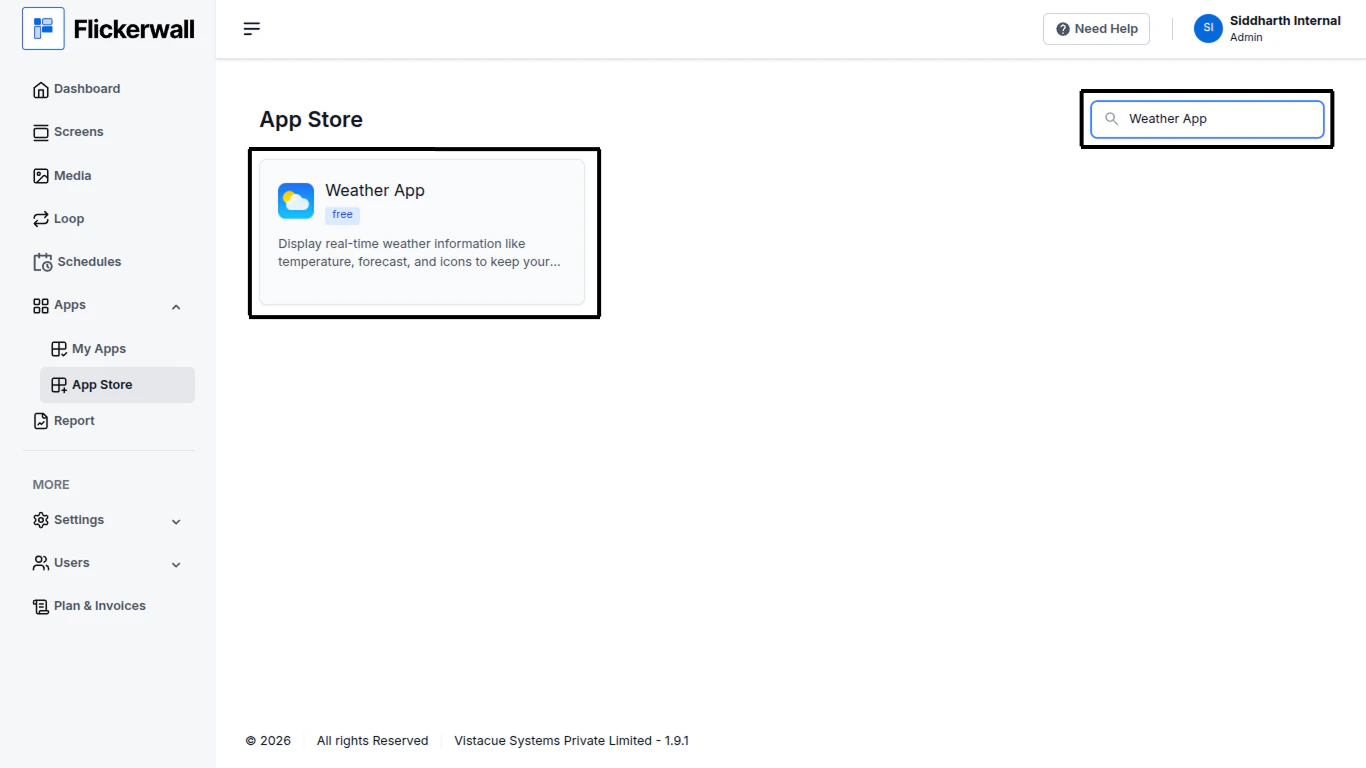
<img src="https://mintcdn.com/flickerwall-796545b9/vWvJ3l0LLgrVbFxp/images/apps-how-to-add-the-weather-app-from-the-flickerwall-store-image-3.png?fit=max&auto=format&n=vWvJ3l0LLgrVbFxp&q=85&s=81618b381fc336e5277f5f2ac79d3cd9" alt="" width="1366" height="768" data-path="images/apps-how-to-add-the-weather-app-from-the-flickerwall-store-image-3.png" />

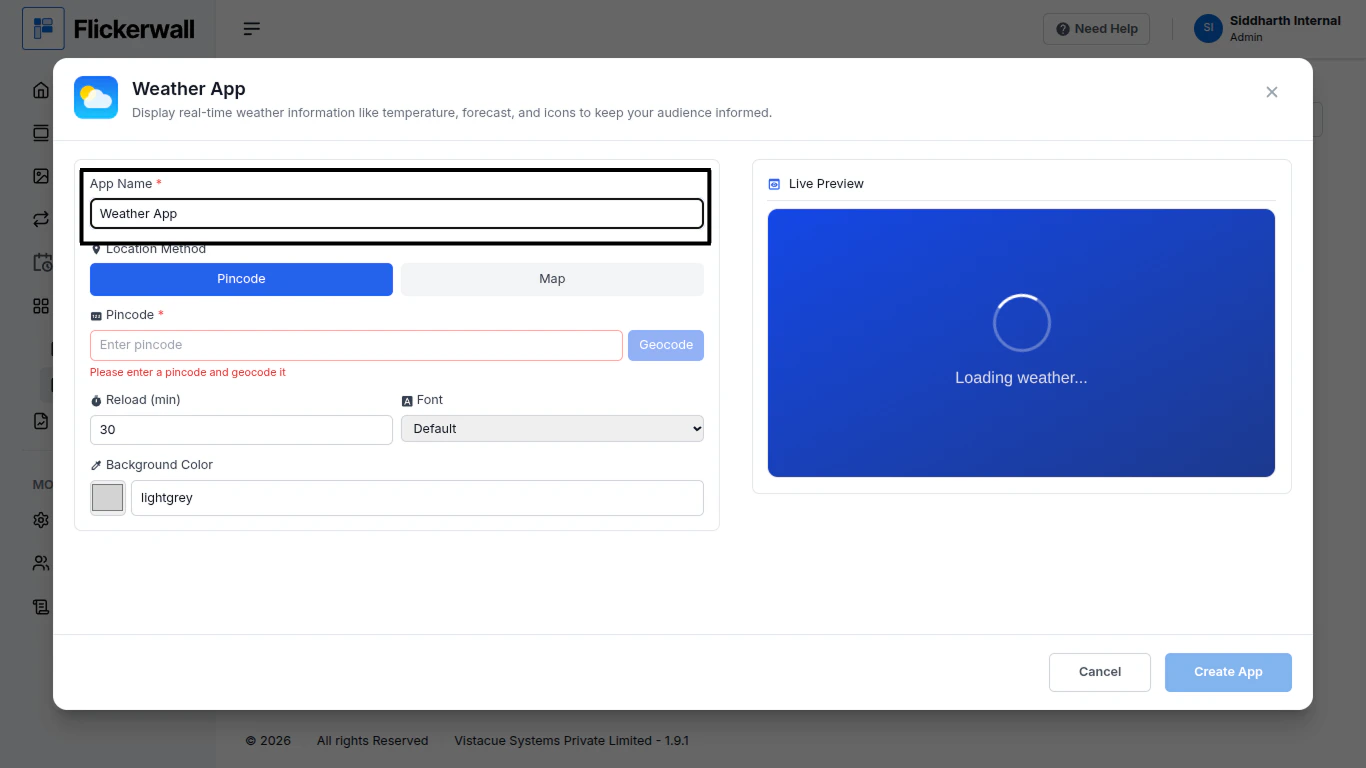
Step 4

Enter a Name for the App

Enter a name for app so you can find it easy later
<img src="https://mintcdn.com/flickerwall-796545b9/vWvJ3l0LLgrVbFxp/images/apps-how-to-add-the-weather-app-from-the-flickerwall-store-image-4.png?fit=max&auto=format&n=vWvJ3l0LLgrVbFxp&q=85&s=940b7dfb07c4ec0a696d96613f2cbbf8" alt="" width="1366" height="768" data-path="images/apps-how-to-add-the-weather-app-from-the-flickerwall-store-image-4.png" />

Step 5

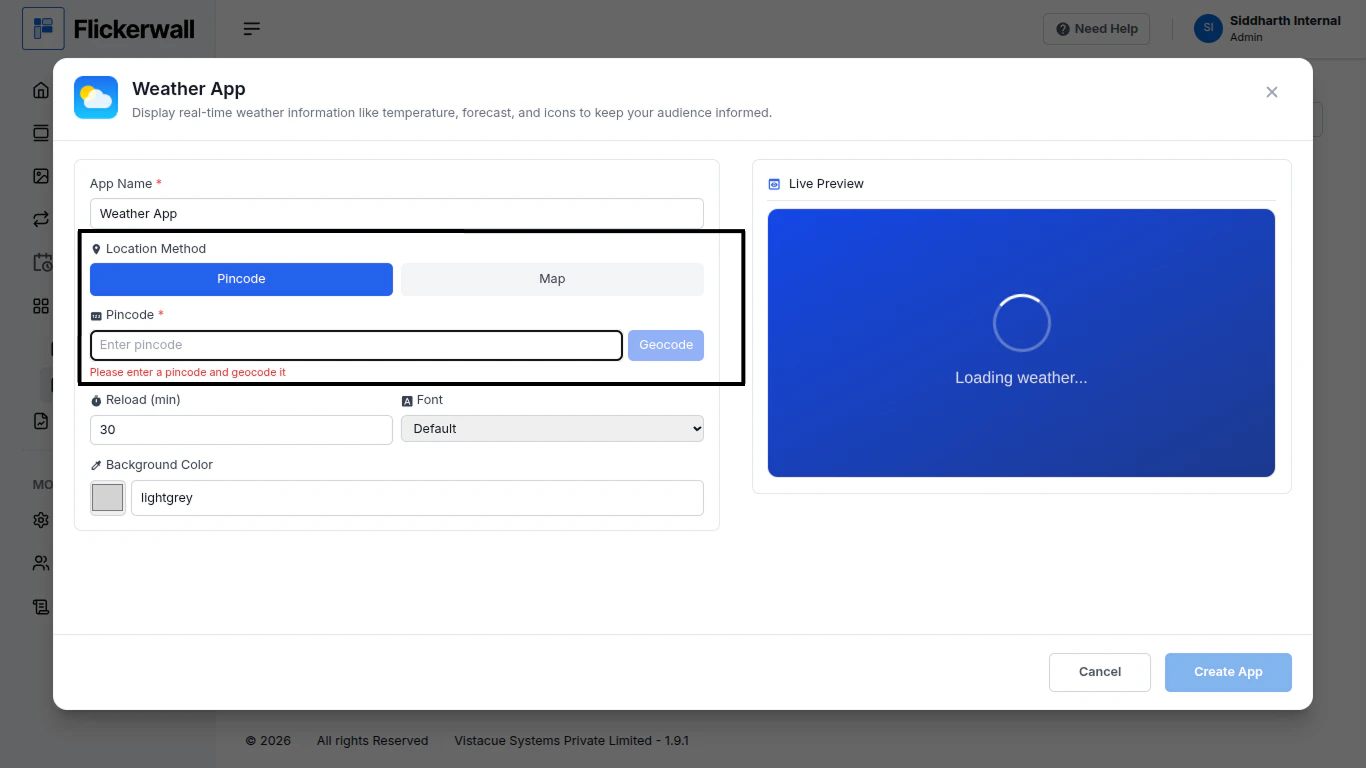
Enter your Location Pincode

<img src="https://mintcdn.com/flickerwall-796545b9/vWvJ3l0LLgrVbFxp/images/apps-how-to-add-the-weather-app-from-the-flickerwall-store-image-5.png?fit=max&auto=format&n=vWvJ3l0LLgrVbFxp&q=85&s=8512d6d8f2f4f9bdae1aa63cc57acfb1" alt="" width="1366" height="768" data-path="images/apps-how-to-add-the-weather-app-from-the-flickerwall-store-image-5.png" />

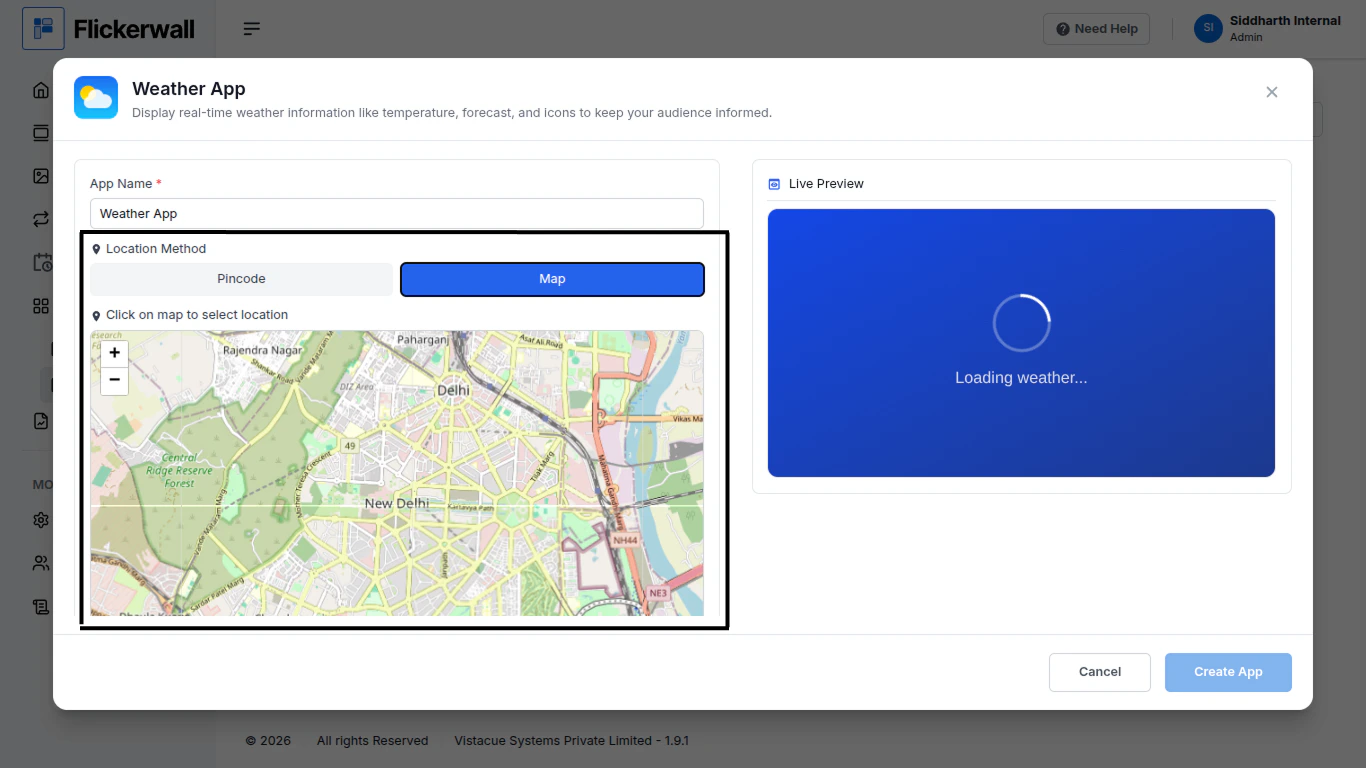
or Select Location on Map

<img src="https://mintcdn.com/flickerwall-796545b9/vWvJ3l0LLgrVbFxp/images/apps-how-to-add-the-weather-app-from-the-flickerwall-store-image-6.png?fit=max&auto=format&n=vWvJ3l0LLgrVbFxp&q=85&s=d4c791ecca8d5bf9268ad1923a8206b8" alt="" width="1366" height="768" data-path="images/apps-how-to-add-the-weather-app-from-the-flickerwall-store-image-6.png" />

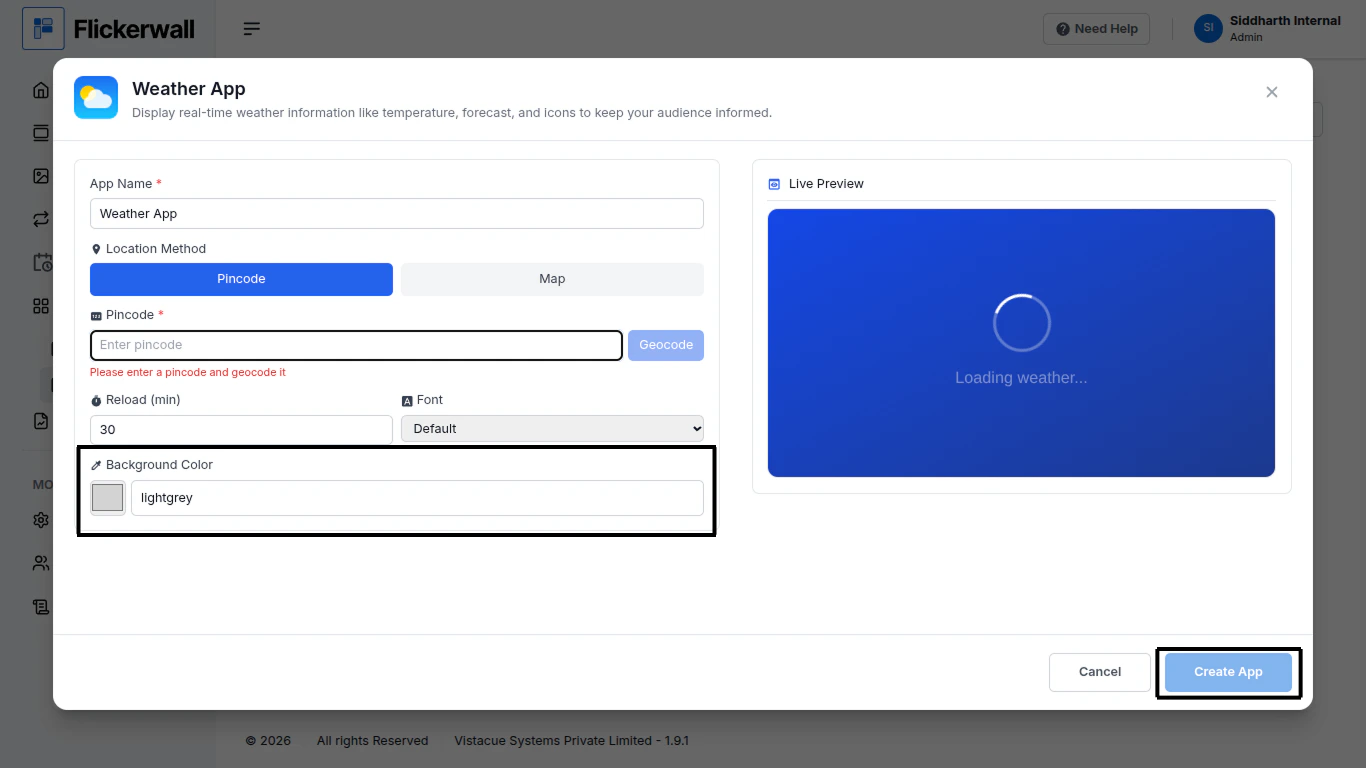
Step 6

Select Background and create app for the use
<img src="https://mintcdn.com/flickerwall-796545b9/vWvJ3l0LLgrVbFxp/images/apps-how-to-add-the-weather-app-from-the-flickerwall-store-image-7.png?fit=max&auto=format&n=vWvJ3l0LLgrVbFxp&q=85&s=c556b8b1764741bce1a92ed4f5b849a1" alt="" width="1366" height="768" data-path="images/apps-how-to-add-the-weather-app-from-the-flickerwall-store-image-7.png" />

Congratulations : You can now create and use this app for your needs