> ## Documentation Index
> Fetch the complete documentation index at: https://docs.flickerwall.com/llms.txt
> Use this file to discover all available pages before exploring further.

# How to add and use the URL App from Flickerwall store?

> Step by step guide to learn how to add the URL app from the Flickerwall store

# How to add and use the URL App from Flickerwall store?

Step by step guide to learn how to add the URL app from the Flickerwall store

***

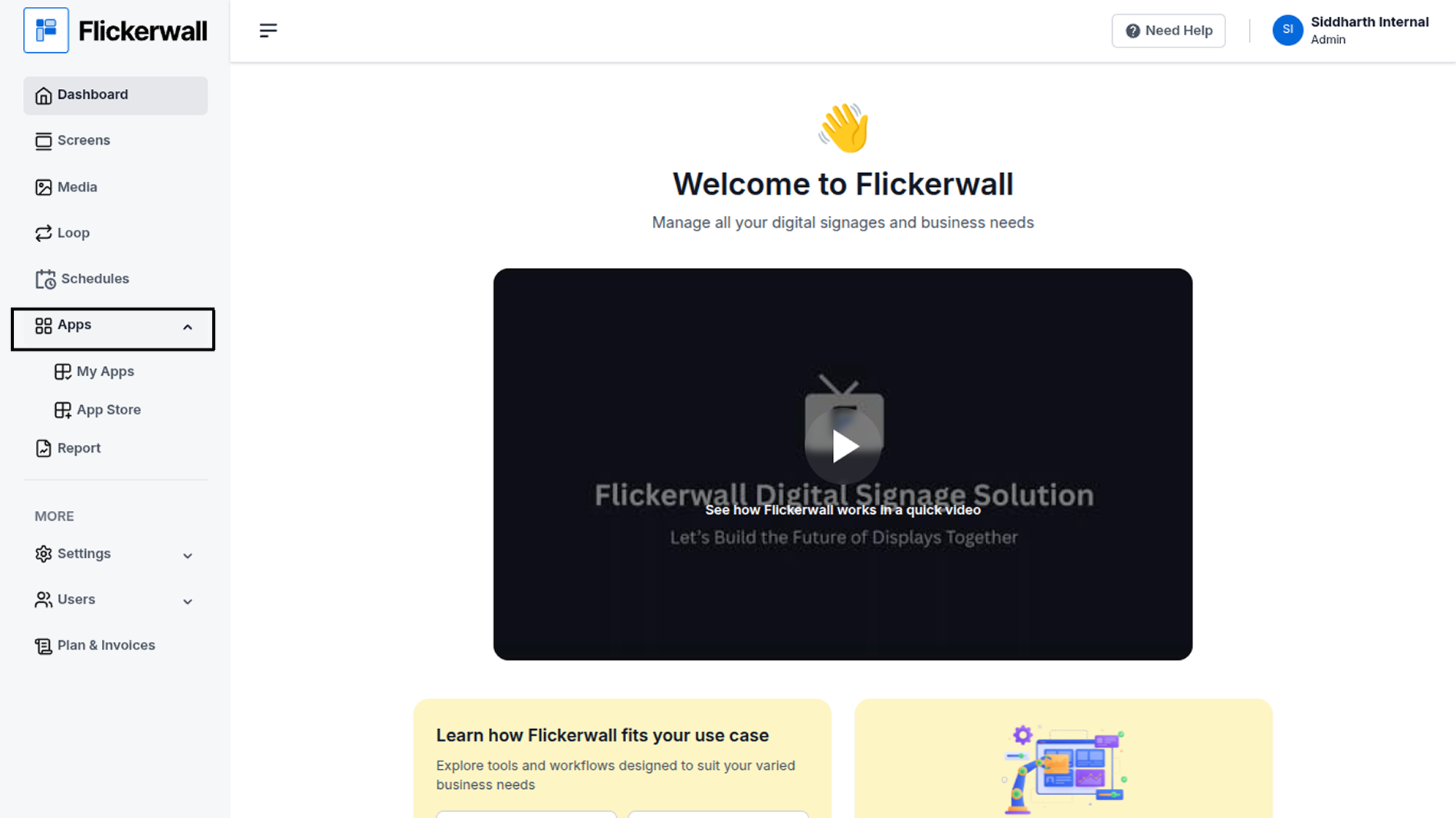
Step 1

Go to Apps and then App store!

click on the apps and then Nevigate to App store in the appeared drawer
<img src="https://mintcdn.com/flickerwall-796545b9/TdspFyFEumE0AmTf/images/apps-how-to-add-and-use-the-url-app-from-flickerwall-store-image-1.png?fit=max&auto=format&n=TdspFyFEumE0AmTf&q=85&s=49e2a14bd388facfa0007bc9ae7dff6e" alt="" width="1900" height="1068" data-path="images/apps-how-to-add-and-use-the-url-app-from-flickerwall-store-image-1.png" />

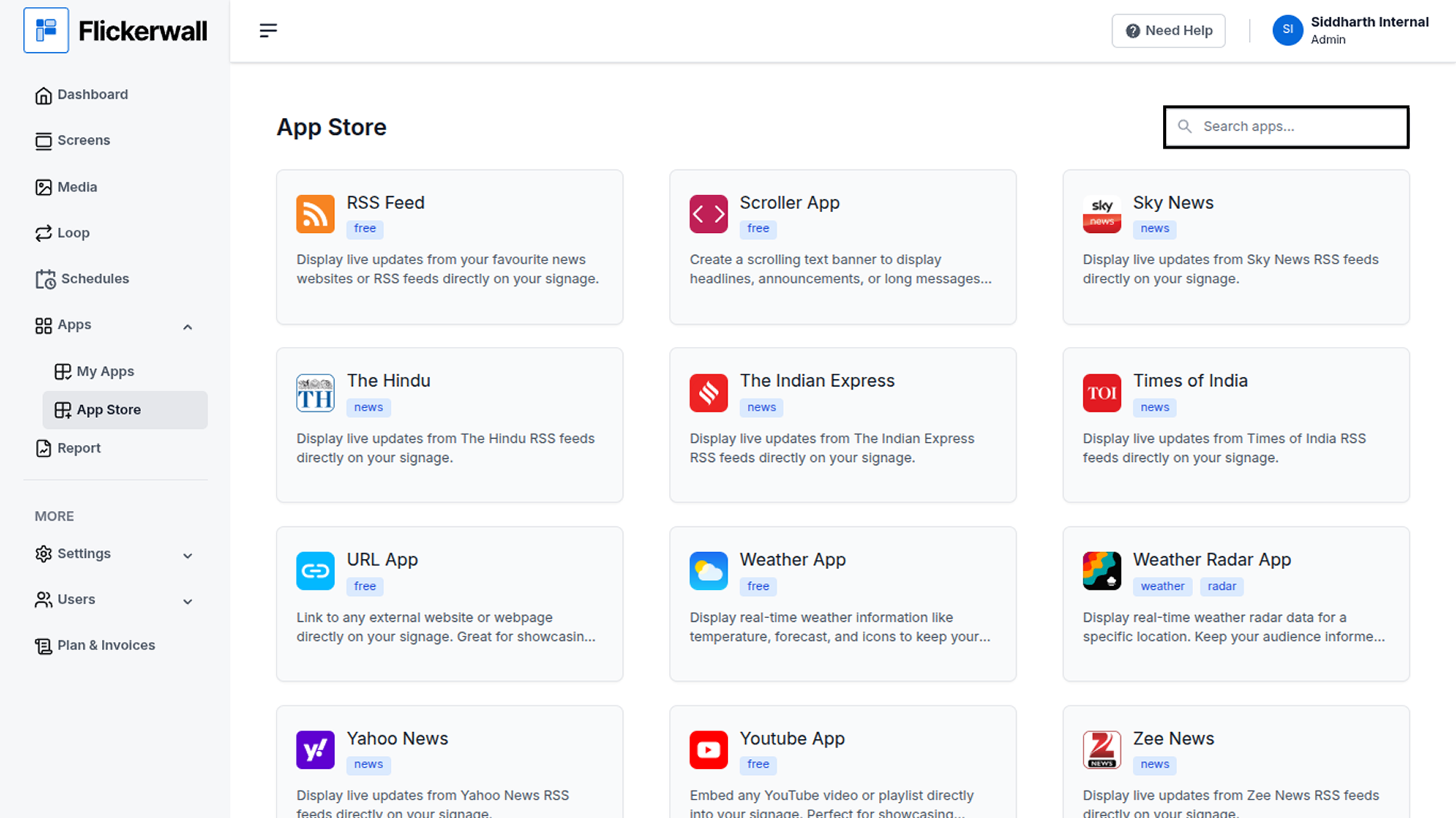
Step 2

Go to Search Bar

you can search the app you want
<img src="https://mintcdn.com/flickerwall-796545b9/TdspFyFEumE0AmTf/images/apps-how-to-add-and-use-the-url-app-from-flickerwall-store-image-2.png?fit=max&auto=format&n=TdspFyFEumE0AmTf&q=85&s=53098e9d744ba0ac0ddd94e6279da7e0" alt="" width="1900" height="1068" data-path="images/apps-how-to-add-and-use-the-url-app-from-flickerwall-store-image-2.png" />

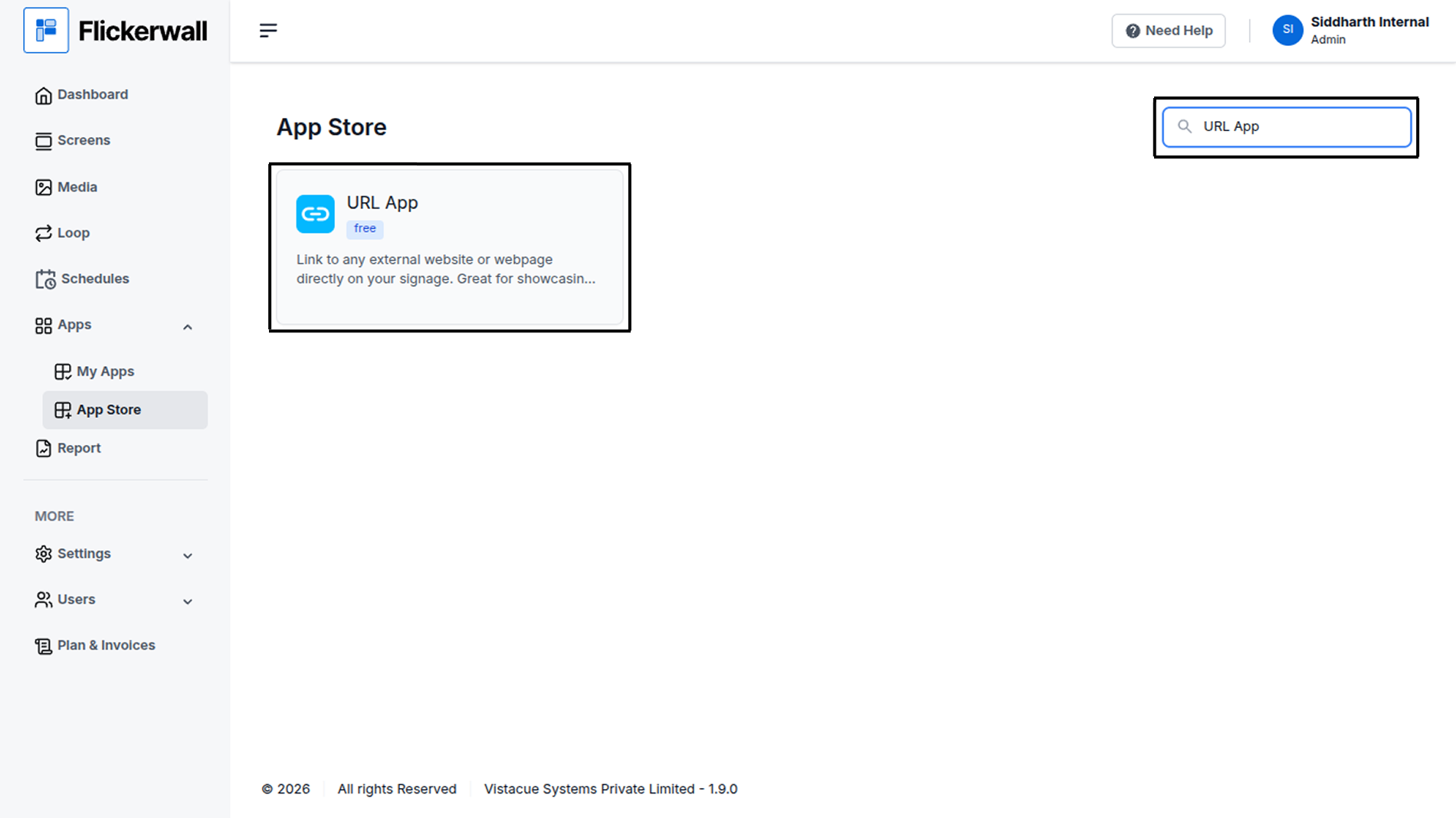
Step 3

Search for URL App Select and click on the desired app
<img src="https://mintcdn.com/flickerwall-796545b9/TdspFyFEumE0AmTf/images/apps-how-to-add-and-use-the-url-app-from-flickerwall-store-image-3.png?fit=max&auto=format&n=TdspFyFEumE0AmTf&q=85&s=163d99166c029b32832a9e7dbd0206b2" alt="" width="1900" height="1068" data-path="images/apps-how-to-add-and-use-the-url-app-from-flickerwall-store-image-3.png" />

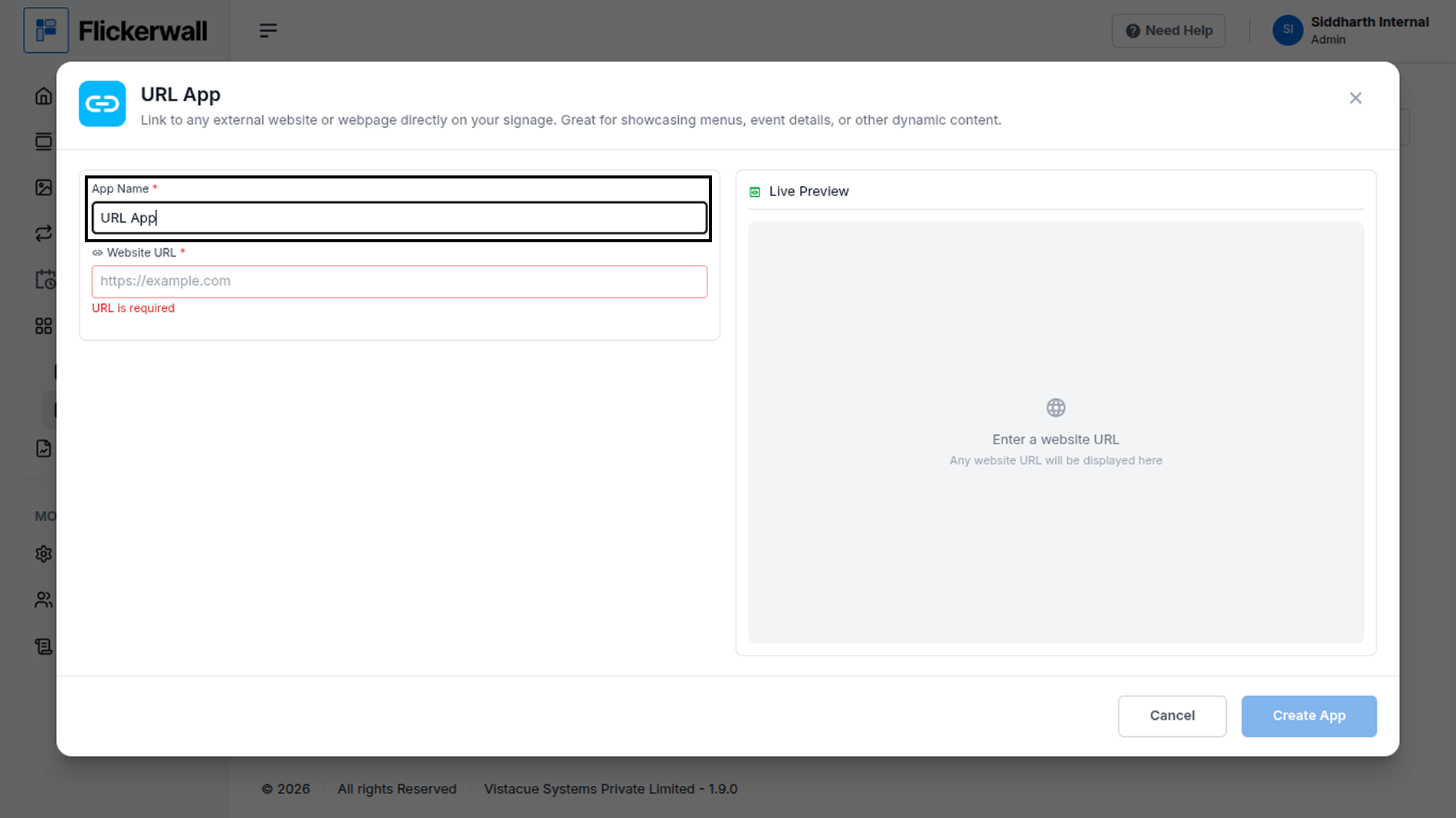
Step 4

Add Name for the app

<img src="https://mintcdn.com/flickerwall-796545b9/TdspFyFEumE0AmTf/images/apps-how-to-add-and-use-the-url-app-from-flickerwall-store-image-4.png?fit=max&auto=format&n=TdspFyFEumE0AmTf&q=85&s=ddae25a311378c5af2b85ce30272d856" alt="" width="1900" height="1068" data-path="images/apps-how-to-add-and-use-the-url-app-from-flickerwall-store-image-4.png" />

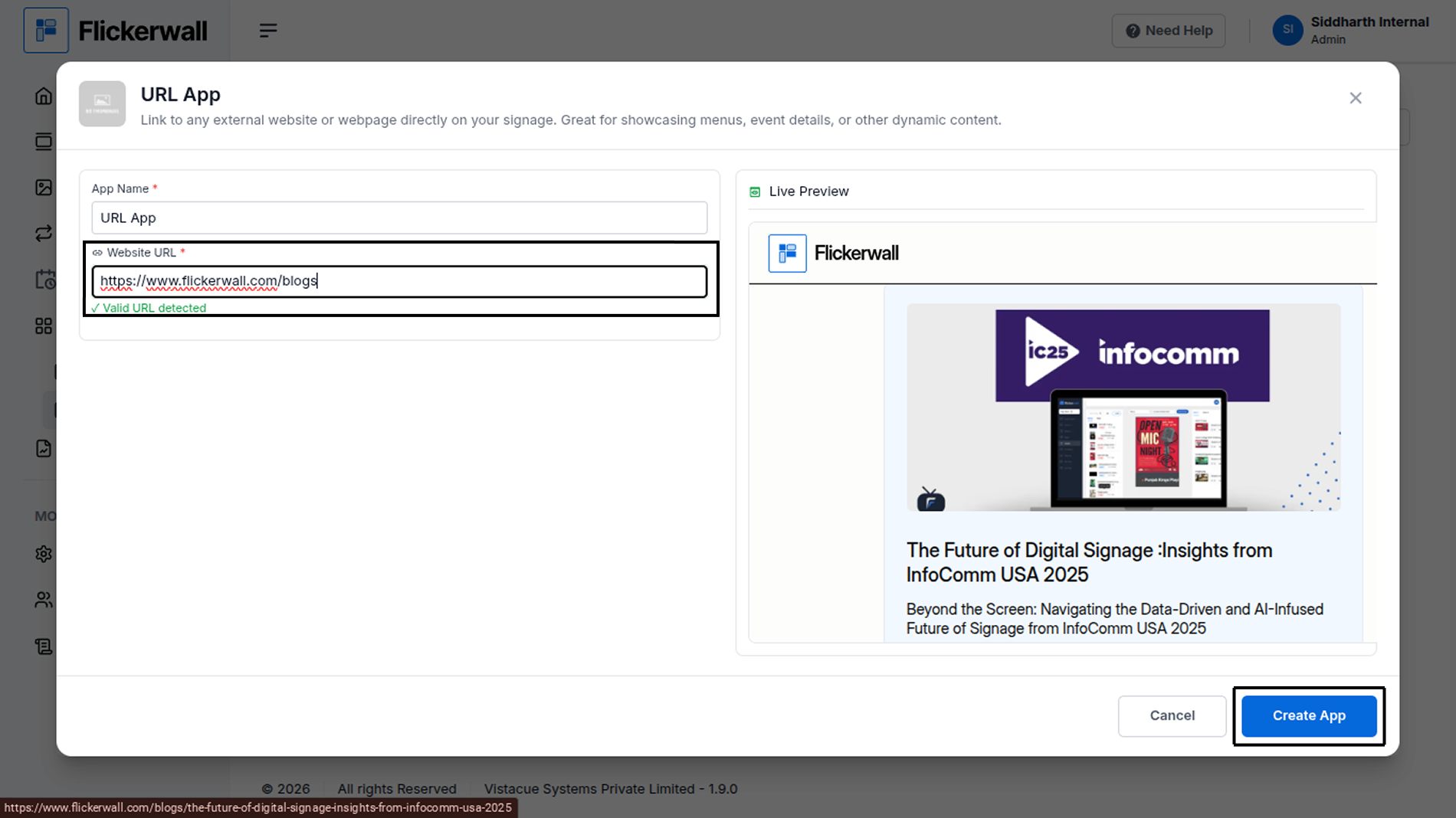
Step 5

Add the Url you wish to proceed with

Our system will automatically detect if the URL page

Click on Create app to Use the app
<img src="https://mintcdn.com/flickerwall-796545b9/TdspFyFEumE0AmTf/images/apps-how-to-add-and-use-the-url-app-from-flickerwall-store-image-5.png?fit=max&auto=format&n=TdspFyFEumE0AmTf&q=85&s=0dda34751b2e508599e614210abd92c0" alt="" width="1900" height="1068" data-path="images/apps-how-to-add-and-use-the-url-app-from-flickerwall-store-image-5.png" />

Congratulations : Yayy you’re all set to use the created app